1. Introduction
This user manual provides essential information for the setup, operation, and maintenance of your Hisense 50E7Q Series 4K Ultra HD Smart QLED TV. Please read this manual thoroughly before using the television and retain it for future reference.
2. Safety Information
Always adhere to the following safety precautions to prevent electric shock, fire, or damage to the television:
- Do not expose the TV to rain or moisture.
- Do not open the TV casing; refer all servicing to qualified personnel.
- Ensure proper ventilation around the TV.
- Unplug the TV during lightning storms or when unused for long periods.
- Keep the TV away from direct sunlight, heat sources, and extreme temperatures.
3. What's in the Box
Upon unpacking, verify that all components listed below are present and undamaged:
- Hisense 50E7Q Series 4K Ultra HD Smart QLED TV (1N)
- Remote Control (1N)
- Table Stand (2N)
- Warranty Card (1N)
- Batteries (2N)
- User Manual (1N)
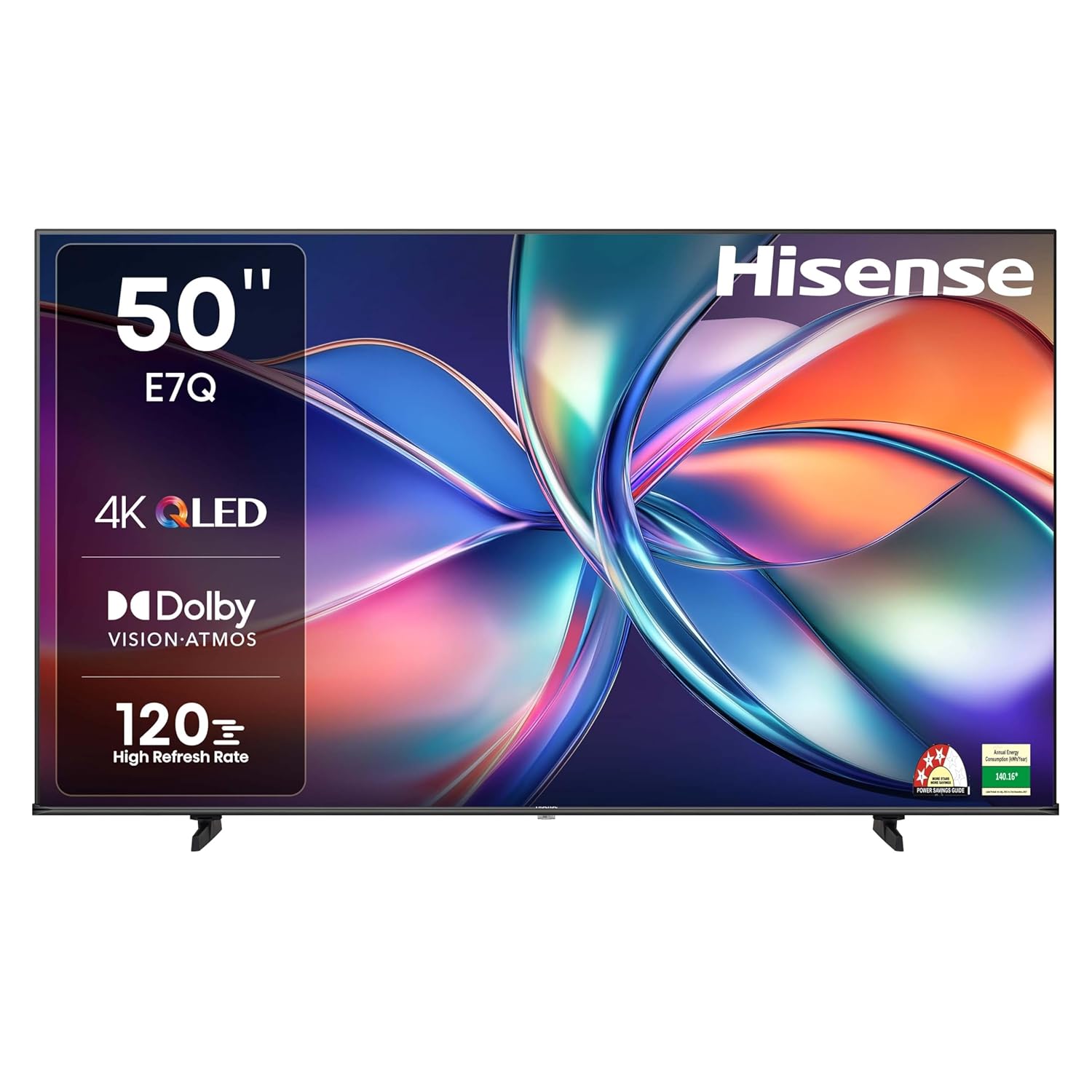
Image: Front view of the Hisense 50E7Q Series 4K Ultra HD Smart QLED TV.

Image: The Hisense 50E7Q TV and its included accessories, such as the remote control, table stands, and batteries.
4. Setup Guide
4.1. Installing the Table Stand
If you are not wall-mounting the TV, follow these steps to attach the table stands:
- Carefully place the TV face-down on a soft, clean surface to prevent screen damage.
- Align each table stand with the corresponding screw holes on the bottom of the TV.
- Secure the stands using the provided screws. Ensure they are tightened firmly.
4.2. Wall Mounting (Optional)
For wall mounting, use a VESA compatible wall mount kit (not included). The VESA Wall Mount Size for this model is 200x400mm. Consult a professional for wall mounting installation to ensure safety and proper setup.
4.3. Connecting External Devices
The Hisense 50E7Q TV offers various connectivity options:
- HDMI: Connect set-top boxes, gaming consoles, Blu-ray players. This TV has 3 HDMI ports, with HDMI 3 supporting eARC.
- USB: Connect USB flash drives or external hard drives for media playback. There are 2 USB 2.0 ports.
- Ethernet (RJ45): For wired internet connection.
- Optical Digital Audio Output (SPDIF): For connecting to soundbars or home theater systems.
- AV Input: For older devices using composite video and stereo audio.
- RF Input: For connecting an antenna or cable TV.
- Headphone Jack: For private listening.

Image: Side view of the Hisense 50E7Q TV, highlighting the various input and output ports available for connectivity.

Image: Rear view of the Hisense 50E7Q TV, detailing the arrangement of USB, HDMI, and other connectivity ports.
4.4. Initial Power On and Setup Wizard
After connecting all necessary cables, plug the power cord into an electrical outlet. The TV will power on and guide you through the initial setup process, including language selection, network connection, and channel scanning.
5. Operating Your TV
5.1. Remote Control Functions
The provided remote control allows full navigation and control of your Hisense TV. It features one-touch access buttons for popular streaming applications like Netflix, YouTube, and Prime Video.

Image: The Hisense TV remote control, showing dedicated buttons for quick access to streaming services and voice control.
Key functions include:
- Power Button: Turns the TV on or off.
- Navigation Pad (Up/Down/Left/Right/OK): For menu navigation and selection.
- Volume Up/Down: Adjusts audio volume.
- Channel Up/Down: Changes TV channels.
- Source: Selects input source (HDMI, AV, etc.).
- Voice Control Button: Activates built-in Vidaa Voice or Alexa for voice commands.
5.2. Smart TV Features (VIDAA OS)
Your Hisense TV runs on the VIDAA U operating system, providing a fast, secure, and user-friendly interface for accessing global and local entertainment.

Image: The home screen of the VIDAA Smart TV interface, displaying various streaming application icons.
- Supported Apps: Access popular services like Netflix, YouTube, Prime Video, Hotstar, SonyLiv, Hungama, JioCinema, Zee5, Eros Now.
- Voice Control: Utilize built-in Vidaa Voice or Alexa for hands-free control and search.
- Screen Mirroring: Miracast and AirPlay support allows you to cast content from your mobile devices.
5.3. Picture and Sound Settings
Customize your viewing and listening experience through the TV's settings menu:
- Picture Modes: Select from Dynamic, Standard, Sports, PC/Game, Energy Saving, Cinema, and FILMMAKER MODE for optimized visuals.
- Dolby Vision: Enhances picture quality with superior brightness, contrast, and color.
- Sound Modes: Choose from Standard, Theatre, Sports, Music, Speech, Late Night.
- Dolby Atmos: Provides immersive, multi-dimensional audio.
- Audio Equalizer: Fine-tune audio output to your preference.

Image: Illustration of Dolby Vision and Dolby Atmos technology enhancing the viewing experience with immersive visuals and audio.
5.4. Gaming Features
The Hisense 50E7Q is equipped with features for an enhanced gaming experience:
- Game Mode PLUS: Reduces input lag for ultra-smooth gaming.
- 120HRR (High Refresh Rate): Provides smoother motion for fast-paced games.
- VRR (Variable Refresh Rate) & ALLM (Auto Low Latency Mode): Optimize display settings for gaming automatically.
- Game Bar: An integrated control center for managing gaming options and monitoring gameplay data.

Image: Visual representation of Game Mode PLUS, emphasizing ultra-smooth, lag-free gaming with a high refresh rate.
5.5. Filmmaker Mode
Experience movies and TV shows exactly as the creators intended. Filmmaker Mode preserves the original aspect ratio, colors, and frame rates, disabling post-processing effects like motion smoothing.

Image: A person watching content on a large screen, illustrating the Filmmaker Mode feature which ensures content is displayed as intended by the creators.
6. Maintenance
6.1. Cleaning Your TV
- Always unplug the TV before cleaning.
- Use a soft, dry cloth to wipe the screen and cabinet.
- For stubborn marks, use a screen cleaner specifically designed for TVs, applied to the cloth, not directly to the screen.
- Avoid using abrasive cleaners, waxes, or solvents.
6.2. Software Updates
Your VIDAA Smart TV receives continuous updates to keep it secure, evolving, and future-ready. Ensure your TV is connected to the internet to receive automatic software updates. You can also manually check for updates in the TV's settings menu.
7. Troubleshooting
If you encounter issues with your TV, refer to the following common problems and solutions:
| Problem | Possible Cause / Solution |
|---|---|
| No Power | Check if the power cord is securely plugged into the TV and the wall outlet. Test the outlet with another device. |
| No Picture / Poor Picture Quality | Ensure the correct input source is selected. Check cable connections (HDMI, AV). Adjust picture settings (brightness, contrast). For fuzzy images, the AI 4K Upscaler works to improve quality. |
| No Sound / Poor Sound Quality | Check volume level and mute status. Ensure external audio devices are properly connected. Adjust sound settings or select a different sound mode. |
| Remote Control Not Working | Replace batteries. Ensure no obstructions between the remote and the TV's IR sensor. |
| Smart TV Features Not Working / Slow | Check internet connection (Wi-Fi or Ethernet). Restart the TV. Ensure software is up to date. Clear app cache if available. |
If the problem persists, please refer to the Warranty and Support section for further assistance.
8. Specifications
| Feature | Detail |
|---|---|
| Brand | Hisense |
| Model | 50E7Q |
| Screen Size | 50 Inches (126 cm) |
| Display Technology | QLED |
| Resolution | 4K Ultra HD (3840 x 2160) |
| Refresh Rate | 60 Hz (HSR: 120 Hz) |
| Operating System | VIDAA U |
| Memory Storage Capacity | 8 GB |
| RAM Memory Installed Size | 1.5 GB |
| Connectivity | 3 HDMI ports (HDMI 3 eARC supported), 2 USB 2.0 ports, Built-in Dual Band Wi-Fi, Bluetooth 5.0, Ethernet (RJ45), Optical Digital Audio Output (SPDIF), Earphone Jack, RF Input, AV Input |
| Sound Output | 30W Speakers, Dolby Atmos |
| Special Features | QLED Colour, 120HRR, Dolby Vision.Atmos, AI 4K Upscaler, VIDAA, Game Mode PLUS, AI Smooth Motion, Filmmaker Mode, Eye Care Mode, Screen Sharing, AI Picture, AI Scenario, Bezelless Design, Voice Control (Vidaa Voice, Alexa) |
| Product Dimensions (LxWxH) | 111.9 x 8 x 64.9 cm |
| Item Weight | 9.4 kg (Without stand), 9.5 kg (With stand) |
| VESA Wall Mount Size | 200x400mm |
| Power Source | AC 240 Volts |
| On-mode power consumption | 240 watts |
| Visible screen diagonal | 50" / 127 cm |

Image: Diagram showing the dimensions of the Hisense 50E7Q TV with and without the stand, including VESA wall mount size.
9. Warranty and Support
Your Hisense 50E7Q Series 4K Ultra HD Smart QLED TV comes with a 1 Year Comprehensive Warranty on the product, provided by Hisense from the date of purchase.
To avail warranty services, please retain your purchase invoice. The user manual can also be accessed from the Hisense brand website.
For technical support, service requests, or further inquiries, please visit the official Hisense India website or contact their customer service. Contact details are typically available on the warranty card or the brand's official website.


