1. Introduction
This manual provides essential information for the safe and effective use of your Philips 2200 Series AC2220/10 Air Purifier. Please read it thoroughly before operating the appliance and retain it for future reference.
The Philips 2200 Series AC2220/10 Air Purifier is designed to improve indoor air quality by filtering out various airborne pollutants, allergens, and odors. It features a multi-layer filtration system, intelligent sensing technology, and quiet operation.
2. Important Safety Information
Read all instructions carefully before use. Failure to follow these instructions may result in electric shock, fire, or injury.
- Ensure the voltage indicated on the appliance matches the local power voltage before connecting.
- Do not operate the appliance if the plug, power cord, or the appliance itself is damaged.
- Keep the appliance away from water or other liquids. Do not immerse it in water.
- This appliance is not intended for use by persons (including children) with reduced physical, sensory or mental capabilities, or lack of experience and knowledge, unless they have been given supervision or instruction concerning use of the appliance by a person responsible for their safety.
- Children should be supervised to ensure that they do not play with the appliance.
- Do not block the air inlets or outlets.
- Always unplug the appliance before cleaning or performing any maintenance.
- Use only original Philips replacement filters (FY2200) for optimal performance.
3. Product Overview
3.1. Appliance Components
The Philips 2200 Series AC2220/10 Air Purifier consists of the main unit, a multi-layer filter system, and a power cord.
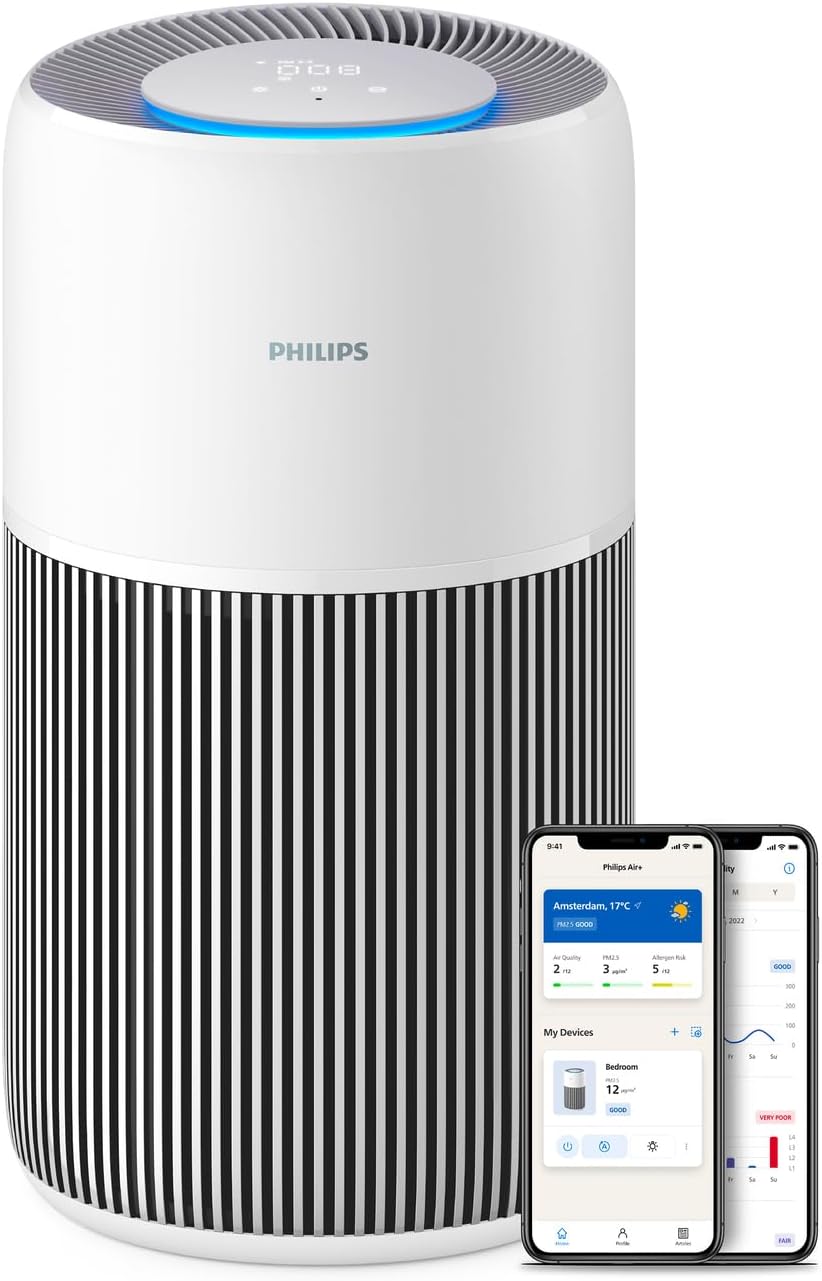
Figure 1: Philips 2200 Series AC2220/10 Air Purifier. The image shows the cylindrical white and black air purifier with a digital display on top, alongside two smartphones displaying the Philips Air+ app interface.
3.2. Control Panel and Indicators
The control panel is located on the top of the appliance and features touch controls and a digital display for real-time air quality information.
- Power Button: Turns the appliance on or off.
- Mode Button: Cycles through different operating modes (Auto, Sleep, Manual).
- Fan Speed Indicator: Shows the current fan speed setting.
- PM2.5 Display: Shows the real-time PM2.5 level in the room.
- Air Quality Light Ring: Changes color to indicate air quality (e.g., blue for good, red for poor).
- Filter Replacement Indicator: Illuminates when the filter needs replacement.

Figure 2: The top control panel of the air purifier, showing the digital display and touch controls. The display shows numerical values and a blue light ring, indicating current air quality and settings.
4. Setup and Installation
4.1. Unpacking and Filter Preparation
- Remove the appliance from its packaging.
- Open the filter cover (usually at the bottom or back of the unit).
- Remove all packaging materials from the filter(s). The filter is typically wrapped in plastic for protection during shipping.
- Insert the filter(s) back into the appliance. Ensure they are correctly seated.
- Close the filter cover securely.

Figure 3: A person's hands are shown inserting the cylindrical filter into the base of the Philips air purifier. This illustrates the filter installation process.
4.2. Placement
Place the air purifier on a stable, flat surface. Ensure there is sufficient space (at least 20 cm) around the air inlets and outlets for effective air circulation.
4.3. Power Connection
Plug the power cord into a wall outlet. The appliance is now ready for operation.
4.4. Connecting to Philips Air+ App
For enhanced control and monitoring, download the Philips Air+ app from your device's app store. Follow the in-app instructions to pair your air purifier. This allows for remote control, real-time air quality tracking, and smart scheduling.

Figure 4: A person is shown holding a smartphone displaying the Philips Air+ app, with the air purifier visible in the background. The app interface shows air quality data and control options, demonstrating remote control capabilities.
5. Operating Instructions
5.1. Power On/Off
Press the power button on the control panel to turn the appliance on or off.
5.2. Operating Modes
Press the mode button to cycle through the available operating modes:
- Auto Mode: The appliance automatically adjusts fan speed based on real-time air quality detected by the AeraSense sensor.
- Sleep Mode: Operates at the lowest fan speed with reduced display brightness for quiet operation, ideal for nighttime use. Noise level is approximately 13 dB(A).
- Manual Mode: Allows you to manually select a desired fan speed.

Figure 5: The air purifier is shown in a bedroom setting, with a graphic illustrating its low noise output in Sleep Mode (13 dB) compared to other sounds like rustling leaves or library noise. This highlights the quiet operation feature.
5.3. Nightlight Function
The appliance may feature a gentle nightlight. Refer to the app or specific product documentation for activation and customization of this feature, often integrated with Sleep Mode.
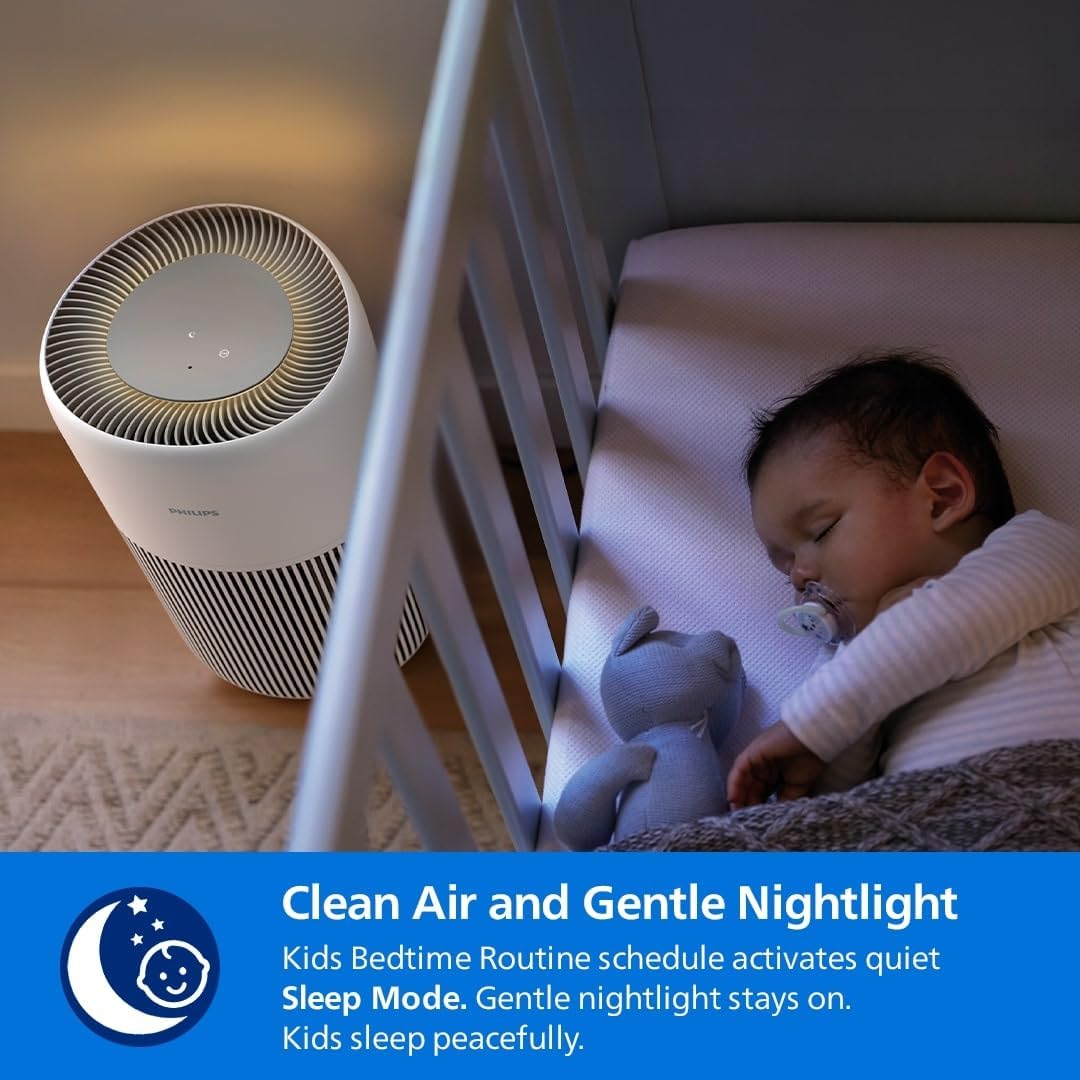
Figure 6: The air purifier is positioned beside a baby's crib, emitting a soft glow from its top panel, indicating the gentle nightlight feature. This image emphasizes its suitability for use in children's rooms.
6. Maintenance
Regular maintenance ensures optimal performance and extends the lifespan of your air purifier.
6.1. Cleaning the Appliance
- Always unplug the appliance before cleaning.
- Wipe the exterior surface with a soft, dry cloth. Do not use abrasive cleaners or solvents.
- Clean the air inlet and outlet grilles with a soft brush or vacuum cleaner to remove dust.
6.2. Filter Replacement (FY2200)
The Philips 2200 Series AC2220/10 uses a 3-layer HEPA NanoProtect + Active Carbon Filter (model FY2200). The filter has an estimated lifespan of up to 3 years, depending on usage and air quality. The appliance will indicate when a filter replacement is due.
- Unplug the air purifier.
- Open the filter access cover.
- Remove the used filter. Dispose of it according to local regulations.
- Unpack the new Philips FY2200 filter and insert it into the appliance.
- Close the filter access cover.
- Plug in the appliance and reset the filter lifetime counter (refer to the app or specific product instructions for reset procedure).
Figure 7: A person's hands are shown inserting the cylindrical filter into the base of the Philips air purifier. This image is relevant for both initial installation and replacement.

Figure 8: A close-up of the Philips air purifier filter, highlighting its long-lasting nature with a "36M" (36 months) icon, indicating its extended lifespan.
7. Troubleshooting
| Problem | Possible Cause | Solution |
|---|---|---|
| Appliance does not turn on. | Power cord not properly plugged in. No power at the outlet. | Check power cord connection. Test the outlet with another device. |
| Air quality does not improve. | Filter is dirty or incorrectly installed. Room size exceeds capacity. Air inlets/outlets blocked. | Check and replace filter if necessary. Ensure proper filter installation. Verify room size is within 104m². Clear any obstructions. |
| Unusual noise from the appliance. | Filter not installed correctly. Foreign object inside. | Ensure filter is securely in place. Unplug and check for any foreign objects. |
| Filter replacement indicator remains on after replacement. | Filter lifetime counter not reset. | Reset the filter lifetime counter via the control panel or Philips Air+ app. |
8. Specifications
- Model: AC2220/10
- Brand: Philips
- Coverage Area: Up to 104 m² (CADR 400 m³/h)
- Filtration: 3-layer HEPA NanoProtect + Active Carbon Filter
- Compatible Filter: FY2200
- Noise Level: As low as 13 dB(A) (Sleep Mode)
- Power Source: Corded Electric
- Control Method: Touch, Philips Air+ App
- Dimensions (L x W x H): 28 cm x 28 cm x 48.6 cm
- Item Weight: 4.1 kg
- Certifications: AHAM Certified, ECARF Certified
9. Warranty and Support
For detailed warranty information, please refer to the warranty card included with your product or visit the official Philips website. If you encounter any issues or require assistance, please contact Philips customer support.
You can find contact information and frequently asked questions on the Philips support website: www.philips.com/support


