
1. Introduction
This manual provides essential information for the safe and efficient use of your Hisense U7Q Series 4K Ultra HD Smart QLED Mini LED TV, model 55U7Q. Please read these instructions thoroughly before operating your television and retain them for future reference.
2. Important Safety Information
Always follow basic safety precautions when using this product to reduce the risk of fire, electric shock, and injury.
- Do not expose the TV to rain or moisture.
- Do not open the TV casing; refer all servicing to qualified personnel.
- Ensure proper ventilation around the TV.
- Keep the TV away from heat sources and direct sunlight.
- Use only the power cord supplied with the TV.
- Clean the TV with a soft, dry cloth.
3. Package Contents
Verify that all items listed below are included in your TV package:
- • Hisense Television (1N)
- • Hisense Voice Remote (1N)
- • Table Stand (2N)
- • Warranty Card (1N)
- • Batteries (2N)
- • User Manual (1N)

Figure 1: Illustration of the items included in the Hisense U7Q Series TV package.
4. Setup
4.1 Installing the Table Stand
- Carefully place the TV screen-down on a soft, flat surface to prevent damage.
- Attach the two table stand pieces to the designated slots on the bottom of the TV using the provided screws. Ensure they are securely fastened.
- Carefully lift the TV to an upright position on a stable, level surface.

Figure 2: TV dimensions and stand installation reference.
4.2 Wall Mounting (Optional)
If you choose to wall mount your TV, ensure you use a VESA-compatible wall mount kit (not included) that supports the TV's weight and VESA pattern. The VESA wall mount size for this model is 400x200 mm.
- Remove the table stand if already installed.
- Follow the instructions provided with your wall mount kit.
- It is recommended to have professional installation for wall mounting.
4.3 Initial Power-On
- Connect the power cord to the TV and then to a power outlet.
- Press the power button on the remote control or on the TV itself.
- Follow the on-screen instructions for initial setup, including language selection, network connection, and channel scanning.
5. Operating Your TV
5.1 Remote Control Overview
The Hisense Voice Remote provides convenient control over your TV's functions. Insert the two supplied batteries into the remote control, ensuring correct polarity.

Figure 3: Hisense Voice Remote control.
Key functions include:
- Power Button: Turns the TV on or off.
- Navigation Pad (Up/Down/Left/Right/OK): Navigates menus and confirms selections.
- Volume Up/Down: Adjusts the sound level.
- Channel Up/Down: Changes TV channels.
- Home Button: Accesses the Smart TV interface (VIDAA).
- Quick Access Buttons: Dedicated buttons for popular streaming services like Netflix, YouTube, and Prime Video.
- Voice Control Button: Activates VIDAA Voice Control or Amazon Alexa.
5.2 Basic TV Functions
- Changing Channels: Use the CH+/- buttons or enter channel numbers directly.
- Adjusting Volume: Use the VOL+/- buttons.
- Selecting Input Source: Press the Input button to cycle through connected devices (HDMI, AV, etc.).
- Accessing Menus: Press the Home button to open the VIDAA Smart TV interface for settings and apps.
6. Connectivity
Your Hisense U7Q Series TV offers a variety of ports for connecting external devices:

Figure 4: Rear panel connectivity ports.
| Port Type | Quantity | Description |
|---|---|---|
| HDMI 2.1 | 2 | Supports ALLM, VRR 4K 144Hz for gaming consoles and other high-bandwidth devices. |
| HDMI 2.1 (eARC) | 2 | Supports eARC, ALLM, VRR 4K 165Hz for enhanced audio return channel and high-refresh rate devices. |
| USB | 2 (1x USB 3.0, 1x USB 2.0) | For connecting USB storage devices (flash drives, hard drives) for media playback. |
| Ethernet (RJ45) | 1 | For wired internet connection. |
| Headphone Jack | 1 | For connecting headphones. |
| Composite (AV) Input | 1 | For connecting older devices with RCA (red/white/yellow) outputs. |
| Audio (L/R) Input | 1 | For analog audio input. |
| S/PDIF Output | 1 | For digital audio output to soundbars or home theater systems. |
The TV also features built-in Dual-band Wi-Fi for wireless internet connectivity and Bluetooth 5.0 for connecting wireless accessories.
7. Smart TV Features
Your Hisense U7Q Series TV runs on the VIDAA U operating system, offering a range of smart features:

Figure 5: VIDAA Smart TV interface and smart home integration.
- VIDAA TV: A fast and responsive smart TV platform.
- Built-in VIDAA Voice Control & Amazon Alexa: Use voice commands via the remote or far-field voice control to search for content, control playback, and manage smart home devices.
- VIDAA App Control: Control your TV using the VIDAA app on your smartphone.
- Screen Sharing: Mirror content from your smartphone or tablet to the TV. Supports Apple AirPlay.
- Supported Apps: Access popular streaming services such as Netflix, YouTube, Prime Video, Hotstar, SonyLiv, Hungama, JioCinema, Zee5, and Eros Now.
- Sleep Timer: Set a timer for the TV to automatically turn off.
8. Display and Audio Technologies
8.1 Display Technology
The Hisense U7Q Series TV features advanced display technologies for an enhanced viewing experience:
- Mini LED: Provides precise backlight control for superb contrast and striking clarity, with full array local dimming.
- Quantum Dot Technology (QLED Colour): Delivers over a billion shades of vivid color for rich, vibrant, and true-to-life images.
- 4K Ultra HD (3840 x 2160): Offers four times the resolution of Full HD for incredible detail.
- 144Hz Refresh Rate: Ensures smooth motion, especially beneficial for fast-paced content and gaming.
- HDR Support: Includes Dolby Vision IQ, HDR 10+ Adaptive, HDR 10+, and HLG for enhanced brightness, contrast, and color in compatible content.
- Hi-View AI Engine: Optimizes picture and sound quality in real-time, with AI 4K Upscaler and AI Smooth Motion.
- Filmmaker Mode: Preserves the original aspect ratio, color, frame rate, and sound as intended by the filmmaker.
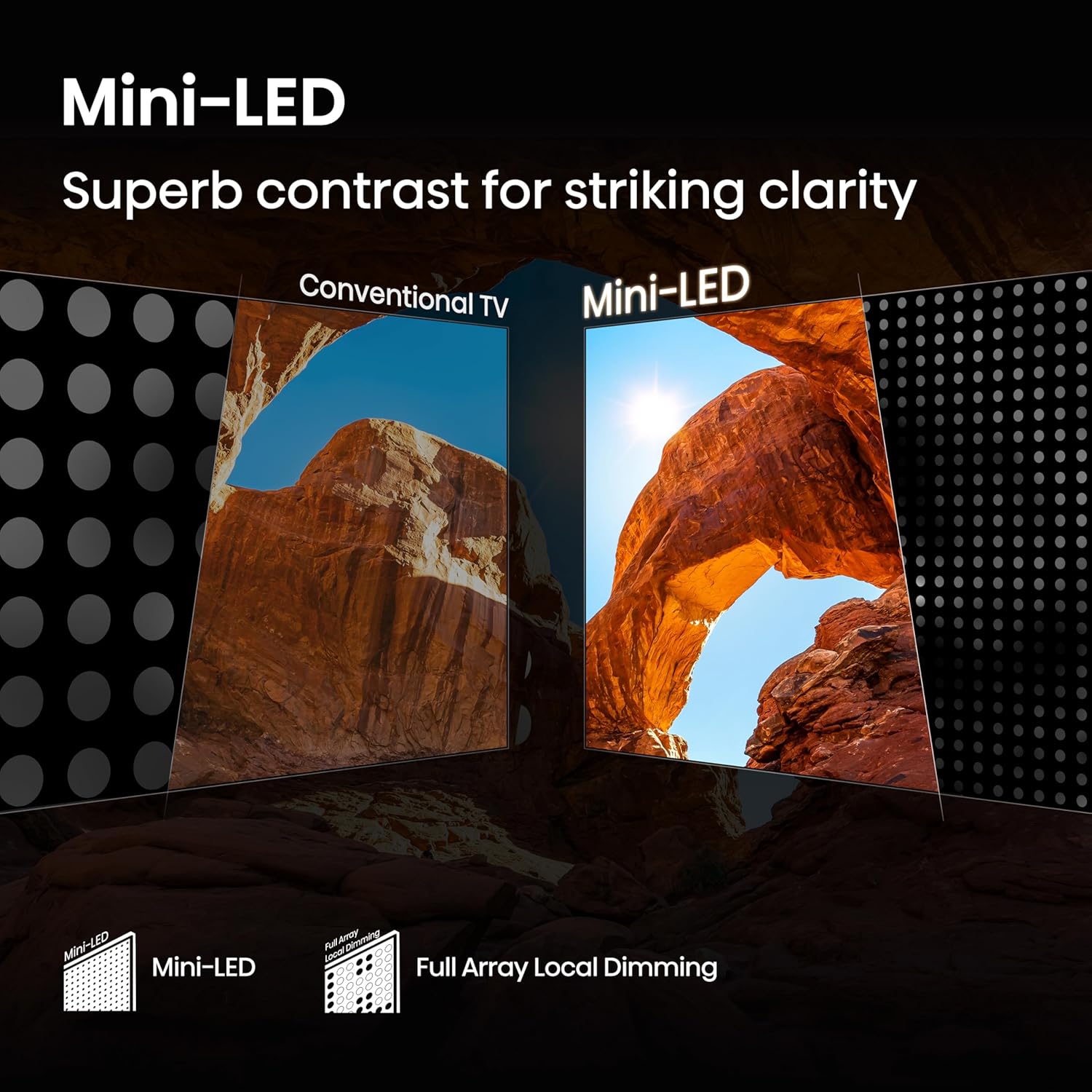
Figure 6: Mini-LED technology for enhanced contrast.

Figure 7: QLED Colour for a wide color gamut.

Figure 8: Hi-View AI Engine for intelligent optimization.
8.2 Audio Technology
- 2.1 Channel Audio System: Features 40W speakers (2x 10W speakers, 1x 20W subwoofer) for clear sound.
- Built-in Subwoofer: Delivers immersive deep bass.
- Dolby Atmos: Provides a multi-dimensional audio experience.
- Audio Equalizer: Customize sound settings to your preference.
- Multiple Sound Modes: Standard, Enhanced (ACR), Theatre, Music, Speech, Late Night, Sports.
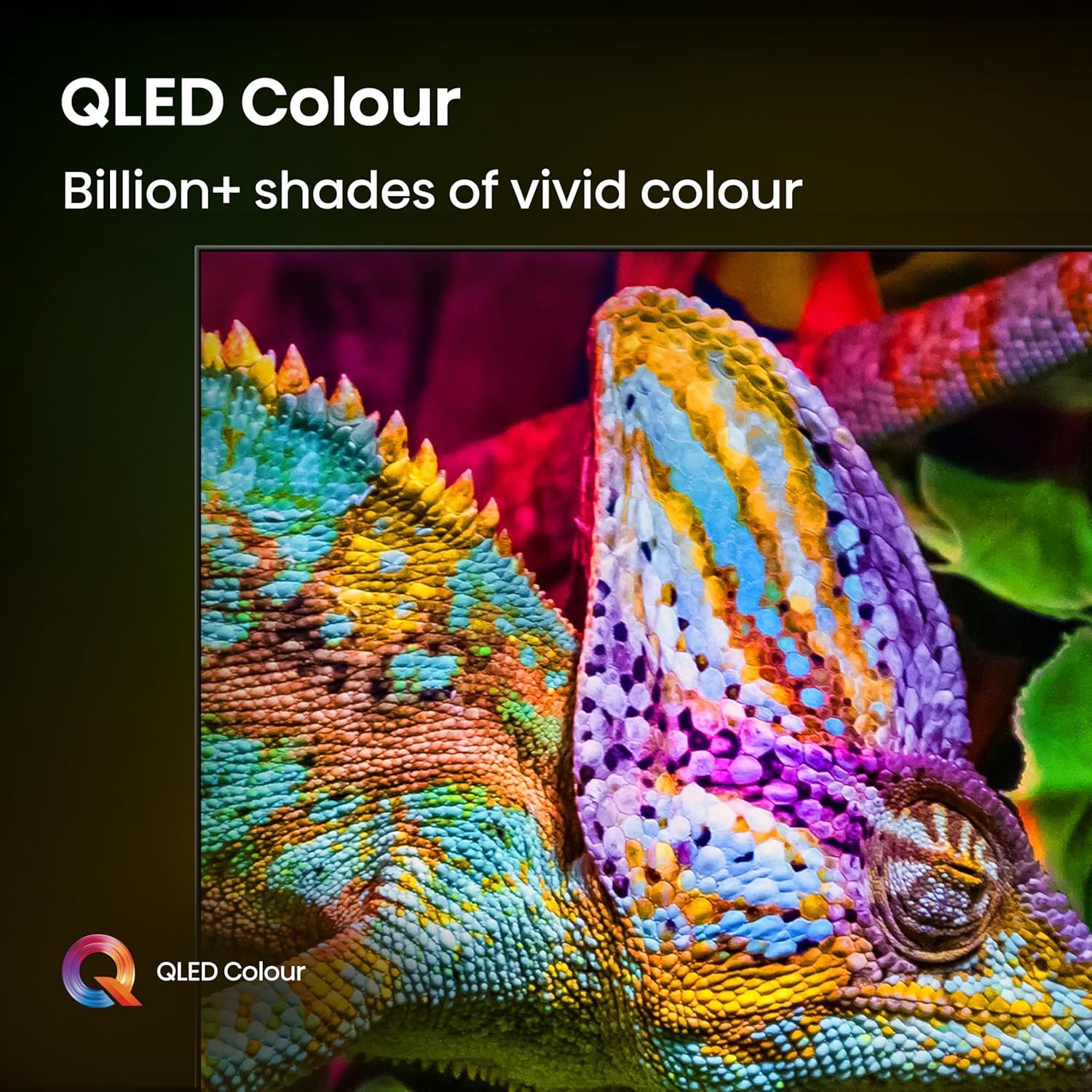
Figure 9: Built-in Subwoofer for enhanced bass.
8.3 Gaming Features
- 144Hz Game Mode PRO: Optimized for gaming with native 144Hz VRR (Variable Refresh Rate) and ALLM (Auto Low Latency Mode) for smooth, tear-free gameplay.
- Game Bar: A dedicated interface to manage gaming options and monitor gameplay data in real-time.

Figure 10: 144Hz Game Mode PRO for optimized gaming.
9. Maintenance
9.1 Cleaning the TV
- Screen: Gently wipe the screen with a soft, lint-free cloth. For stubborn marks, lightly dampen the cloth with water or a specialized screen cleaner (ensure it's TV-safe) and wipe gently. Do not spray liquid directly onto the screen.
- Cabinet: Wipe the TV cabinet with a soft, dry cloth. Avoid using abrasive cleaners, waxes, or solvents.
- Remote Control: Clean the remote control with a soft, dry cloth.
9.2 General Care
- Unplug the TV from the power outlet during lightning storms or when unused for extended periods.
- Avoid blocking ventilation openings on the TV.
10. Troubleshooting
Before contacting customer support, try the following solutions for common issues:
| Problem | Possible Solution |
|---|---|
| No power | Ensure the power cord is securely plugged into both the TV and a working power outlet. Check if the outlet has power. |
| No picture, but sound is present | Check the input source. Ensure the connected device is powered on and functioning correctly. Try another HDMI port. |
| No sound, but picture is present | Check the volume level and ensure the TV is not muted. Verify audio cables are connected correctly. If using external audio, check its settings. |
| Remote control not working | Replace the batteries. Ensure there are no obstructions between the remote and the TV's IR sensor. |
| Poor picture quality | Check antenna/cable connections. Adjust picture settings (brightness, contrast, sharpness). Ensure the input source is providing a high-quality signal. |
| Smart features/apps not working | Check your internet connection (Wi-Fi or Ethernet). Restart the TV. Ensure apps are updated. |
11. Specifications
| Brand | Hisense |
| Model | 55U7Q |
| Screen Size | 55 Inches (139 cm) |
| Display Technology | Mini LED, QLED |
| Resolution | 4K Ultra HD (3840 x 2160) |
| Refresh Rate | 144 Hz |
| Operating System | VIDAA U |
| RAM Memory | 3 GB |
| Storage Capacity | 8 GB |
| Connectivity | Wi-Fi (Dual-band), Bluetooth 5.0, Ethernet, 4x HDMI 2.1 (2x 4K 144Hz, 2x 4K 165Hz eARC), 2x USB (1x 3.0, 1x 2.0), Headphone Jack, Composite (AV), S/PDIF Output |
| Audio Output | 40 Watts (2.1 Channel with Built-in Subwoofer), Dolby Atmos |
| Product Dimensions (LxWxH) | 122.6 x 7.7 x 71.3 cm (without stand) |
| Item Weight | 14 kg |
| On-mode Power Consumption | 240 watts |
| Viewing Angle | 178 Degrees |
| Image Contrast Ratio | 5000:1 |
12. Warranty and Support
12.1 Warranty Information
Your Hisense U7Q Series TV comes with a comprehensive warranty:
- Television Set: 2-year warranty from the date of purchase.
- Remote Control: 1-year warranty from the date of purchase.
Warranty claims can be processed using your Amazon e-invoice. Please retain your proof of purchase for warranty validation.
12.2 Customer Support
For technical assistance, service requests, or further inquiries, please contact Hisense customer support. Refer to the warranty card or the official Hisense website for the most current contact information.
You can also find additional support resources and FAQs on the official Hisense website: www.hisense.com


