
Introduction
The AGM Legion Pro Smartwatch is designed for active lifestyles, offering advanced health and fitness tracking, robust connectivity, and durable construction. This manual provides essential information for setting up, operating, and maintaining your device to ensure optimal performance.
Key features include high-precision sensors like a gyroscope and geomagnetic sensor for accurate tracking, reliable long-term support, and advanced data protection. It also boasts offline map capabilities, Bluetooth 5.3 for calls and music, a vibrant 1.43-inch AMOLED Gorilla Glass display, over 100 sports modes, and comprehensive 24/7 health monitoring.
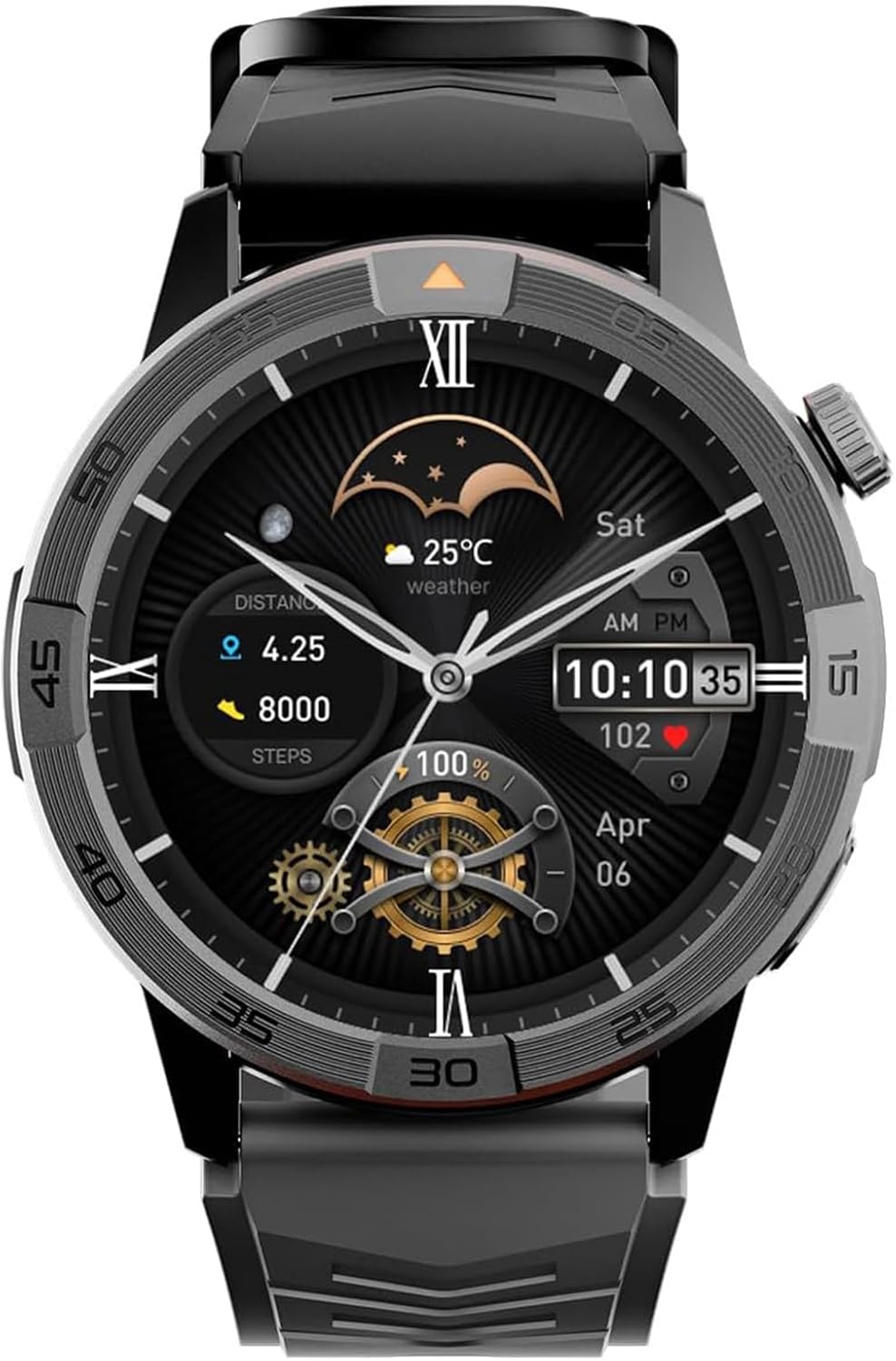
Figure 1: AGM Legion Pro Smartwatch.
Setup
1. Unboxing
Your AGM Legion Pro Smartwatch package includes:
- AGM Watch Dial x1
- Sleek Black Watch Band x1
- Vibrant Orange Watch Band x1
- Magnetic 2-Pin Charging Cable x1
- Owner's User Manual x2
Video 1: First Look: AGM Legion Pro Hands-On Unboxing. This video provides a detailed overview of the smartwatch and its included accessories.
Video 2: AGM Legion Pro Smartwatch Uncovered, Hardware Overview. This video showcases the physical design and components of the smartwatch.
2. Charging the Smartwatch
Connect the magnetic 2-pin charging cable to the back of your smartwatch and plug the USB end into a power source. A full charge takes approximately 2 hours. The watch offers up to 12 days of typical use and 35 days of standby time.

Figure 2: Next-Level Autonomy - Battery. The image highlights the 370mAh battery, 10 days heavy use, and 30+ days standby.
3. App Installation and Pairing
Download the AGM Nexus app from your device's app store (available for Android and iOS). Follow the in-app instructions to pair your smartwatch via Bluetooth 5.3. This connection enables smart notifications and data synchronization.
Operating Instructions
1. Basic Navigation
The smartwatch features a responsive 1.43-inch AMOLED touchscreen. Swipe across the screen to navigate through menus and features. Use the physical buttons on the side for quick access to specific functions or to return to the home screen.
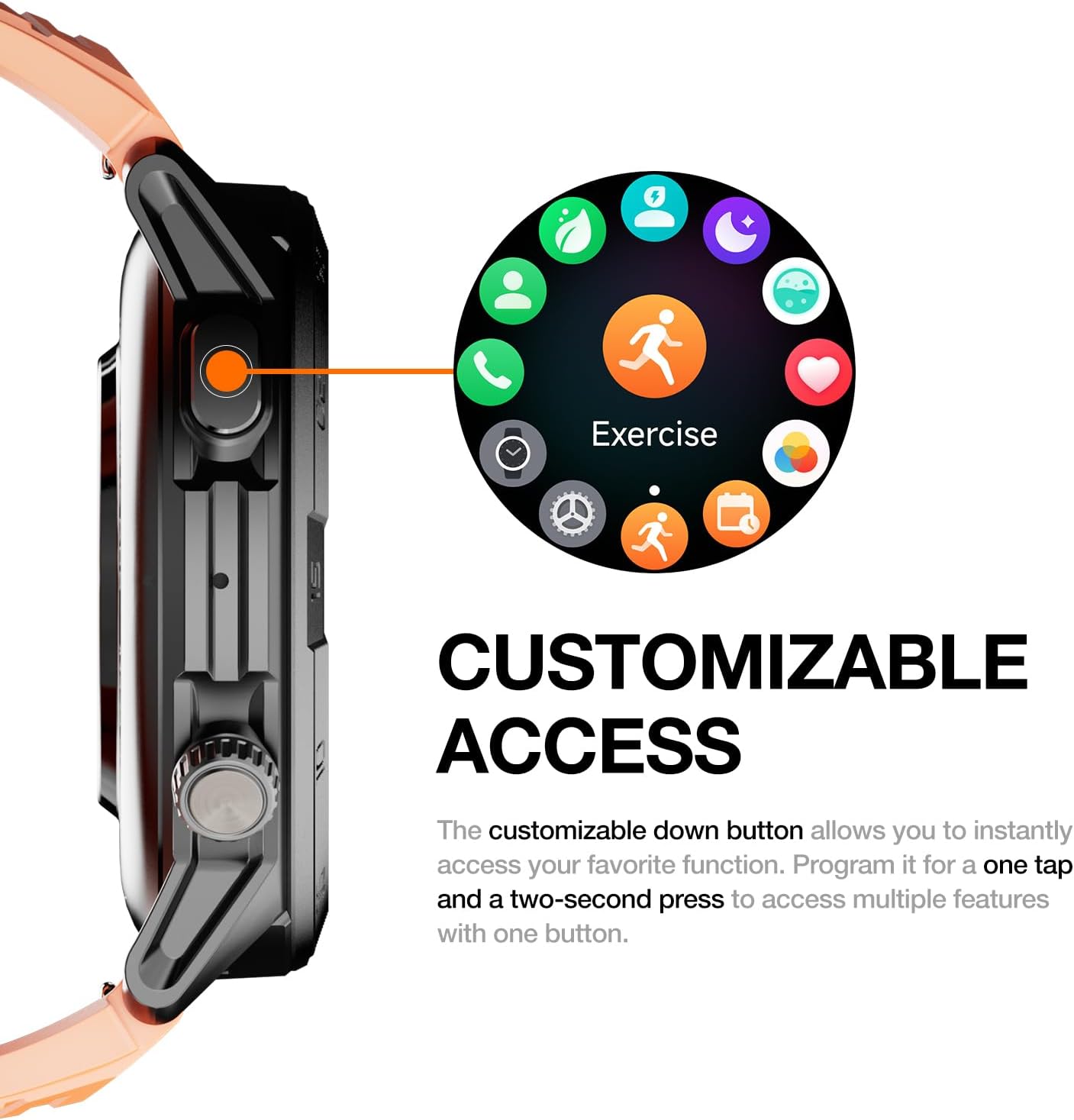
Figure 3: Customizable Access. The image shows the customizable down button for instant access to favorite functions.
Video 3: AGM Legion Pro Smartwatch: Watch Face Switch + Password Lock. This video demonstrates how to change watch faces and set a password lock.
2. Bluetooth Calling and Notifications
With Bluetooth 5.3, you can make and receive hands-free calls directly from your wrist. The smartwatch also displays smart notifications from your connected Android or iOS device, ensuring you stay informed without needing to check your phone.
3. Offline Maps and GPS Navigation
The AGM Legion Pro features built-in GPS, barometer, altimeter, and compass. You can download offline maps via the AGM Nexus app to your watch, allowing you to navigate and track your routes even without a network connection. This is ideal for hiking and outdoor exploration.

Figure 4: Offline Exploration. The image shows the smartwatch displaying pre-downloaded maps on the wrist.
Video 4: AGM Legion Pro Smartwatch: Hands-On Offline Map Demo. This video demonstrates the offline map functionality of the smartwatch.
Video 5: Navigate Anywhere: How to Use Offline Maps on Legion Pro. This video provides instructions on how to utilize the offline map feature for navigation.
Health and Fitness Tracking
1. Comprehensive Health Monitoring
The Legion Pro continuously monitors your heart rate, SpO₂, blood pressure, and stress levels. It also tracks women's health cycles and sleep quality, providing data to help you maintain a healthier lifestyle.
2. Sports Modes and Activity Tracking
With over 100 built-in sports modes, including swimming, running, rowing, and yoga, the smartwatch logs all your activities. It features auto-activity detection and detailed metrics to help you track progress and achieve your fitness goals.
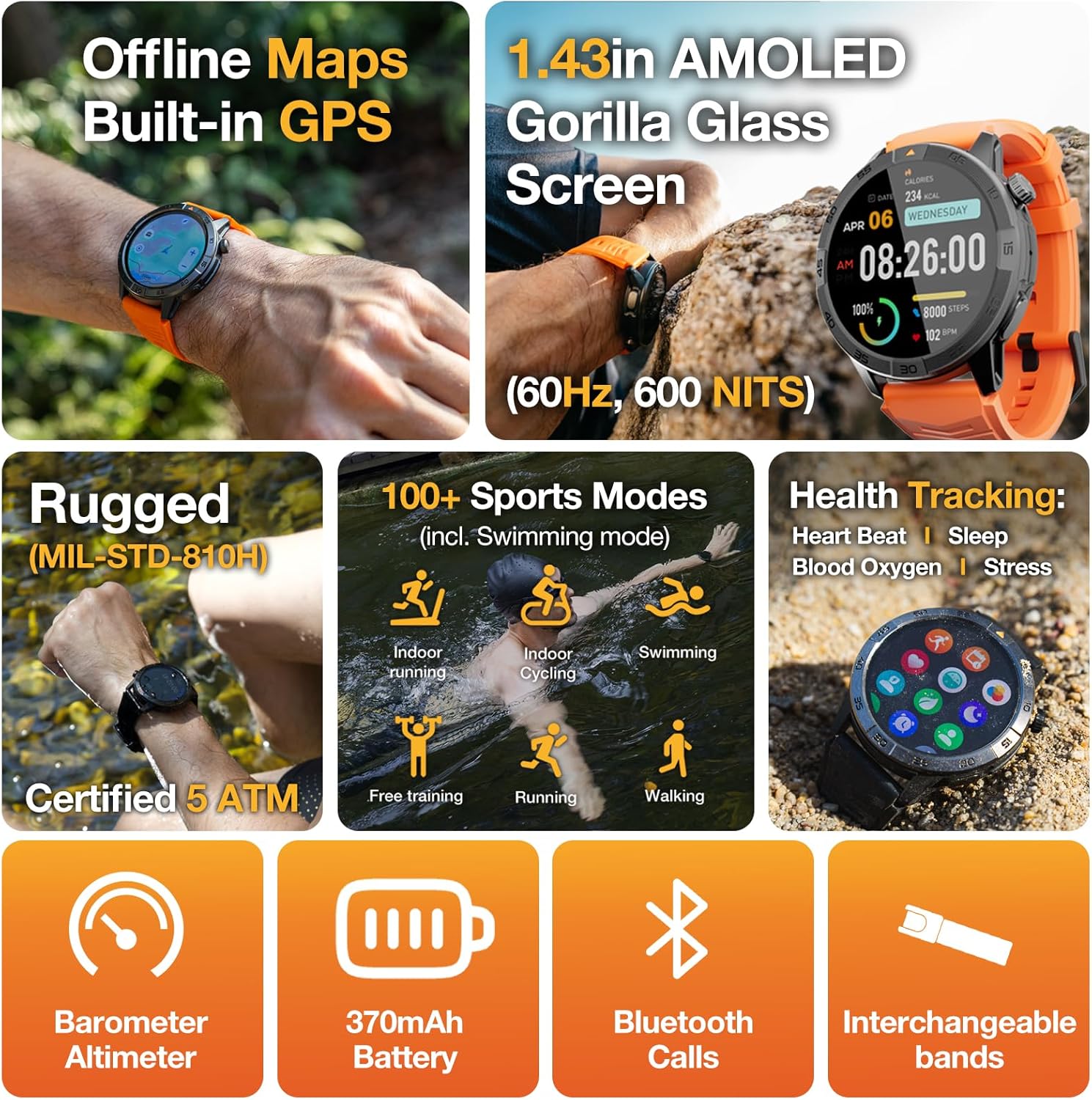
Figure 5: Offline Maps, AMOLED, Rugged, Health/Workout Tracking. This image summarizes key features including 100+ sports modes and health monitoring.
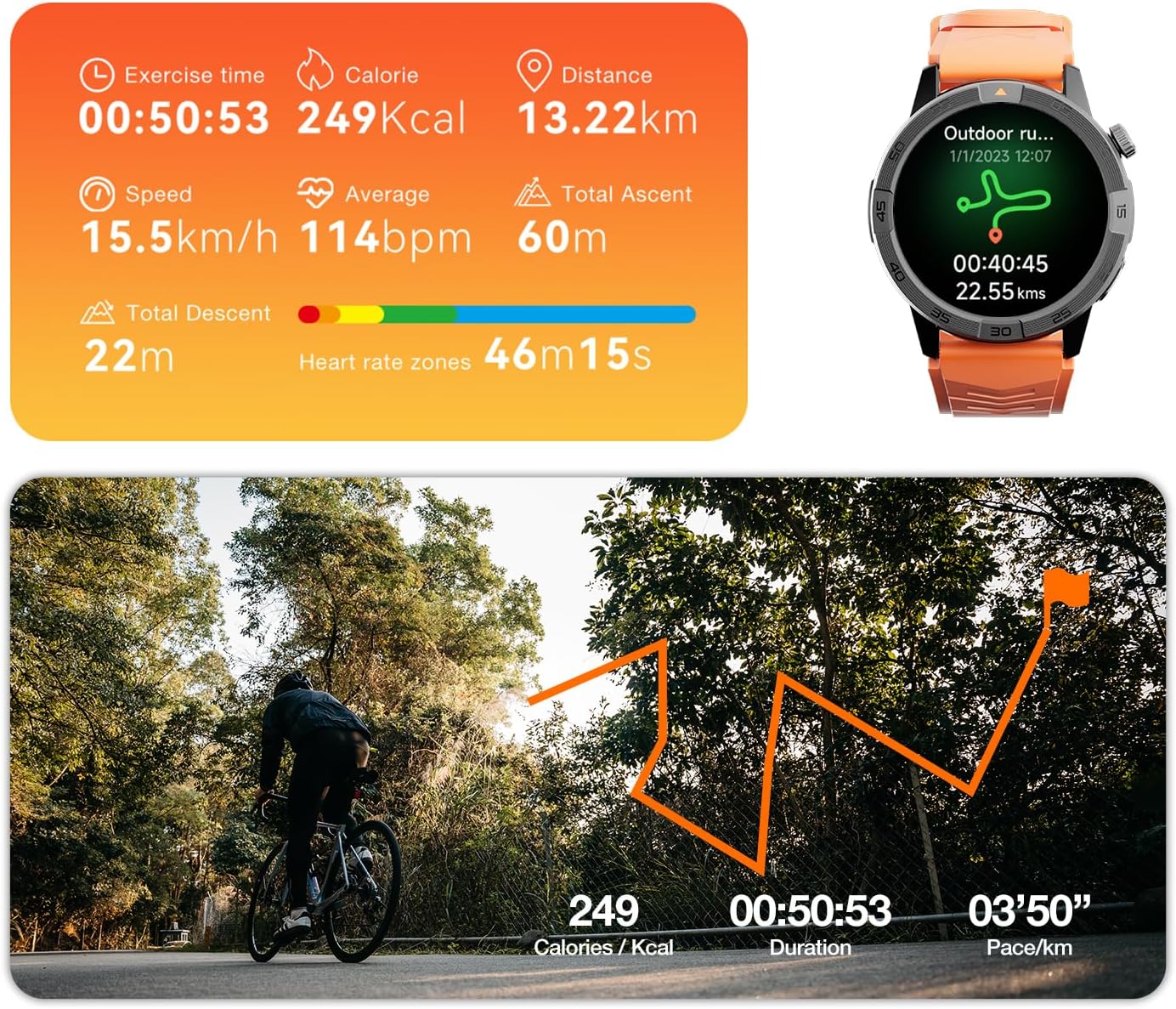
Figure 6: Ultimate Sports Suite. The image displays detailed metrics for outdoor running, including exercise time, calories, distance, speed, average heart rate, and ascent/descent.
Video 6: Track Every Step. Anywhere. Anytime. Even Offline. This video highlights the smartwatch's ability to track activities with or without network connectivity.
Maintenance
1. Water Resistance
The AGM Legion Pro is rated 5 ATM and IP69, making it resistant to rain, sweat, and suitable for swimming up to 50 meters deep. It is built tough to withstand various environmental conditions.

Figure 7: 5 ATM Waterproof. The image shows the smartwatch submerged in water, demonstrating its water resistance.
2. Battery Life and Charging
The 370mAh battery provides extended usage. For optimal battery life, ensure regular charging using the provided magnetic cable. Avoid extreme temperatures during charging and storage.
Troubleshooting
If you experience connectivity issues, ensure Bluetooth is enabled on your smartphone and the smartwatch is within range. For app synchronization problems, check your phone's app permissions for AGM Nexus. If the display is unresponsive, try restarting the device by holding down the power button.
Specifications
| Feature | Detail |
|---|---|
| Brand | AGM |
| Screen Size | 1.43 Inches |
| Shape | Round |
| GPS | Built-in GPS |
| Battery Cell Composition | Lithium Polymer |
| Wireless Communication Standard | Bluetooth |
| Connectivity Technology | Bluetooth |
| Battery Capacity | 370 Milliamp Hours |
| Special Feature | Electrostatic Discharge Protection, GPS, Multisport Tracker, Offline Maps, Remote Camera Control |
| Operating System | AGM OS |
| Item Weight | 0.23 Kilograms |
| Manufacturer | AGM |
What's in the Box
- AGM Watch Dial x1
- Sleek Black Watch Band x1
- Vibrant Orange Watch Band x1
- Magnetic 2-Pin Charging Cable x1
- Owner's User Manual x2
Warranty and Support
AGM provides reliable long-term support and quick assistance for your Legion Pro Smartwatch. For any issues or inquiries, please refer to the contact information provided in the included Owner's User Manual or visit the official AGM support website.