
PXN PXN-P5P
PXN P5 Wireless Gaming Controller User Manual
Comprehensive guide for setting up, operating, and maintaining your PXN P5 Wireless Gaming Controller.
1. Product Overview
The PXN P5 Wireless Gaming Controller is a versatile and high-performance controller designed for an enhanced gaming experience across multiple platforms. It features Hall Effect joysticks and triggers for precise control, dual vibrators for immersive feedback, and programmable macro buttons for customized gameplay. With multiple connection modes, including 2.4G wireless, Bluetooth 5.2, and wired Type-C, the PXN P5 offers broad compatibility with Nintendo Switch, PC/Laptop (Windows 7/8/10/11), iOS 16+, and Android 8.0+ devices.

Image: The PXN P5 Wireless Gaming Controller, showcasing its ergonomic design, included 2.4G wireless receiver, and four detachable macro paddles (M1, M2, M3, M4).
Key features include a 1000 Hz report rate in wired and 2.4G modes for ultra-low latency, adjustable dead zones, and a 1000mAh battery for extended play. The controller also supports the PXN NEXUS app for advanced customization and includes a wake-up function for convenience.
Video: An overview of the PXN P5 PC Gaming Controller, highlighting its Hall Effect joysticks, 2-stage trigger locks, adjustable dead zones, asymmetric dual motors, macro buttons, and triple mode connection capabilities.
2. Package Contents
- PXN P5 Wireless Gaming Controller
- USB-C Charging Cable
- 2.4G Wireless Receiver
- User Manual (this document)
3. Controller Layout
Familiarize yourself with the buttons and features of your PXN P5 controller.

Image: A detailed breakdown of the PXN P5 controller's internal components and key features, including the Hall Effect joystick and triggers, POM rings, 2-stage trigger travel control, and the four programmable back buttons (M1, M2, M3, M4).
- Left/Right Analog Sticks: Equipped with Hall Effect sensors for precise, drift-free control.
- D-Pad: Disc-style cross keys for accurate directional input.
- Action Buttons (A, B, X, Y): Standard gaming buttons.
- Shoulder Buttons (L, R) & Triggers (ZL, ZR): ZL/ZR are Hall Effect triggers with 2-stage trigger locks.
- M1/M2/M3/M4 Macro Buttons: Four programmable buttons on the back for custom actions.
- Function Buttons: +, -, Home, Share, and other auxiliary buttons for system functions.
- Type-C Port: For wired connection and charging.
4. Setup and Connection
The PXN P5 controller supports three primary connection modes: 2.4G Wireless, Bluetooth, and Wired.

Image: Visual representation of the three connection modes (2.4G, Bluetooth, Wired) and their compatible devices, including PC, Mac, Android, iOS, Nintendo Switch, Steam Deck, and Tesla.
4.1. 2.4G Wireless Connection (PC/Laptop, Android TV/Box)
- Insert the 2.4G wireless receiver into an available USB port on your device.
- Turn on the controller. It will automatically attempt to connect to the receiver.
- Once connected, the indicator light on the controller will stabilize.
4.2. Bluetooth Connection (Switch, Android, iOS, PC/Laptop)
- Ensure Bluetooth is enabled on your device.
- On the controller, press and hold the Bluetooth pairing button (refer to controller layout for exact location) until the indicator light flashes rapidly.
- On your device, search for "PXN P5" or similar in the Bluetooth settings and select it to pair.
- The indicator light on the controller will become solid once paired.
4.3. Wired Connection (PC/Laptop, Android TV/Box)
- Connect one end of the USB-C cable to the controller's Type-C port.
- Connect the other end of the USB-C cable to an available USB port on your device.
- The controller will be recognized automatically. For PC, it supports switching to D-input mode between wired and receiver connection methods. Note: Switching is not possible in Bluetooth mode.
5. Advanced Features
5.1. Hall Effect Joysticks and Triggers
The PXN P5 utilizes Hall Effect sensors for both its joysticks and triggers, providing superior precision and durability compared to traditional potentiometers. This technology eliminates stick drift and ensures consistent, accurate input.
- Hall Joysticks: Paired with POM rings, these joysticks offer precise movement control and are designed to eliminate drift during gameplay.
- Hall Triggers (LT/RT): Feature 2-stage trigger locks, allowing adjustment between linear and non-linear modes.
- Linear Mode: Provides 256-level variation for accurate throttle control, ideal for racing games.
- Non-linear Mode: Offers 0.05mm precision for quick, accurate responses, perfect for shooting games.

Image: Illustration of the PXN P5's 2-stage adjustable trigger travel settings, allowing users to switch between short travel for quick response (e.g., FPS games) and long travel with 256 levels of linear precision (e.g., racing games).
5.2. Macro Programming Function
The M1/M2/M3/M4 buttons and FM auxiliary function buttons on the back of the controller are programmable, allowing you to execute complex actions with a single press. A maximum of 32 action keys can be programmed into a single macro.
- Programmable Buttons: Up, Down, Left, Right, A, B, X, Y, L, R, ZL, ZR, L3, R3, +, -.
- Benefits: Achieve cool combos and reduce button abuse and stick clicks.

Image: Diagram illustrating the macro programming capabilities of the PXN P5 controller, showing how various button inputs and joystick movements can be assigned to the M1-M4 back buttons.
5.3. PXN NEXUS App Customization
The PXN NEXUS app provides infinite customization options for your controller, allowing you to personalize various settings to suit your gaming style.
- Features: Adjust vibration settings, remap buttons, fine-tune joystick curves, and more.
- Availability: Downloadable from app stores.

Image: Screenshots of the PXN NEXUS mobile application, demonstrating its interface for macro settings, device information, and vibration adjustments for the PXN P5 controller.
5.4. Other Advanced Features
- 1000 Hz Report Rate: Ensures better synchronization between player reactions and in-game actions in wired and 2.4G modes.
- Asymmetrical Rotor Motors: Enhance the controller's response speed and provide varied vibration feedback.
- Wake-up Function: Conveniently wake up your connected device (e.g., Nintendo Switch) with the controller.
- 0 Dead Zone Quick Switch (0-10%): Allows for quick adjustment of joystick dead zones.
- Joystick Circularity Adjustment Switch: Fine-tune joystick response.
- Air Mouse Function: (Only effective when switched to X mode via wired PC connection) Allows the left joystick to control mouse movement and A/B buttons for clicks.
- 6-axis Gyro Sensor: Offers accurate action movements for assistive aiming and motion sensing driving.

Image: A promotional banner for the PXN P5 PC Wireless Gaming Controller, highlighting its core features: Hall Effect Joystick (1000Hz), Hall Effect Triggers (256 Level), 1000mAh High-Capacity Battery, and 3 Connection Modes (Wired/2.4G/BT).
6. Charging and Battery
The PXN P5 controller is equipped with a built-in 1000mAh battery, designed for long hours of uninterrupted gameplay.
- Battery Capacity: 1000mAh
- Charging Time: Approximately 2-3 hours.
- Gaming Time: Up to 22-25 hours on a full charge.
- Charging Method: Use the provided USB-C cable to connect the controller to a power source (e.g., computer USB port, USB wall adapter).
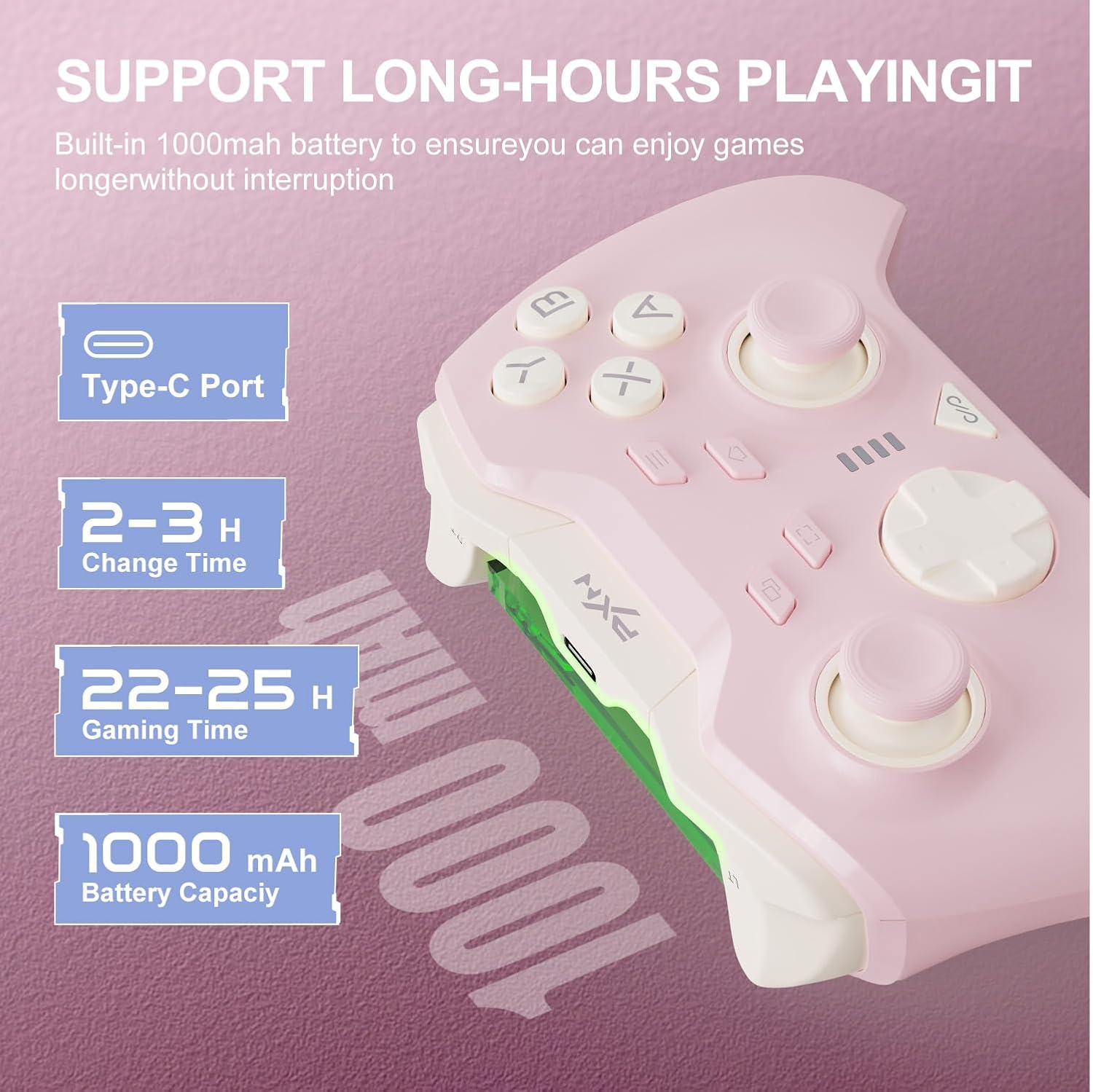
Image: Information graphic detailing the PXN P5 controller's battery specifications, including its Type-C charging port, 2-3 hour charge time, 22-25 hours of gaming time, and 1000mAh battery capacity.
7. Supported Games
The PXN P5 controller is compatible with a wide range of games across its supported platforms. Below is a list of some popular titles known to work well with the controller:

Image: A comprehensive list of supported games categorized by platform (PC, Nintendo Switch, Android, iOS, and Car Infotainment System), demonstrating the PXN P5 controller's broad compatibility.
- PC: Black Myth: Wukong Soul Knight, Elden Ring, Cyberpunk 2077, Street Fighter 6, Forza Horizon 5
- Nintendo Switch: The Legend of Zelda: Tears of the Kingdom, Mario Kart 8, It Takes Two, Asphalt 9: Legends, Stardew Valley
- Android: Minecraft, Dead Cells, Soul Knight, NBA2K24, Sneaky Sasquatch
- iOS: Call of Duty Mobile, Dungeon Hunter 5, Genshin Impact, Little Nightmares, Brotato
- Car Infotainment System: Cuphead, Stardew Valley, Contra, SNOW BROS, KOF
8. Troubleshooting
| Problem | Possible Solution |
|---|---|
| Controller does not turn on. | Ensure the controller is charged. Connect it to a power source using the USB-C cable. |
| Controller does not connect via Bluetooth. | Make sure Bluetooth is enabled on your device. Ensure the controller is in pairing mode (rapidly flashing light). Forget previous pairings on your device and try again. Ensure your device's OS is compatible (iOS 16+, Android 8.0+). |
| Controller disconnects frequently. | Ensure the controller is within range of the device. Check for interference from other wireless devices. Ensure the controller is fully charged. Update controller firmware via the PXN NEXUS app if available. |
| Buttons or joysticks are unresponsive/drifting. | Calibrate the controller using the PXN NEXUS app. Check for physical obstructions. If using Hall Effect joysticks, drift should be minimal; if persistent, contact support. |
| Macro buttons not working. | Ensure macros are correctly programmed via the PXN NEXUS app or the controller's onboard programming. Refer to the app's tutorial for detailed instructions. |
9. Specifications
| Feature | Detail |
|---|---|
| Model Number | PXN-P5P |
| Compatibility | Nintendo Switch, PC (Windows 7/8/10/11), iOS 16+, Android 8.0+ |
| Connection Modes | 2.4G Wireless, Bluetooth 5.2, Type-C Wired |
| Joystick Type | Hall Effect Joysticks with POM rings |
| Trigger Type | Hall Effect Triggers with 2-stage trigger locks |
| Macro Buttons | 4 programmable (M1/M2/M3/M4) |
| Report Rate | 1000 Hz (Wired & 2.4G modes) |
| Vibration | Dual Asymmetrical Rotor Motors |
| Battery Capacity | 1000mAh |
| Battery Life | 22-25 hours (approx.) |
| Dimensions | 4.17 x 2.32 x 6.1 inches |
| Weight | 7.8 ounces |
10. Warranty and Support
PXN is committed to providing high-quality products and customer satisfaction. If you encounter any issues or have questions regarding your PXN P5 Wireless Gaming Controller, please refer to the following:
- Satisfaction Guarantee: If you are not completely satisfied, please contact PXN customer support for a full refund or replacement.
- Contact Support: For assistance, please visit the official PXN Store or contact their customer service via email.
- Online Resources: Additional support and FAQs may be available on the PXN Official Store.
Related documentsPXN-P5P


Ask a question about this manual
Ask about setup, troubleshooting, compatibility, parts, safety, or missing instructions. Manuals+ will review the question and use this page’s manual context to help answer it.