1. Introduction
Thank you for choosing the HCALORY HBH1S 8KW Portable Diesel Air Heater. This manual provides essential information for the safe and efficient operation, installation, and maintenance of your heater. Please read this manual thoroughly before use and retain it for future reference.
2. Safety Information
Important Safety Warnings:
- Carbon Monoxide (CO) Warning: This heater must be exhausted to the outdoors to prevent carbon monoxide poisoning. Carbon monoxide is a colorless, odorless gas that can be fatal. Ensure proper ventilation and exhaust routing at all times.
- Do not operate the heater in enclosed, unventilated spaces.
- Keep flammable materials at a safe distance from the heater and its exhaust.
- Ensure the heater is placed on a stable, non-flammable surface.
- Do not block the air intake or exhaust outlets.
- Regularly inspect the exhaust system for leaks or damage.
- Disconnect power before performing any maintenance or cleaning.
- Keep children and pets away from the operating heater.
- This appliance is not intended for use by persons (including children) with reduced physical, sensory or mental capabilities, or lack of experience and knowledge, unless they have been given supervision or instruction concerning use of the appliance by a person responsible for their safety.
- Multiple Safety Protections: The heater is equipped with over-heating, short-circuit, reverse connection, and over-voltage safeguards. If an error occurs, refer to the troubleshooting section.
3. Package Contents
Verify that all components are present and undamaged upon unpacking.
- HCALORY HBH1S 8KW Portable Diesel Air Heater Unit
- LCD Control Panel
- Remote Control
- Power Adapter (for 110V AC operation, if "with Adaptor" variant)
- 12V DC Power Cable
- Exhaust Pipe
- Intake Pipe
- Hot Air Outlet Pipe
- Fuel Pump
- Fuel Line
- Air Filter
- Muffler
- Mounting Plate and Hardware
- User Manual (this document)

Image: Main unit, remote control, power adapter, LCD panel, and smartphone displaying the control app.
4. Product Overview
The HCALORY HBH1S 8KW Portable Diesel Air Heater is designed to provide efficient heating for various applications such as cars, RVs, campers, and cabins. It features an aluminum body for improved heating efficiency and offers multiple control options.
Key Features:
- High Efficiency: 8KW heating capacity, 18% boost in burning efficiency, capable of heating up to 256 sq.ft.
- Rapid Heating: Reaches 122°F (50°C) in approximately 3 minutes.
- Versatile Power: Operates on 12V DC or 110V AC (with included adapter).
- Multiple Control Methods: Smart App (Bluetooth), Remote Control, and LCD Panel.
- Smart App Functions: Temperature setting, multiple timing groups, gear setting, altitude mode, auto start-stop, fan mode.
- Dual-Altitude Mode: Optimized for operation at 8200 ft and 16,400 ft, with automatic air-fuel ratio adjustment.
- Indoor Climate Control: 59-inch (1.5m) extension cable for remote LCD panel placement, enabling accurate indoor temperature sensing and intelligent on/off cycling for fuel efficiency.
- Safety Protections: Over-heating, short-circuit, reverse connection, and over-voltage protection.

Image: Internal view of the heater showcasing the aluminum body and enhanced combustion efficiency.
5. Setup and Installation
Proper setup is crucial for safe and efficient operation. Follow these steps carefully.
5.1 Placement
- Place the heater on a flat, stable, and non-combustible surface.
- Ensure adequate clearance around the heater for proper airflow and to prevent fire hazards.
- The exhaust pipe must be routed outdoors, away from any windows, doors, or air intakes.
- For indoor climate control, the LCD panel can be extended up to 59 inches (1.5 meters) into the heated space.
5.2 Fuel Connection
- Connect the fuel line from the heater to the fuel pump.
- Connect the fuel pump to the heater's internal fuel tank or an external fuel source.
- Ensure all fuel line connections are secure and leak-free.
- Fill the fuel tank with clean diesel fuel. Do not overfill.
5.3 Exhaust and Intake Connections
- Attach the exhaust pipe to the heater's exhaust outlet and route it safely outdoors. Ensure it is securely fastened and free from obstructions.
- Attach the intake pipe to the heater's air intake. An air filter should be installed on the intake pipe.
- Ensure the exhaust and intake pipes are not obstructed and are positioned to prevent exhaust gases from re-entering the heated space.
5.4 Power Connection
- 12V DC Operation: Connect the 12V DC power cable to a compatible 12V power source (e.g., vehicle battery). Ensure correct polarity.
- 110V AC Operation: If using the AC adapter, connect the heater to the adapter, then plug the adapter into a standard 110V AC outlet.
- Ensure all electrical connections are secure.
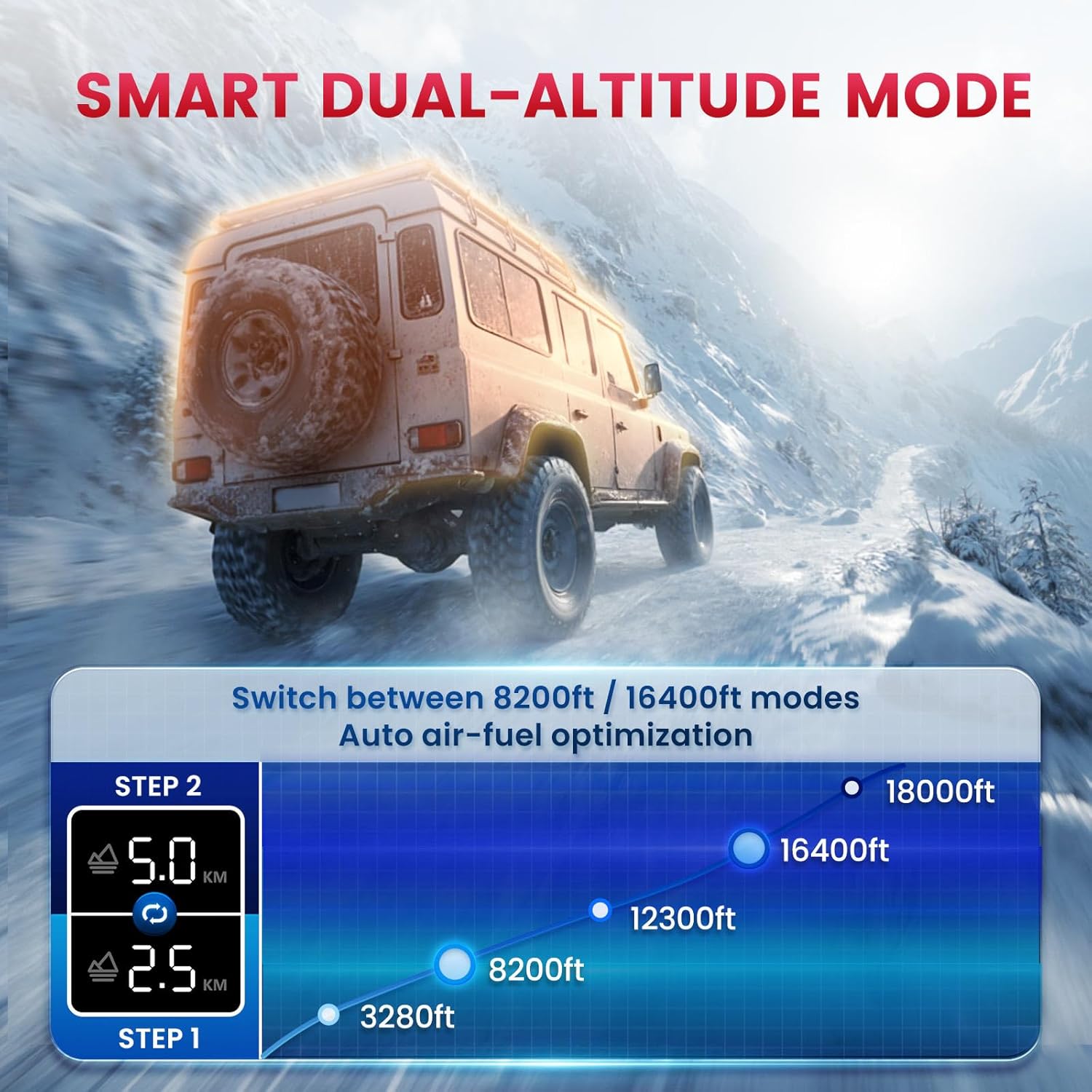
Image: Heater unit placed outdoors with the control panel extended indoors via a 59-inch cable for precise temperature control.
6. Operating Instructions
The HCALORY HBH1S offers multiple ways to control its operation.
6.1 Initial Start-Up and Fuel Priming
Before the first use, or after refilling the fuel tank, the fuel system may need priming to remove air. This is typically done automatically by the heater during the first few start attempts, or manually via the control panel settings (refer to LCD panel instructions for specific priming function).
- Ensure the fuel tank is filled.
- Turn on the heater. It may take several attempts for the fuel pump to draw fuel and for the heater to ignite.
- If the heater fails to start after several attempts, consult the troubleshooting section or manually prime the fuel pump if your model supports it via the LCD panel.
6.2 LCD Panel Control
The integrated or extended LCD panel provides direct control over the heater's functions.
- Power On/Off: Press the power button to turn the heater on or off.
- Temperature Setting: Use the up/down arrows to adjust the desired temperature.
- Gear Setting: Adjust the heating power level (gear) to control heat output.
- Mode Selection: Navigate through menus to select fan mode, altitude mode, or set timers.
- Auto Start-Stop: Enable this feature for the heater to automatically cycle on and off based on the set temperature.

Image: Overview of the three control options: Smart App, Remote Control, and LCD Panel.
6.3 Remote Control Operation
The included remote control allows for convenient operation from a distance of up to 98 feet (30 meters).
- Power On/Off: Use the ON/OFF buttons.
- Temperature/Power Adjustment: Use the +/- buttons to adjust settings.
- Refer to the remote control's specific button functions for detailed operation.
6.4 Smart App Control (Bluetooth)
The HCALORY app provides comprehensive control and monitoring via Bluetooth, with a range of up to 32 feet (10 meters).
- Download App: Scan the QR code in the quick start guide or search for "HCALORY" in your device's app store.
- Pair Device: Enable Bluetooth on your smartphone and open the HCALORY app. Follow the in-app instructions to pair with your heater.
- App Functions:
- Temperature Setting: Precisely set your desired temperature.
- Timing Groups: Schedule multiple on/off times for automated operation.
- Gear Setting: Adjust the heating power level.
- Altitude Mode: Manually select or allow auto-detection for optimal performance at high altitudes (8200 ft / 16,400 ft).
- Auto Start-Stop: Enable intelligent cycling based on ambient temperature.
- Fan Mode: Operate the fan independently for air circulation.

Image: HCALORY smartphone app interface showing various control features.
6.5 Dual-Altitude Mode
The heater features a smart dual high-altitude mode for optimal performance in varying atmospheric pressures. The system automatically detects altitude and adjusts the air-fuel ratio for efficient combustion. You can also manually select between 8200 ft and 16,400 ft modes via the app or LCD panel.
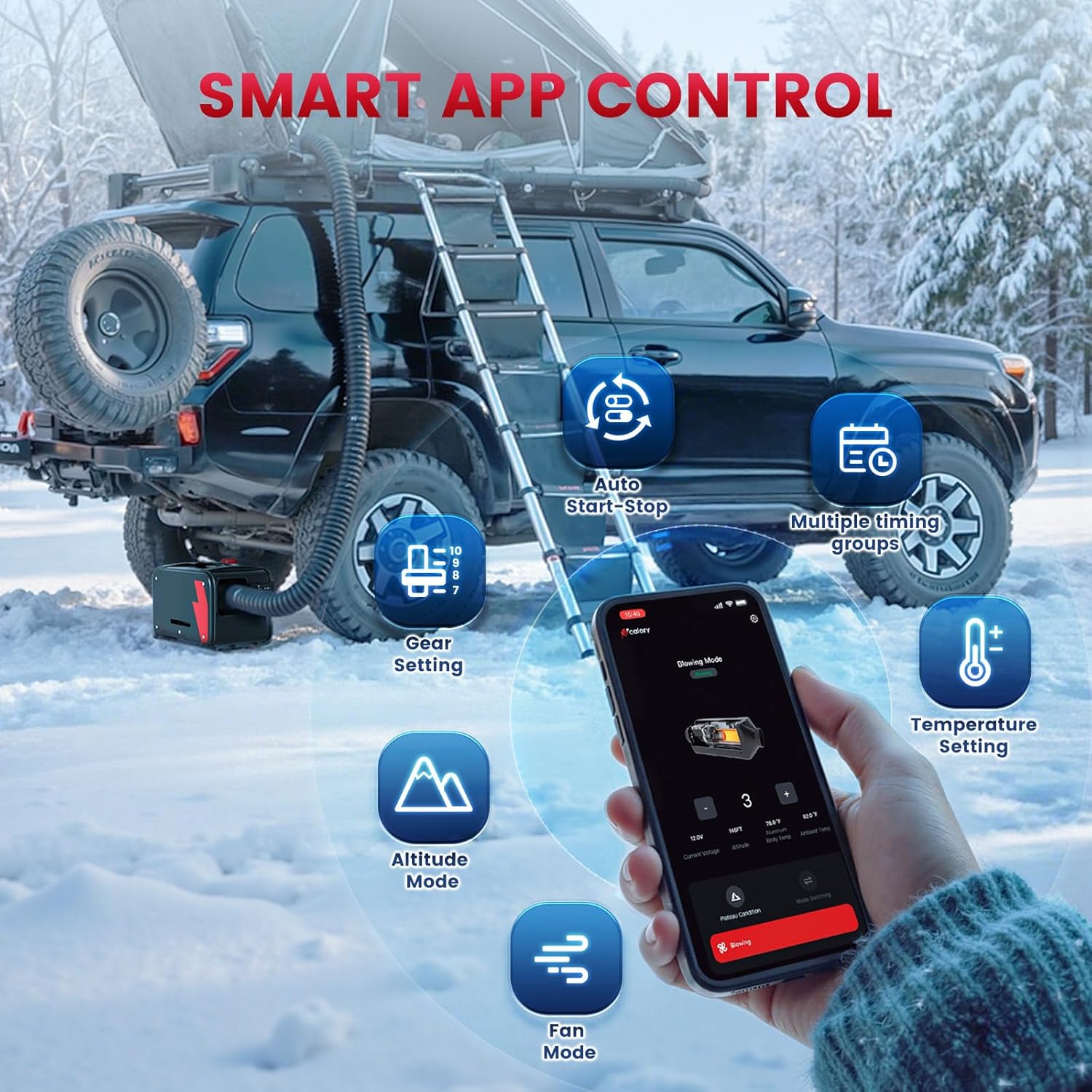
Image: Visual representation of the dual-altitude mode and its effect on performance at different elevations.
7. Maintenance
Regular maintenance ensures the longevity and safe operation of your HCALORY diesel heater.
- Cleaning: Periodically clean the exterior of the heater with a damp cloth. Do not use abrasive cleaners or solvents.
- Air Filter: Inspect and clean the air filter regularly. Replace if damaged or excessively dirty.
- Exhaust System: Check the exhaust pipe for any blockages, leaks, or damage before each use. Ensure it is securely fastened.
- Fuel System: Inspect fuel lines for cracks or leaks. Use clean diesel fuel to prevent clogging.
- Electrical Connections: Verify all electrical connections are tight and free from corrosion.
- Storage: When storing the heater for extended periods, drain the fuel tank and run the heater until all remaining fuel is consumed to prevent fuel degradation and system clogging. Store in a dry, protected area.
8. Troubleshooting
This section addresses common issues you might encounter. For problems not listed here, contact customer support.
| Problem | Possible Cause | Solution |
|---|---|---|
| Heater does not start/ignite. | No fuel, air in fuel line, faulty glow plug, insufficient power. | Check fuel level. Prime fuel system. Ensure 12V DC or 110V AC power is stable. Check for error codes on LCD. |
| Error Code E03 (Glow Plug Failure). | Damaged or worn glow plug. | Contact customer support for glow plug replacement. |
| Heater runs but no heat. | Blocked air intake/exhaust, low fuel, combustion issue. | Check for obstructions in intake/exhaust. Verify fuel supply. |
| Excessive smoke or unusual odor. | Improper combustion, fuel quality, exhaust leak. | Turn off immediately. Check fuel quality. Inspect exhaust system for leaks. Ensure proper ventilation. |
| Remote control or App not connecting. | Out of range, battery low (remote), Bluetooth off (app), pairing issue. | Move closer to heater. Replace remote batteries. Ensure Bluetooth is enabled and app is paired correctly. |
9. Specifications
| Feature | Detail |
|---|---|
| Model | HBH1S 8KW |
| Heating Power | 8 KW |
| Voltage | 12 Volts DC / 110 Volts AC (with adapter) |
| Heating Area | Up to 256 sq.ft. |
| Item Weight | 19.46 pounds (approx. 8.83 kg) |
| Product Dimensions | 16 x 12 x 19 inches (approx. 40.6 x 30.5 x 48.3 cm) |
| Fuel Type | Diesel |
| Control Methods | Smart App (Bluetooth), Remote Control, LCD Panel |
| Altitude Modes | 8200 ft / 16,400 ft (automatic optimization) |
10. Warranty and Support
For warranty information, technical support, or replacement parts, please contact HCALORY customer service through the retailer where the product was purchased or visit the official HCALORY website. Please have your product model number (HBH1S 8KW) and purchase date available when contacting support.


