
1. Introduction
Thank you for choosing WOBANE Dimmable LED Puck Lights. This manual provides essential information for the safe and efficient installation, operation, and maintenance of your new lighting system. These LED puck lights are designed for various indoor applications, including under cabinets, shelves, closets, and display cases, providing bright, warm white illumination with adjustable brightness.
Each puck light features 28 LEDs, delivering 175 lumens for a total system output of 700 lumens. The system operates on a safe 24V DC low voltage power supply and includes a convenient rotary dimmer switch for brightness control.
2. Safety Information
- Indoor Use Only: This product is designed for indoor use. It is not water resistant and should not be exposed to moisture or wet conditions.
- Power Supply: Use only the provided ETL Listed 24V DC power adapter. Using an incompatible power supply may damage the product and pose a safety risk.
- Installation: Ensure the power is disconnected before installation or maintenance. Do not attempt to modify the product components.
- Ventilation: Ensure adequate ventilation around the power adapter to prevent overheating.
- Children and Pets: Keep all components, especially small parts and cables, out of reach of children and pets.
3. Package Contents
Verify that all items are present in your package:
- 4 x LED Puck Lights
- 1 x Power Adapter (24V DC)
- 1 x Rotary Dimmer Switch
- Connection Cables
- Cable Clips
- Instruction Manual

Figure 1: All components included in the WOBANE LED Puck Lights 4-pack kit.
4. Setup and Installation
The WOBANE LED Puck Lights are designed for easy installation using the included 3M adhesive tape. Follow these steps for a secure setup:
- Plan Layout: Determine the desired placement for each puck light and the dimmer switch. Ensure cables can reach all components.
- Clean Surface: Thoroughly clean and dry the installation surface. Dust, grease, or moisture can reduce adhesive effectiveness.
- Attach Puck Lights: Peel the protective film from the 3M adhesive on the back of each puck light. Press firmly onto the chosen surface for at least 30 seconds.
- Connect Puck Lights: Connect the puck lights to each other using the provided connection cables. The system is designed for a tidy, linked connection.
- Connect Dimmer Switch: Connect the dimmer switch into the main cable line.
- Connect Power Adapter: Plug the power adapter into the dimmer switch, then plug the adapter into a standard wall outlet.
- Secure Cables: Use the included cable clips to neatly route and secure any excess cabling, ensuring a clean and organized installation.

Figure 2: Visual guide for puck light installation, including adhesive application and wiring examples.
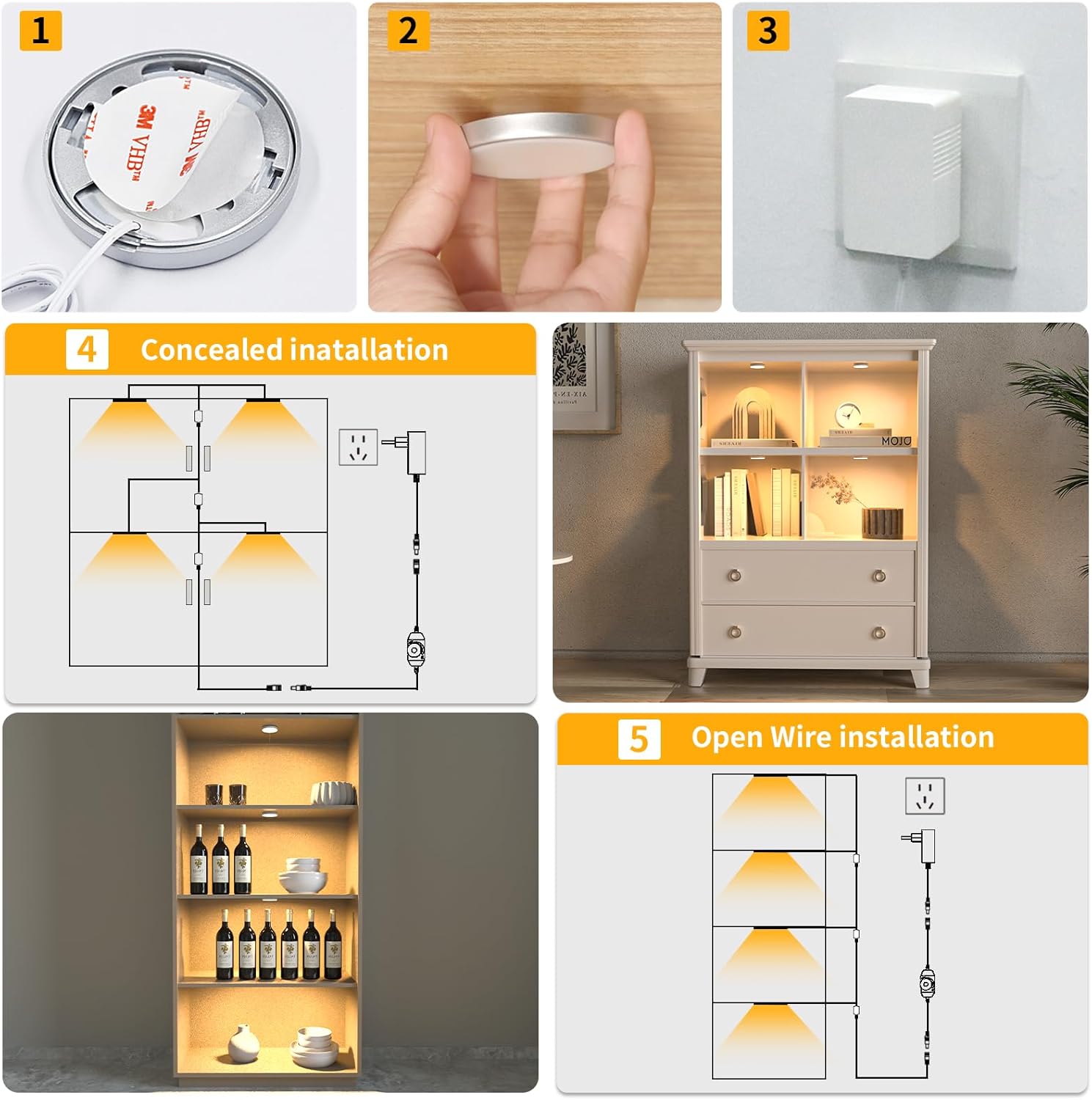
Figure 3: Connection diagram illustrating the wiring of puck lights, dimmer switch, and power adapter.

Figure 4: Illustration of the streamlined connection cable design for easy organization.
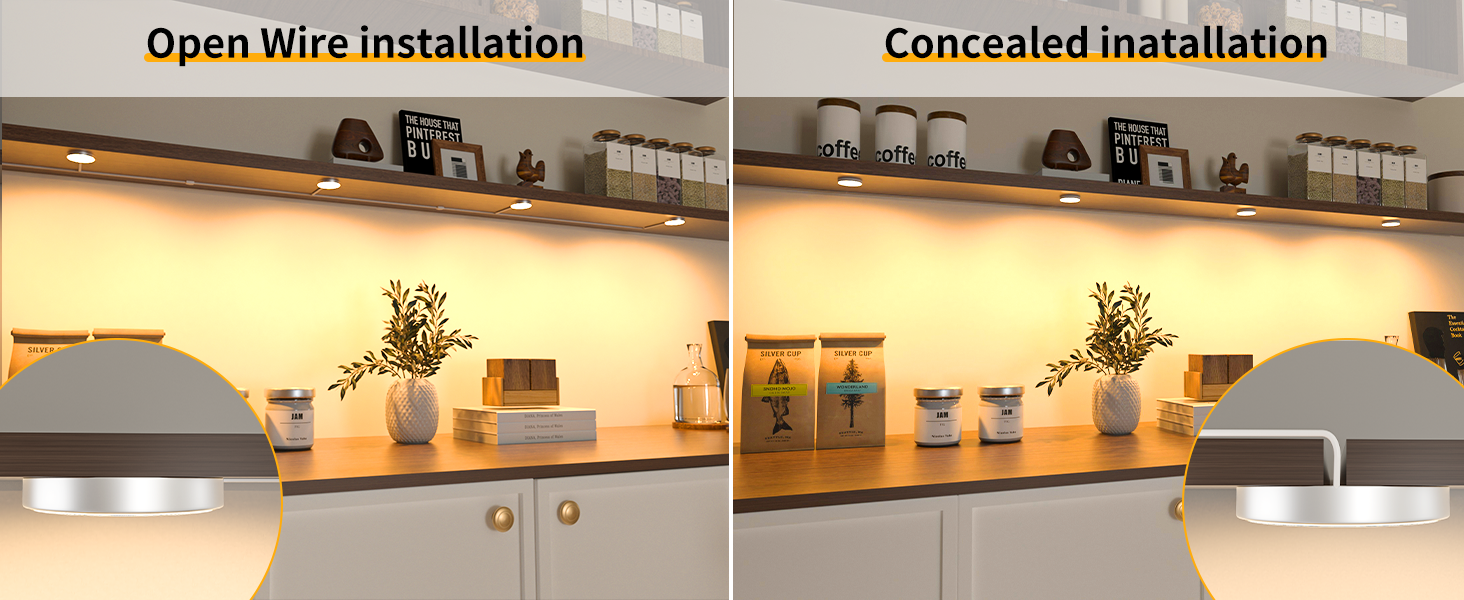
Figure 5: Examples of open wire and concealed installation techniques.
5. Operating Instructions
The WOBANE LED Puck Lights are controlled by a simple rotary dimmer switch:
- Turn On/Off: Rotate the knob clockwise until you hear a click to turn the lights on. Continue rotating clockwise to increase brightness. Rotate counter-clockwise to decrease brightness and turn off the lights (until you hear a click).
- Adjust Brightness: Once the lights are on, rotate the knob clockwise to brighten the lights or counter-clockwise to dim them. The brightness is steplessly adjustable from 0% to 100%.
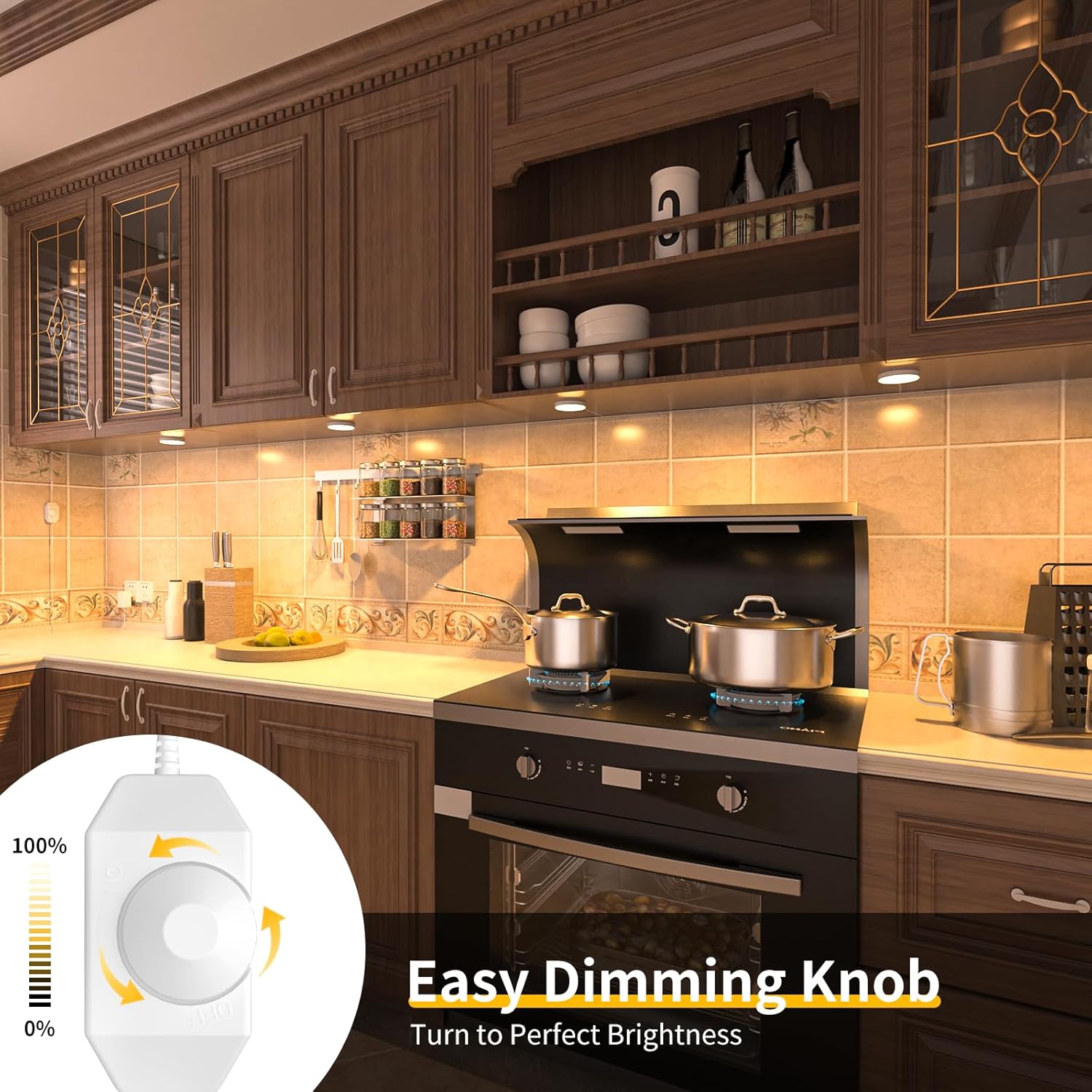
Figure 6: Close-up of the rotary dimmer switch for easy brightness adjustment.

Figure 7: Visual representation of dimming levels controlled by the rotary switch.
6. Maintenance
To ensure the longevity and optimal performance of your WOBANE LED Puck Lights, follow these simple maintenance guidelines:
- Cleaning: Disconnect power before cleaning. Use a soft, dry cloth to wipe the puck lights and cables. Do not use abrasive cleaners, solvents, or excessive moisture.
- Inspection: Periodically check cables and connections for any signs of damage or wear. If any damage is found, discontinue use and contact customer support.
- Storage: If storing the lights for an extended period, ensure they are clean, dry, and stored in a cool, dry place away from direct sunlight.
7. Troubleshooting
If you encounter issues with your WOBANE LED Puck Lights, refer to the following common troubleshooting steps:
- Lights Not Turning On:
- Ensure the power adapter is securely plugged into a working wall outlet.
- Check all cable connections between the puck lights, dimmer switch, and power adapter.
- Confirm the dimmer switch is rotated clockwise past the 'off' click.
- Lights Flickering or Dim:
- Adjust the dimmer switch to increase brightness.
- Ensure all connections are secure. Loose connections can cause inconsistent power.
- Individual Puck Light Not Working:
- Check the connection specifically to the non-working puck light.
- If other lights in the chain are working, the individual puck light may be faulty. Contact customer support.
8. Specifications
| Feature | Detail |
|---|---|
| Brand | WOBANE |
| Model Name | Puck Lights |
| Part Number | CP01 |
| Light Source Type | LED |
| Light Color | Warm White |
| Color Temperature | 2700 Kelvin |
| Brightness | 700 Lumens (Total) |
| Wattage | 9 Watts (Total) |
| Voltage | 24 Volts (DC Output) |
| Power Source | AC/DC Adapter |
| Control Method | Rotary Switch |
| Installation Type | Flush Mount (Adhesive) |
| Material | Plastic |
| Product Dimensions | 2.32"L x 2.32"W x 1.18"H (per puck light) |
| Item Weight | 8.1 ounces (Total package) |
| Water Resistance Level | Not Water Resistant |
| Certification | ETL Listed (Power Supply) |
9. Warranty and Support
WOBANE products come with a limited warranty. For specific warranty details, claims, or technical support, please contact the seller or manufacturer directly through your purchase platform. Please have your order number and product model (CP01) available when contacting support.