
1. Introduction
Welcome to the MACFOX Electric Bike user manual. This guide provides essential information for the safe and efficient operation, maintenance, and troubleshooting of your new MACFOX Electric Bike. The MACFOX M20P is a powerful and versatile ebike designed for adults, featuring a 750W peak motor, a 48V removable battery, and 20-inch fat tires, making it suitable for various terrains including snow, sand, road, and trail.
Please read this manual thoroughly before your first ride to ensure proper assembly, safe operation, and to maximize the lifespan of your electric bike.
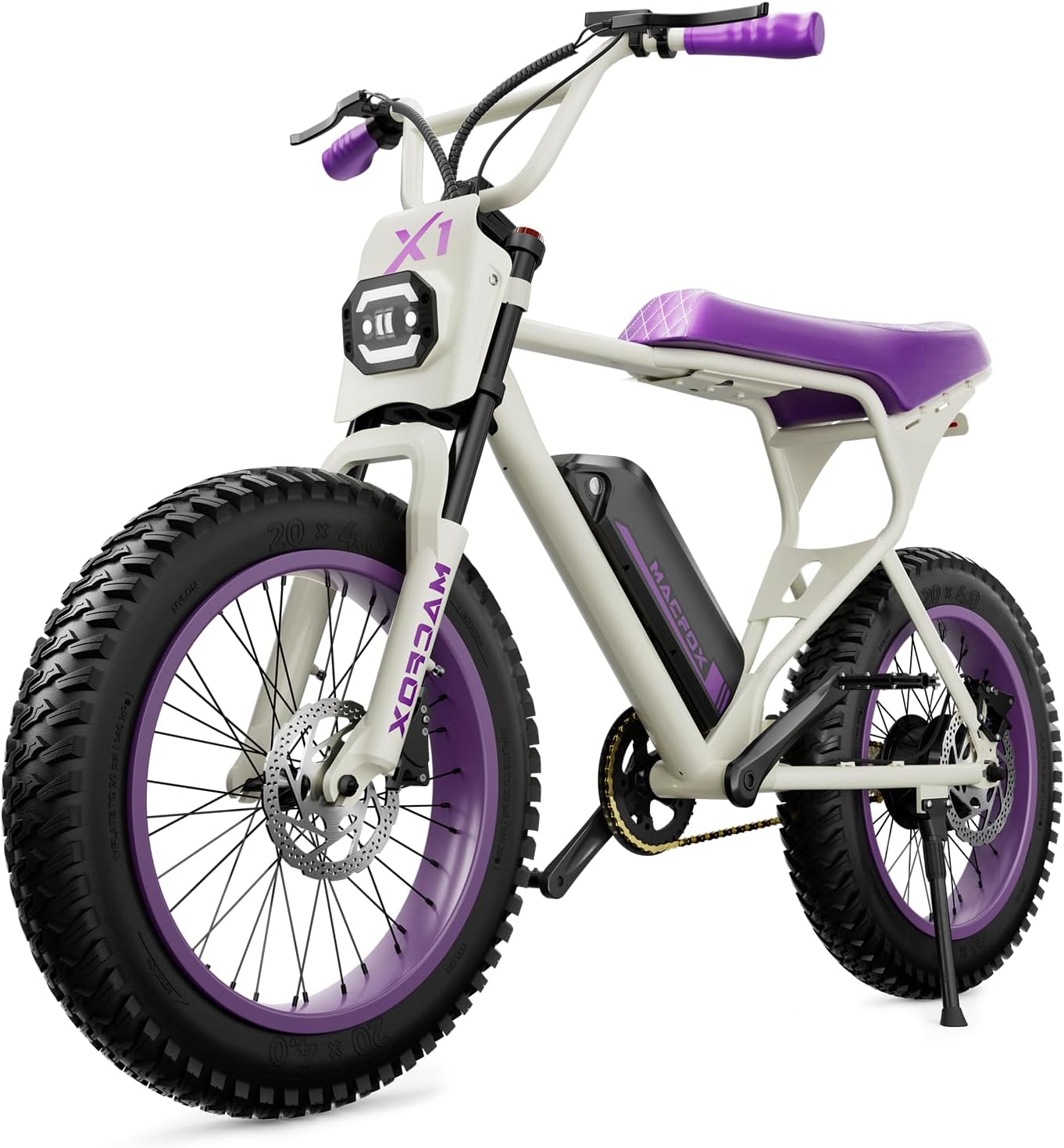
The MACFOX Electric Bike M20P, featuring its distinctive purple accents and fat tires.
2. Safety Guidelines
Your safety is paramount. Always adhere to the following guidelines:
- Wear a Helmet: Always wear an approved bicycle helmet that fits properly.
- Obey Traffic Laws: Follow all local traffic laws, regulations, and signs.
- Pre-Ride Check: Before each ride, inspect brakes, tires, battery level, and ensure all quick releases and fasteners are secure.
- Visibility: Use lights at night or in low-light conditions. Consider reflective clothing.
- Weather Conditions: Exercise caution in wet or slippery conditions. Braking distance increases significantly.
- Weight Limit: Do not exceed the maximum weight recommendation of 280 pounds.
- Age Range: This electric bike is designed for adult use.
3. Setup and Assembly
The MACFOX Electric Bike arrives approximately 85% assembled. The following steps detail the completion of the assembly process.
3.1 Unpacking and Initial Inspection
- Carefully remove the bike and all components from the packaging.
- Inspect for any visible damage during shipping. Contact customer support immediately if damage is found.
- Verify all included components are present (Tool Kit, etc.).
3.2 Handlebar Installation
- Attach the handlebar to the stem, ensuring proper alignment.
- Tighten the handlebar bolts securely using the provided tools.
3.3 Front Wheel Installation
- Carefully align the front wheel with the fork dropouts.
- Ensure the brake rotor is correctly seated within the brake caliper.
- Secure the wheel using the quick release or axle nuts.
3.4 Pedal Installation
- Identify the left (L) and right (R) pedals.
- Thread the pedals into the crank arms. The right pedal tightens clockwise, the left pedal tightens counter-clockwise.
- Tighten firmly with a wrench.
3.5 Seat Post and Saddle Adjustment
- Insert the seat post into the frame's seat tube.
- Adjust the saddle height to a comfortable riding position, ensuring your feet can touch the ground when stopped.
- Secure the quick release lever or seat post clamp.
3.6 Battery Installation and Charging
- Insert the 48V removable battery into its designated compartment on the frame.
- Ensure it clicks securely into place.
- Before first use, fully charge the battery using the provided charger. The charging indicator will change when complete.

The removable 48V battery, designed for easy installation and charging.

Diagram illustrating the lightweight geometry frame of the MACFOX Electric Bike, highlighting the battery compartment.
4. Operating Your Electric Bike
Understanding the controls and features of your MACFOX Electric Bike will enhance your riding experience.
4.1 Powering On/Off
- To power on the bike, press and hold the power button on the display unit.
- To power off, press and hold the power button again.
4.2 Display Screen Functions
The compact LCD screen provides real-time riding data:
- Speed: Current riding speed.
- Mileage: Trip distance and total odometer.
- Battery Level: Indicates remaining battery charge.
- Pedal Assist Level: Shows the current level of motor assistance.
Close-up view of the lightweight LCD display screen, showing speed, mileage, and battery status.
4.3 Riding Modes
- Pedal Assist Mode: The motor provides assistance as you pedal. Adjust the assist level using the '+' and '-' buttons on the display.
- Pure Electric Mode (Throttle): Use the throttle to engage the motor without pedaling.
4.4 Gear Shifting
The bike features a 7-speed gear system. Use the trigger shifter on the handlebar to change gears, adapting to different terrains and inclines.
4.5 Braking System
The MACFOX Electric Bike is equipped with front and rear disc brakes for reliable stopping power. Apply both brakes simultaneously for effective and controlled deceleration.

Detailed view of the 500W (750W Peak) brushless motor, providing powerful assistance for various terrains.

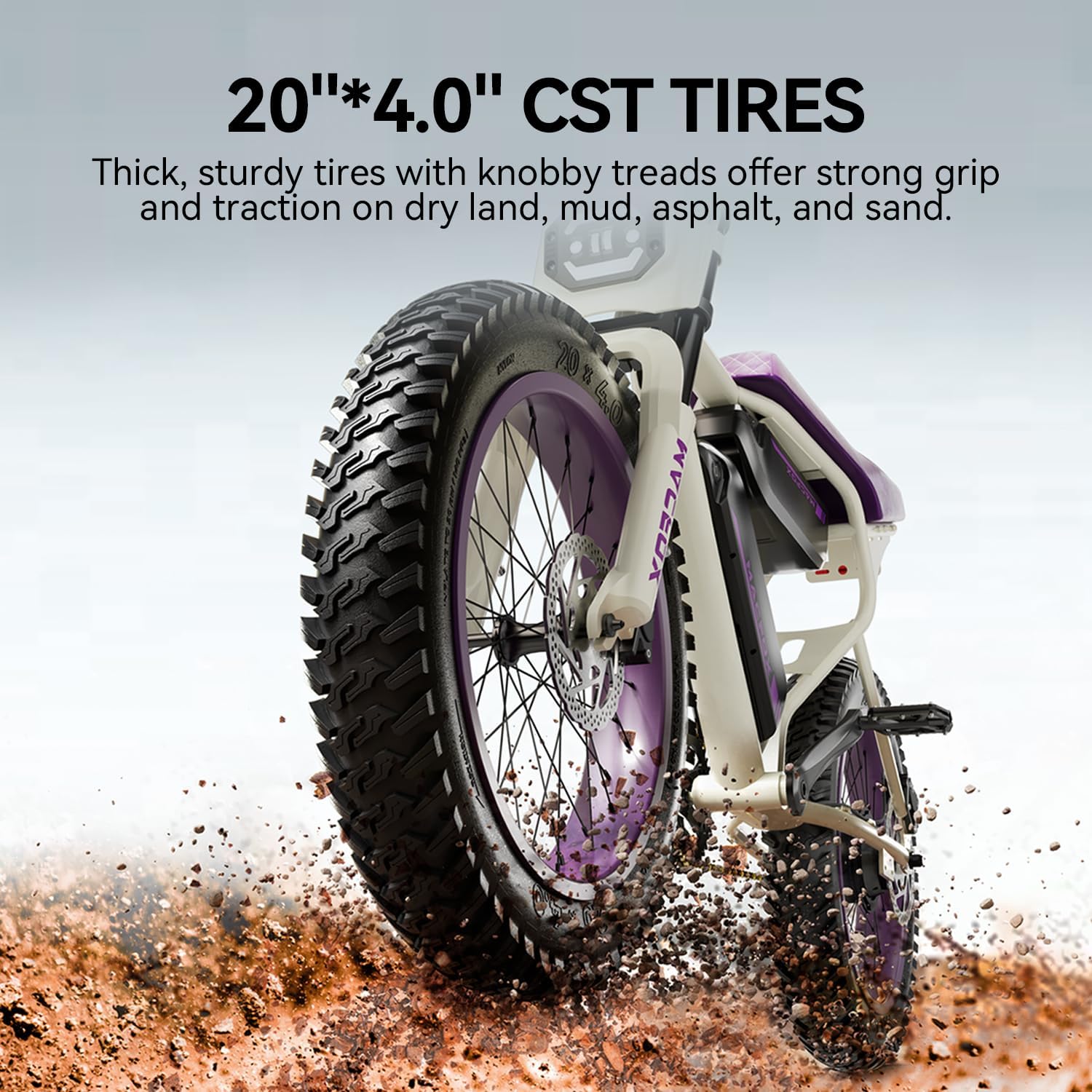
Close-up of the 20" x 4.0" CST fat tires, designed for strong grip and traction on diverse surfaces.
5. Maintenance
Regular maintenance ensures the longevity and optimal performance of your MACFOX Electric Bike.
5.1 Battery Care
- Charge the battery fully after each ride, or at least once a month if not in use.
- Store the battery in a cool, dry place, away from direct sunlight and extreme temperatures.
- Do not completely drain the battery before recharging.
5.2 Tire Maintenance
- Check tire pressure before each ride. Maintain recommended PSI for optimal performance and safety.
- Inspect tires for wear, cuts, or punctures regularly.
5.3 Brake System
- Regularly check brake pads for wear and replace them when necessary.
- Ensure brake levers are firm and responsive. Adjust cable tension if needed.
5.4 Chain and Drivetrain
- Keep the chain clean and lubricated to prevent rust and ensure smooth shifting.
- Inspect gears and derailleur for proper alignment and function.
5.5 General Cleaning and Storage
- Clean the bike with a damp cloth and mild soap. Avoid high-pressure washing directly on electrical components.
- Store the bike indoors in a dry environment to protect it from elements.
6. Troubleshooting
This section addresses common issues you might encounter with your MACFOX Electric Bike.
| Problem | Possible Cause | Solution |
|---|---|---|
| Bike does not power on. | Battery not installed correctly, battery drained, power button not pressed long enough. | Ensure battery is fully seated. Charge battery. Press and hold power button for 3-5 seconds. |
| Motor not assisting. | Pedal assist level set to zero, battery low, loose connection. | Increase pedal assist level. Charge battery. Check all electrical connections. |
| Brakes feel spongy or ineffective. | Brake pads worn, cable tension too loose, air in hydraulic system (if applicable). | Inspect and replace brake pads. Adjust brake cable tension. If hydraulic, seek professional service. |
| Unusual noises from drivetrain. | Dry chain, misaligned derailleur, loose components. | Clean and lubricate chain. Check derailleur alignment. Inspect for loose bolts. |
If you encounter issues not listed here or if solutions do not resolve the problem, please contact MACFOX customer support for assistance.
7. Specifications
| Feature | Detail |
|---|---|
| Model Name | M20P |
| Bike Type | Fat Tire, Electric Bike |
| Motor | 500W (Peak 750W) Brushless Motor |
| Battery | 48V 10.4Ah Lithium Battery (500 Watt Hours) |
| Max Speed | Up to 25 MPH |
| Range (Single Battery) | Approx. 38 miles (Pure Electric Mode: 28-35 miles, Pedal Assist Mode: 35-50 miles) |
| Wheel Size | 20 Inches |
| Tire Width | 4 Inches (20" x 4.0" CST Tires) |
| Frame Material | Alloy Steel / Aluminum |
| Suspension Type | Front Suspension |
| Brake Style | Disc (Front and Rear) |
| Number of Speeds | 7 |
| Maximum Weight Recommendation | 280 Pounds |
| Included Components | Tool Kit |
| Assembly Required | Yes (85% assembled) |

Visual representation of the bike's power specifications, including 500W power, 40M max range, 25MPH max speed, and 50N.M torque.
8. Warranty and Support
MACFOX is committed to manufacturing high-quality electric bikes and stands behind its products.
8.1 Warranty Information
Your MACFOX Electric Bike comes with a limited warranty. Please refer to the warranty card included with your purchase for specific terms and conditions. Generally, a 1-year warranty covers manufacturing defects.
8.2 Customer Support
If you have any questions, require assistance with assembly, operation, maintenance, or troubleshooting, please do not hesitate to contact MACFOX customer support. We have warehouses in Los Angeles, California, and Atlanta, Georgia, to support our customers across the United States.
For the most current contact information, please visit the official MACFOX website or refer to your purchase documentation.


