Introduction
Welcome to the user manual for your new SUNKTA EF17 Smart Watch. This device is designed to be a versatile companion for your daily life and fitness activities, featuring a vibrant 2.13-inch AMOLED HD display, an integrated LED flashlight, Bluetooth calling, and comprehensive health and sport tracking. Please read this manual carefully to ensure proper use and optimal performance of your smartwatch.
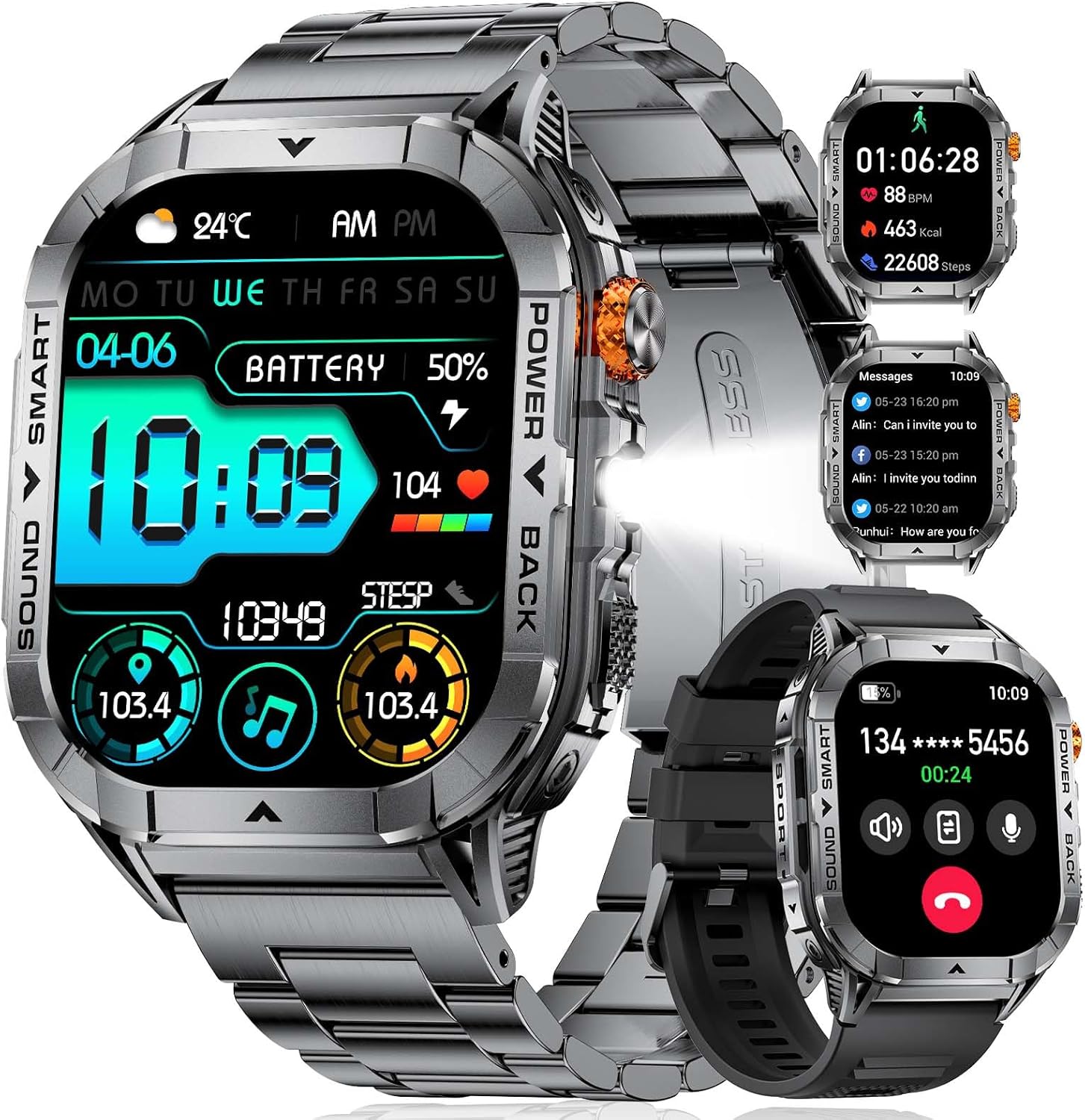
The SUNKTA EF17 Smart Watch, showcasing its sleek design and interchangeable straps.
What's in the Box
Please verify that all the following items are included in your package:
- SUNKTA EF17 Smart Watch
- Metal Strap
- Silicone Strap
- Strap Accessories
- Magnetic Charging Cable
- User's Manual (this document)
Initial Setup
1. Charging the Smart Watch
Before first use, fully charge your smartwatch. Connect the magnetic charging cable to the charging points on the back of the watch and plug the USB end into a standard USB power adapter (not included). The watch display will indicate charging status. A full charge typically takes 1-2 hours.
2. App Installation
To unlock the full functionality of your SUNKTA EF17 Smart Watch, you need to install the companion application on your smartphone. The app is named "FitCloudPro" and is available for both iOS and Android devices.
- Scan the QR code provided in the quick start guide or search for "FitCloudPro" in the Apple App Store (for iOS 11.0 and above) or Google Play Store (for Android 5.0 and above).
- Download and install the application.
- Follow the on-screen instructions to create an account or log in.
3. Device Pairing
Once the app is installed and your watch is charged, proceed with pairing:
- Ensure Bluetooth is enabled on your smartphone.
- Open the "FitCloudPro" app and navigate to the 'Device' or 'Add Device' section.
- The app will search for nearby devices. Select "EF17" from the list of found devices.
- Confirm the pairing request on both your smartphone and the smartwatch.
- For Bluetooth calling functionality, you may need to pair the watch a second time through your phone's Bluetooth settings (look for "EF17_CALL" or similar). This is typically required for iOS 13.0 and above.
Key Features
2.13-inch AMOLED HD Display
The SUNKTA EF17 features a large, high-definition AMOLED screen, providing vivid colors, deep blacks, and excellent clarity even in bright sunlight. This display enhances readability for notifications, fitness data, and watch faces, offering a smooth and comfortable user experience.
Integrated LED Flashlight
A unique and practical feature of the EF17 is its built-in LED flashlight. This can be activated with a simple touch, providing convenient illumination in low-light conditions, during power outages, or for outdoor activities at night.

The integrated LED flashlight provides convenient illumination.
Official product video demonstrating the SUNKTA EF17 smartwatch features, including its LED flashlight and various activity tracking capabilities.
5ATM Waterproof Rating
With an IP68 and 5ATM waterproof rating, the EF17 is designed to withstand daily exposure to water, including sweat, rain, and handwashing. It is also suitable for swimming in shallow water. However, it is not recommended for diving or high-pressure water activities.

The 5ATM waterproof rating allows for use during swimming and other water-related activities.
Bluetooth Calling & Message Notifications
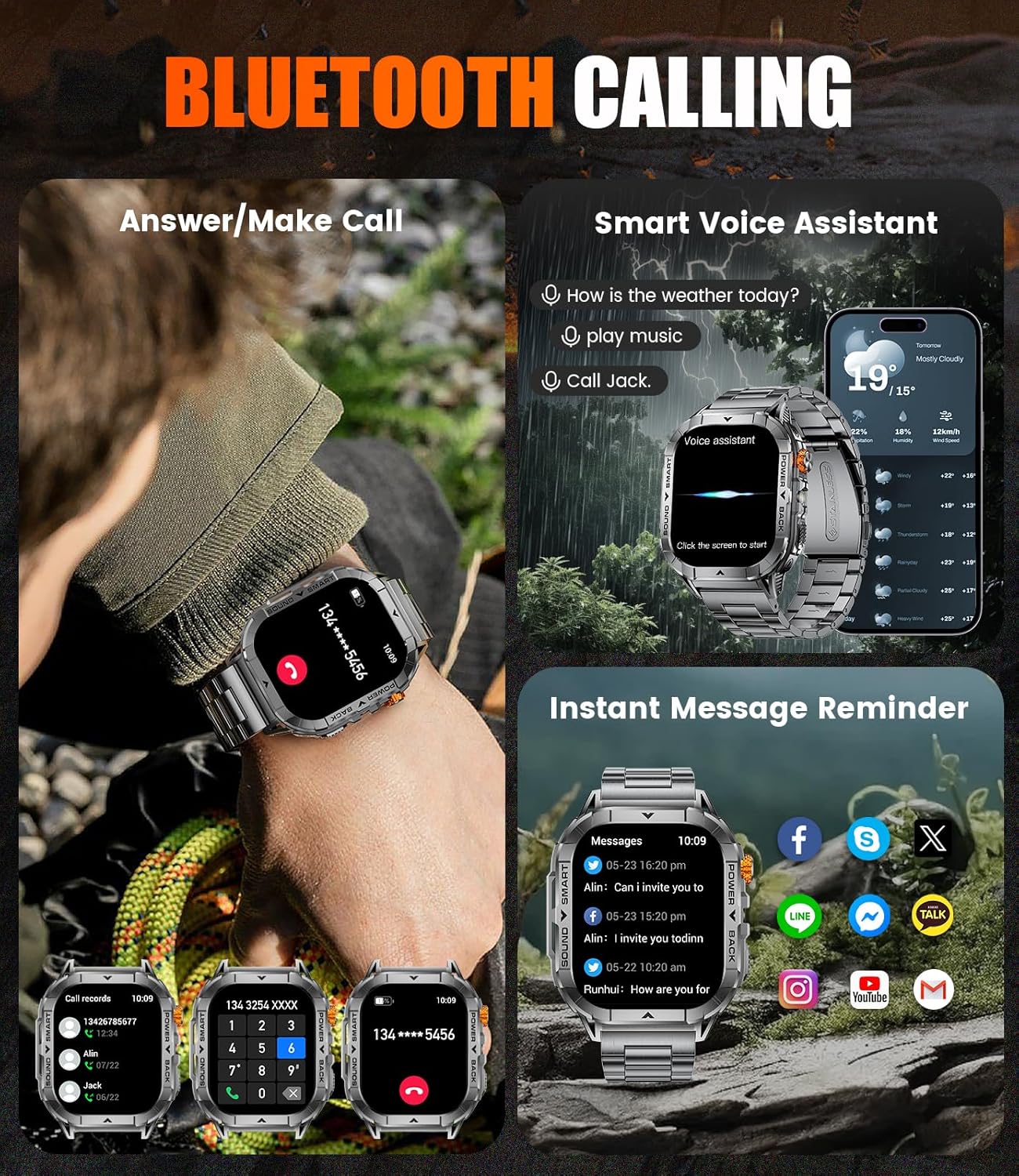
Equipped with Bluetooth 5.0, the smartwatch allows you to answer and make calls directly from your wrist. It also synchronizes notifications from various platforms such as WhatsApp, SMS, and email, ensuring you stay connected without needing to constantly check your phone. The built-in microphone and speaker provide clear communication.

Manage calls and view messages directly from your wrist.
500mAh Long Battery Life
The EF17 is powered by a 500mAh large-capacity battery, offering extended usage on a single charge. Under normal use, the watch can last for several days, reducing the need for frequent recharging. Standby time is significantly longer.

Enjoy extended usage with the 500mAh ultra-large battery.
Multi-Functional & Exercise Companion (100+ Sport Modes)
This smartwatch supports over 100 sport modes, accurately tracking your activity data including step count, calorie consumption, distance, and more. It serves as a comprehensive fitness tracker to help you monitor and improve your exercise effectiveness.
Track your performance across over 100 different sport modes.
Health Monitoring
The EF17 monitors key health metrics such as heart rate, blood oxygen (SpO2), and sleep quality. It provides detailed data to help you understand your physical condition and make informed decisions about your well-being. (Note: Data is for general fitness reference only and cannot be used for professional medical diagnosis.)

Monitor your heart rate, blood oxygen, and sleep patterns.
Operating Instructions
Basic Navigation
- Touch Screen: Swipe left/right, up/down to navigate through menus and screens. Tap to select items.
- Side Button/Crown: Press to wake the screen, return to the main watch face, or access the app list. Rotate the crown to scroll through menus or adjust settings.
- Power Button: Press and hold to power on/off the watch.
Accessing Features
- Sport Modes: From the app list, select the 'Sport' icon to choose from over 100 activities.
- Health Monitoring: Access Heart Rate, Blood Oxygen, and Sleep tracking from the app list or dedicated widgets on the watch face.
- Bluetooth Calls: Once paired, you can dial numbers or answer incoming calls directly from the watch.
- Notifications: Swipe down from the main watch face to view recent notifications.
- Flashlight: Locate the flashlight icon in the quick settings or app list to activate.
For detailed customization, watch face selection, and advanced settings, please refer to the "FitCloudPro" application on your smartphone.
Care and Maintenance
- Cleaning: Regularly clean your watch and straps with a soft, damp cloth. For silicone straps, mild soap and water can be used. Ensure the watch is dry before charging.
- Avoid Chemicals: Do not use harsh chemicals, cleaning solvents, or strong detergents, as these can damage the watch's finish and seals.
- Temperature: Avoid exposing the watch to extreme temperatures (hot or cold) or sudden temperature changes, as this may affect battery life and internal components.
- Impact: While durable, avoid dropping the watch or subjecting it to strong impacts.
- Charging: Use only the provided magnetic charging cable. Do not attempt to force the charger if it does not align correctly.
Troubleshooting
Watch Not Turning On
- Ensure the watch is fully charged. Connect it to the charger for at least 30 minutes.
- Press and hold the power button for 5-10 seconds.
Unable to Pair with Smartphone
- Make sure Bluetooth is enabled on your phone and the watch is within range.
- Restart both your smartphone and the smartwatch.
- Ensure the "FitCloudPro" app is updated to the latest version.
- Forget the device in your phone's Bluetooth settings and try pairing again through the app.
Inaccurate Health/Fitness Data
- Ensure the watch is worn snugly on your wrist, about one finger's width above the wrist bone.
- Clean the sensor on the back of the watch.
- Note that environmental factors and individual physiology can affect sensor readings. Data is for reference only.
Notifications Not Appearing
- Check notification settings within the "FitCloudPro" app to ensure they are enabled for desired applications.
- Verify that your phone's notification settings allow the app to send notifications.
- Ensure the watch is connected via Bluetooth.
Specifications
| Feature | Detail |
|---|---|
| Model Number | EF17-B-US |
| Screen Size | 2.13 Inches AMOLED HD Display |
| Battery Capacity | 500 Milliamp Hours (Lithium Polymer) |
| Connectivity | Bluetooth 5.0 |
| Water Resistance | 5ATM / IP68 |
| Operating System | AsteroidOS (Customized) |
| Memory Storage Capacity | 1 GB |
| GPS | GPS Via Smartphone |
| Item Weight | 9.1 ounces |
| Package Dimensions | 8.07 x 3.78 x 0.94 inches |
| Manufacturer | SUNKTA |
Warranty and Support
Your SUNKTA EF17 Smart Watch comes with a 24-month warranty from the date of purchase. This warranty covers manufacturing defects and ensures your product is free from material and workmanship flaws under normal use.
For any questions, concerns, or issues regarding your smartwatch, please contact SUNKTA customer service. We offer 24-hour online support to assist you promptly.
Please retain your proof of purchase for warranty claims.


