
SUNKTA EF17-B-US
SUNKTA EF17 Smart Watch User Manual
Model: EF17-B-US
1. Introduction
This manual provides comprehensive instructions for the operation, maintenance, and troubleshooting of your SUNKTA EF17 Smart Watch. Please read this manual thoroughly before using the device to ensure proper functionality and to maximize its features.
Package Contents
- Smart Watch
- Metal Strap + Silicone Strap
- Strap Accessories
- Charger
- User's Manual
2. Setup
2.1 Charging the Device
Before first use, fully charge your smart watch. Connect the magnetic charger to the charging points on the back of the watch. Connect the USB end of the charger to a power adapter (not included) or a computer USB port.
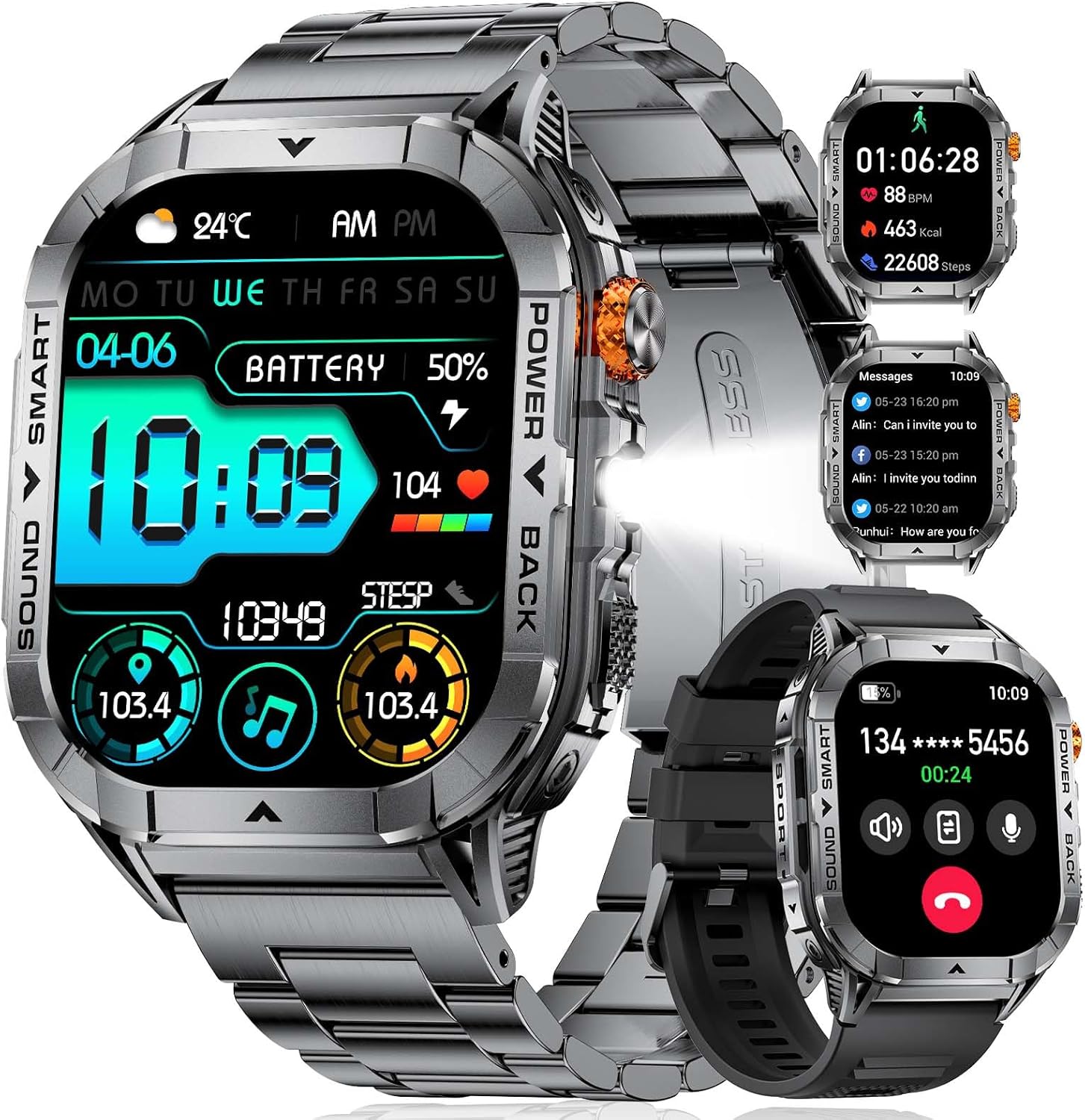 Image: The SUNKTA EF17 Smart Watch with its magnetic charger. Ensure proper alignment for charging.
A full charge typically takes 1-2 hours and provides 5-7 days of normal use or up to 25 days of standby time.
2.2 App Installation and Pairing
The SUNKTA EF17 Smart Watch uses the "FitCloudPro" application for full functionality. This app is compatible with iOS 11.0 and above (iOS 13.0+ for calls) and Android 5.0 and above, with Bluetooth 4.0 or higher.
- Download the "FitCloudPro" app from your device's app store (Apple App Store for iOS, Google Play Store for Android).
- Ensure Bluetooth is enabled on your smartphone.
- Open the "FitCloudPro" app and follow the on-screen instructions to create an account or log in.
- In the app, navigate to the device pairing section and select "Add Device" or similar.
- Select "EF17" from the list of available devices to pair. Confirm the pairing request on both your phone and the watch if prompted.
 Image: The watch screen showing various application icons, indicating its multi-functional capabilities.
3. Operating the Smart Watch
3.1 Display and Navigation
The EF17 features a 2.13-inch AMOLED HD display. Navigate through menus by swiping left, right, up, or down. The side button (often referred to as the "crown") can be used to return to the home screen or access the app menu.
 Image: A close-up view of the 2.13-inch AMOLED screen, highlighting its vibrant display and detailed interface.
3.2 Key Features
- Bluetooth Calling: Answer and make calls directly from your watch. The built-in noise-cancelling microphone and high-fidelity speaker ensure clear communication.
- Message Notifications: Receive synchronized notifications from various platforms (WhatsApp, SMS, email, etc.).
- LED Flashlight: Activate the integrated LED flashlight for illumination in low-light conditions.
- Sports Modes: Track over 100 sports modes, including walking, running, cycling, swimming, and more.
- Health Monitoring: Monitor step count, calorie consumption, sleep quality, and heart rate. (Note: Data is for general fitness reference only and not for medical diagnosis.)
- Music Control: Control music playback on your paired smartphone.
- Camera Control: Remotely control your smartphone's camera.
- Weather Forecast: View current weather conditions.
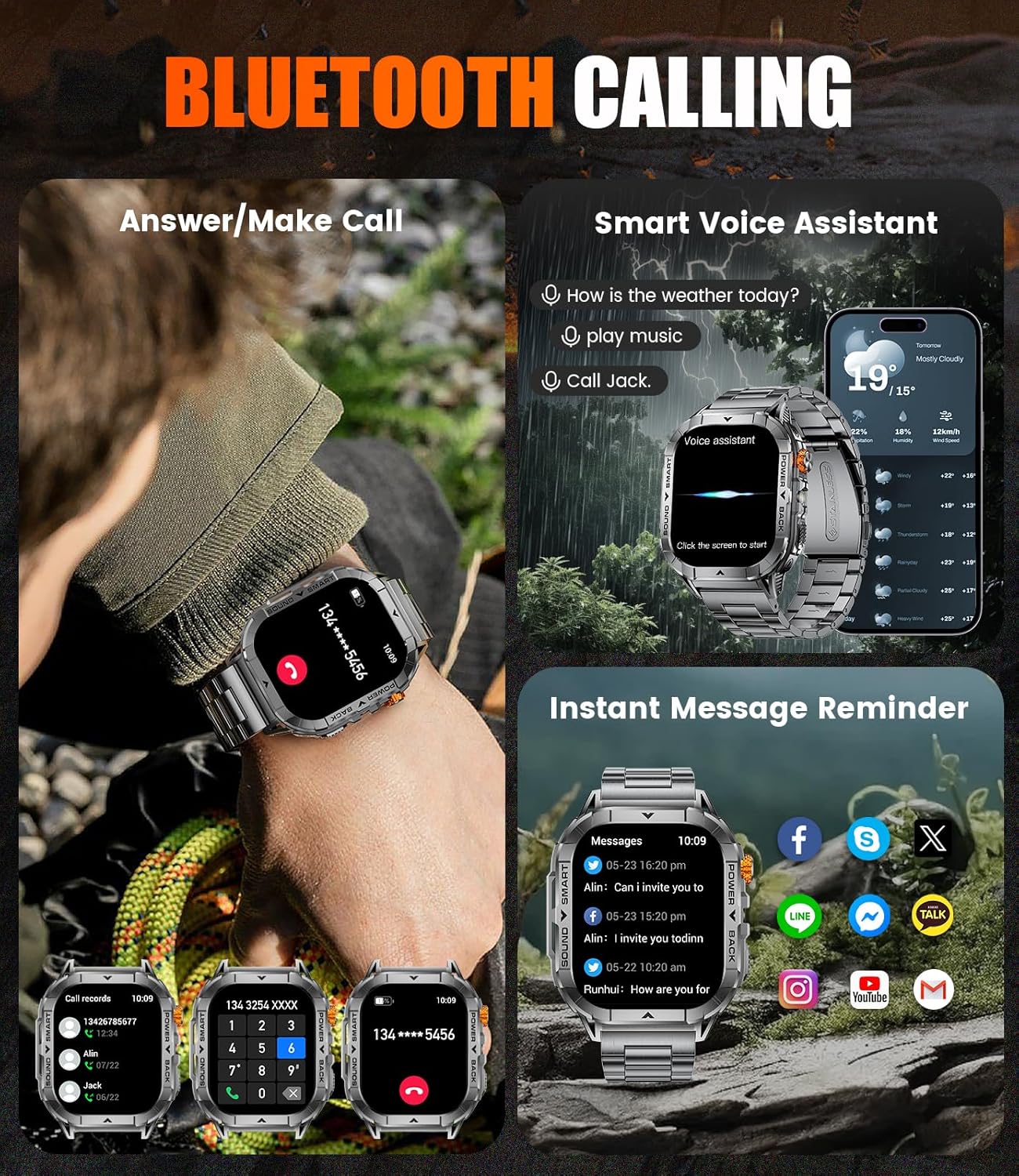 Image: The smart watch displaying an incoming call, illustrating its Bluetooth calling capability.
 Image: An illustration emphasizing the 500mAh ultra-large battery, promising extended battery life compared to other smartwatches.
 Image: The watch being worn by a diver underwater, demonstrating its 5ATM water resistance for swimming and daily water exposure.
 Image: The watch screen showing heart rate and blood oxygen levels, indicating its health tracking capabilities.
 Image: A collage of images showing the watch's durability against drops, extreme temperatures, corrosion, dust, and impact, highlighting its military-grade standard.
3.3 Using the LED Flashlight
The EF17 Smart Watch is equipped with a practical LED flashlight. To activate or switch light modes, simply touch the smartwatch screen or use the designated button (refer to watch interface for specific controls). This feature is useful for night running, camping, hiking, or during power outages.
 Image: The smart watch emitting a powerful LED light, illustrating its flashlight function.
3.4 Sports Tracking and Health Monitoring
The watch supports over 100 sports modes. Select your desired activity from the watch's menu to begin tracking. It records data such as steps, calories burned, distance, and heart rate. For detailed analysis and historical data, synchronize the watch with the FitCloudPro app.
Video: A demonstration of the SUNKTA EF17 Smart Watch's features, including sports tracking, call functionality, and durability. This video highlights the watch's performance during cycling and other activities.4. Maintenance
4.1 Cleaning Your Watch
Regularly clean your watch and strap to prevent skin irritation and maintain device performance. Use a soft, lint-free cloth. For stubborn dirt, dampen the cloth with water. Avoid using harsh chemicals or abrasive materials.
4.2 Water Resistance
The EF17 Smart Watch is IP68 waterproof, meaning it can resist sweat, rain, and dust, and is suitable for swimming. However, it is not recommended for hot showers, saunas, or diving, as steam and hot water can compromise the seals.
4.3 Battery Care
To prolong battery life, avoid fully discharging the watch frequently. Charge it when the battery level is low. Store the watch in a cool, dry place if not used for extended periods.
5. Troubleshooting
| Problem | Possible Solution |
|---|---|
| Watch not turning on | Ensure the watch is fully charged. Press and hold the power button for several seconds. |
| Cannot pair with phone |
|
| Inaccurate health data | Ensure the watch is worn snugly on your wrist, not too tight or too loose. Clean the sensor on the back of the watch. Remember, data is for reference only. |
| Notifications not received |
|
6. Specifications
| Feature | Detail |
|---|---|
| Model Number | EF17-B-US |
| Display | 2.13-inch AMOLED HD Touch Screen |
| Battery Capacity | 500 mAh Lithium Polymer |
| Battery Life | 5-7 days (normal use), 25 days (standby) |
| Water Resistance | IP68 (5ATM) |
| Connectivity | Bluetooth 5.0 |
| Compatibility | iOS 11.0+ (iOS 13.0+ for calls), Android 5.0+, BT4.0+ |
| Operating System | AsteroidOS |
| Special Features | LED Flashlight, Bluetooth Calling, 100+ Sport Modes, Health Monitoring, Music Control, Camera Control, Weather Forecast |
| Dimensions | 8.07 x 3.78 x 0.94 inches (Package) |
| Item Weight | 9.1 ounces |
7. Warranty and Support
SUNKTA smart watches come with a 24-month warranty. For any issues regarding accessories, quality, operation, or charging, please contact customer support. 24-hour online support is available to provide solutions within 24 hours.
 Image: SUNKTA customer service details, including 24-hour online service and a 2-year guarantee.
Ask a question about this manual
Ask about setup, troubleshooting, compatibility, parts, safety, or missing instructions. Manuals+ will review the question and use this page’s manual context to help answer it.