
1. Introduction
This manual provides essential information for the safe and effective operation, maintenance, and troubleshooting of your TODO Dual-Sided Walking Pad Treadmill. This innovative 2-in-1 device offers both a traditional walking/running surface and a dedicated foot massage pad, designed for use in home or office environments. Please read this manual thoroughly before initial use and retain it for future reference.

Figure 1.1: Overview of the TODO Dual-Sided Walking Pad Treadmill demonstrating its two primary functions.
2. Safety Information
To reduce the risk of serious injury, always follow basic safety precautions when using this appliance. Read all instructions before using the treadmill.
- Placement: Place the treadmill on a flat, stable surface. Ensure adequate clear space (at least 2 meters behind and 0.6 meters on each side) for safe operation.
- Power Source: Connect the treadmill to a properly grounded outlet. Do not use extension cords or adapters.
- User Weight: Do not exceed the maximum user weight capacity of 330 lbs (approximately 150 kg).
- Footwear: Always wear appropriate athletic footwear when using the walking/running surface. For the foot massage side, bare feet or thin socks are recommended.
- Children and Pets: Keep children and pets away from the treadmill during operation.
- Emergency Stop: Familiarize yourself with the emergency stop procedure.
- Maintenance: Unplug the treadmill before cleaning or performing any maintenance.
- Health Conditions: Consult a physician before starting any new exercise program, especially if you have pre-existing health conditions.

Figure 2.1: The treadmill's robust design supports a maximum weight of 330 lbs and features a 6-layer running belt for joint protection.
3. Package Contents
Verify that all components are present in the package:
- TODO Dual-Sided Walking Pad Treadmill
- Wireless Remote Control
- Power Cord
- Lubricant (small bottle)
- User Manual
4. Product Overview
4.1 Key Features
- Dual-Sided Design: Features a walking/running surface on one side and a foot massage pad on the other.
- LED Display: Tracks time, speed, distance, and calories.
- Wireless Remote Control: For convenient adjustment of speed and settings.
- APP Connectivity: Connects to a mobile application for data visualization and tracking.
- Quiet Operation: Motor operates at less than 45 dB.
- Compact Design: Easy to store under a desk or bed.
- Shock Absorbent: 6-layer non-slip running belt for reduced impact.
4.2 Components
The treadmill consists of the main unit, which can be flipped to switch between the walking and massage functions.
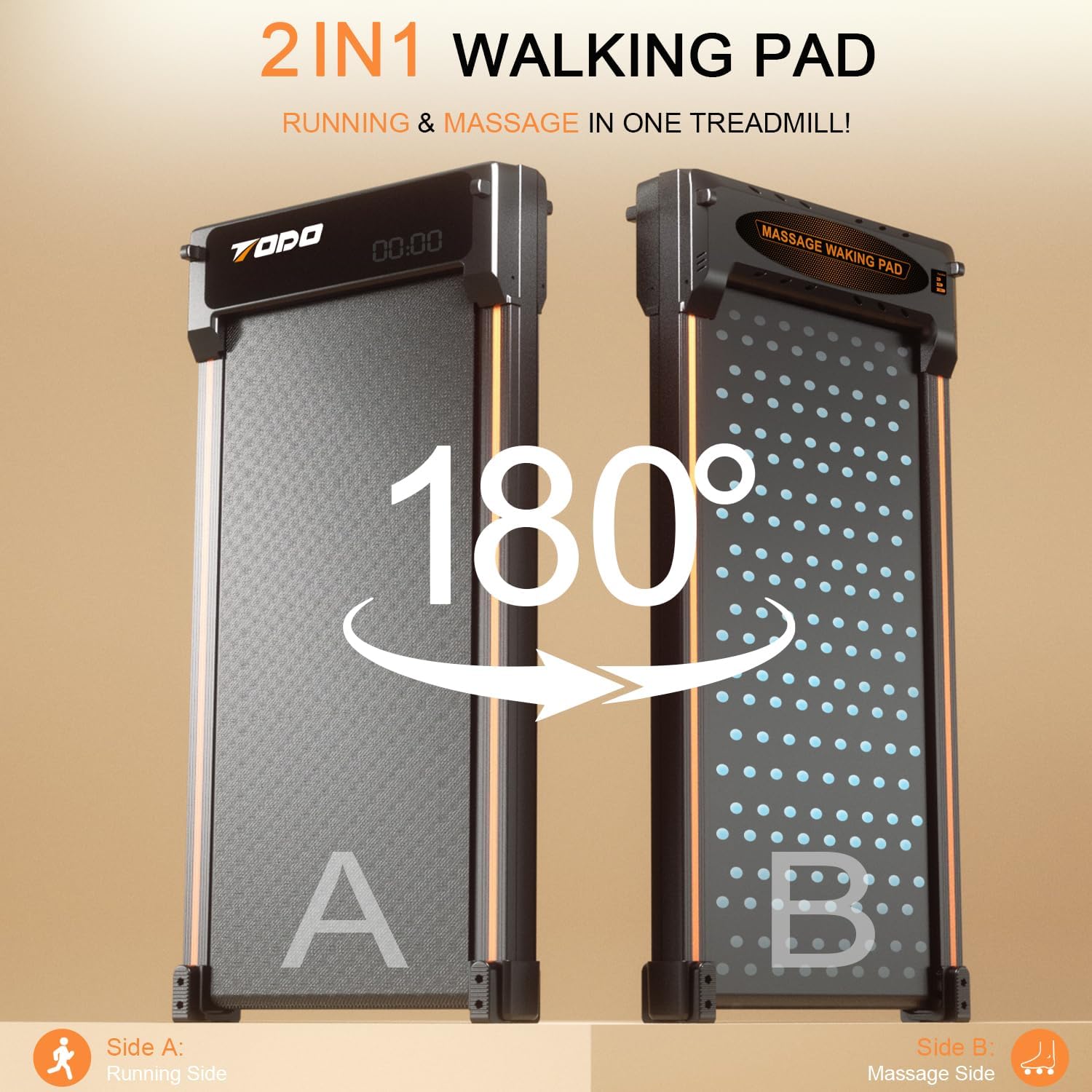
Figure 4.1: The 180-degree rotation mechanism allows easy switching between the running and massage functions.

Figure 4.2: Detailed view of the treadmill's dimensions and the benefits of its foot massage feature.
5. Setup
- Unpacking: Carefully remove the treadmill and all accessories from the packaging.
- Placement: Choose a flat, stable surface for the treadmill. Ensure there is sufficient space around the unit for safe operation and movement.
- Power Connection: Plug the power cord into the treadmill's power input, then into a grounded electrical outlet.
- Initial Inspection: Before first use, inspect the running belt for any signs of damage or misalignment.
- Remote Control: Ensure the remote control has a working battery. A spare battery is often included.
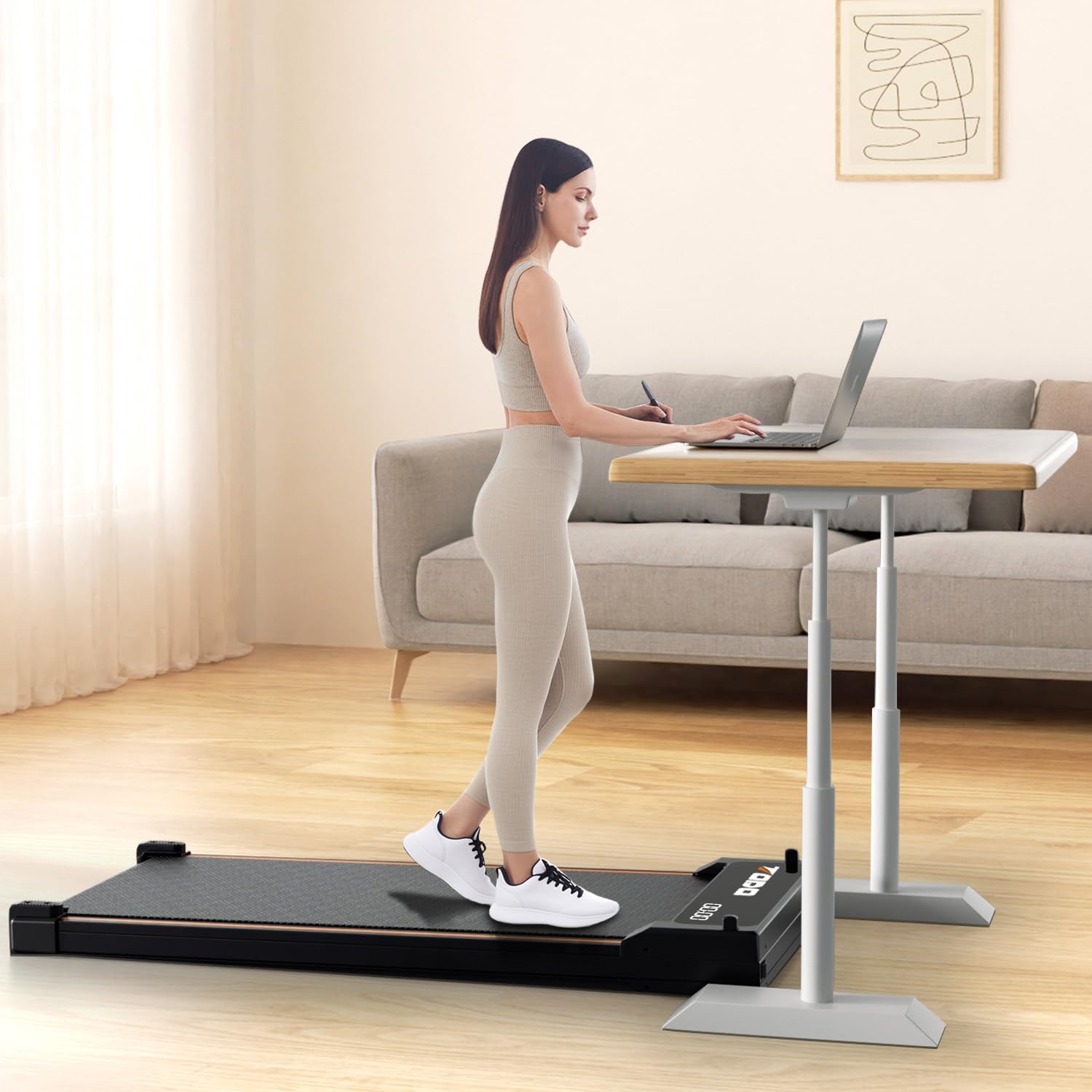
Figure 5.1: The treadmill is designed for convenient use under a standing desk.
6. Operating Instructions
6.1 Basic Operation (Walking/Running Side)
- Power On: Locate the main power switch on the treadmill and turn it ON. The LED display will illuminate.
- Start: Using the wireless remote control, press the 'Start' button. The treadmill will begin at a low speed.
- Adjust Speed: Use the '+' and '-' buttons on the remote to increase or decrease the speed. The speed range is typically 1 to 4 mph (approximately 1.6 to 6.4 km/h).
- Stop: Press the 'Stop' button on the remote control to halt the treadmill.
- Display: The LED display will cycle through time, speed, distance, and calories burned.

Figure 6.1: The integrated LED display provides real-time workout data.
6.2 Foot Massage Function
- Flip the Treadmill: Ensure the treadmill is powered off and unplugged. Carefully flip the unit over to expose the textured foot massage pad.
- Power On: Plug in the treadmill and turn on the main power switch.
- Activate Massage: Use the remote control to activate the massage function. Specific buttons or modes for massage may vary; refer to the remote's markings.
- Usage: Place your bare feet or feet with thin socks on the massage pad. The textured surface is designed to stimulate pressure points and promote circulation.
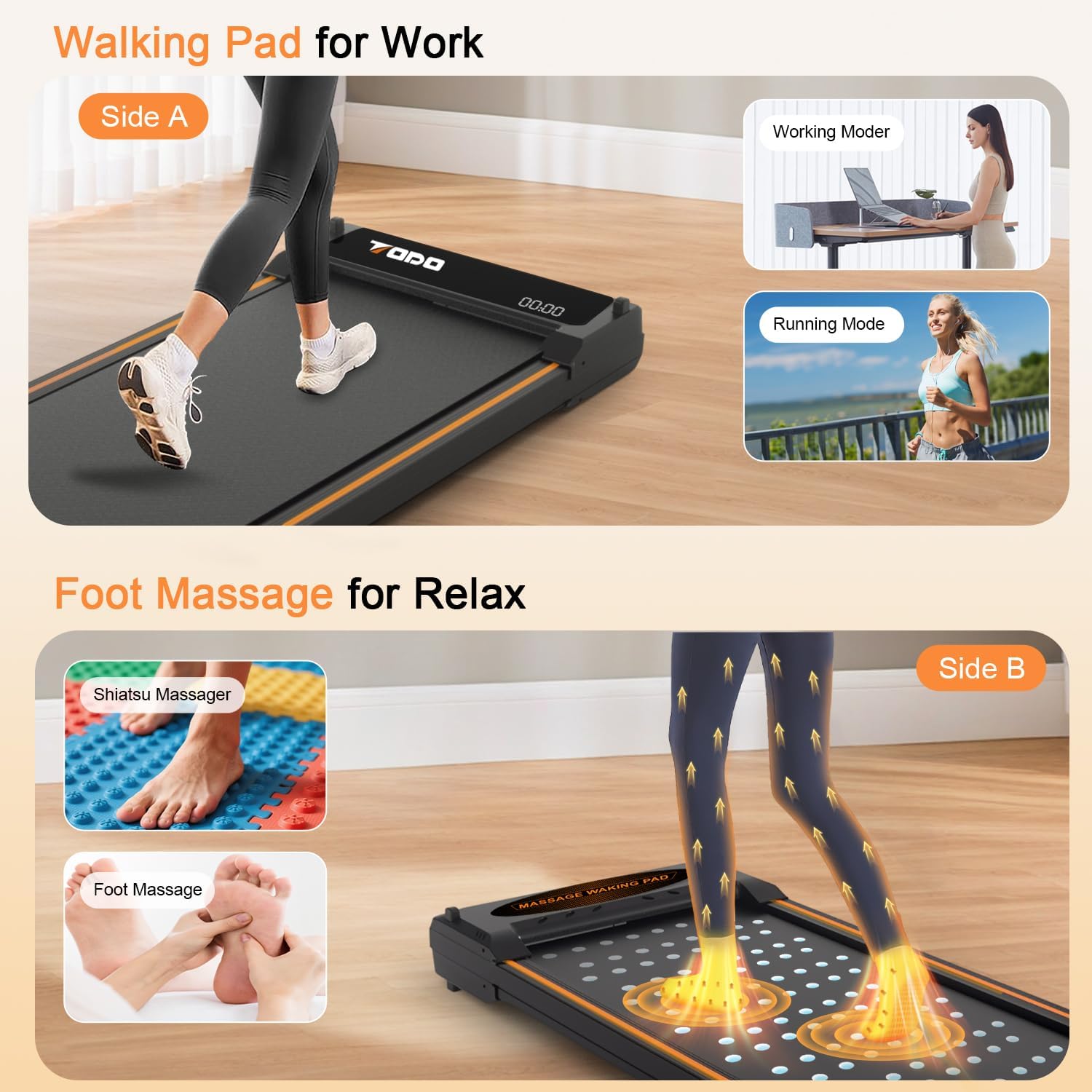
Figure 6.2: The dual functionality allows for both active walking and relaxing foot massage.
6.3 App Connectivity
- Download App: Download the designated mobile application (e.g., Fitshow, Kinomap, Zwift compatible) from your device's app store.
- Pairing: Follow the in-app instructions to pair your mobile device with the treadmill via Bluetooth.
- Data Tracking: Once connected, the app will display and record your workout data, allowing for progress tracking and goal setting.

Figure 6.3: The mobile application provides detailed data visualization and connectivity with popular fitness platforms.
7. Maintenance
Regular maintenance ensures the longevity and optimal performance of your treadmill.
- Cleaning: Wipe down the treadmill with a damp cloth after each use. Avoid abrasive cleaners or solvents.
- Lubrication: The running belt requires periodic lubrication to reduce friction and extend its lifespan. Apply the provided silicone lubricant under the belt as instructed (typically every 3-6 months depending on usage). Lift the edge of the belt and apply a small amount of lubricant to the center of the deck.
- Belt Adjustment: If the running belt becomes misaligned or too loose/tight, refer to the troubleshooting section or contact customer support for adjustment instructions.
- Storage: When not in use, store the treadmill in a dry, cool place. Its compact design allows for storage under furniture.
8. Troubleshooting
| Problem | Possible Cause | Solution |
|---|---|---|
| Treadmill does not power on. | Power cord not connected, main switch off, power outlet issue. | Check power cord connection, ensure main switch is ON, test outlet with another device. |
| Remote control not working. | Battery low or dead, remote not paired. | Replace remote control battery. Ensure remote is pointed at the treadmill's receiver. |
| Running belt slips or stops. | Belt too loose, insufficient lubrication. | Lubricate the running belt. Adjust belt tension (refer to specific instructions or contact support). |
| Unusual noise during operation. | Lack of lubrication, loose components, belt misalignment. | Lubricate the belt. Check for loose screws. Adjust belt alignment. |
| App not connecting to treadmill. | Bluetooth off, app not updated, pairing issue. | Ensure Bluetooth is enabled on your device. Restart the app and treadmill. Re-attempt pairing. |
9. Specifications
- Brand: TODO
- Model: B0F82SV794
- Product Dimensions: 42.9D x 49.1W x 12.5H Centimetres (approx. 16.9 x 19.3 x 4.9 inches)
- Item Weight: 19 kg (approx. 41.9 lbs)
- Material: Acrylonitrile Butadiene Styrene (ABS), Alloy Steel
- Maximum Speed: 6 Kilometers per Hour (approx. 3.7 mph)
- Horsepower: 0.55 Horsepower
- Power Source: Corded Electric
- Special Features: Compact Design, Shock Absorbent, Foot Massage Function
- Target Audience: Adult
- Maximum User Weight: 330 lbs (approx. 150 kg)
10. Warranty and Support
The TODO Dual-Sided Walking Pad Treadmill typically comes with a 1-year limited warranty. For specific warranty details, claims, or technical support, please refer to the warranty card included with your product or contact TODO customer service directly. Keep your purchase receipt as proof of purchase.
For assistance, you may visit the official TODO store on Amazon or contact their customer support channels.