
Introduction
The Radtel RT-4D DMR Radio is a versatile dual-band UHF/VHF walkie-talkie designed for reliable communication. It supports both analog and digital modes, offering 1024 channels and advanced features like dual time slot functionality and voice encryption.
This manual provides comprehensive instructions for setting up, operating, and maintaining your RT-4D radio.
Package Contents
Before you begin, please verify that all items are present in your package:
- 1x RT-4D Radio
- 1x 3500mAh Li-ion battery
- 1x Desktop charger
- 1x USB-C cable
- 1x Dual band antenna
- 1x Belt clip
- 1x English user manual
Setup
1. Battery Installation
Align the battery with the back of the radio and slide it into place until it clicks securely.
2. Antenna Attachment
Screw the dual-band antenna clockwise onto the connector at the top of the radio until it is finger-tight.
3. Charging the Battery
The RT-4D radio can be charged using the included desktop charger or directly via the USB-C port.
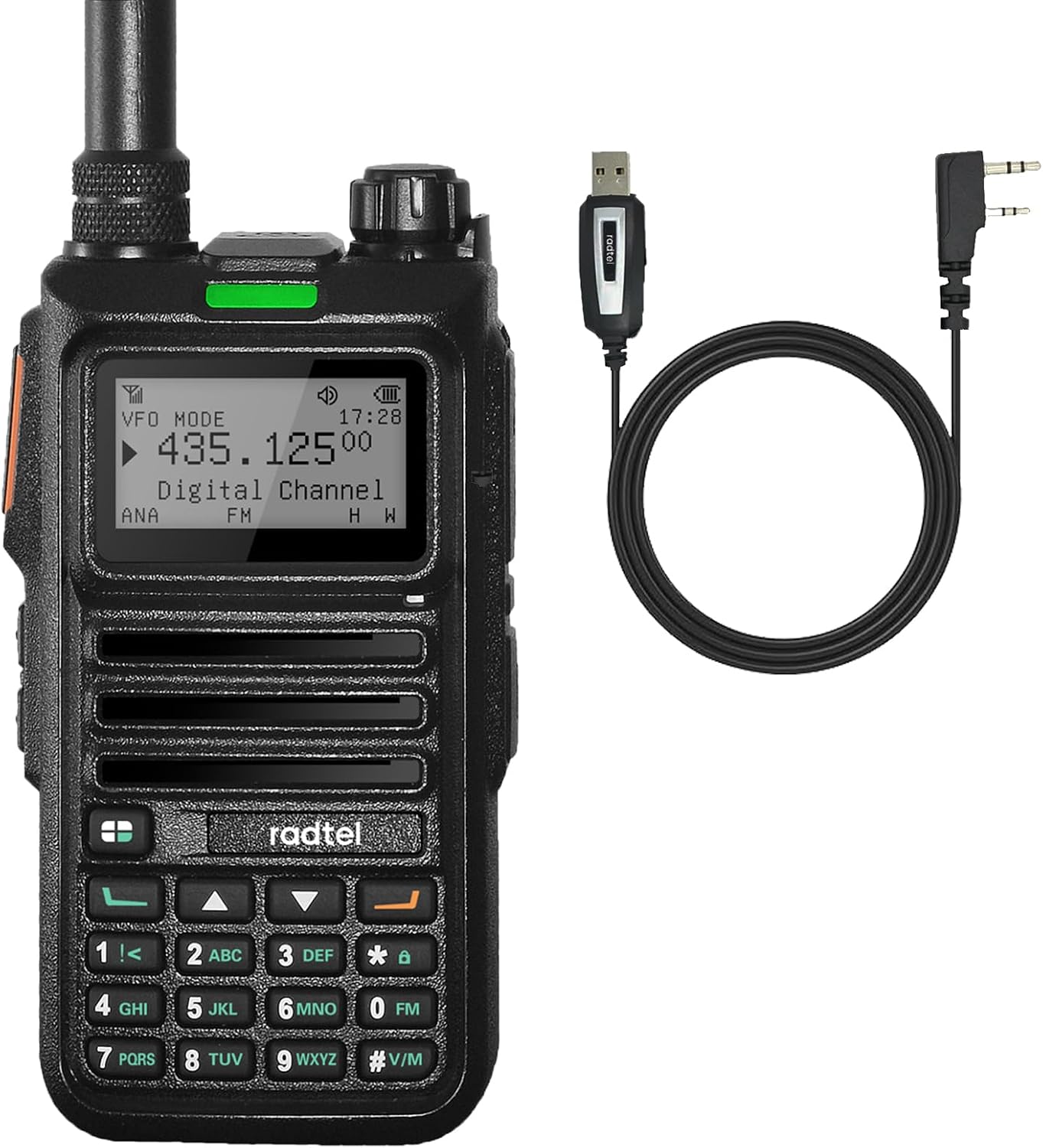
Image: Radtel RT-4D radio with its programming cable.
Desktop Charger
Place the radio into the desktop charging cradle. The indicator light will show charging status.
Type-C Charging
Connect the USB-C cable to the port on the side of the radio and to a compatible USB power source.
Video: Demonstrates the desktop charger and Type-C charging methods for the Radtel RT-4D.

Image: Detailed views of the Radtel RT-4D radio, highlighting its features and ports.
Operating Instructions
1. Power On/Off
To power on the radio, rotate the power/volume knob clockwise until you hear a click. To power off, rotate it counter-clockwise until it clicks.
2. Mode Selection (Analog/Digital)
The RT-4D supports both analog and digital modes. You can switch between these modes as needed for communication.

Image: Radtel RT-4D displaying its dual mode capability (DMR and Analog).
Video: Demonstrates switching between digital and analog modes on the RT-4D radio.
3. Channel, Frequency, and Zone Switching
The radio allows for easy navigation between channels, direct frequency input, and zone selection.
Video: Shows how to switch between channels, frequencies, and zones on the RT-4D radio.
4. Channel Name Customization
You can customize channel names for easier identification. Refer to the radio's menu for this option.
Video: Illustrates the process of customizing channel names on the RT-4D.
5. Sending SMS Messages
The RT-4D supports sending SMS text messages to other compatible RT-4D radios. Navigate to the 'Message' menu to compose and send messages.
Video: Shows how to access and use the SMS messaging feature on the radio.
6. Key Customization
The side keys and keypad functions can be customized to quickly access frequently used features.
Video: Demonstrates how to define and customize the radio's keys.
7. Frequency Detective (Spectrum Function)
Use the Frequency Detective feature to identify active frequencies in your vicinity. This is useful for finding new channels or troubleshooting interference.
Video: Shows the Frequency Detective feature in action, scanning for frequencies.
8. NOAA Weather Forecast
The RT-4D supports NOAA weather forecast reception, providing real-time weather alerts.
Video: Demonstrates accessing NOAA weather forecasts on the radio.
9. PC Programming
For advanced configuration, the RT-4D can be programmed using a PC and the provided programming cable. This allows for detailed channel management, contact lists, and other settings.
Video: Illustrates the PC programming interface for the RT-4D radio.
Key Features
- Versatile Radio: Dual band UHF/VHF walkie talkie with 1024 channels, supporting both analog and digital modes. Supports 2000 Digital Call Contacts and 256 Receive Group Lists, NOAA weather forecast.
- Dual Time Slot: Features dual time slot functionality for efficient communication in Tier 1 and Tier 2 modes. Includes 256 Voice Encryption Keys (ARC/AES-128/AES-256 encryption methods).
- Wide Frequency Range: Analog: 108-136 MHz for aviation AM reception, 136-520 MHz RX. Digital VHF: 136-174 MHz / UHF: 400-470 MHz RX.
- Extended Capabilities: Sends SMS Text Messaging to other RT-4D Radios, FM radio, One-key frequency measurement (analog).
- User-Friendly: Intuitive controls and a clear display. Dual-frequency standby, Aviation band reception, Customizable side key and keypad functions.

Image: Radtel RT-4D highlighting its one-click detecting remote sub-tone decoding feature.

Image: Radtel RT-4D illustrating its single, group, and all call multiple calling choices.

Image: Radtel RT-4D emphasizing AI noise reduction and digital signal transfer for clear audio.

Image: Radtel RT-4D showcasing its digital encryption for secure communication.
Specifications
| Feature | Detail |
|---|---|
| Item Weight | 1.94 pounds |
| Package Dimensions | 12.28 x 2.48 x 1.18 inches |
| Item Model Number | RT-4D |
| Batteries | 1 9V batteries required (included) |
| Manufacturer | Xiamen Radtel Electronics Co.,Ltd |
| Number of Channels | 1024 |
| Frequency Range | 144-148/420-450MHz (Digital VHF: 136-174 MHz / UHF: 400-470 MHz RX, Analog: 108-136 MHz AM reception, 136-520 MHz RX) |
| Talking Range Maximum | 4.97 Kilometer |
| Tuner Technology | UHF/VHF |
| Water Resistance Level | Not Water Resistant |
Maintenance
To ensure the longevity and optimal performance of your Radtel RT-4D radio, follow these maintenance guidelines:
- Cleaning: Use a soft, damp cloth to clean the exterior of the radio. Avoid using harsh chemicals or abrasive cleaners.
- Battery Care: Fully charge the battery before initial use. For long-term storage, charge the battery to about 50% and store it in a cool, dry place.
- Storage: Store the radio in a dry environment, away from extreme temperatures, direct sunlight, and dust.
- Antenna: Ensure the antenna is securely attached but do not overtighten. Avoid bending or damaging the antenna.
Troubleshooting
If you encounter issues with your Radtel RT-4D radio, please refer to the following common problems and solutions:
- Radio does not power on:
- Ensure the battery is properly installed and fully charged.
- Check if the power/volume knob is rotated to the ON position.
- Cannot transmit or receive:
- Verify that the radio is on the correct channel and frequency.
- Check if the antenna is securely attached.
- Ensure you are within range of the other radio or repeater.
- Confirm that the correct digital or analog mode is selected.
- Poor audio quality:
- Adjust the volume level.
- Check for obstructions between radios.
- Ensure the AI Noise Reduction feature is configured correctly if applicable.
- Battery drains quickly:
- Reduce backlight brightness.
- Limit continuous transmission.
- The battery may need to be replaced if it's old or frequently used.
For further assistance, please contact Radtel customer support.
Warranty and Support
The Radtel RT-4D DMR Radio comes with a 1-Year Warranty from the date of purchase. This warranty covers manufacturing defects and ensures the product meets its specified performance.
For warranty claims, technical support, or any inquiries, please contact Xiamen Radtel Electronics Co.,Ltd directly or visit their official website.
Keep your purchase receipt as proof of purchase for warranty services.


