
1. Product Overview
The UGREEN FineTrack Smart Finder is a compact item tracker designed to help you locate your belongings using the Apple Find My network. It is compatible exclusively with iOS, iPadOS, and macOS systems.
Key Features:
- Apple Find My Certified: Seamless integration with the Apple Find My app on your iOS devices.
- Long-lasting Replaceable Battery: Features a CR2032 button battery with a lifespan of up to 2 years, which can be easily replaced. Battery level is viewable in the Find My app.
- Certified Safety: UL4200A certification ensures a childproof design, preventing accidental ingestion of the battery.
- Global Tracking & Smart Alerts: Locate items worldwide via the Find My network. Receive left-behind reminders and play a loud sound (80dB) to find nearby items.
- Compact Design: Measuring 36 × 36 × 7.4mm, it is suitable for attaching to keys, wallets, luggage, and other items.
Important Note:
- This device is compatible only with iOS, iPadOS, and macOS systems. Android devices are not supported.
- When using with macOS, the system supports viewing the FineTrack's positioning information but does not support binding the device.
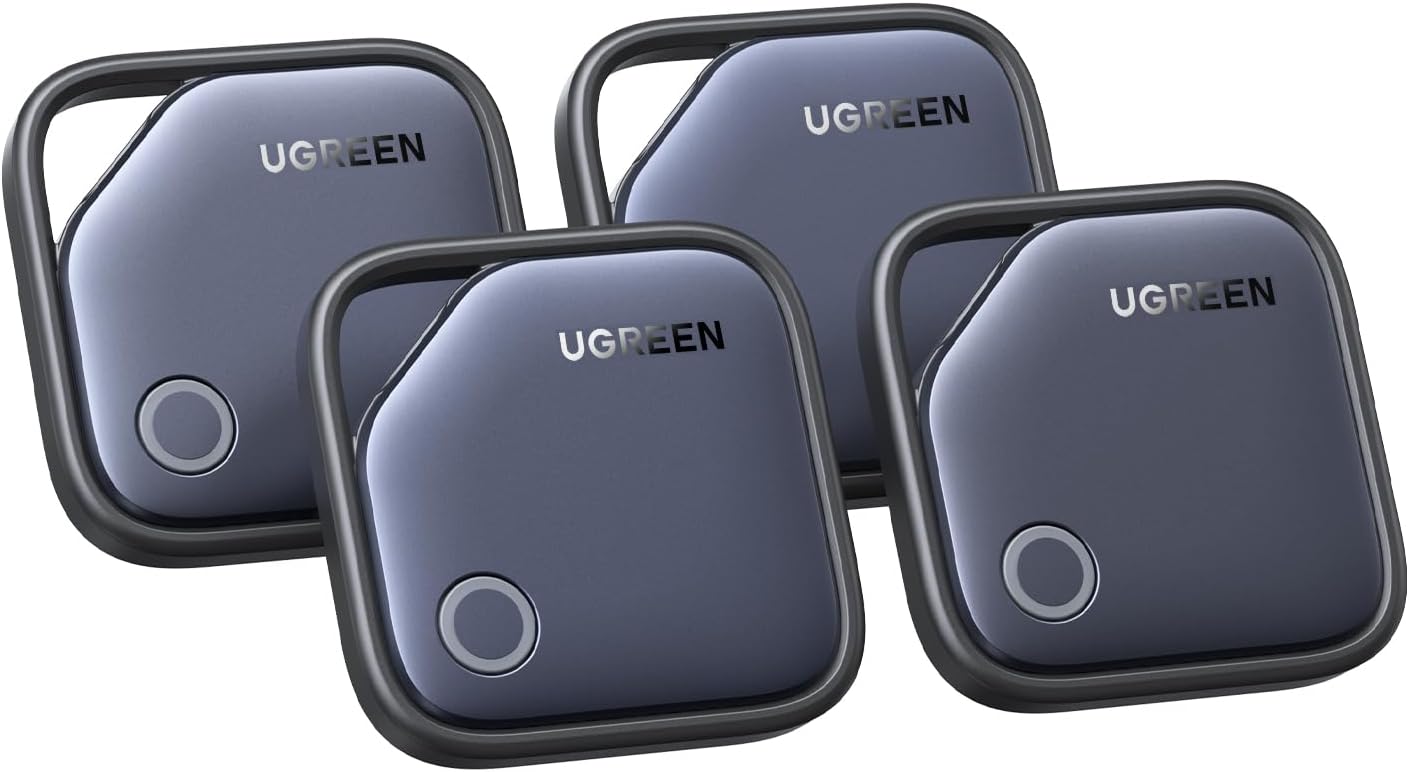
Image: Four UGREEN FineTrack Smart Finders, showcasing the compact design and UGREEN branding.
2. Setup and Pairing
Follow these steps to set up your UGREEN FineTrack Smart Finder and pair it with your Apple device:
- Activate the Finder: Pull out the insulation paper from the side of the FineTrack Smart Finder. Press and hold the button on the finder for two seconds to turn it on.
- Enable Find My and Bluetooth: On your iPhone or iPad, ensure that the Find My app is enabled and Bluetooth is turned on.
- Add Item in Find My App: Open the Find My app. Navigate to the 'Items' tab. Tap on 'Add Item', then select 'Other Supported Item'.
- Connect and Name: The app will detect your FineTrack Smart Finder. Tap 'Connect' and follow the on-screen prompts to name your item and assign an emoji.

Image: A visual guide illustrating the four-step setup process for the FineTrack Smart Finder, from pulling the insulation paper to connecting it within the Apple Find My app.
3. Operating Instructions
3.1 Locating Your Items
Once paired, you can locate your items using the Apple Find My app:
- Open the Find My app on your iPhone, iPad, or Mac.
- Go to the 'Items' tab.
- Select the UGREEN FineTrack Smart Finder you wish to locate.
- The app will display the item's last known location on a map.

Image: An iPhone displaying the Apple Find My map interface, showing the location of a tracked item, demonstrating the worldwide tracking capability.
3.2 Playing a Sound
If your item is nearby, you can play a sound to help pinpoint its exact location:
- In the Find My app, select your FineTrack Smart Finder.
- Tap 'Play Sound'. The tracker will emit an 80dB sound.
- Tap 'Stop Sound' once you have located your item.

Image: A UGREEN FineTrack Smart Finder attached to keys, resting on a couch, with an iPhone screen showing the 'Play Sound' function in the Find My app, indicating the device's ability to emit a loud sound for easy location.
3.3 Left-Behind Reminders
Receive notifications if you leave your tagged item behind:
- Enable 'Notify When Left Behind' in the Find My app settings for your FineTrack Smart Finder.
- You will receive an alert on your Apple device if you move a certain distance away from your item.

Image: An iPhone displaying a 'Left Behind' notification for a UGREEN FineTrack Smart Finder, with the tracker and keys visible on a table, illustrating the reminder feature.
3.4 Sharing Your Tag
You can share the location of your FineTrack Smart Finder with up to five other people (requires iOS 17.0 or above):
- In the Find My app, select your FineTrack Smart Finder.
- Tap 'Share This Item' and follow the instructions to invite others.

Image: An iPhone screen showing the Apple Find My app with a UGREEN FineTrack Smart Finder's location being shared among several contacts, highlighting the multi-user sharing feature.
4. Maintenance
4.1 Battery Replacement
The UGREEN FineTrack Smart Finder uses a replaceable CR2032 button battery, which typically lasts up to 2 years. You can check the battery level within the Apple Find My app.
To replace the battery:
- Open the Cover: Insert the included small needle or a similar thin tool into the small hole on the top edge of the tag. Gently pry open the battery cover.
- Replace Battery: Remove the old CR2032 battery. Insert a new CR2032 battery with the positive (+) side facing up.
- Close the Cover: Align the battery cover with its position and press firmly until it clicks securely into place.

Image: A UGREEN FineTrack Smart Finder with its back cover removed, showing the CR2032 battery compartment and a battery being inserted, illustrating the replaceable battery feature.

Image: A detailed three-step diagram demonstrating how to open the UGREEN FineTrack Smart Finder, replace the CR2032 battery, and securely close the cover.
4.2 Safety Information
The product structure design has passed UL4200A certification, making it safer to use and preventing children from easily opening the cover and accidentally swallowing the button battery.

Image: A UGREEN FineTrack Smart Finder being opened with a small tool, emphasizing its secure and childproof design certified to UL4200A standards.
5. Troubleshooting
- Cannot Bind to MacBook: macOS systems only support viewing the FineTrack's positioning information. Direct binding is not supported on macOS.
- Android Devices Not Supported: The UGREEN FineTrack Smart Finder is designed exclusively for Apple's Find My network and is not compatible with Android devices.
- Sound Not Loud Enough: Ensure there are no obstructions muffling the sound. The 80dB alarm is designed to be audible in typical indoor environments.
- Difficulty Connecting/Locating:
- Check if the battery needs replacement.
- Ensure Bluetooth is enabled on your Apple device.
- Verify that the Find My app is enabled and has necessary permissions.
- The tracker relies on nearby Apple devices for location updates. In areas with fewer Apple devices, location updates may be less frequent.
- No Precision Finding: This tracker does not support Apple's Ultra-Wideband (UWB) based Precision Finding feature. Location is determined via Bluetooth and the Find My network.
6. Specifications
| Model Number | CM816 |
| Product Dimensions | 1.42 x 0.29 x 1.42 inches (36 x 7.4 x 36 mm) |
| Item Weight | Approximately 4.2 ounces (for 4-pack) |
| Batteries | 4 x CR2032 batteries (included) |
| Battery Life | Up to 2 years |
| Material | Plastic |
| Compatible Devices | iOS, iPadOS, macOS (for viewing location) |
| Alarm Volume | 80dB |
7. Warranty and Support
For detailed warranty information, please refer to the documentation included with your purchase or visit the official UGREEN website. UGREEN provides customer support for product inquiries and technical assistance.
UGREEN Official Website: www.ugreen.com