
EKO EK9260MT-47L
EKO Mirage-X 47 Liter Touchless Motion Sensor Trash Can User Manual
Model: EK9260MT-47L
Product Overview
The EKO Mirage-X 47 Liter / 12.4 Gallon Touchless Rectangular Motion Sensor Trash Can offers a convenient and hygienic waste disposal solution. Crafted with a brushed stainless steel finish, it features advanced motion sensor technology for hands-free operation and a removable inner liner for easy maintenance. Its sleek design integrates seamlessly into various home and office environments.

Figure 1: EKO Mirage-X 47 Liter Touchless Motion Sensor Trash Can.
Setup and Installation
Unpacking and Initial Placement
Carefully remove all packaging materials. Place the trash can in your desired location, such as a kitchen, office, or other indoor area. Ensure sufficient clearance around the lid for proper operation of the motion sensor.

Figure 2: Trash can positioned in a kitchen environment.
Battery Installation
The trash can requires 4 AA alkaline batteries for operation. Locate the battery compartment, typically on the underside of the lid or at the back of the unit. Insert the batteries, ensuring correct polarity (+/-). Do not use rechargeable batteries, as they may affect performance and battery life. A fresh set of batteries can last up to 8 months with typical use.

Figure 3: Illustration of battery compartment and installation.
Liner Installation
This trash can is designed for use with EKO Code Z liners for optimal fit. Lift the inner bucket out of the main unit. Place the trash bag securely around the rim of the inner bucket, ensuring the bag is fully contained. Carefully lower the inner bucket back into the trash can.

Figure 4: Inner bucket and recommended EKO Code Z trash bags.
Operating Instructions
Motion Sensor Operation
To open the lid, simply wave your hand over the motion sensor located on the front of the lid. The lid will open smoothly and quietly. After a few seconds of inactivity, the lid will automatically close. This hands-free operation promotes hygiene and convenience.

Figure 5: Demonstrating the fast-reacting and quiet motion sensor.
Stay-Open Mode for Longer Tasks
For tasks requiring the lid to remain open for an extended period, such as during food preparation, gently touch the "Open" button on the control panel. The lid will stay open until you manually close it by touching the "Close" button, or until a prolonged period of inactivity triggers an automatic close (if applicable, refer to specific model features for exact duration).
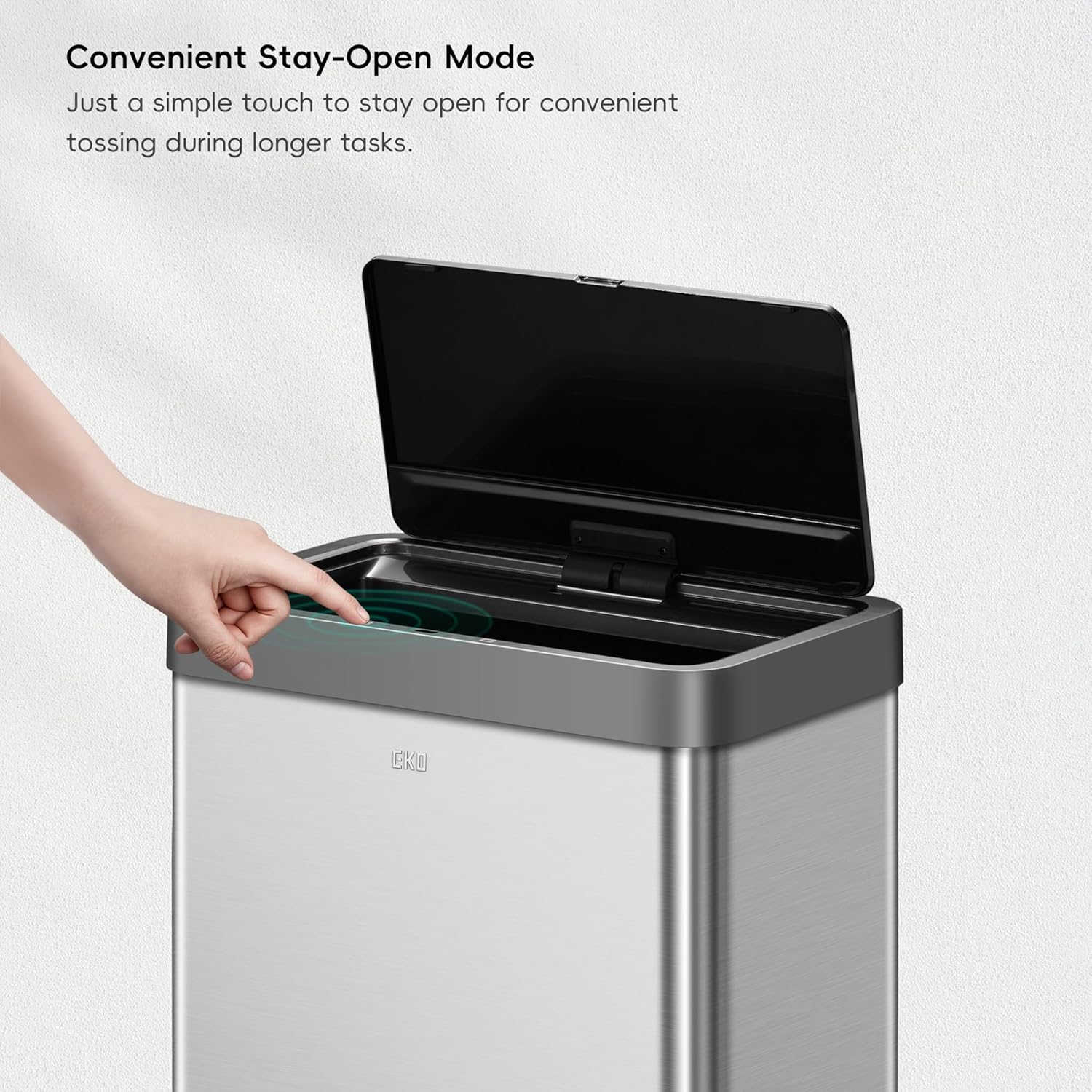
Figure 6: Activating the convenient stay-open mode.
Maintenance
Cleaning and Fingerprint Resistance
The brushed stainless steel finish is designed to be fingerprint resistant, minimizing smudges and maintaining a clean appearance. For general cleaning, wipe the exterior with a soft, damp cloth and a mild, non-abrasive cleaner. Avoid harsh chemicals or abrasive materials that could damage the finish. The removable inner bucket can be easily lifted out and washed with soap and water for thorough cleaning.

Figure 7: The durable, fingerprint-resistant stainless steel construction.
Battery Replacement
When the batteries are low, the indicator light on the control panel may flash or the lid operation may become sluggish. Replace all 4 AA alkaline batteries simultaneously to ensure optimal performance. Refer to the "Battery Installation" section for detailed steps.
Troubleshooting
| Problem | Possible Cause | Solution |
|---|---|---|
| Lid does not open or close. | Low or dead batteries; sensor obstruction; lid mechanism jam. | Replace batteries. Ensure sensor is clean and unobstructed. Check for any foreign objects obstructing the lid mechanism. |
| Lid opens or closes unexpectedly. | Sensor interference; excessive movement near sensor. | Relocate the trash can away from high-traffic areas or direct sunlight/bright lights. Ensure no objects are consistently near the sensor. |
| Lid is stuck open or closed. | Mechanism malfunction; physical obstruction. | Manually check for obstructions. If the issue persists after battery replacement, contact customer support. |
If troubleshooting steps do not resolve the issue, please refer to the support section for further assistance.
Specifications
- Product Dimensions: 18.5 x 11 x 25.5 inches
- Weight: 15 Pounds
- Model Number: EK9260MT-47L
- Capacity: 47 Liters / 12.4 Gallons
- Color: Brushed Stainless Steel Finish
- Opening Mechanism: Motion-Sensor
- Material: Stainless Steel
- Power: 4 AA Alkaline Batteries (not included)
- Special Features: Removable Bucket, Heavy Duty, Stain Resistant, Motion Sensor, Smudge Resistant
- Shape: Rectangular

Figure 8: Product dimensions for planning placement.
Warranty and Support
For detailed warranty information, please refer to the documentation included with your product or visit the official EKO website. For technical support or assistance, please consult the official user manual available online or contact EKO customer service.
Official User Manual (PDF): Download Here
Related documentsEK9260MT-47L


Ask a question about this manual
Ask about setup, troubleshooting, compatibility, parts, safety, or missing instructions. Manuals+ will review the question and use this page’s manual context to help answer it.