
1. Introduction
This manual provides essential information for the safe and efficient operation of your TCL 10,000 BTU Q-Series Portable Inverter Air Conditioner. Please read all instructions carefully before installation and use. This unit is designed to provide cooling, dehumidification, and fan-only operation for spaces up to 450 square feet.
Key features include a RapidComfort+ dual-hose design for efficient cooling, AI Inverter technology for up to 47% energy savings and precise temperature control (±1°F), and ultra-quiet operation as low as 42dB. The unit offers 3-in-1 functionality (air conditioner, fan, and dehumidifier) and can be controlled via the TCL mobile app, voice commands, or the included remote control.
2. Safety Information
Always follow basic safety precautions when using electrical appliances to reduce the risk of fire, electric shock, or injury. This appliance is for indoor use only. Do not operate the unit with a damaged power cord or plug. Ensure the power outlet is properly grounded. Do not block air inlets or outlets. Keep children and pets away from the unit. Disconnect power before cleaning or servicing.
3. Package Contents
- TCL 10,000 BTU Q-Series Portable Inverter Air Conditioner Unit
- Remote Control
- Window Installation Kit (adjustable panels for windows up to 59 inches)
- Dual Exhaust Hoses
- User Manual
- Warranty Card
4. Product Overview
The TCL Q-Series Portable AC features a compact design with integrated controls and a digital display on the top panel. Air outlets are located at the front, and the dual hose connections are at the rear for efficient air exchange.
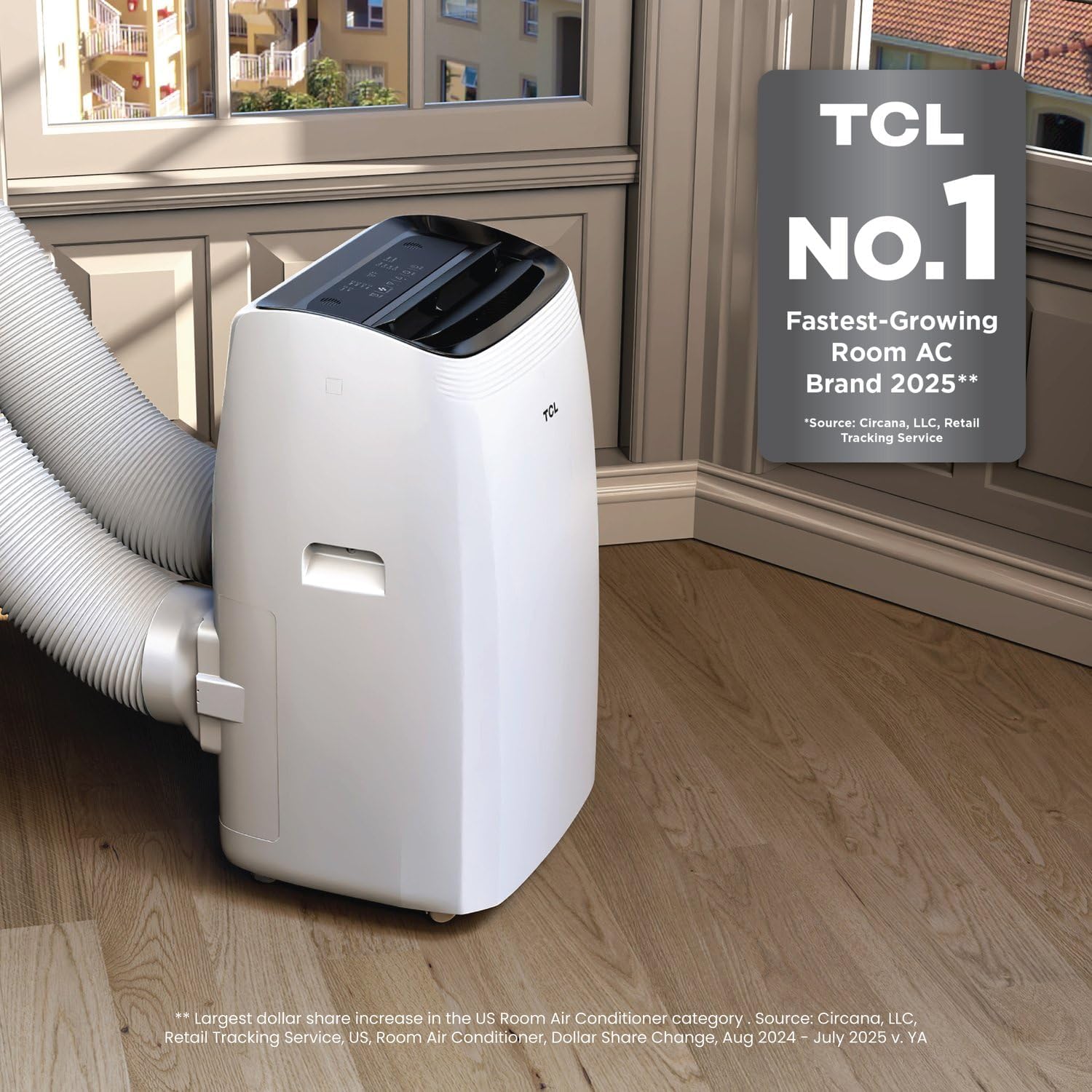
Figure 1: Front view of the TCL Portable AC unit with dual hoses connected.

Figure 2: Dimensions of the compact TCL Portable AC unit (14.06 x 16.5 x 27.09 inches).
5. Setup & Installation
Proper installation is crucial for optimal performance. The dual-hose system requires venting to the outside.
5.1 Window Kit Installation
- Measure your window opening. The window kit is adjustable for openings up to 59 inches.
- Assemble the window panel kit by sliding the adjustable panels together to fit your window width or height.
- Secure the assembled window panel in your window opening, ensuring a tight seal to prevent air leakage.
5.2 Hose Connection
- Attach one end of each dual exhaust hose to the corresponding ports on the rear of the AC unit. Ensure they are securely fastened.
- Attach the other end of the dual exhaust hoses to the openings in the installed window panel. Verify a secure connection to prevent air leakage.

Figure 3: TCL Portable AC unit with dual hoses properly connected to the window kit.
5.3 Power Connection
Plug the power cord into a grounded 115 Volt electrical outlet. Ensure the outlet meets the unit's power requirements (1030 watts).
6. Operating Instructions
Your TCL Portable AC offers multiple operating modes and control options.
6.1 Control Panel
The control panel is located on the top of the unit. It includes buttons for Power, Mode (Cool, Dry, Fan), Fan Speed (High, Low), and Temperature Adjustment (+/-).

Figure 4: Overview of the control panel and key features of the TCL Portable AC.
6.2 Remote Control
The included remote control provides full functionality from a distance. Ensure batteries are installed (not included, requires 2x AAA batteries).
6.3 Smart Control (Wi-Fi Enabled)
Download the TCL Home app to control your AC unit from your smartphone. The unit is also compatible with voice commands via smart home devices like Alexa and Google Home.

Figure 5: Control your TCL Portable AC using the mobile app or voice commands.
6.4 Operating Modes
- Cool Mode: Provides powerful cooling for your space. Set your desired temperature using the +/- buttons.
- Dry Mode (Dehumidifier): Removes excess moisture from the air.
- Fan Mode: Circulates air without cooling. Adjust fan speed as desired.
7. Maintenance
Regular maintenance ensures optimal performance and longevity of your unit.
7.1 Filter Cleaning
Clean the air filter every two weeks or more frequently depending on usage. A dirty filter can reduce cooling efficiency.
- Turn off the unit and unplug it from the power outlet.
- Remove the air filter from the rear of the unit.
- Wash the filter with warm, soapy water. Rinse thoroughly.
- Allow the filter to air dry completely before reinserting it into the unit.
7.2 Water Drainage
The unit has a self-evaporating system, but in high humidity conditions, the internal water tank may fill up. If the tank is full, the unit will stop operating and display an error code.
- Turn off the unit and unplug it.
- Place a shallow pan or tray under the drain port at the bottom rear of the unit.
- Remove the drain plug to allow water to flow out.
- Once drained, replace the drain plug securely.
8. Troubleshooting
If your unit is not operating correctly, refer to the following common issues before contacting support.
- Unit does not turn on: Check power cord connection, ensure outlet is working, check circuit breaker.
- Unit is not cooling: Ensure doors/windows are closed, check air filter for cleanliness, verify exhaust hoses are properly installed and not blocked, confirm correct mode and temperature settings.
- Unit is noisy: Ensure unit is on a flat, stable surface. Check for any obstructions in the fan or air vents.
- Water leakage: Check drain plug for secure fit. Ensure unit is level.
9. Specifications
| Feature | Specification |
|---|---|
| Manufacturer | TCL |
| Model Number | H10PD56W |
| Cooling Power | 10,000 BTU |
| Floor Area Coverage | Up to 450 sq ft |
| Product Dimensions | 14.06 x 16.5 x 27.09 inches |
| Item Weight | 52.8 pounds |
| Voltage | 115 Volts |
| Wattage | 1030 watts |
| Sound Level | 53 Decibels (as low as 42dB in quiet mode) |
| Special Features | Dehumidifier, Remote Controlled, WiFi Enabled |
| Refrigerant | R-32 |
10. Warranty & Support
Your TCL Portable Inverter Air Conditioner comes with a 1-year limited warranty. For warranty claims, technical support, or service inquiries, please refer to the contact information provided on your warranty card or visit the official TCL support website.


