
1. Product Overview
The My Wall HP66L is an electric motorized TV wall mount designed for screens ranging from 17 to 32 inches (43 to 81 cm) and supporting a load of up to 45 kg. This versatile mount can be integrated into furniture, allowing your television to elegantly rise from a cabinet or descend futuristically from a ceiling installation. It offers convenient control options via a dedicated app, voice commands, and a remote control.
When not in use, your TV can be discreetly hidden, maintaining a harmonious and clutter-free living space. This system provides boundless possibilities for modern home entertainment setups.

Figure 1: The My Wall HP66L TV mount in both cabinet and ceiling configurations, highlighting its multiple control methods.
2. Safety Information
- Read all instructions carefully before installation and use.
- Ensure the mounting surface can support the combined weight of the mount and your TV.
- Do not exceed the maximum load capacity of 45 kg.
- Keep children and pets away from the moving parts of the mount during operation.
- Disconnect power before performing any maintenance or adjustments.
- Use only the provided hardware or manufacturer-approved replacements.
- This product is designed for indoor use only.
3. Package Contents
Please check that all components are present and undamaged before beginning installation. Refer to the packing list provided in your product box for a detailed inventory. Typically, the package includes:
- Motorized TV lift mechanism
- Remote control
- Power adapter
- Mounting hardware kit (screws, anchors, washers)
- Instruction manual
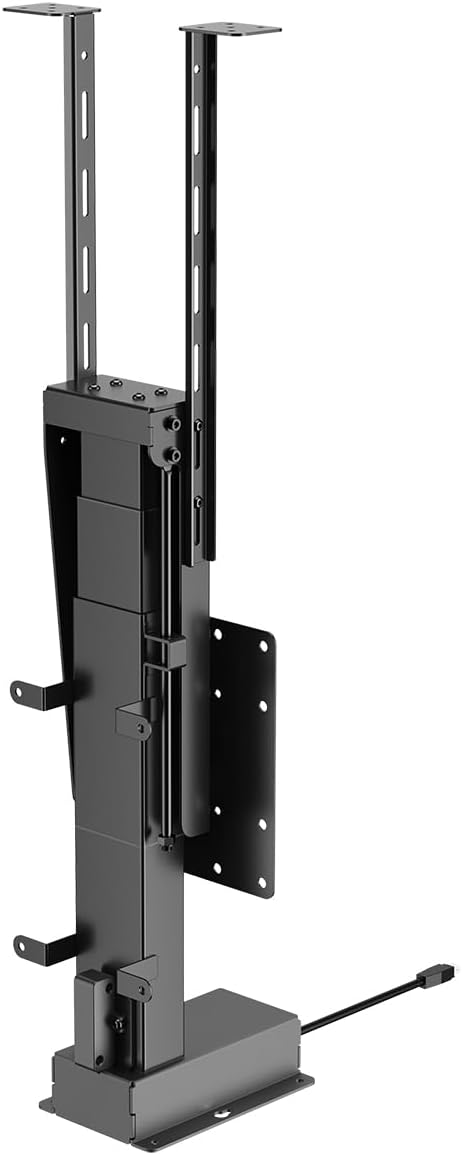
Figure 2: Front view of the motorized TV lift mechanism.

Figure 3: Side view of the motorized TV lift mechanism.
4. Setup and Installation
The My Wall HP66L TV mount is designed for both cabinet and ceiling integration. Professional installation is recommended due to the complexity of integrating the unit into furniture or ceiling structures.
4.1 Determine VESA Compatibility
Before installation, verify your TV's VESA mounting pattern. The VESA standard specifies the distance between the four mounting holes on the back of your TV in millimeters (horizontal x vertical).
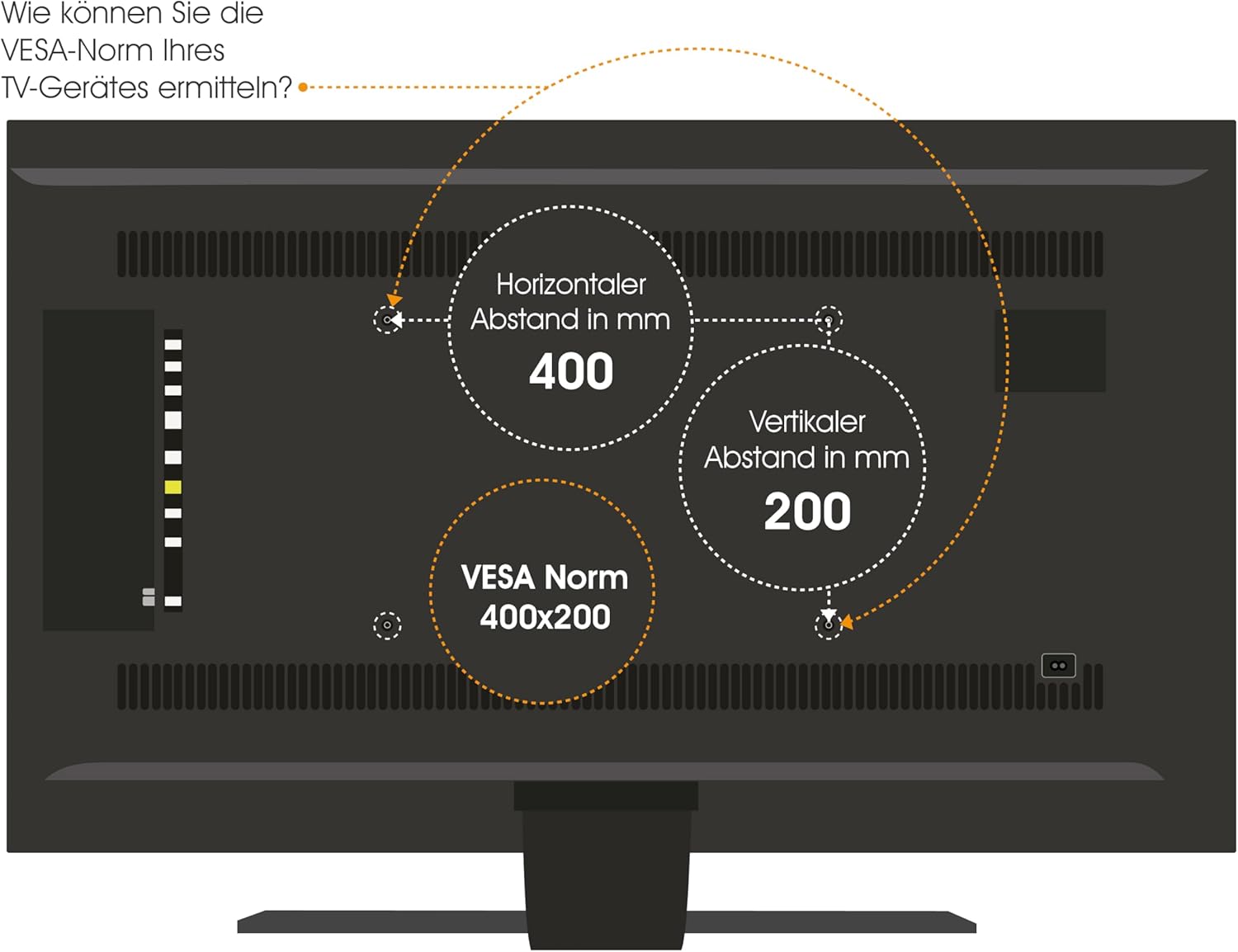
Figure 4: How to determine your TV's VESA standard.
4.2 Mounting Options
The mount supports two primary installation types:
- Cabinet/Furniture Integration: The lift mechanism is installed inside a cabinet, allowing the TV to rise vertically for viewing.
- Ceiling Integration: The lift mechanism is installed in a ceiling cavity, allowing the TV to descend vertically for viewing.

Figure 5: Lid variants for cabinet integration: fixed lid and hinged lid.
4.3 General Installation Steps
- Plan Placement: Carefully determine the exact location for your TV and the lift mechanism, considering viewing angles, power access, and structural support.
- Prepare Mounting Surface: For cabinet installation, ensure the cabinet structure is robust enough. For ceiling installation, verify ceiling joists or suitable blocking are available.
- Mount the Lift Mechanism: Securely attach the lift mechanism to the chosen surface using appropriate fasteners. Refer to the detailed technical drawing for precise measurements and mounting points.
- Attach TV to Mount: Secure your TV to the VESA plate on the lift mechanism using the correct screws and spacers.
- Connect Power: Plug the power adapter into the lift mechanism and then into a suitable power outlet.
- Test Operation: Before final enclosure or finishing, test the full range of motion using the remote control or app.

Figure 6: Technical drawing with dimensions (in mm) for installation planning.
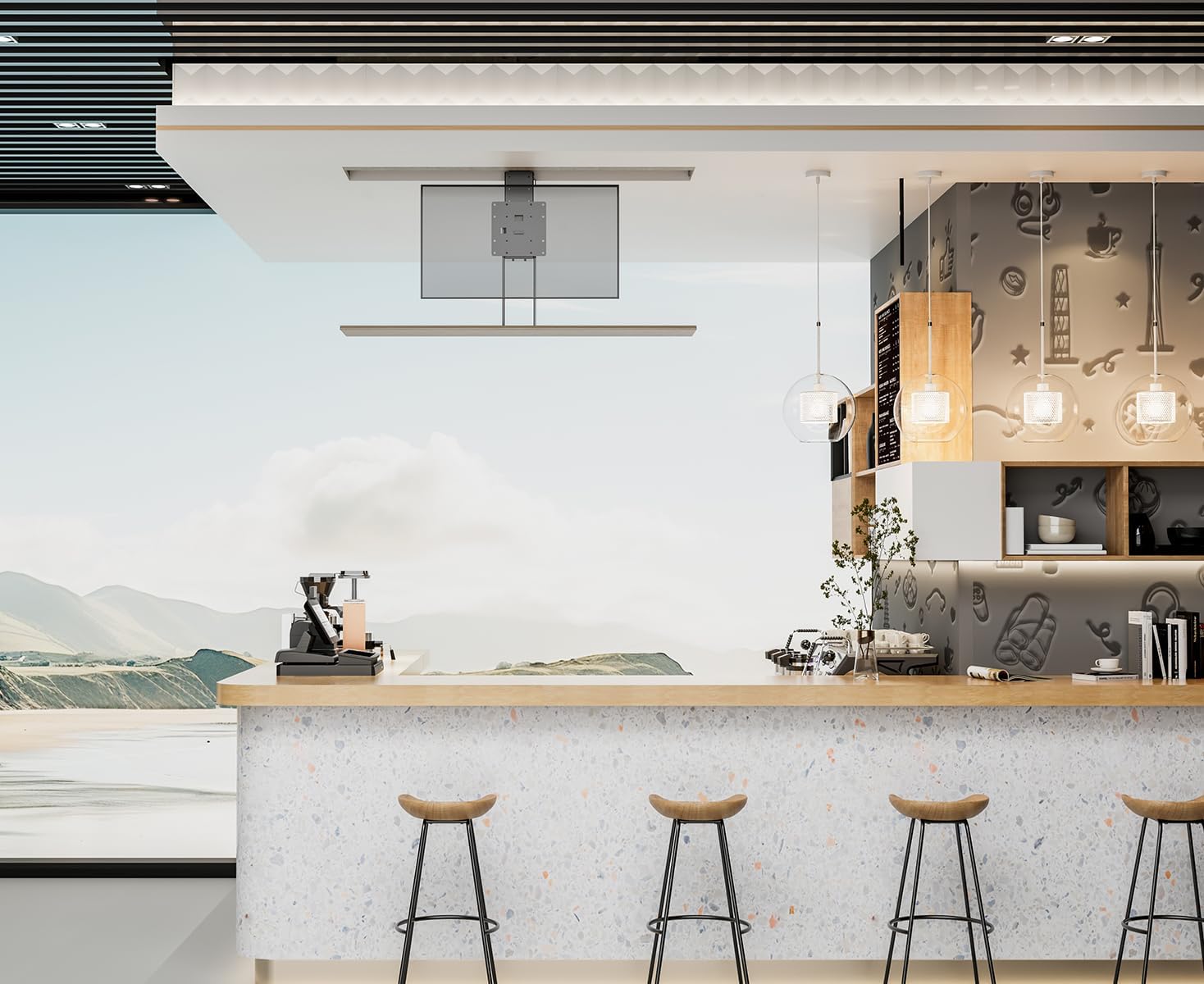
Figure 7: Example of TV lift installed in a cabinet.

Figure 8: Example of TV lift installed in a ceiling.
5. Operating Instructions
The My Wall HP66L offers multiple convenient ways to control your TV lift.
5.1 Control Methods
- Remote Control: Use the included remote control to raise or lower the TV.
- Smartphone App: Download the dedicated app (e.g., Tuya APP) to control the lift from your smartphone. Follow the app's instructions for pairing.
- Voice Control: Integrate the lift with smart home systems like Alexa or Google Home for voice-activated operation. Refer to your smart home system's instructions for device integration.

Figure 9: Control options: Remote control, Tuya App, and Voice control.
5.2 Collision Avoidance System
The My Wall HP66L is equipped with a collision avoidance system to ensure safe movement. If an obstruction is detected during upward or downward motion, the lift will automatically stop to prevent damage.

Figure 10: Collision avoidance system for safe operation.
5.3 Official Product Videos
There are no official product videos from the seller specifically for the My Wall HP66L model available at this time. Please refer to the images and written instructions for guidance.
6. Maintenance
- Cleaning: Wipe the exterior surfaces of the lift and TV with a soft, dry cloth. Do not use abrasive cleaners or solvents.
- Inspection: Periodically check all mounting screws and connections to ensure they are secure.
- Lubrication: The motorized components are generally maintenance-free. Do not attempt to lubricate internal parts unless specifically instructed by the manufacturer.
7. Troubleshooting
- Lift not moving:
- Ensure the power cable is securely connected to both the lift and the power outlet.
- Check if the power outlet is functional.
- Verify the remote control batteries are not depleted.
- Check for any obstructions preventing movement.
- Remote control not responding:
- Replace remote control batteries.
- Ensure there is no interference between the remote and the lift's receiver.
- Unusual noises during operation:
- Stop operation immediately.
- Inspect for any loose parts or obstructions.
- If the noise persists, contact customer support.
8. Specifications
| Feature | Detail |
|---|---|
| Item Model Number | HP66L |
| Brand | My Wall |
| Manufacturer | My Wall |
| Compatible Devices | Television |
| Minimum Compatible Size | 17 Inch |
| Maximum Compatible Size | 32 Inch |
| Movement Type | Height Adjustable |
| Mounting Type | Cabinet/Ceiling Mount |
| Material | Metal |
| Color | Black |
| Load Capacity | Up to 45 kg |
| Number of Items | 1 |
| Package Dimensions | 67 x 32.5 x 22.5 cm |
| Package Weight | 13.54 kg |
| Country of Origin | China |
| Spare Parts Availability (EU) | 1 Year |
| Guaranteed Software Updates Until | Unknown |
9. Warranty and Support
This product comes with a standard manufacturer's warranty. Please refer to the warranty card included in your package for specific terms and conditions. For technical support, troubleshooting assistance, or warranty claims, please contact My Wall customer service through their official website or the contact information provided with your purchase.


