
1. Introduction
Thank you for choosing the Generic HY-25 Blackhead Remover. This innovative device utilizes a unique water cycle system and powerful suction to provide deep pore cleaning, blackhead removal, and skin hydration. Designed for both men and women, it offers adjustable suction levels and micro-bubble technology for a comprehensive skincare experience. Please read this manual thoroughly before use to ensure safe and effective operation.
2. Safety Information
- Do not use on broken, irritated, or inflamed skin.
- Avoid using the device on the same area for too long to prevent skin redness or bruising.
- Keep out of reach of children.
- Do not immerse the main unit in water.
- Consult a dermatologist if you have sensitive skin or pre-existing skin conditions.
- Use only the provided charging cable.
3. Product Overview and Components
The HY-25 Blackhead Remover is a versatile beauty tool designed for various skin care needs. It combines blackhead removal, cleansing, nutrient import, light line treatment, and skin repair functions into one device.

Image: The HY-25 device illustrating its five integrated beauty functions.
The device comes with five replaceable tips to suit different skin conditions and treatment areas:
- Large Suction Circular Orifice: For strong blackhead removal on larger areas.
- Water Scrubbing and Suction Pen: Combines water delivery with suction for gentle cleansing.
- Small Spiral Suction Tip: For precise blackhead removal in delicate or hard-to-reach areas.
- Soft Silicone Large Suction Nib: Gentle suction for sensitive skin or larger areas.
- Soft Silicone Small Suction Pen: Gentle and precise suction for sensitive or small areas.
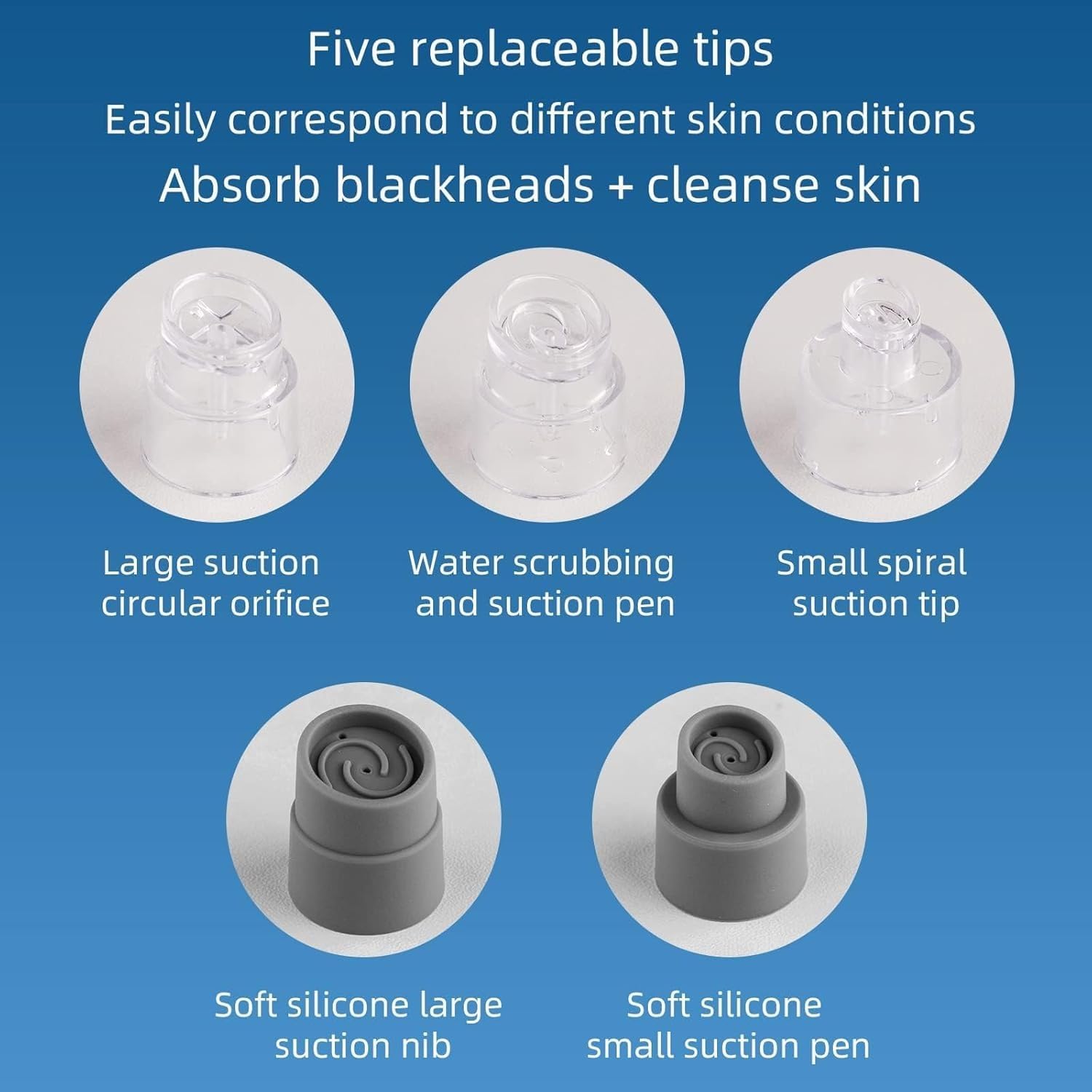
Image: Various replaceable tips for customized skin treatment.
4. Specifications
| Feature | Specification |
|---|---|
| Brand Name | Generic |
| Product Form | Pen |
| Material | Plastic |
| Color | White |
| Item Weight | 20 Grams |
| Number of Items | 1 |
| Unit Count | 1 Piece |
| Power | 2 Watts |
5. Setup
- Charge the Device: Before first use, fully charge the device using the provided USB cable. The charging indicator will show the charging status.
- Fill Water Tank: Unscrew the bottom water tank and fill it with purified water or a suitable skincare solution. Do not overfill.
- Attach Tip: Select the appropriate suction tip for your skin type and desired treatment area. Gently twist or push it onto the device head until secure.
6. Operating Instructions
Preparation:
- Cleanse your face thoroughly.
- For best results, open your pores by steaming your face or applying a warm towel for 5-10 minutes.
Usage Steps:
- Power On: Press and hold the power button to turn on the device.
- Adjust Suction Level: The device features three adjustable suction gears (1, 2, 3) to cater to sensitive, normal, or oily skin. Press the power button repeatedly to cycle through the intensity levels. Start with the lowest setting and gradually increase as needed.

Image: Device display showing adjustable suction levels and skin metrics.
- Apply to Skin: Gently move the device across your skin, ensuring continuous movement. Do not hold it in one spot for more than 2-3 seconds. The water cycle system will simultaneously clean and hydrate your skin.

Image: Illustration of the device's deep cleaning action on pores.
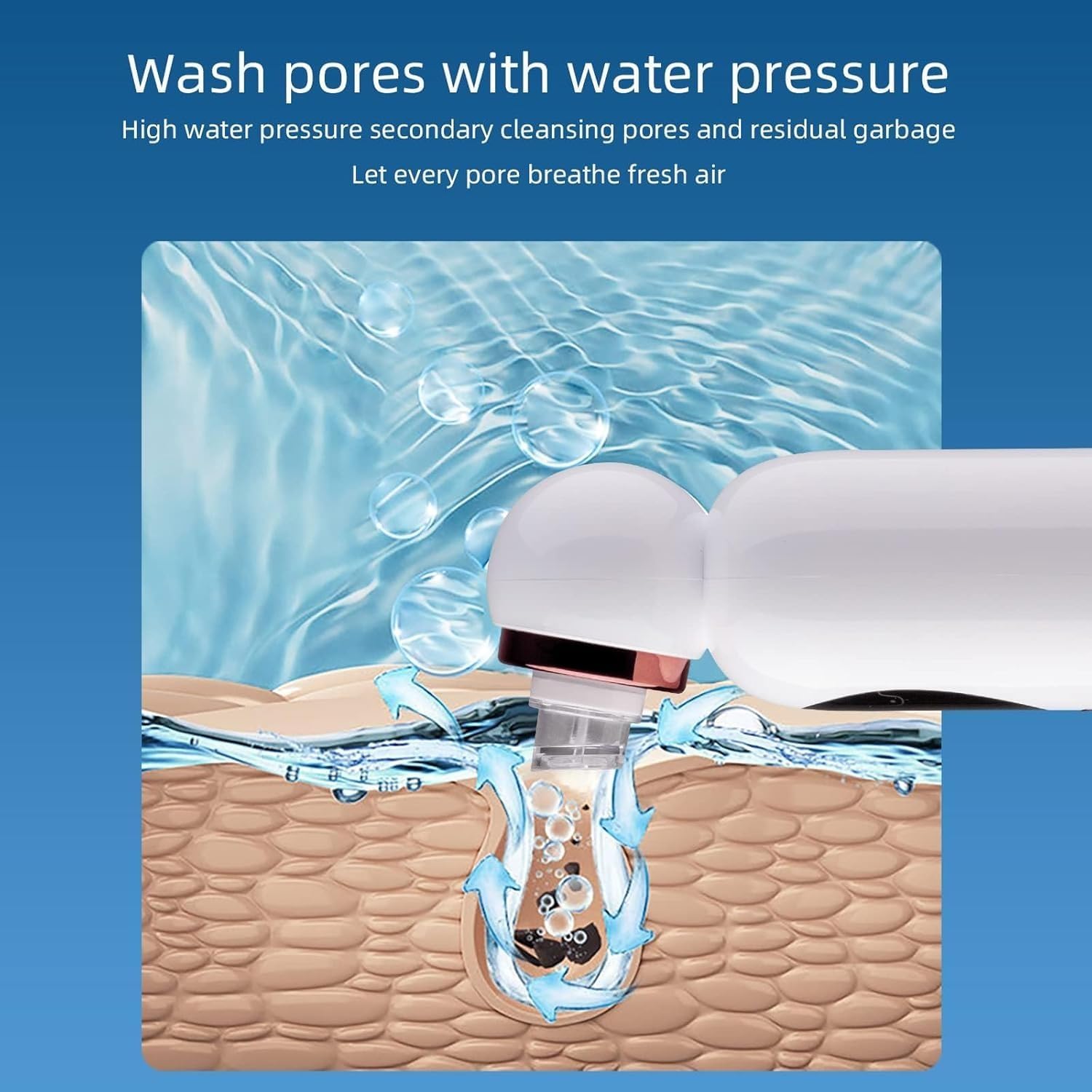
Image: Illustration of the water pressure cleaning mechanism.
- Post-Treatment: After use, turn off the device. Rinse your face with cool water to close pores. Apply a moisturizer or toner.
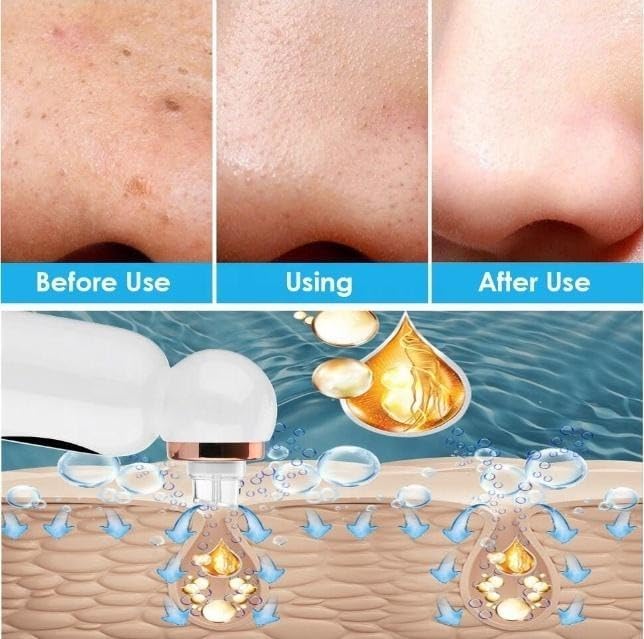
Image: Visual representation of skin improvement and the device's dual action.

Image: Example of the device in use on the face.
7. Maintenance
- Cleaning the Device: After each use, empty the dirty water tank. Rinse both the clean and dirty water tanks with clean water.
- Cleaning Tips: Remove the suction tip and rinse it thoroughly under running water. Allow all components to air dry completely before reassembling or storing.
- Storage: Store the device in a cool, dry place away from direct sunlight and extreme temperatures.
8. Troubleshooting
- Device not turning on: Ensure the device is fully charged. If not, connect it to the charger.
- Weak suction: Check if the suction tip is properly attached and if the water tank is correctly installed. Ensure there are no blockages in the tip or device.
- Water leakage: Verify that the water tanks are securely tightened and that the silicone seals are properly seated.
- Skin redness/bruising: Reduce the suction intensity or decrease the time spent on one area. Ensure continuous movement of the device.
9. Warranty and Support
For warranty information or technical support, please refer to the product packaging or contact the retailer where you purchased the device. Keep your purchase receipt as proof of purchase.


