
1. Introduction
Thank you for purchasing the CUNPU 27-inch 4K UHD Monitor. This monitor is designed to provide a superior visual experience with its high resolution, accurate color reproduction, and user-friendly features. This manual provides essential information for setting up, operating, and maintaining your monitor. Please read it thoroughly before use and keep it for future reference.
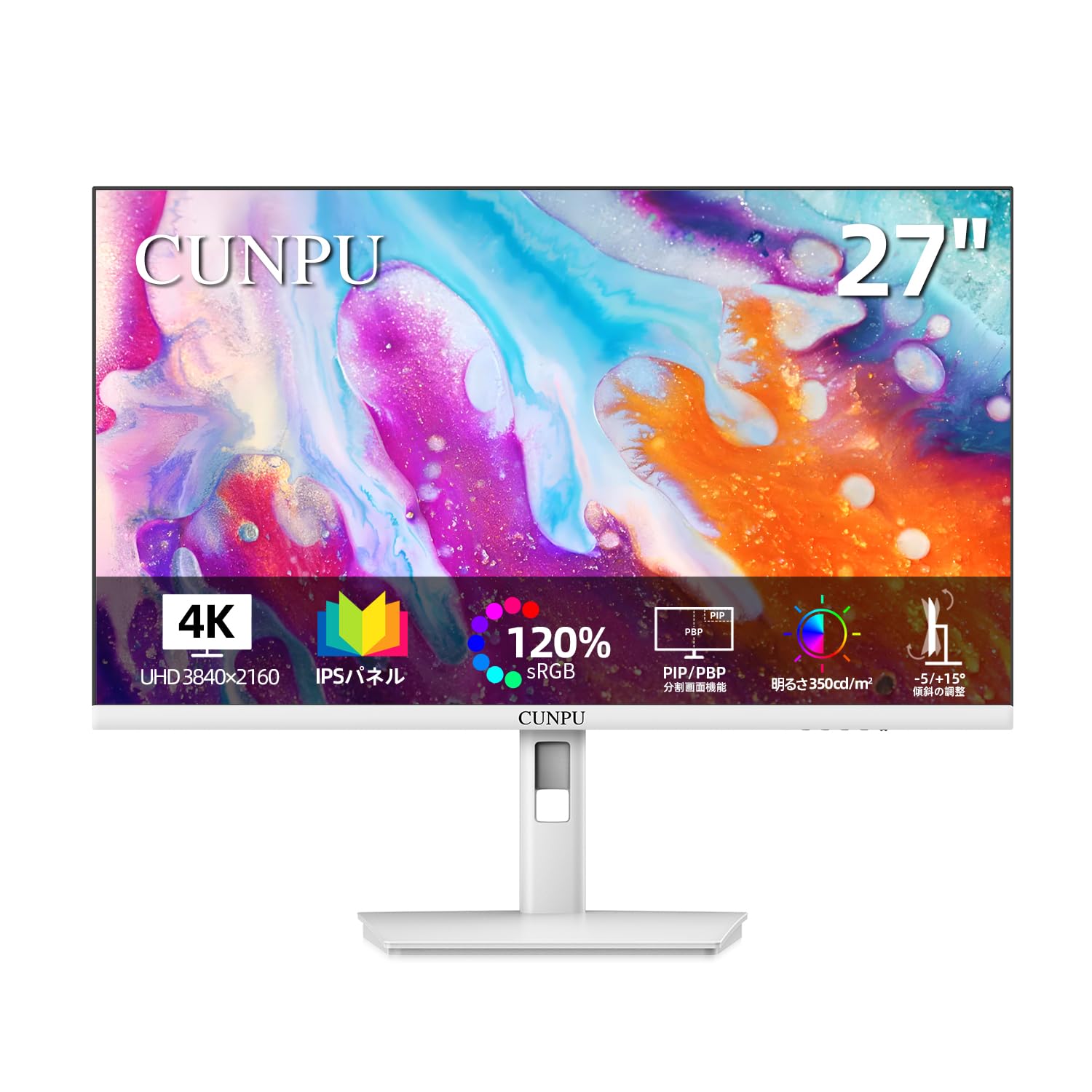
Front view of the CUNPU 27-inch 4K UHD Monitor in white.
2. Safety Information
Please observe the following safety precautions to ensure safe and optimal performance of your monitor:
- Do not expose the monitor to rain, moisture, or extreme temperatures.
- Ensure proper ventilation around the monitor to prevent overheating.
- Use only the power adapter supplied with the monitor.
- Avoid placing heavy objects on the power cord.
- Do not attempt to disassemble or repair the monitor yourself. Refer all servicing to qualified personnel.
- Clean the monitor screen with a soft, lint-free cloth. Avoid using abrasive cleaners.
3. Setup
3.1. Package Contents
Before assembly, please verify that all components are present:
- CUNPU 27-inch 4K UHD Monitor
- Monitor Stand (Base and Neck)
- Power Adapter
- DisplayPort (DP) Cable
- HDMI Cable
- VESA Screws (for VESA mounting)
- User Manual
3.2. Assembling the Monitor Stand
Follow these steps to attach the stand to your monitor:
- Carefully place the monitor face down on a soft, clean surface to prevent scratches.
- Attach the stand neck to the monitor using the provided screws.
- Attach the stand base to the stand neck and secure it with the designated screw.
- Ensure all screws are tightened securely.
3.3. VESA Mounting (Optional)
The monitor supports 100mm x 100mm VESA mounting for wall mounts or monitor arms. VESA screws are included in the accessories. Please note that the VESA arm itself is not included.

Detailed steps for VESA mounting the monitor.
Video demonstrating the VESA arm installation procedure for the monitor.
3.4. Connecting to Devices
The monitor offers versatile connectivity options:
- HDMI: Connect your PC, game console (Xbox, PS5), or other HDMI-enabled devices using an HDMI cable. The monitor has two HDMI 2.0 ports.
- DisplayPort (DP): Connect your PC or Mac using a DisplayPort cable. The monitor has two DP 1.4 ports.
- Audio Out: Use the 3.5mm earphone jack to connect external speakers or headphones. Note: This monitor does not have built-in speakers.

Overview of the monitor's input and output ports.
4. Operating Instructions
4.1. Power On/Off
Press the power button located on the monitor to turn it on or off.
4.2. On-Screen Display (OSD) Menu
Use the control buttons on the monitor to navigate the OSD menu. The OSD menu allows you to adjust various settings such as brightness, contrast, color modes, input source, and more.
4.3. Key Features
- 4K UHD Resolution (3840x2160): Experience stunning clarity and detail with four times the pixels of Full HD.
- IPS Panel with 178° Wide Viewing Angle: Enjoy consistent and accurate colors from virtually any angle.
- 70Hz Refresh Rate & 1ms Response Time: Provides smooth motion for video playback and creative work.
- Wide Color Gamut: Supports sRGB 125%, Adobe RGB 93%, and DCI-P3 93% for precise color reproduction.
- E-Book Mode: Optimizes display settings for reading, reducing eye strain.
- Flicker-Free & Blue Light Reduction: Designed to minimize eye fatigue during prolonged use.

Overview of the monitor's key features including 4K UHD, 70Hz, 163PPI, and E-Book mode.

Visual comparison demonstrating the superior clarity of 4K UHD resolution compared to 1K and 2K.

Illustration of the monitor's wide color gamut (sRGB, DCI-P3, Adobe RGB) and brightness.

Comparison showing the smoothness of a 70Hz refresh rate versus 50Hz.

Demonstration of the E-Book mode, which simulates a paper-like display for comfortable reading.
5. Maintenance
To maintain the performance and longevity of your CUNPU monitor, follow these maintenance guidelines:
- Cleaning the Screen: Gently wipe the screen with a soft, dry, lint-free cloth. For stubborn stains, lightly dampen the cloth with water or a screen-specific cleaning solution. Never spray liquid directly onto the screen.
- Cleaning the Casing: Use a soft, dry cloth to wipe the monitor casing. Avoid using harsh chemicals or abrasive materials.
- Storage: If storing the monitor for an extended period, disconnect it from power, cover it to protect from dust, and store it in a cool, dry place.
- Ventilation: Ensure the ventilation openings on the monitor are not blocked to prevent overheating.
6. Troubleshooting
If you encounter any issues with your monitor, please refer to the following common troubleshooting steps:
| Problem | Possible Cause | Solution |
|---|---|---|
| No image on screen | Power cable disconnected, video cable disconnected, incorrect input source. | Check power and video cable connections. Select the correct input source via the OSD menu. |
| Image is blurry or distorted | Incorrect resolution, faulty video cable. | Set the display resolution to 3840x2160. Try a different video cable. |
| No sound from external speakers/headphones | Audio cable disconnected, volume too low, incorrect audio output selected on device. | Ensure audio cable is connected to the monitor's audio out port. Adjust volume. Check audio output settings on your connected device. |
| Monitor flickers | Refresh rate issue, faulty cable. | Ensure the refresh rate is set correctly (e.g., 70Hz for DP, 60Hz for HDMI). Try a different video cable. |
If the problem persists after trying these solutions, please contact customer support.
7. Specifications
| Feature | Specification |
|---|---|
| Brand | CUNPU |
| Model Number | S027ES |
| Screen Size | 27 inches |
| Resolution | 4K UHD (3840 x 2160) |
| Panel Type | IPS, Anti-glare |
| Refresh Rate | 70 Hz (via DP), 60 Hz (via HDMI) |
| Response Time | 5 ms |
| Brightness | 300 cd/m² |
| Contrast Ratio | 1000:1 |
| Color Gamut | sRGB 125%, Adobe RGB 93%, DCI-P3 93% |
| Color Depth | 1.07 Billion Colors |
| Pixel Density | 163 PPI |
| Connectivity | 2x HDMI 2.0, 2x DisplayPort 1.4, 1x Audio Out (3.5mm) |
| VESA Mount | 100mm x 100mm |
| Features | Adaptive Sync, Tilt Adjustment, Ultra-slim Bezel, Flicker-Free, Blue Light Reduction |
| Dimensions (D x W x H) | 19.2 x 61.2 x 53.3 cm (approximate, with stand) |
| Color | White |
8. Warranty and Support
Your CUNPU monitor comes with a 1-year manufacturer's warranty from the date of purchase. This warranty covers defects in materials and workmanship under normal use.
For any questions, issues, or warranty claims, please contact CUNPU customer support. We are committed to providing prompt assistance.
Note: While a physical warranty card may not be included with current accessories, all customers who purchase a CUNPU monitor are covered by the 1-year warranty service. We are working to include the warranty card with accessories in future product upgrades. Thank you for your understanding.
For further assistance, please visit the CUNPU Brand Store.