
1. Introduction and Overview
This instruction manual provides comprehensive guidance for the assembly, operation, and maintenance of your Mould King 19016 Truck Mounted Crane Building Set. This advanced construction kit allows you to build a detailed and functional truck-mounted crane model, featuring both APP and remote control capabilities.
The model consists of over 3767 building block parts and, once assembled, measures approximately 23.81 inches long, 12.2 inches high, and 8.46 inches wide. It incorporates 11 motors and 2 lithium batteries to power its various functions, including an openable cab, adjustable outriggers, flexible steering, and a remote-controlled opening dump box.

Image 1.1: The Mould King 19016 Truck Mounted Crane Building Set, showcasing the completed model and its packaging.
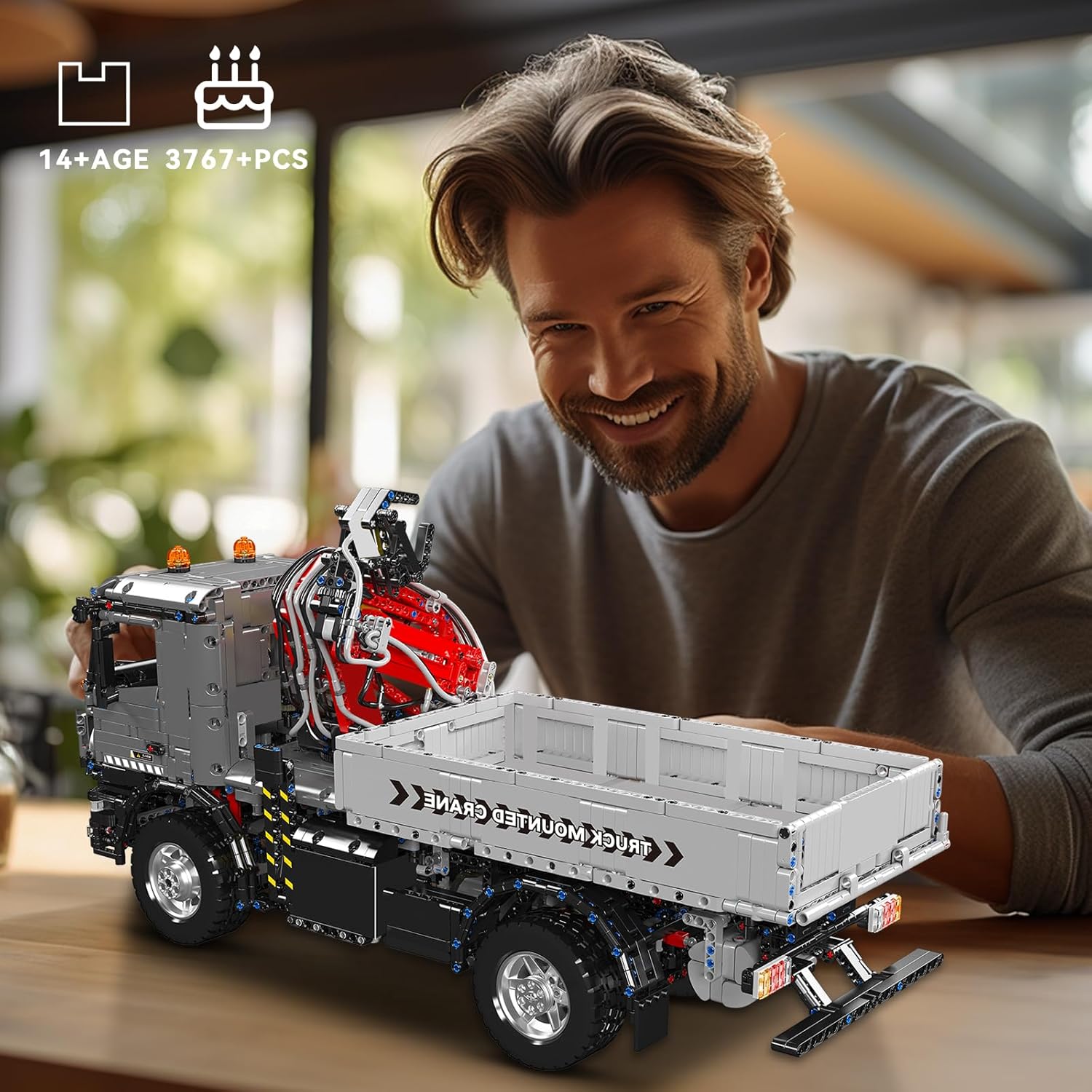
Image 1.2: A view of the fully assembled Mould King 19016 Truck Mounted Crane model.
2. Safety Information
Please read and understand all safety warnings before beginning assembly or operation.
- CHOKING HAZARD: This product contains small parts and is not suitable for children under 3 years of age. Keep all small components away from young children.
- Adult supervision is recommended during assembly and operation, especially for users under the recommended age of 14 years.
- Do not ingest any parts.
- Ensure batteries are inserted correctly according to polarity markings.
- Do not mix old and new batteries, or different types of batteries.
- Dispose of used batteries responsibly.
3. Package Contents
Verify that all components are present before starting assembly. The package should contain:
- Building Blocks (3767+ pieces)
- 11 Motors
- 2 Lithium Batteries
- Remote Control Unit
- Detailed Paper Instruction Manual
- USB Charging Module
All building blocks are made of high-quality ABS and carbon fiber materials, designed to be compatible with existing brand toys.
4. Setup and Assembly
The Mould King 19016 Truck Mounted Crane is a complex model requiring careful assembly. Follow the included detailed paper instruction manual step-by-step.
- Unpack Components: Carefully open the packaging and sort the building blocks. It is recommended to organize pieces by type or color to facilitate assembly.
- Follow Paper Instructions: Refer to the colorful paper instruction manual for a detailed, step-by-step guide to assembling the 3767+ pieces. Each step is illustrated to ensure clarity.
- Motor and Battery Installation: Install the 11 motors and 2 lithium batteries as indicated in the instruction manual. Ensure all connections are secure.
- USB Charging Module: Locate and connect the USB charging module as per the instructions. This module is integrated into the design for convenient battery charging.

Image 4.1: The USB Charging Module, designed for convenient battery charging.
Take your time during assembly to ensure all parts are correctly placed and securely connected. This will ensure optimal functionality of the model.
5. Operating Instructions
The Mould King 19016 Truck Mounted Crane can be controlled via the included remote control unit or a dedicated mobile application (APP).
5.1. Powering On and Control Pairing
- Activate Power: Turn the valve switch on the crane truck to power on the model.
- Remote Control: Insert batteries into the remote control unit. Follow the pairing instructions in the paper manual to connect the remote control to the truck.
- Mobile APP Control: Download the official Mould King APP from your device's app store. Follow the in-app instructions to pair your mobile device with the crane truck via Bluetooth.

Image 5.1: The truck-mounted crane supporting both remote control and mobile phone APP control.
5.2. Crane Functions
Utilize the remote control or APP to operate the crane's various movements:
- Boom Rotation: The crane boom can be rotated 360 degrees for precise positioning.
- Boom Extension: Extend and retract the crane boom to reach different distances.
- Lifting and Lowering: Control the hook to lift and lower objects.

Image 5.2: Illustrations demonstrating the crane boom's rotation and extension capabilities.
5.3. Truck Functions
The truck component also features several interactive functions:
- Openable Cab: The driver's cab door can be opened.
- Adjustable Outriggers: Extend and retract the outriggers for stability during crane operation.
- Flexible Steering: Control the truck's steering for movement.
- Opening Dump Box: The rear dump box can be opened and closed remotely.
- Gear Lock Function: The model simulates a gear lock function for realistic operation.
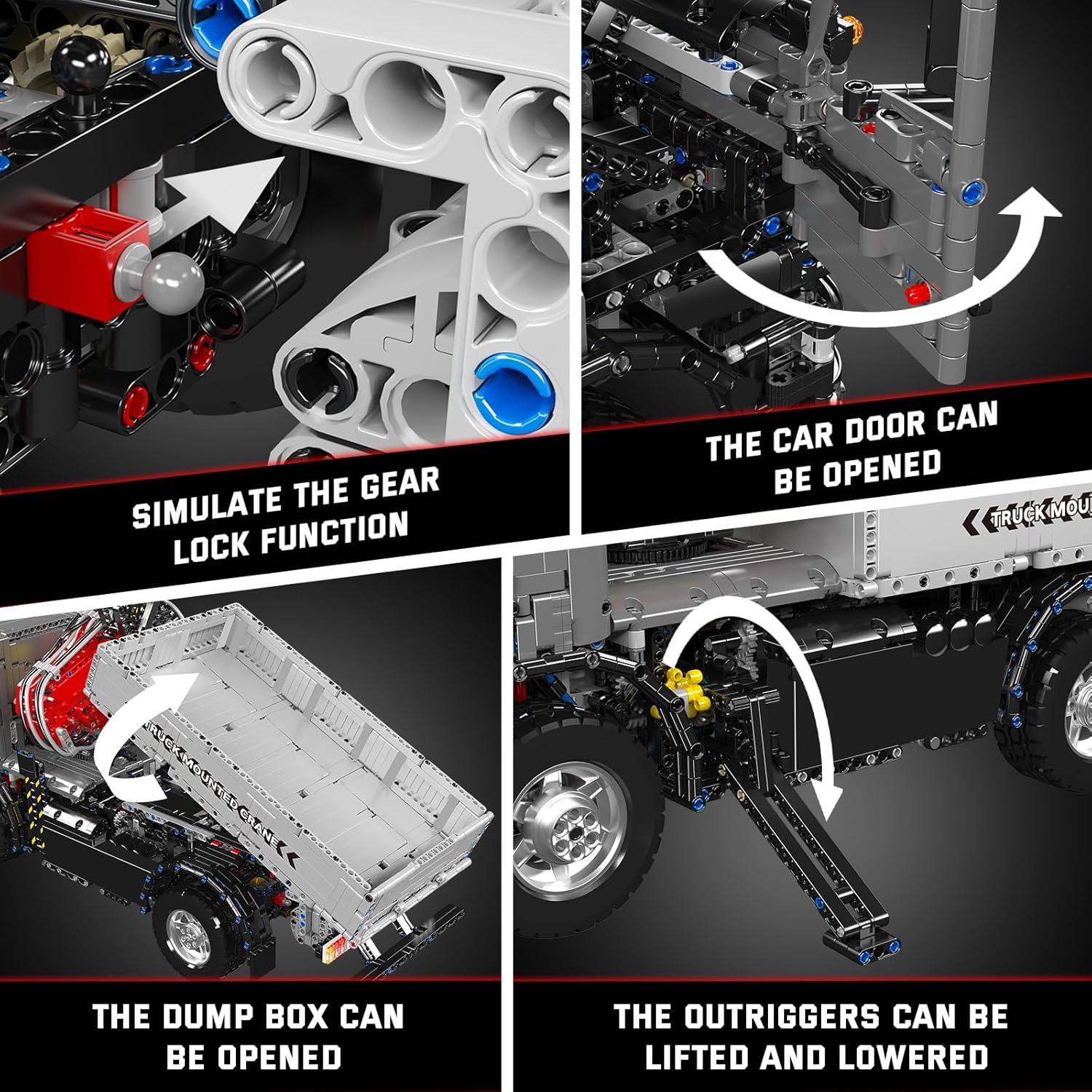
Image 5.3: Close-up views illustrating the gear lock function, openable cab door, opening dump box, and liftable/lowerable outriggers.
6. Maintenance
Proper maintenance will ensure the longevity and optimal performance of your Mould King 19016 Truck Mounted Crane.
- Cleaning: Gently wipe the model with a dry, soft cloth to remove dust. Avoid using water or chemical cleaners, as these can damage the electronic components and plastic parts.
- Storage: Store the model in a cool, dry place away from direct sunlight and extreme temperatures. Disassemble if necessary for long-term storage to prevent stress on connections.
- Battery Care: When not in use for extended periods, remove batteries from both the truck and the remote control to prevent leakage. Recharge lithium batteries periodically if stored for a long time.
- Component Check: Periodically inspect all connections and moving parts to ensure they are secure and functioning correctly. Tighten any loose connections.
7. Troubleshooting
If you encounter issues with your Mould King 19016 Truck Mounted Crane, refer to the following common troubleshooting steps:
| Problem | Possible Cause | Solution |
|---|---|---|
| Model does not power on. | Batteries are depleted or incorrectly installed. Valve switch is off. | Ensure batteries are fully charged and correctly inserted. Turn the valve switch to the ON position. |
| Remote control/APP not connecting. | Remote control batteries are low. Pairing issue. Bluetooth not enabled (for APP). | Replace remote control batteries. Re-attempt pairing process as per manual. Ensure Bluetooth is active on your mobile device. |
| Motors not responding or weak. | Low battery power. Loose motor connections. Obstruction in gears. | Recharge the lithium batteries. Check all motor connections. Inspect for any foreign objects or misaligned gears. |
| Parts falling off during operation. | Incomplete or incorrect assembly. | Review the assembly steps in the paper manual, paying close attention to connections for the affected parts. |
If the problem persists after attempting these solutions, please contact Mould King customer support for further assistance.
8. Specifications
- Model Number: 19016
- Brand: Mould King
- Number of Pieces: 3767+
- Product Dimensions (Assembled): 23.81 inches (L) x 12.2 inches (H) x 8.46 inches (W)
- Item Weight: 11.31 pounds
- Recommended Age: 14 years and up
- Batteries: 2 Lithium Batteries (included), 1 A battery for remote control (included)
- Control Method: APP Control / Remote Control
- Material: High-quality ABS and Carbon Fiber
- Manufacturer: Mould King

Image 8.1: Visual representation of the product dimensions: 60.5cm (23.81in) length, 31cm (12.2in) height, and 21.5cm (8.46in) width.
9. Warranty and Support
For information regarding warranty coverage, please refer to the documentation provided at the point of purchase or visit the official Mould King website.
If you require technical support, have questions about assembly, or need replacement parts, please contact Mould King customer service through their official channels. Contact information can typically be found on the product packaging or the manufacturer's website.