
1. Introduction
Thank you for choosing the Casaottima 71-inch TV Stand with LED Lights and Power Outlets. This entertainment center is designed to enhance your living space with its stylish design, practical storage solutions, and integrated features. This manual provides essential information for safe assembly, proper operation, and effective maintenance of your new TV stand. Please read these instructions carefully before beginning assembly and retain them for future reference.
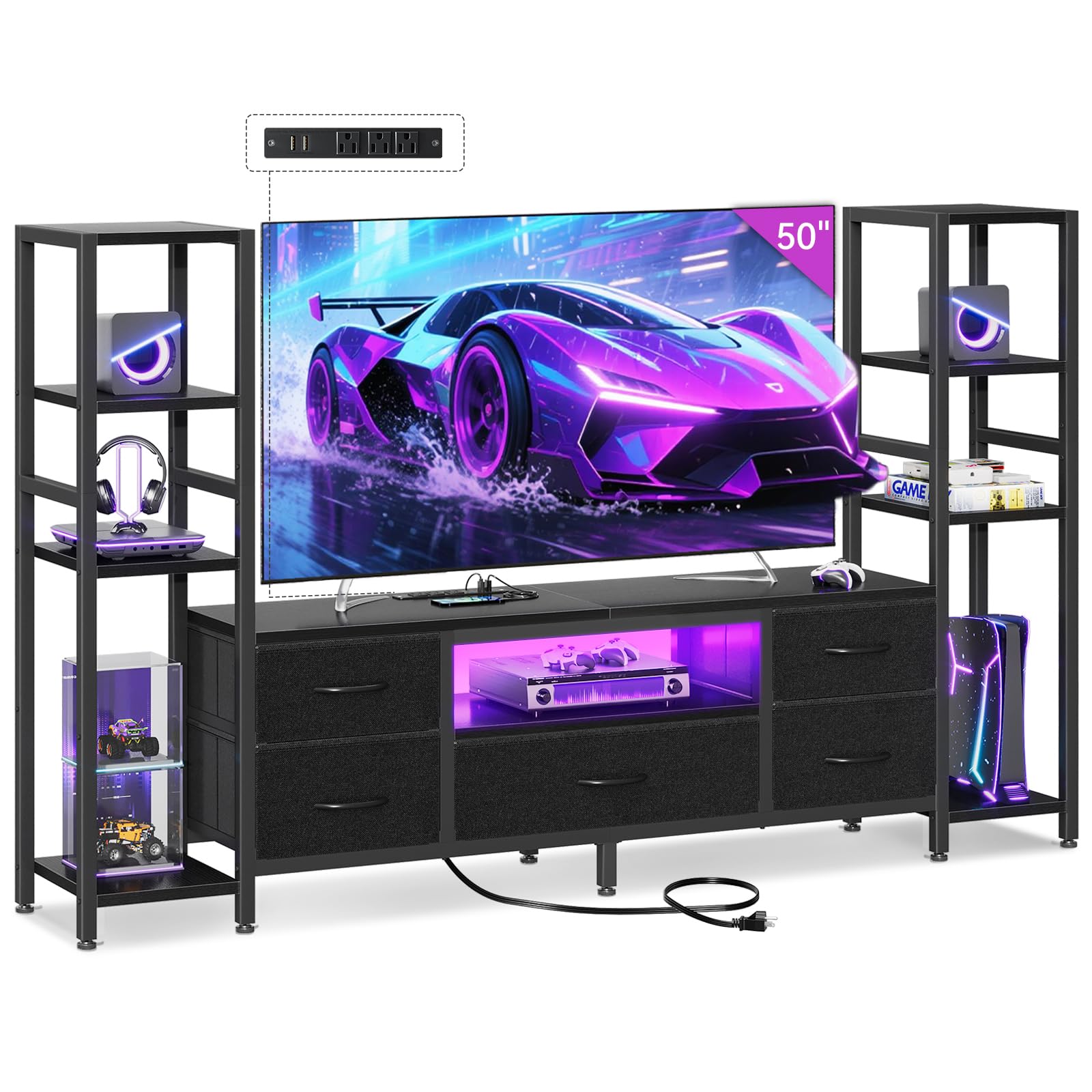
Image: The Casaottima 71-inch TV Stand with LED Lights and Power Outlets, showcasing its design and features.
2. Safety Information
Your safety is paramount. Please adhere to the following guidelines to prevent injury or damage to the product:
- Always secure the TV stand to the wall using the provided anti-tip kit to prevent tip-overs, especially in households with children or pets.
- Do not place heavy items on the top shelves or beyond the recommended weight capacity to maintain stability.
- Ensure all connections for the power outlets and LED lights are secure and follow electrical safety standards. Do not overload the power outlets.
- Keep liquids away from electrical components to prevent short circuits or electric shock.
- Assemble the unit on a soft, clean surface to avoid scratching the finish.
- Periodically check all fasteners to ensure they remain tight.

Image: Close-up of the TV stand's adjustable feet for strong support, the anti-tipping kit for safety, and the construction of the thickened fabric drawers.
3. Package Contents
Before assembly, verify that all components listed below are present and undamaged. If any parts are missing or damaged, please contact Casaottima customer support.
- TV Stand Main Frame
- Side Shelf Units (2)
- Fabric Drawers (5)
- LED Light Strip with Remote Control
- Built-in Power Outlet Unit (3 AC outlets, 2 USB ports)
- Assembly Hardware (screws, bolts, etc.)
- Anti-Tipping Kit
- Instruction Manual
4. Assembly Instructions
Assembly of your Casaottima TV stand is designed to be straightforward. Each component is numbered, and detailed step-by-step instructions are included in the packaging. Please follow these instructions carefully.
- Unpack and Identify Parts: Lay out all components on a clean, soft surface. Refer to the parts list in your included manual to identify each piece.
- Assemble the Main TV Console: Follow the numbered steps to construct the central TV console unit. Ensure all screws are tightened securely.
- Attach Side Shelf Units: Connect the two side shelf units to the main console as indicated in the instructions. The shelves on these units have adjustable heights.
- Install Fabric Drawers: Insert the five fabric drawers into their designated slots.
- Integrate Power Outlet Unit: Place the built-in power outlet unit into its designated slot on the top surface of the TV stand.
- Install LED Light Strip: Adhere the LED light strip to the designated area, typically within the open central compartment. Connect it to the power source.
- Attach Anti-Tipping Kit: For safety, securely attach the anti-tipping kit to the back of the TV stand and to a wall stud, following the specific instructions provided.
For a visual guide to the assembly process, please refer to the official product video:
Video: Official Casaottima video demonstrating the assembly and features of the 71-inch TV Stand with LED Lights and Power Outlets.
5. Operating Instructions
5.1. LED Lights Operation
The integrated LED light strip allows you to customize the ambiance of your entertainment area. Use the included remote control to manage the lighting features:
- Power On/Off: Press the power button on the remote to turn the LED lights on or off.
- Brightness Adjustment: Use the brightness control buttons (typically '+' and '-') to cycle through 8 brightness levels.
- Color Selection: Choose from 10 distinct color options to match your mood or decor.
- Dynamic Modes: Select from 10 dynamic modes for various lighting effects, such as fading, flashing, or smooth transitions.

Image: Detail of the LED light strip and its remote control, highlighting the 8 brightness levels, 10 color options, and 10 dynamic modes.
5.2. Power Outlets Usage
The TV stand features a built-in power outlet unit for convenient device charging and power supply:
- AC Outlets: The unit includes 3 standard AC power outlets (120V/12A) for connecting your TV, stereo, gaming consoles, or other electronics.
- USB Ports: Two USB ports (5V/2A) are available for charging smartphones, tablets, or other USB-powered devices.
- Power Cord: The power outlet unit is equipped with a 4.9-foot power cord for connection to a wall outlet.
Ensure that the total power consumption of connected devices does not exceed the unit's maximum capacity to prevent electrical hazards.

Image: Close-up of the built-in power outlet unit, showing the 3 AC outlets and 2 USB ports, with a phone charging via USB.
5.3. Storage Utilization
The TV stand offers versatile storage options to keep your space organized:
- Open Shelf Storage: The 3-tier side shelves provide space for displaying decor, books, speakers, or gaming consoles. The shelves have adjustable heights to accommodate various item sizes.
- Fabric Drawers: Five removable fabric drawers offer ample hidden storage for items like clothes, blankets, books, DVDs, or gaming accessories, helping to maintain a clutter-free environment.
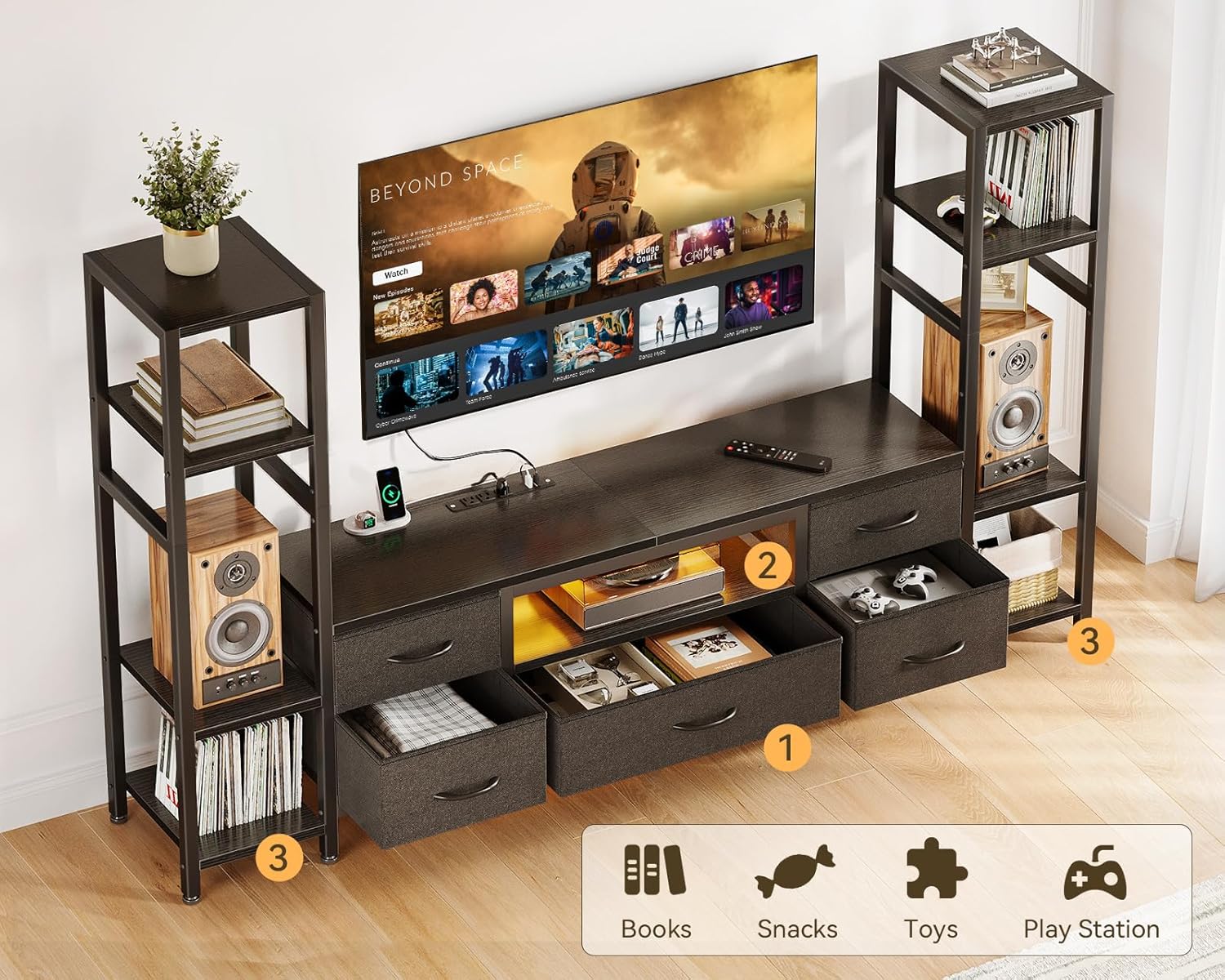
Image: An overhead view of the TV stand demonstrating the use of the five fabric drawers for hidden storage and the open shelves for displaying various items like books, snacks, toys, and a PlayStation.
6. Maintenance
Proper care will ensure the longevity and appearance of your TV stand:
- Cleaning: Wipe surfaces with a soft, damp cloth. Avoid harsh chemicals or abrasive cleaners that could damage the finish. The surface is designed to be easy to clean.
- Fabric Drawers: The fabric drawers can be spot cleaned with a mild detergent and water. Allow them to air dry completely before returning them to the unit.
- Dusting: Regularly dust all surfaces to prevent buildup.
- Inspection: Periodically check all screws and connections to ensure they are tight. Re-tighten if necessary.
7. Troubleshooting
If you encounter any issues with your Casaottima TV stand, please refer to the following common troubleshooting tips:
- Wobbly Stand: Ensure all assembly screws are fully tightened. Check that the adjustable foot pads are properly leveled on an even surface.
- LED Lights Not Working: Verify that the LED light strip is correctly connected to the power outlet and that the remote control has working batteries. Check if the power outlet unit is plugged into a functional wall socket.
- Power Outlets Not Functioning: Confirm the power outlet unit's cord is securely plugged into a live wall outlet. Check if the wall outlet itself is working by testing it with another device. Avoid overloading the outlets.
- Drawers Not Sliding Smoothly: Ensure the fabric drawers are inserted correctly and are not overloaded. Check for any obstructions in the drawer slots.
If these steps do not resolve the issue, please contact Casaottima customer support for further assistance.
8. Specifications
Below are the key specifications for the Casaottima 71-inch TV Stand:
| Feature | Detail |
|---|---|
| Product Dimensions | 70.87 x 11.81 x 43.31 inches (L x W x H) |
| Item Weight | 39.4 pounds |
| Material | Wood |
| Color | Black |
| Special Feature | TV Stand with Storage, LED Lights, Power Outlets |
| Applicable TV Size | Suitable for 43-50 inch TVs, supports up to 55 inch TVs (measure TV beforehand) |
| Power Outlets | 3 AC Outlets (120V/12A), 2 USB Ports (5V/2A) |
| LED Lights | 8 Brightness Levels, 10 Color Options, 10 Dynamic Modes |
| Storage | 5 Fabric Drawers, 3-tier Adjustable Side Shelves |

Image: Detailed product size diagram showing dimensions and TV size compatibility for 40, 50, and 55-inch TVs.
9. Warranty and Support
Casaottima products are manufactured with quality and customer satisfaction in mind. This product comes with a standard manufacturer's warranty against defects in materials and workmanship. For specific warranty details, please refer to the documentation included with your purchase or visit the official Casaottima website.
If you have any questions, require assistance with assembly, or need to report a quality issue, our professional support team is available to help. Please contact Casaottima customer service through the retailer where you purchased the product or via the contact information provided on the Casaottima website. We aim to respond to all inquiries within 24 hours.