
1. Introduction
The DOOGEE Fire 5 is a rugged smartphone designed for durability and extended use in challenging environments. It features a robust construction, a large capacity battery, and a responsive display, powered by Android 15. This manual provides essential information for setting up, operating, maintaining, and troubleshooting your device.
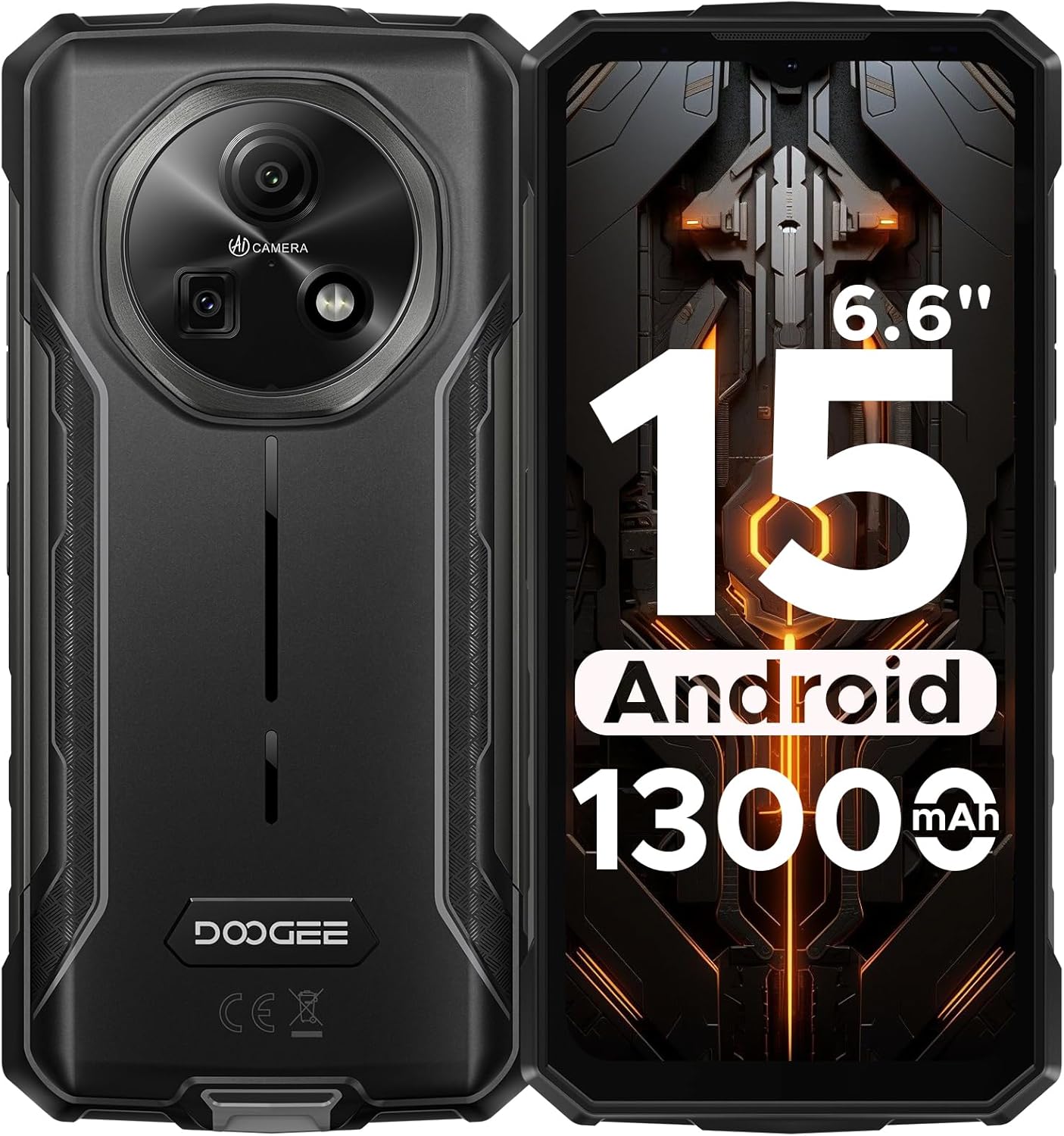
Figure 1: Front and rear view of the DOOGEE Fire 5 Rugged Smartphone.
2. What's in the Box
Verify that all items are present in your product package:
- 1x DOOGEE Fire 5 Rugged Smartphone
- 1x Type-C USB Cable
- 1x Charger
- 1x Quick Guide
- 1x Warranty Card

Figure 2: Package contents of the DOOGEE Fire 5.
3. Product Features
3.1 Rugged Design
The Fire 5 is engineered to withstand harsh conditions, meeting military standards IP68, IP69K, and MIL-STD-810H. This ensures resistance against drops, dust, and water immersion, making it suitable for outdoor work and adventurous activities.

Figure 3: The DOOGEE Fire 5 is built to withstand water, dust, and drops.
3.2 Unbeatable Battery Life & Reverse Charging
Equipped with a 13000mAh battery, the Fire 5 provides extended usage times. It also supports 5W reverse charging via its Type-C port, allowing you to power other devices like headphones or smartwatches.

Figure 4: The 13000mAh battery offers extensive power and reverse charging.
3.3 Vivid HD+ Display
Experience smooth visuals on the 6.6-inch HD+ IPS screen with a 90Hz refresh rate. The display's full lamination reduces glare, enhancing outdoor visibility.

Figure 5: The 6.6-inch HD+ 90Hz display provides a clear and responsive viewing experience.
3.4 Powerful Performance
Running on Android 15 and powered by a UNISOC octa-core processor, the Fire 5 offers seamless app switching with 12GB (3GB + 9GB extended) of RAM and 64GB of internal storage, expandable up to 2TB.

Figure 6: The UNISOC SC9863A chipset ensures stable and efficient performance.
3.5 AI Camera System
Capture clear and vibrant photos with the 13MP main camera and 8MP front camera. The AI camera intelligently optimizes settings for various scenes, enhancing your photography experience.

Figure 7: The 13MP main camera and 8MP front camera for crisp shots.
3.6 Connectivity and Tools
The Fire 5 supports dual SIM functionality and is compatible with major carriers like T-Mobile and MetroPCS. It includes NFC for convenient payments, Face ID for secure unlocking, and a pre-loaded professional toolbox with utilities like a compass, sound meter, and gradienter.

Figure 8: Additional features include NFC, Face Unlock, and a 3-card slot.
4. Setup
4.1 SIM Card Installation
- Locate the SIM card tray on the side of the device.
- Use the provided SIM eject tool to open the tray.
- Place your Nano-SIM card(s) and/or microSD card into the tray, ensuring correct orientation.
- Gently push the tray back into the device until it clicks into place.
4.2 Initial Power On
- Press and hold the Power button until the DOOGEE logo appears.
- Follow the on-screen prompts to complete the initial setup, including language selection, Wi-Fi connection, and Google account login.
5. Operating Your Device
5.1 Basic Navigation
- Home Screen: Swipe left or right to access different home screen panels.
- App Drawer: Swipe up from the bottom of the screen to view all installed applications.
- Notifications & Quick Settings: Swipe down from the top of the screen to access notifications and quick settings toggles.
- Multitasking: Swipe up and hold from the bottom of the screen to view recent apps.
5.2 Camera Usage
Open the Camera app to access various modes:
- Photo Mode: Standard mode for still images. The AI will automatically optimize settings.
- Video Mode: Record videos.
- Portrait Mode: Create photos with a blurred background.
- Pro Mode: Manually adjust settings like ISO, white balance, and exposure.
5.3 Pre-loaded Tools
The device includes a professional toolbox accessible from the app drawer. This toolbox contains useful utilities such as:
- Compass
- Sound Meter
- Gradienter
- Flashlight
- Magnifier
- Plumb Bob
6. Maintenance
6.1 Water and Dust Resistance
The DOOGEE Fire 5 is IP68/IP69K rated for water and dust resistance. Ensure all port covers are securely closed before exposing the device to water or dust. Avoid prolonged submersion in water or exposure to high-pressure water jets.
6.2 Cleaning
To clean your device, wipe it with a soft, damp cloth. Avoid using harsh chemicals or abrasive materials that could damage the device's rugged exterior or screen.
7. Troubleshooting
If you encounter issues with your DOOGEE Fire 5, try the following steps:
- Device Lagging or Freezing:
- Close background applications to free up RAM.
- Uninstall unused applications to free up storage.
- Perform a restart by long-pressing the power button and selecting "Restart".
- Network Connectivity Issues:
- Ensure your SIM card is correctly inserted.
- Verify that your carrier is compatible with the device's supported bands (GSM:B2/3/5/8 WCDMA:B1/2/4/5/8 TDD:B34/38/39/40/41 FDD:B1/2/3/4/5/7/8/18/19/20/25/26/28AB/66).
- Check your network settings and ensure mobile data is enabled.
- Charging Problems:
- Use the original charger and Type-C cable provided with the device.
- Ensure the charging port is clean and free of debris.
Video 1: An overview of the DOOGEE Fire 5 Rugged Phone, highlighting its features and design.
8. Specifications
| Product Dimensions | 6.95 x 0.74 x 3.25 inches |
| Item Weight | 6.9 ounces |
| Item Model Number | Fire5 |
| Batteries | 1 Lithium Polymer battery required (included) |
| Operating System | Android 15 |
| Connectivity Technologies | Bluetooth, Infrared, NFC, USB, Wi-Fi |
| Other Display Features | Wireless |
| Other Camera Features | Front, Rear |
| Form Factor | Bar |
| Color | Black |
| Battery Power Rating | 13000 Milliamp Hours |
| Memory Storage Capacity | 64 GB |
| Standing Screen Display Size | 6.6 Inches |
| RAM Memory Installed Size | 12 GB |
| Refresh Rate | 90 Hz |
| Wireless Carrier | Unlocked for All Carriers |
| Cellular Technology | 4G |
9. Warranty and Support
The DOOGEE Fire 5 Rugged Smartphone comes with a comprehensive 2-year warranty, ensuring peace of mind with your purchase. For any technical assistance, product inquiries, or warranty claims, please contact DOOGEE's professional support team through their official channels or visit their website for detailed support information.
You can find additional support and product information by scanning the QR code provided in the quick guide or visiting the official DOOGEE website.


