
1. Introduction
This manual provides essential instructions for the safe and efficient use of your DOOGEE Fire 5 Rugged Smartphone. Please read this guide thoroughly before operating your device to ensure optimal performance and longevity. The DOOGEE Fire 5 is designed for durability, featuring IP68/IP69K/MIL-STD-810H ratings, a large 13000mAh battery, and an Android 15 operating system.

Image: Front and back view of the DOOGEE Fire 5 Rugged Smartphone, showcasing its robust design and camera module.
2. Package Contents
Upon unboxing, verify that all items listed below are present:
- 1 x DOOGEE Fire 5 Rugged Smartphone
- 1 x Type-C USB Cable
- 1 x Charger
- 1 x User Manual
- 1 x Warranty Card
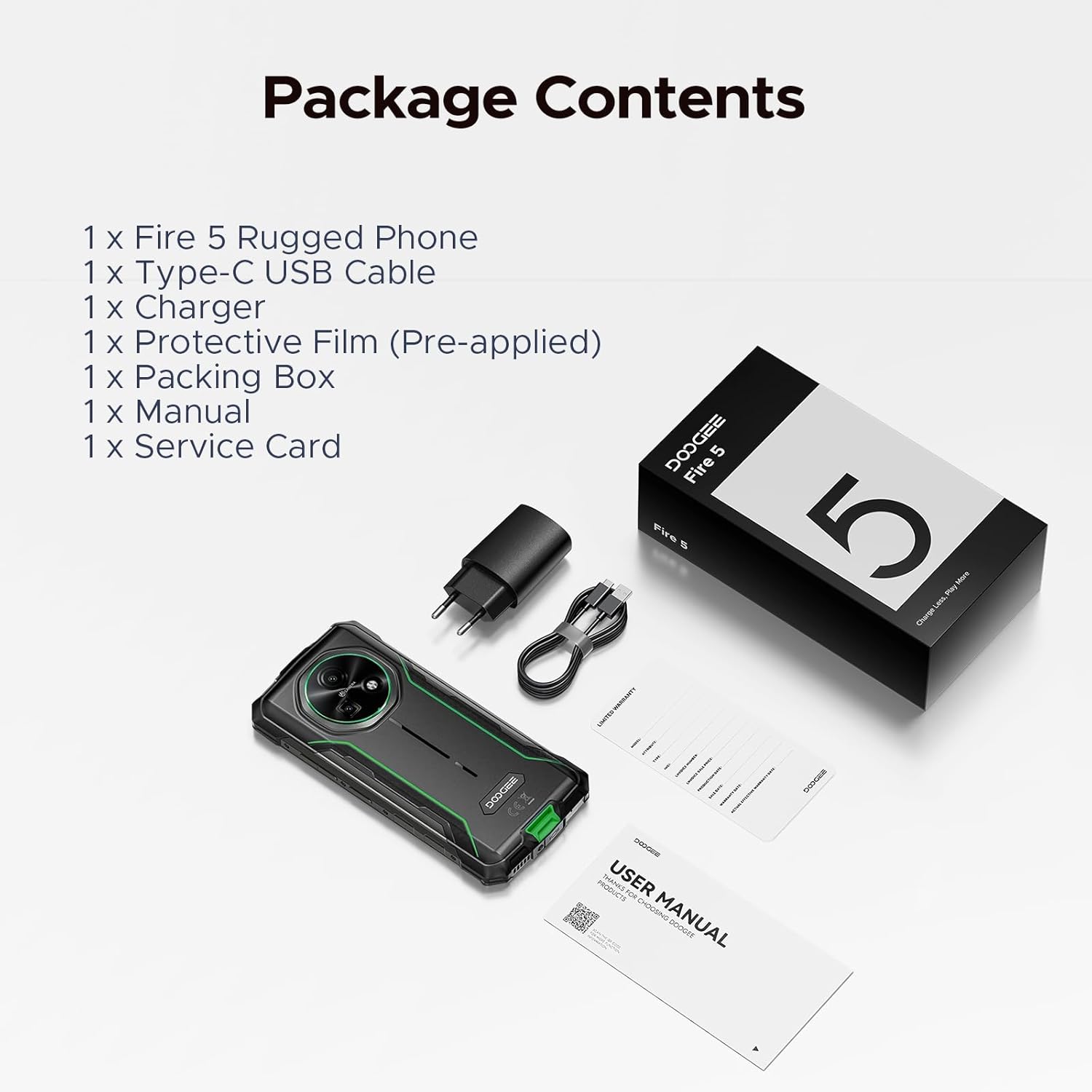
Image: The DOOGEE Fire 5 smartphone, charger, USB-C cable, and documentation laid out, representing the package contents.
3. Device Overview
3.1 Physical Features
The DOOGEE Fire 5 is built to withstand challenging environments. It features a ruggedized body with reinforced corners and a durable exterior.
- Dimensions: 6.95 x 0.74 x 3.25 inches
- Weight: 13.8 ounces
- Durability: IP68/IP69K/MIL-STD-810H certified for water, dust, and drop resistance.
3.2 Display
The device is equipped with a 6.6-inch HD+ IPS display, offering clear visuals and a smooth user experience.
- Screen Size: 6.6 inches
- Refresh Rate: 90Hz for fluid scrolling and responsiveness.
- Resolution: 720*1612 pixels
- Screen-to-body Ratio: 85%
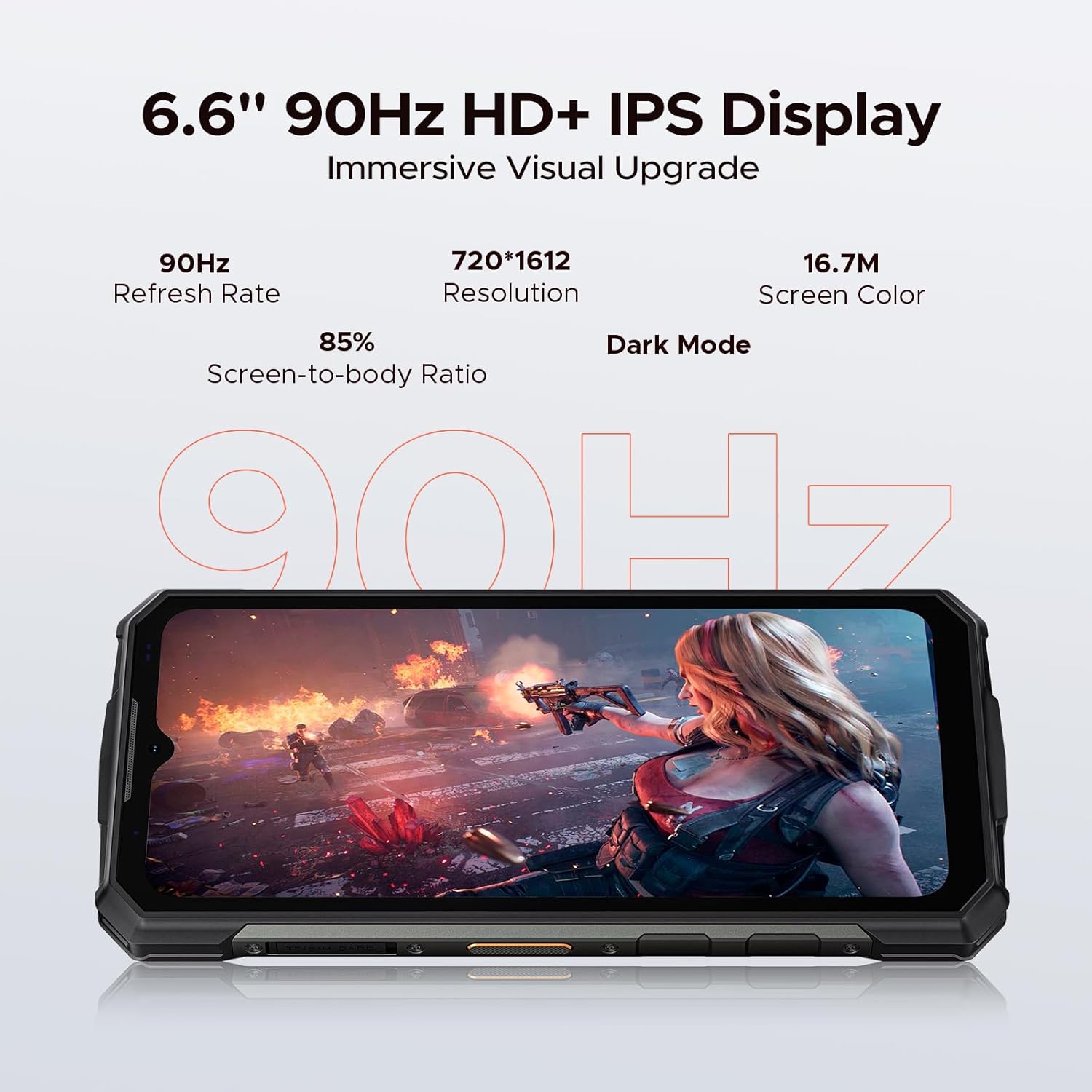
Image: The DOOGEE Fire 5 display showing a high-action scene, highlighting its 6.6-inch HD+ IPS screen with 90Hz refresh rate.
3.3 Performance
Powered by an octa-core processor and Android 15, the Fire 5 provides efficient performance for daily tasks.
- Operating System: Android 15
- Processor: UNISOC SC9863A Octa-Core CPU (1.6GHz)
- RAM: 12GB (3GB physical + 9GB extended virtual RAM)
- Internal Storage: 64GB
- Expandable Storage: Up to 2TB via TF card (sold separately)
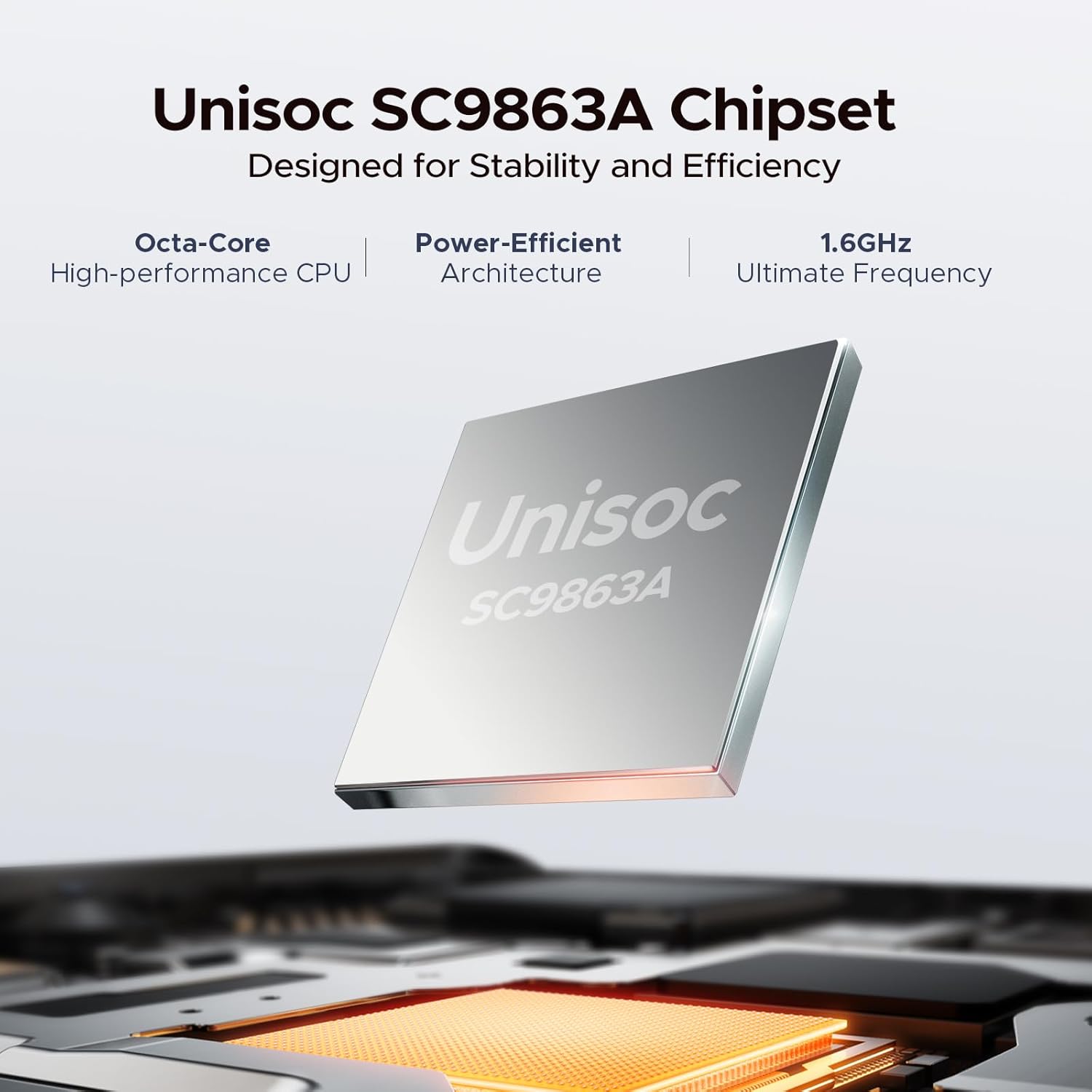
Image: A visual representation of the Unisoc SC9863A Chipset, emphasizing its octa-core and power-efficient architecture.
4. Setup
4.1 Inserting SIM and TF Cards
The DOOGEE Fire 5 supports dual SIM cards and one TF (microSD) card for expanded storage.
- Locate the SIM card tray on the side of the device.
- Use the provided SIM ejector tool to open the tray.
- Carefully place your Nano-SIM cards and/or TF card into the designated slots. Ensure correct orientation.
- Gently push the tray back into the device until it is flush.
4.2 Initial Power On and Basic Settings
- Press and hold the Power button until the DOOGEE logo appears.
- Follow the on-screen prompts to select your language, connect to a Wi-Fi network, and set up your Google account.
- Configure security settings, including Face ID, for convenient and secure access.
5. Operating Instructions
5.1 Android 15 Features
Your Fire 5 runs on Android 15, offering a range of features for enhanced usability and privacy.
- App Cloning: Duplicate apps for managing multiple accounts.
- Smart Motion Sensing: Utilize gestures for quick actions.
- Super Clipboard: Advanced clipboard functionality for managing copied content.
- Split Screen: Use two applications simultaneously on the display.
- Enhanced Privacy Protection: Advanced controls over app permissions and data access.
- Screen Awareness: Keeps the screen on while you are looking at it.
- Live Caption (English Only): Provides real-time captions for media playing on your device.
- Glove Mode: Improves touch sensitivity for use with gloves.
- Video Enhancement: Optimizes video playback quality.

Image: A grid displaying various Android 15 features available on the DOOGEE Fire 5, such as App Cloning, Split Screen, and Glove Mode.
5.2 Security Features
- Face ID: Unlock your phone quickly and securely using facial recognition.
- Fingerprint Sensor: (If applicable, check device for sensor location)
- PIN/Pattern/Password: Standard Android security options.
6. Camera Features
The DOOGEE Fire 5 is equipped with a 13MP main camera and an 8MP front camera, enhanced with AI capabilities.
- Main Camera: 13 Megapixels
- Front Camera: 8 Megapixels
- AI Recognition: Automatically optimizes settings for various scenes.
- Photography Modes: Includes Anti-Flicker, Pro Mode, Panoramic Mode, Beauty Mode, Night Mode, and Portrait Mode.

Image: Close-up of the DOOGEE Fire 5 camera module, with example photos taken by the 13MP main and 8MP front cameras.
7. Connectivity
The Fire 5 offers comprehensive connectivity options for communication and data transfer.
- Cellular: Dual SIM support, compatible with major carriers (T-Mobile, MetroPCS, etc.). Supports GSM, WCDMA, TDD, and FDD bands.
- Wi-Fi: Connect to wireless networks for internet access.
- Bluetooth: For connecting to wireless accessories.
- NFC: Near Field Communication for contactless payments and data exchange.
- USB Type-C: For charging and data transfer.
- OTG (On-The-Go): Allows connection of USB peripherals like flash drives or keyboards.
- Navigation: Supports GPS, Glonass, and Galileo for accurate positioning.

Image: Visuals demonstrating NFC payment, the 3-card slot for dual SIM and TF card, and the navigation system of the DOOGEE Fire 5.
8. Battery Management
The Fire 5 features a high-capacity 13000mAh battery for extended usage.
- Capacity: 13000mAh
- Charging: Supports 10W charging via Type-C.
- Reverse Charging: 5W reverse charging allows the phone to act as a power bank for other devices.
- Estimated Usage: Up to 94 hours music playing, 21 hours video watching, 69 hours calling, 44 days standby.
8.1 Charging Your Device
Connect the provided Type-C USB cable to the phone's charging port and the other end to the charger. Plug the charger into a power outlet. The battery indicator on the screen will show charging status.
8.2 Optimizing Battery Life
- Adjust screen brightness.
- Disable Wi-Fi, Bluetooth, and GPS when not in use.
- Close background applications.
- Enable battery saver mode when needed.

Image: An illustration of the DOOGEE Fire 5's internal battery, highlighting its 13000mAh capacity and estimated usage times for various activities.
9. Maintenance
To ensure the longevity and optimal performance of your DOOGEE Fire 5, follow these maintenance guidelines:
- Cleaning: Use a soft, damp cloth to clean the device. Avoid harsh chemicals or abrasive materials.
- Water and Dust Resistance: While the device is IP68/IP69K rated, ensure all port covers are securely closed before exposure to water or dust. Avoid prolonged submersion or high-pressure water jets.
- Temperature: Operate the device within recommended temperature ranges. Extreme heat or cold can affect battery life and performance.
- Impact Protection: The MIL-STD-810H rating provides drop protection, but excessive force or repeated impacts can still cause damage.

Image: Visuals depicting the DOOGEE Fire 5 undergoing drop tests, water immersion, and dust resistance, illustrating its IP68/IP69K/MIL-STD-810H certifications.
10. Troubleshooting
If you encounter issues with your DOOGEE Fire 5, refer to the following common solutions:
10.1 Device Not Turning On
- Ensure the battery is charged. Connect the charger and wait a few minutes before attempting to power on.
- Press and hold the Power button for at least 10-15 seconds to force a restart.
10.2 Network Connectivity Issues
- Check if your SIM card is correctly inserted and activated.
- Verify that mobile data is enabled in settings.
- Restart the device.
- Reset network settings (Settings > System > Reset options > Reset Wi-Fi, mobile & Bluetooth).
10.3 Applications Crashing or Freezing
- Clear the cache and data for the problematic app (Settings > Apps > [App Name] > Storage > Clear cache/Clear data).
- Update the app to the latest version from the Google Play Store.
- If the issue persists, uninstall and reinstall the app.
10.4 Touchscreen Unresponsive
- Restart the device.
- Ensure the screen is clean and free of moisture or debris.
- If using a screen protector, ensure it is properly applied and not interfering with touch.
11. Specifications
| Feature | Detail |
|---|---|
| Model Name | Fire5 |
| Operating System | Android 15 |
| Processor | UNISOC SC9863A Octa-Core (1.6GHz) |
| RAM | 12 GB (3GB physical + 9GB extended) |
| Internal Storage | 64 GB |
| Expandable Storage | Up to 2 TB (TF card) |
| Screen Size | 6.6 Inches |
| Resolution | 720*1612 HD+ |
| Refresh Rate | 90 Hz |
| Main Camera | 13 MP |
| Front Camera | 8 MP |
| Battery Capacity | 13000 mAh |
| Charging | 10W Fast Charge, 5W Reverse Charging |
| Connectivity | 4G, Wi-Fi, Bluetooth, NFC, USB Type-C, OTG |
| Navigation | GPS, Glonass, Galileo |
| Durability | IP68, IP69K, MIL-STD-810H |
| Dimensions | 6.95 x 0.74 x 3.25 inches |
| Weight | 13.8 ounces |
12. Warranty and Support
12.1 Warranty Information
Your DOOGEE Fire 5 Rugged Smartphone comes with a comprehensive 2-year warranty. This warranty covers manufacturing defects and ensures peace of mind with your purchase. Please refer to the included Warranty Card for detailed terms and conditions.
12.2 Customer Support
For technical assistance, troubleshooting beyond this manual, or warranty claims, please contact DOOGEE customer support through their official channels. Refer to the Warranty Card or the DOOGEE official website for contact information.


