
1. Introduction
The VORETCON R37023B Voice Remote Control is designed as a replacement for the TiVo Stream 4K and is compatible with Android TV platforms. This remote offers voice control capabilities and can manage various devices, including TVs, AV audio systems, and other compatible devices.
It features an ergonomic design, an upgraded chip for stable performance, and dedicated shortcut keys for popular streaming services.

Image: Front and back view of the VORETCON R37023B Voice Remote Control, highlighting its design and button layout. Requires 2 AAA batteries.
2. Key Features
- Voice Control: Utilizes Bluetooth (BLE) for voice functionality, allowing content search and device commands.
- Integrated Device Control: Power on/off and adjust volume on your TV while simultaneously controlling your TiVo Stream 4K or Android TV device with a single remote.
- Ergonomic Design: Features the signature TiVo gripped waistline for comfortable handling, an intuitive button layout, and dedicated shortcut keys for TiVo and Netflix.
- Enhanced Durability: Constructed from high-quality, eco-friendly materials with high-grade silicone buttons for quick response and long-lasting performance.
- Upgraded Performance: Equipped with an improved chip for faster and more stable TV pairing and reduced battery consumption.
- Google Voice Assistant: Dedicated button for quick access to voice commands for searching content or switching channels.
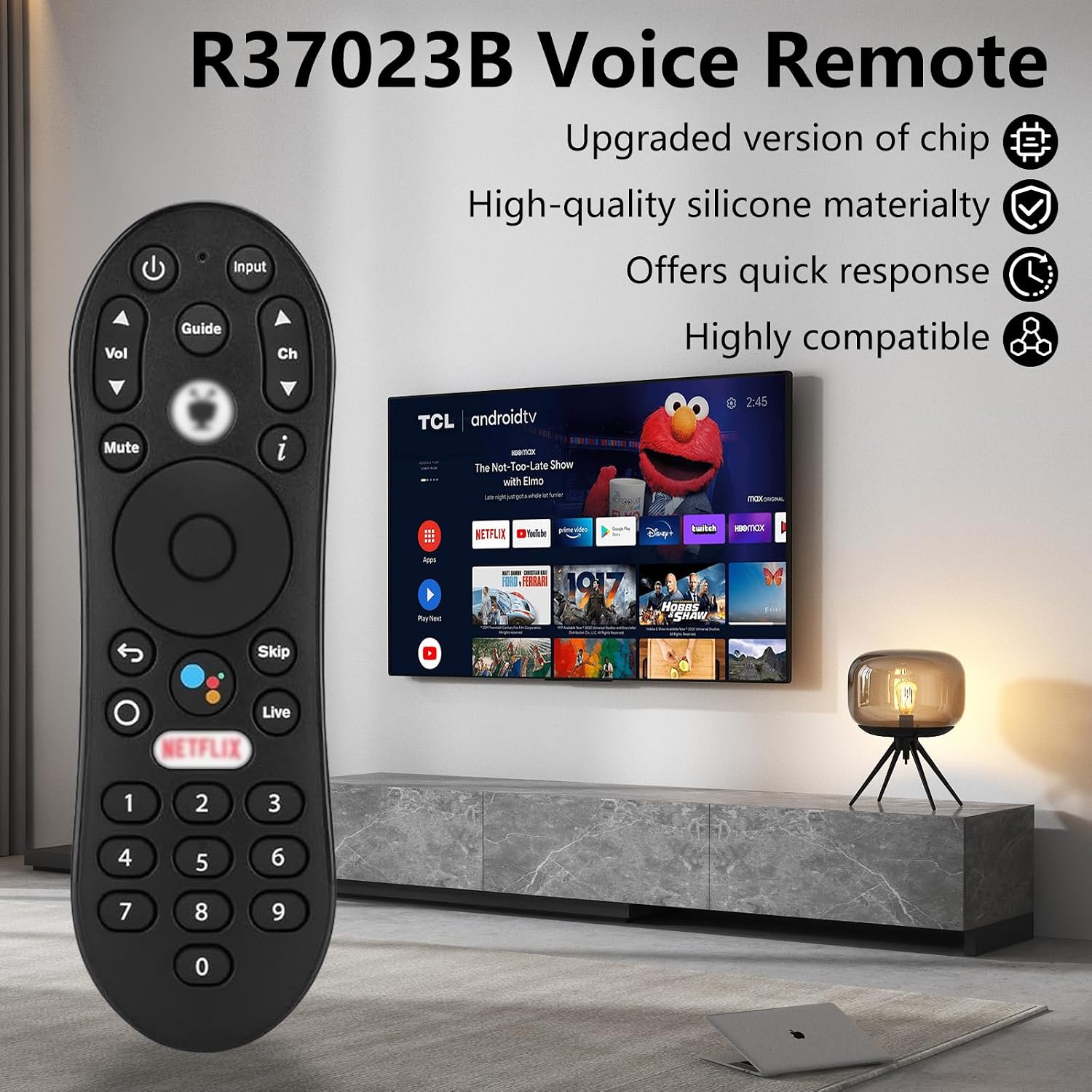
Image: The R37023B Voice Remote displayed next to a TV, illustrating its upgraded chip, high-quality silicone, quick response, and high compatibility.
3. Setup and Pairing
3.1 Bluetooth Pairing Operation
Follow these steps to pair your R37023B remote control with your device:
- Step 1: Locate the small button on the side of your device's box (e.g., TiVo Stream 4K box). Press and hold this button for 5 seconds. A pairing interface should appear on your screen.
- Step 2: On the R37023B remote control, simultaneously press and hold the Return button (curved arrow) and the TiVo button (TiVo logo). The red light on the remote will illuminate, then release the buttons. The blue light will flash quickly, indicating the remote has entered pairing mode. Follow any additional on-screen prompts to complete the Bluetooth pairing.

Image: Visual guide for the pairing operation, showing the remote being held with the Return and TiVo buttons pressed, and an illustration of the device's pairing button.
4. Operating Instructions
4.1 Voice Control with Google Assistant
The R37023B remote integrates Google Voice Assistant for convenient control. Simply press the dedicated Google Voice Assistant button (microphone icon) and speak your commands. You can use voice commands to:
- Search for content (e.g., "Find action movies").
- Switch to specific channels (e.g., "Go to CNN").
- Control smart home devices (if integrated with Google Assistant).
- Ask questions and get answers.

Image: The R37023B remote with illustrations of voice commands like "Volume set to 15", "Play music", and "Open YouTube", demonstrating its voice control capabilities and a transmission distance of 10m (33ft).
4.2 IR Device Control
The R37023B remote can control compatible IR-enabled devices such as TVs, soundbars, and A/V receivers for functions like power and volume. This allows for consolidated control of your entertainment system.

Image: The R37023B remote controlling a TV, soundbar, and A/V receiver, illustrating its IR device control capabilities for power and volume.
4.3 IR Learning Function
The Power, Input, Mute, Vol+, and Vol- buttons support infrared learning, allowing you to program them to control other IR devices.
- Step 1: Press and hold the OK button and the Power button simultaneously for 3 seconds. The LED light on the remote will flash 3 times and then remain on, indicating the remote is in IR learning waiting state.
- Step 2: Point your original TV remote control directly at the R37023B remote control, keeping them approximately 2cm apart. Press the desired key on your TV remote (e.g., Power button). The R37023B remote's LED light will flash three times, confirming that the infrared code has been successfully learned.
- Step 3: Repeat Steps 1 and 2 for the other four programmable buttons (Input, Mute, Vol+, Vol-).
Clearing Infrared Learning
To clear all learned infrared codes, simultaneously press the Back button (curved arrow) and the Vol- button.

Image: Detailed steps for IR learning, showing how to program Power, Input, Mute, Vol+, and Vol- buttons, and how to clear learned codes.
5. Maintenance
5.1 Battery Installation
The R37023B remote control requires two AAA batteries. To install or replace batteries:
- Open the battery compartment cover on the back of the remote.
- Insert two AAA batteries, ensuring correct polarity (+ and -).
- Close the battery compartment cover securely.
Note: The upgraded chip design contributes to reduced battery consumption, allowing batteries to last longer.
5.2 Cleaning
To clean your remote control, use a soft, dry cloth. Avoid using liquid cleaners or abrasive materials, as these can damage the remote's surface or internal components.
6. Troubleshooting
If you encounter issues with your R37023B remote control, consider the following:
- Remote not responding: Ensure batteries are correctly installed and have sufficient charge. Replace batteries if necessary.
- Pairing issues: Re-attempt the Bluetooth pairing process as described in Section 3.1. Ensure your device's Bluetooth is enabled.
- IR learning failure: Ensure the original remote is pointed directly at the R37023B remote at a close distance (approx. 2cm) during the learning process. Check that the original remote's batteries are functional.
- Voice control not working: Ensure the remote is properly paired via Bluetooth. Check your device's settings to confirm Google Assistant is enabled and configured.
7. Specifications
| Model Number | R37023B |
| Brand | VORETCON |
| Product Dimensions | 0.1 x 0.1 x 0.1 inches |
| Item Weight | 1.6 ounces |
| Color | Black |
| Special Feature | Ergonomic |
| Max Number of Supported Devices | 1 (primary device, plus IR-controlled devices) |
| Compatible Devices | TiVo Stream 4K, Android TV platforms, Television (via IR), AV Audio devices (via IR) |
| Battery Type | 2 x AAA (not included) |
8. Warranty and Support
The VORETCON R37023B Voice Remote Control comes with a 1-year warranty. This warranty covers manufacturing defects and ensures the product meets quality standards.
If you encounter any issues or require assistance, please contact our customer support team. We are committed to resolving your concerns within 24 hours to ensure a satisfactory user experience.