
Introduction
This manual provides detailed instructions for the setup, operation, and maintenance of your Yoidesu Mini Body Camera (Model: Yoidesuuodtamx8hq-12). Please read this manual thoroughly before using the device to ensure optimal performance and longevity.

Figure 1: Yoidesu Mini Body Camera attached to glasses, showcasing its compact and wearable design.
Package Contents
Verify that all items listed below are included in your package:
- Yoidesu Mini Body Camera (Model: Yoidesuuodtamx8hq-12)
- Magnetic Lanyard
- Hat Clip
- Bicycle Mount
- Car Headrest Strap
- USB Charging Cable (Type-C)
- User Manual

Figure 2: All included accessories and the camera neatly arranged in the product packaging.
Video 1: Unboxing the Yoidesu Mini Body Camera and its accessories.
Setup
1. Inserting the MicroSD Card
The camera requires a MicroSD card (not included) for storing recordings. Locate the MicroSD card slot on the side of the camera. Gently insert the card until it clicks into place. Ensure the card is correctly oriented.
2. Charging the Camera
Connect the provided USB Type-C charging cable to the camera's charging port and a compatible USB power source. The camera features a 250mAh rechargeable battery. It supports recording while charging.
- Up to 120 minutes of recording in 1080P mode.
- Up to 90 minutes of recording in 2.7K mode.
3. Mounting Options
The camera offers various mounting options for hands-free recording:
- Magnetic Lanyard: Attach the camera to the magnetic lanyard and wear it around your neck, positioning the camera for a first-person view.
- Hat Clip: Securely clip the camera to the brim of a hat for head-mounted recording. The camera's 180-degree rotatable lens allows for flexible adjustment.
- Bicycle Mount: Use the specialized mount to attach the camera to your bicycle's handlebars or frame.
- Car Headrest Strap: Utilize the strap to secure the camera to a car headrest for in-car recording.

Figure 3: Camera attached to a magnetic lanyard for hands-free use.

Figure 4: Camera clipped to a hat, demonstrating the head-mounted perspective.
Video 2: Demonstrating various mounting options including magnetic lanyard, hat clip, and car headrest strap.
Operating Instructions
1. Power On/Off
Press and hold the power button for a few seconds to turn the camera on or off. The 0.96-inch IPS color screen will display the status.
2. Video Recording
With the camera powered on, press the record button once to start video recording. Press it again to stop recording. The camera captures immersive first-person perspective footage at 2.7K resolution.
3. Photo Capture
To capture photos, connect the camera to the dedicated mobile application (RoadCam). Use the app interface to trigger photo capture. The camera supports 12-megapixel photos.
4. WiFi App Control (RoadCam)
Download the RoadCam app to your smartphone. Connect your camera to the app via WiFi to access advanced features:
- Remote operation for recording and photo capture.
- Switch between horizontal and vertical viewing modes.
- View, edit, and save videos and photos directly to your phone.
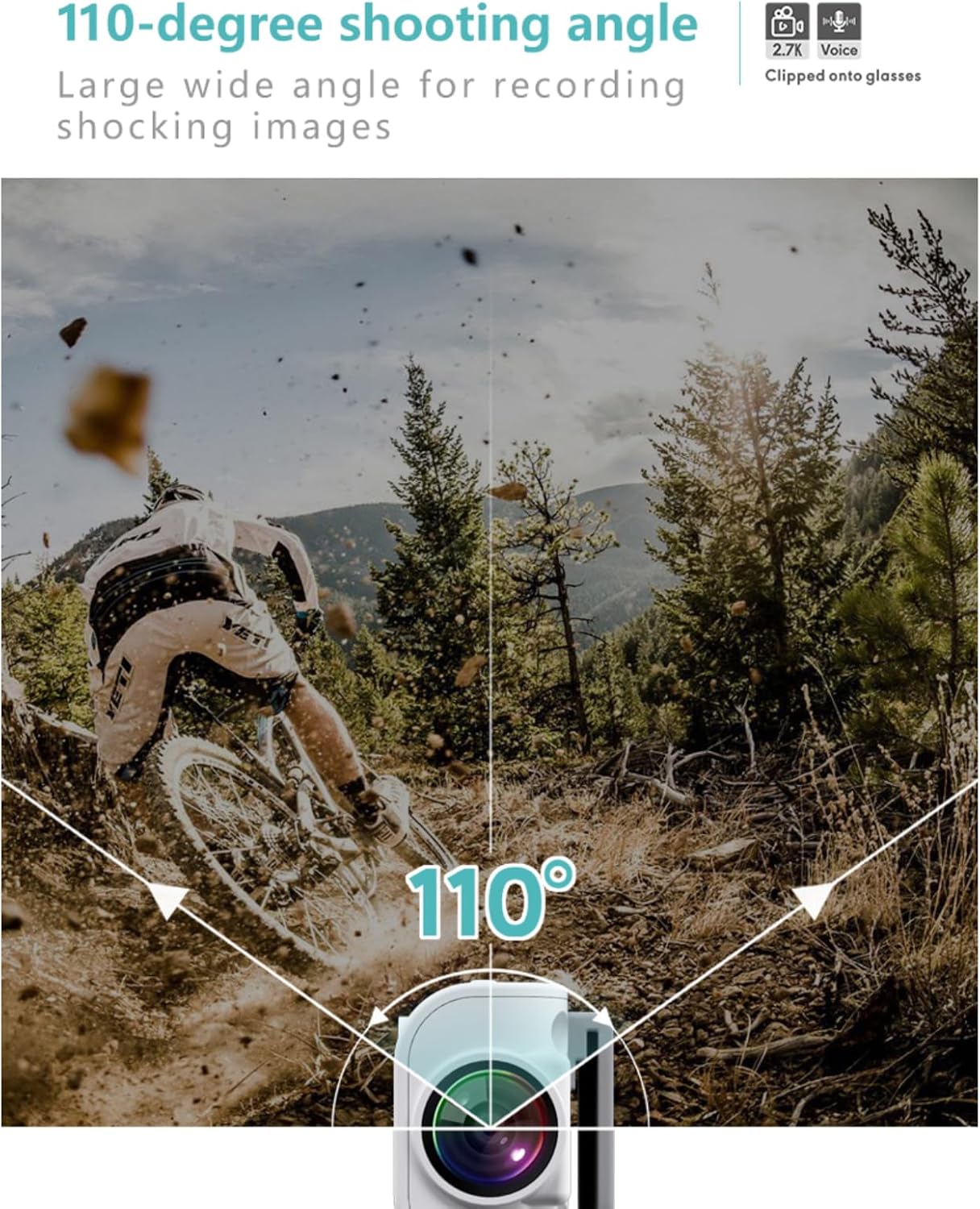
Figure 5: The 0.96-inch IPS color screen on the camera displays recording status and playback.

Figure 6: The RoadCam mobile application interface for controlling the camera and managing media.
Video 3: Demonstration of recording video and taking photos using the camera and its mobile app.
Features
- 2.7K HD Recording: Captures high-resolution video with a 110-degree wide-angle lens.
- Two-Axis Rotational Stabilization: Reduces shake for smoother recordings during activities.
- Intelligent Noise Cancellation: Enhances audio quality for clear recordings.
- Voice Prompts: Provides audio cues for mode changes and operations.
Maintenance
To ensure the longevity and optimal performance of your Yoidesu Mini Body Camera, follow these maintenance guidelines:
- Cleaning: Use a soft, dry cloth to clean the camera body and lens. Avoid abrasive materials or harsh chemicals.
- Storage: Store the camera in a cool, dry place away from direct sunlight and extreme temperatures.
- Battery Care: For long-term storage, charge the battery to approximately 50% every three months to prevent deep discharge.
Troubleshooting
If you encounter any issues with your Yoidesu Mini Body Camera, please refer to the following common solutions:
- Camera Not Responding / Buttons Not Working: Ensure the camera is fully charged. If the issue persists, try performing a reset (refer to the physical reset hole if available, or power cycle the device).
- App Connectivity Issues / "Server Timed Out": Verify that the camera's WiFi is enabled and correctly connected to the RoadCam app. Ensure your smartphone's WiFi is active and connected to the camera's network. Try restarting both the camera and the app.
- Device Getting Warm During Operation: It is normal for electronic devices to generate some heat during operation, especially during prolonged recording or charging. If the device becomes excessively hot, discontinue use and allow it to cool down.
- Shaky Video Footage: While the camera features two-axis stabilization, excessive movement or vibrations can still affect video stability. Ensure the camera is securely mounted and minimize sudden movements during recording.
Specifications
| Feature | Specification |
|---|---|
| Brand | Yoidesu |
| Model Number | Yoidesuuodtamx8hq-12 |
| Recording Resolution | 2.7K HD |
| Wide Angle | 110° |
| Screen Size | 0.96-inch IPS Color Screen |
| Battery Capacity | 250mAh |
| Battery Life (1080P) | Up to 120 minutes |
| Battery Life (2.7K) | Up to 90 minutes |
| Connectivity | WiFi (APP Control) |
| Special Features | USB, Two-axis Rotational Stabilization, Noise Cancellation, Voice Prompts |
| Item Weight | 9.2 ounces |
| Package Dimensions | 7.09 x 2.76 x 2.36 inches |
Warranty and Support
For warranty information or technical support, please refer to the contact details provided with your purchase or visit the official Yoidesu website. Keep your purchase receipt as proof of purchase.