Introduction
This manual provides detailed instructions for the setup, operation, maintenance, and troubleshooting of your SUNKTA EF17 Military Smart Watch. Please read this manual thoroughly to ensure proper use and to maximize the functionality of your device.

Figure 1: The SUNKTA EF17 Military Smart Watch, showcasing its robust design and interchangeable straps. The image displays the watch face with health metrics and notification previews.
What's in the Box
- Smart Watch
- Metal Strap + Silicone Strap
- Strap Accessories
- Charger
- User's Manual
Setup
1. Charging the Device
Before initial use, fully charge your SUNKTA EF17 Smart Watch. Connect the provided charger to the charging contacts on the back of the watch and plug the USB end into a compatible power source (e.g., computer USB port, USB wall adapter). A full charge typically takes 1-2 hours. The watch features a 500mAh battery, providing several days of continuous use and a longer maximum standby time.

Figure 2: Illustration of the watch's 500mAh ultra-large battery, highlighting its extended battery life compared to other devices.
2. Pairing with Your Smartphone
- Ensure your smartphone's Bluetooth is enabled.
- Download the companion application for the SUNKTA EF17 Smart Watch from your phone's app store. Refer to the watch's display or packaging for the specific app name.
- Open the application and follow the on-screen instructions to search for and pair with your watch. The watch uses Bluetooth 5.0 for stable connectivity.
- The watch is compatible with iOS 11.0 and above (calls require iOS 13 and above) and Android 5.0 and above.
Operating Instructions
Basic Navigation
The SUNKTA EF17 features a 2.13-inch AMOLED HD touchscreen for intuitive interaction. Swipe left, right, up, or down to access different functions and menus. The physical buttons on the side provide quick access to power, back, and other specific features as indicated on the watch.

Figure 3: The 2.13-inch AMOLED large screen of the SUNKTA EF17 Smart Watch, offering vivid colors and clear display for enhanced readability.
Bluetooth Calling & Message Notifications
Once paired, you can answer and make calls directly from your watch. The built-in noise-canceling microphone and high-fidelity speaker ensure clear communication. The watch also synchronizes notifications from various platforms such as WhatsApp, SMS, email, and call reminders.
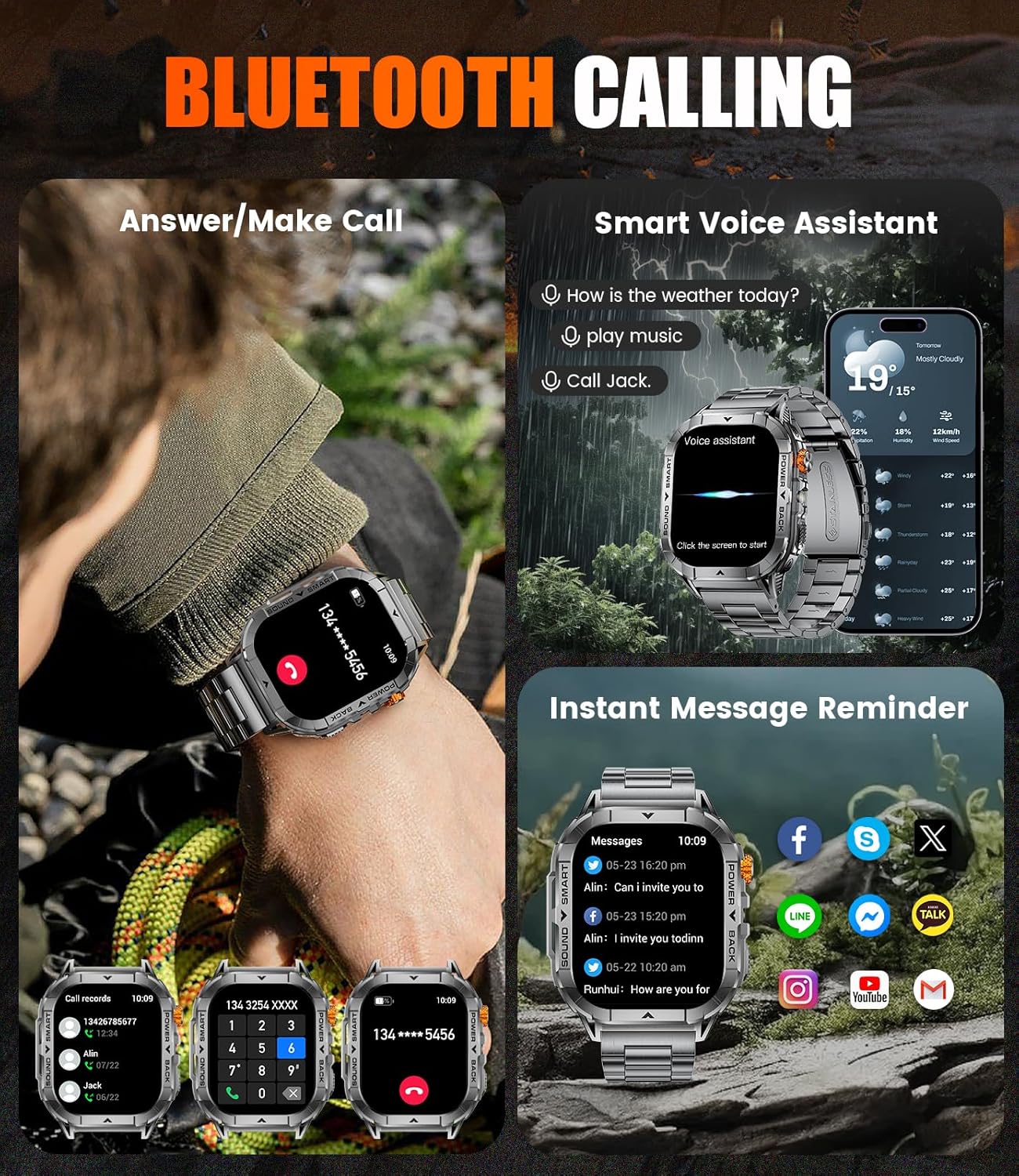
Figure 4: The watch displaying incoming call interface and various message notifications from social media and communication apps.
LED Flashlight
The watch is equipped with a practical LED flashlight. Activate it with a simple touch on the watch face. This feature is useful for night activities, power outages, or finding items in low-light conditions.

Figure 5: The watch's powerful LED flashlight in action, illuminating a path in the dark and demonstrating its utility in various scenarios.
Additional Features
- Music Control: Control music playback on your paired smartphone.
- Camera Control: Remotely trigger your smartphone's camera.
- Weather Forecast: Get real-time weather updates.
- Stopwatch/Timer: Utilize for timing activities.
- Find Phone: Locate your misplaced smartphone by making it ring.
- Alarm Clock: Set alarms directly from the watch.
- Calculator: Perform basic calculations on your wrist.
Health and Fitness Tracking
The SUNKTA EF17 Smart Watch is designed to monitor various health and fitness metrics to help you track your progress and maintain a healthy lifestyle.

Figure 6: The watch interface showing heart rate, blood oxygen, and sleep quality data, providing a comprehensive overview of health metrics.
- 100+ Sport Modes: Track a wide range of activities including walking, running, swimming, cycling, climbing, basketball, football, and more.
- Pedometer: Records your daily step count.
- Calorie Counter: Estimates calories burned during activities.
- Sleep Quality Monitoring: Analyzes your sleep patterns to help improve rest.
- Heart Rate Monitoring: Provides continuous heart rate data.
- Blood Oxygen (SpO2) Monitoring: Measures blood oxygen saturation levels.
- Blood Pressure Monitoring: Provides blood pressure readings.
Note: The data provided by this device is for general fitness reference only and cannot be used for professional medical diagnosis or treatment.
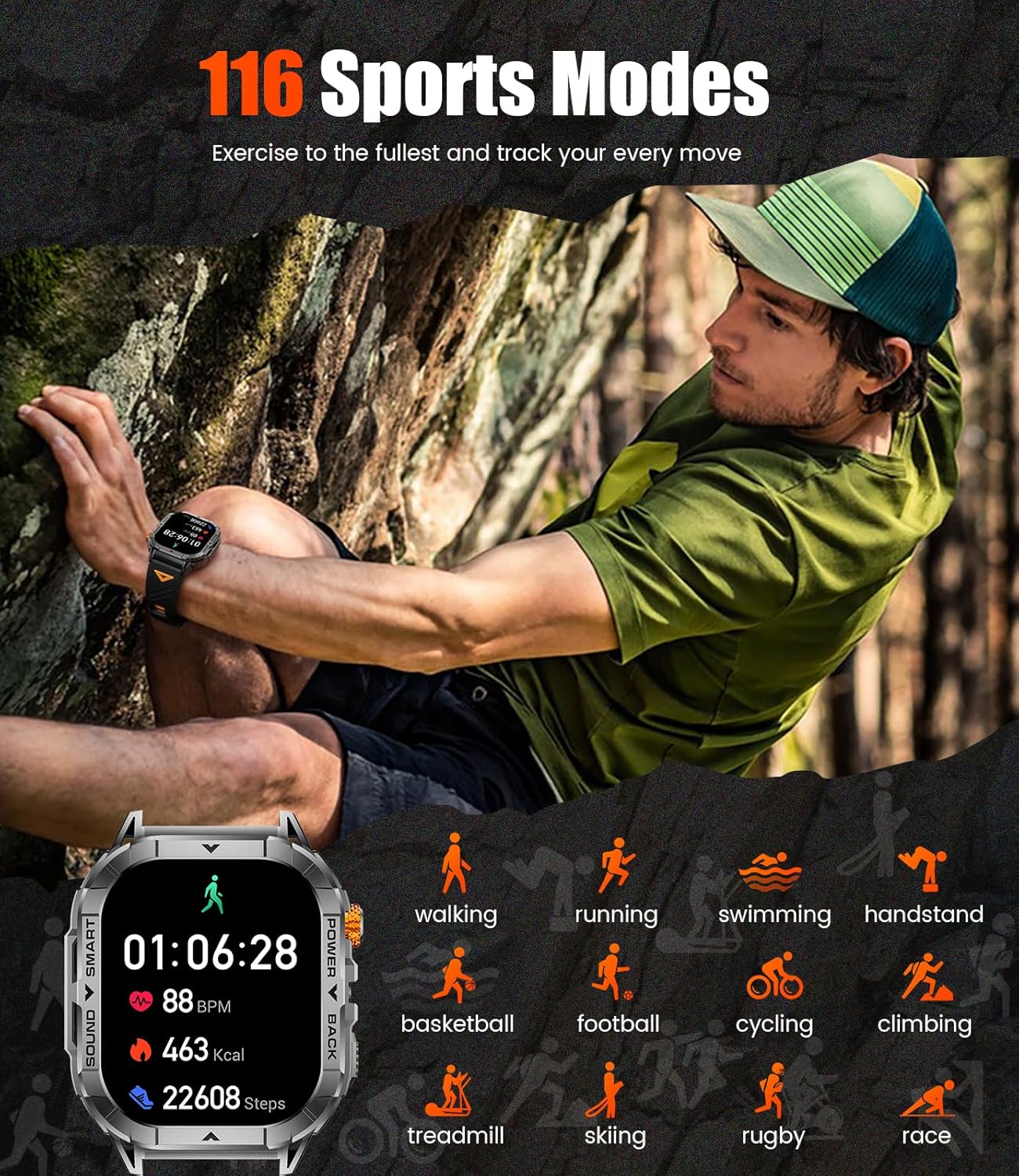
Figure 7: The watch displaying various sports modes, indicating its capability to track a wide array of physical activities.
Water Resistance
The SUNKTA EF17 Smart Watch features an IP68 waterproof rating and 5ATM water resistance, designed to withstand daily exposure to water and extreme environments. This includes resistance to sweat, rain, handwashing, and swimming. It is not recommended for hot water activities or deep diving.

Figure 8: The watch submerged in water, illustrating its 5ATM water resistance suitable for swimming and other water-related activities.
Maintenance
Cleaning the Watch
Regularly clean your watch to ensure optimal performance and hygiene. Use a soft, lint-free cloth to wipe the screen and watch body. For stubborn dirt, slightly dampen the cloth with water. Avoid using harsh chemicals or abrasive materials.
Strap Care
Both the metal and silicone straps require different care. For metal straps, use a soft brush to remove debris from links. For silicone straps, wash with mild soap and water, then rinse thoroughly and dry completely before reattaching to the watch.
Battery Care
To prolong battery life, avoid fully discharging the watch frequently. Charge the watch when the battery level is low. Store the watch in a cool, dry place when not in use for extended periods.
Troubleshooting
| Problem | Possible Solution |
|---|---|
| Watch not turning on | Ensure the watch is fully charged. Press and hold the power button for several seconds. |
| Unable to pair with phone | Check if Bluetooth is enabled on your phone. Ensure the watch is in pairing mode. Restart both the watch and phone. Verify app permissions. |
| Inaccurate health data | Ensure the watch is worn snugly on your wrist. Clean the sensor on the back of the watch. Consult the app for calibration options if available. |
| Notifications not received | Check app notification settings on your phone and within the watch's companion app. Ensure Bluetooth connection is stable. |
| Short battery life | Reduce screen brightness. Disable unnecessary features like always-on display. Limit frequent use of power-intensive functions like continuous heart rate monitoring. |
Specifications
| Feature | Detail |
|---|---|
| Model Number | EF17-A-US |
| Screen Display Size | 2.13 Inches AMOLED |
| Battery Capacity | 500 mAh Lithium Polymer |
| Connectivity Technology | Bluetooth 5.0 |
| Operating System | AsteroidOS |
| Water Resistance | IP68, 5ATM |
| Item Weight | 3.17 ounces |
| Compatibility | iOS 11.0+ (iOS 13+ for calls), Android 5.0+ |
| Special Features | LED Flashlight, AMOLED Touch Always Display, Weather Forecast, Stopwatch, Timer, Music Control, Pedometer, Brightness Adjustment, Find Phone, Alarm Clock, Camera Control, Calculator |
Warranty and Support
Your SUNKTA EF17 Smart Watch comes with a 24-month warranty from the date of purchase. For any issues regarding accessories, quality, operation, or charging, please contact SUNKTA customer service. We offer 24-hour online support to provide timely solutions to your inquiries.
For assistance, please refer to the contact information provided on the product packaging or the official SUNKTA website.


