
CACI Mall SM-001
CACI Mall Bladeless Ceiling Fan with Light (Model SM-001) User Manual
Model: SM-001 | Brand: CACI Mall
Introduction
This manual provides detailed instructions for the safe installation, operation, and maintenance of your CACI Mall 18-inch Bladeless Ceiling Fan with Dimmable LED Light. Please read this manual thoroughly before installation and retain it for future reference.
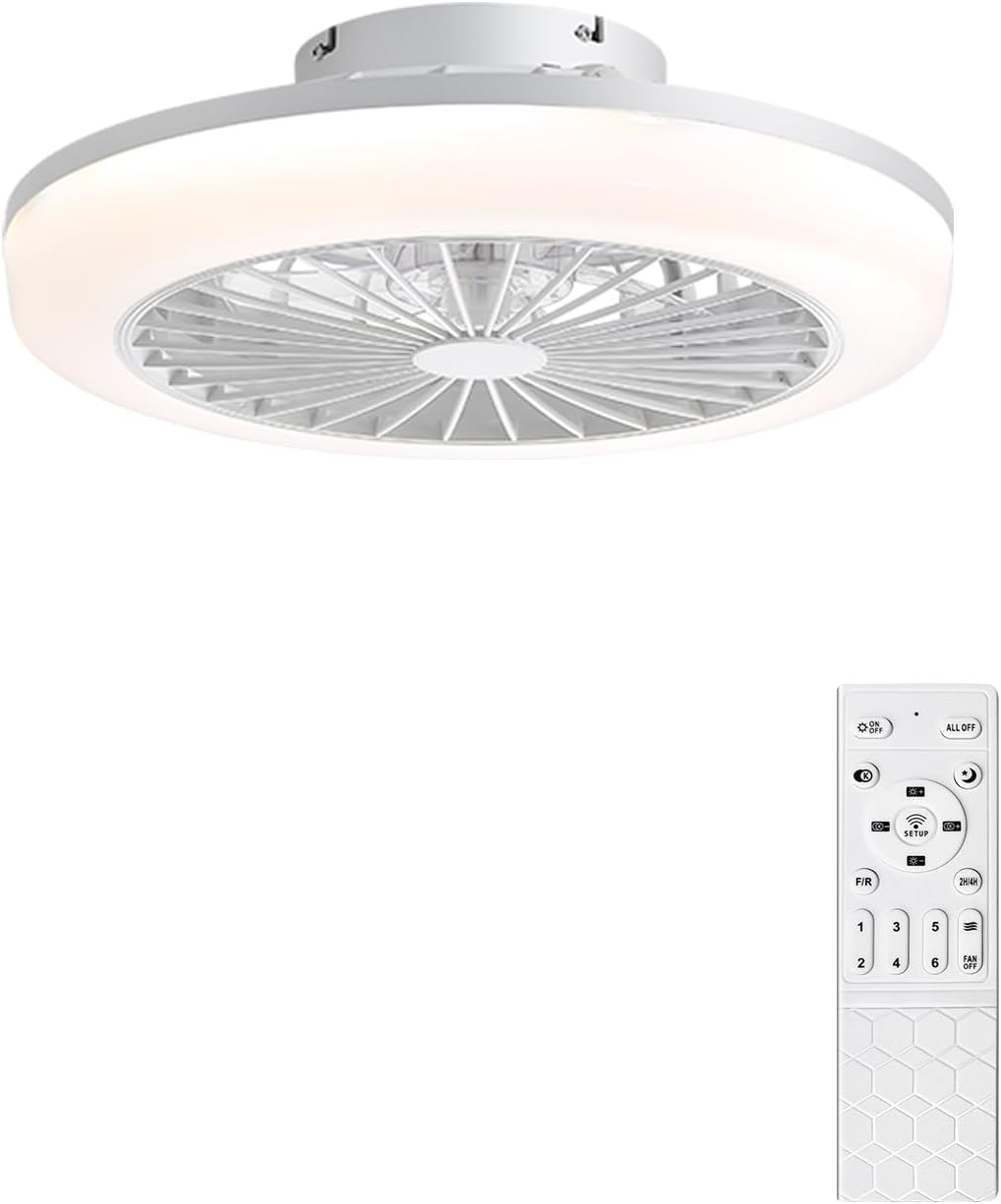
Image: The CACI Mall Bladeless Ceiling Fan with its remote control, showcasing its modern design.
Important Safety Information
Always follow basic safety precautions when installing and operating electrical appliances to reduce the risk of fire, electric shock, and personal injury.
- Ensure power is disconnected at the circuit breaker before installation or servicing.
- All wiring must be in accordance with national and local electrical codes.
- Consult a qualified electrician if you are unsure about wiring procedures.
- Mount the fan to a ceiling joist or a suitable support structure capable of supporting the fan's weight.
- Do not insert objects into the fan blades or housing.
Package Contents
Verify that all components are present before beginning installation:
- Bladeless Ceiling Fan Unit
- Remote Control (1 AAA battery included)
- Mounting Hardware Kit
- User Manual
Setup and Installation
This section outlines the steps for installing your ceiling fan. Professional installation is recommended if you are not familiar with electrical wiring.
1. Prepare for Installation
- Turn off power at the main circuit breaker.
- Clear the installation area and ensure you have all necessary tools (screwdriver, wire strippers, ladder, etc.).
2. Mounting the Fan
The fan is designed for flush mount installation. Ensure the mounting surface can support the fan's weight (approximately 6.59 pounds).

Image: Diagram showing the product dimensions: 18 inches diameter, 7.2 inches height, with a 7-inch mounting base.
- Attach the mounting bracket to the ceiling junction box using the provided screws.
- Secure the fan unit to the mounting bracket.
3. Electrical Wiring
- Connect the fan's electrical wires to the household wiring according to local codes (typically black to black, white to white, and ground to ground).
- Ensure all connections are secure with wire nuts.
4. Final Assembly
- Carefully tuck all wires into the junction box.
- Attach the fan housing to the mounting bracket, ensuring it is securely fastened.
- Restore power at the circuit breaker.
Operating Instructions
Your CACI Mall Bladeless Ceiling Fan is controlled by the included remote control. It also supports app control via the FanPro app.
Remote Control Functions

Image: The remote control layout with labels for each function, including light switch, brightness, color temperature, fan speeds, and timer.
- Power On/Off: Press the ON/OFF button for general power.
- Light Control:
- Light Switch: Toggles the light on/off.
- Color Temperature Switch: Cycles through 3000K (Warm), 4000K (Natural), and 6000K (Cool White).
- Brightness +/-: Adjusts light intensity from 10% to 100%.
- Night Light: Activates a low-brightness setting.

Image: Visual representation of the dimmable LED light, demonstrating 3000K Warm, 4000K Natural, and 6000K White light settings.
- Fan Speed Control:
- Buttons 1-6: Selects one of six fan speeds. Speed 1-2 for soft wind, 3-4 for comfortable wind, and 5-6 for cool wind.
- Natural Wind: Activates a fluctuating speed setting to simulate natural breezes.
- Fan Off: Turns the fan off.

Image: The fan operating in a bedroom, illustrating the 6-speed adjustable airflow from soft to cool.
- Airflow Direction (Reversible Motor): Press the F/R button to switch between downdraft (summer mode) and updraft (winter mode).
- Downdraft (Summer): Creates a cooling breeze.
- Updraft (Winter): Circulates warm air trapped near the ceiling.

Image: Depiction of the fan's reversible motor, showing airflow patterns for summer cooling and winter heat circulation.
- Timer Setting: Press the 2H/4H button to set the fan to automatically turn off after 2 or 4 hours.
- Memory Function: The fan remembers your last light and fan settings when turned off and on again.
App Control (FanPro App)
For advanced control and smart home integration, download the FanPro app from your device's app store. Follow the in-app instructions to pair your fan. This allows for control via smartphone and potentially integration with smart assistants like Alexa.
Maintenance
Regular maintenance ensures optimal performance and longevity of your ceiling fan.
- Cleaning:
- Before cleaning, ensure the power is turned off at the circuit breaker.
- Wipe the fan housing and light cover with a soft, damp cloth. Do not use abrasive cleaners or solvents.
- The bladeless design minimizes dust accumulation on moving parts, but occasional dusting of the interior grille is recommended.
- Light Source: The integrated LED light source is designed for long life and is not user-replaceable.
- Remote Control Battery: Replace the AAA battery in the remote control when its range decreases or it becomes unresponsive.
Troubleshooting
Refer to this section for solutions to common issues you might encounter.
| Problem | Possible Cause | Solution |
|---|---|---|
| Fan does not operate / Light does not turn on. | No power supply. Loose wiring connection. | Check circuit breaker and wall switch. Ensure all wiring connections are secure (power off first). |
| Remote control is unresponsive. | Dead battery. Remote not paired. Obstruction between remote and fan. | Replace AAA battery. Refer to remote pairing instructions (usually a 'SETUP' button or sequence). Ensure clear line of sight. |
| Fan makes excessive noise. | Loose mounting screws. Internal component issue. | Ensure all mounting screws are tightened. If noise persists, contact customer support. |
| Difficulty connecting to smart app (FanPro) or Alexa. | Incorrect pairing procedure. Wi-Fi connectivity issues. App compatibility. | Follow the specific pairing instructions within the FanPro app. Ensure your Wi-Fi network is stable and within range. Verify app and device compatibility. |
Specifications
| Brand | CACI Mall |
| Model Name | SM-001 |
| Size | 18 inches |
| Product Dimensions | 19.6"D x 19.6"W x 7.2"H |
| Item Weight | 6.59 pounds |
| Color | White |
| Power Source | DC |
| Wattage | 15 Watt-hours |
| Voltage | 220 Volts |
| Control Method | App, Remote |
| Special Feature | Dimmable LED Light, 6-Speed Fan, Reversible Motor, Timer, Memory Function |
| Room Type Recommendation | Bedroom, Dining Room, Game Room, Kids Room, Living Room (15-25 m²) |
| Indoor/Outdoor Usage | Indoor |
| Included Components | Remote (1 AAA battery included) |
| Installation Type | Flush Mount |
Warranty and Support
For specific warranty details, please refer to the warranty card included with your product or contact CACI Mall customer service directly. Keep your purchase receipt as proof of purchase.
If you encounter any issues or have questions not covered in this manual, please contact CACI Mall customer support through their official website or the retailer where the product was purchased.
Ask a question about this manual
Ask about setup, troubleshooting, compatibility, parts, safety, or missing instructions. Manuals+ will review the question and use this page’s manual context to help answer it.