
OYIB S75
OYIB S75 AI Language Translation Earbuds User Manual
Model: S75
1. Introduction
The OYIB S75 AI Language Translation Earbuds are designed to facilitate communication across language barriers, provide high-quality audio, and enable clear calls. These 3-in-1 earbuds feature advanced AI translation technology, supporting 164 languages across 6 distinct modes. Equipped with Bluetooth 5.4 and ENC noise reduction, they offer a versatile solution for travel, business, and learning.

Image 1.1: OYIB S75 AI Language Translation Earbuds in their charging case.
2. What's in the Box
Please verify that all items are present upon unboxing:
- OYIB S75 Translation Earbuds (x2)
- Portable Charging Box (x1)
- USB-C Charging Cable (x1)
- User Manual (x1)
- Eartips with 3 Sizes (S, M, L)
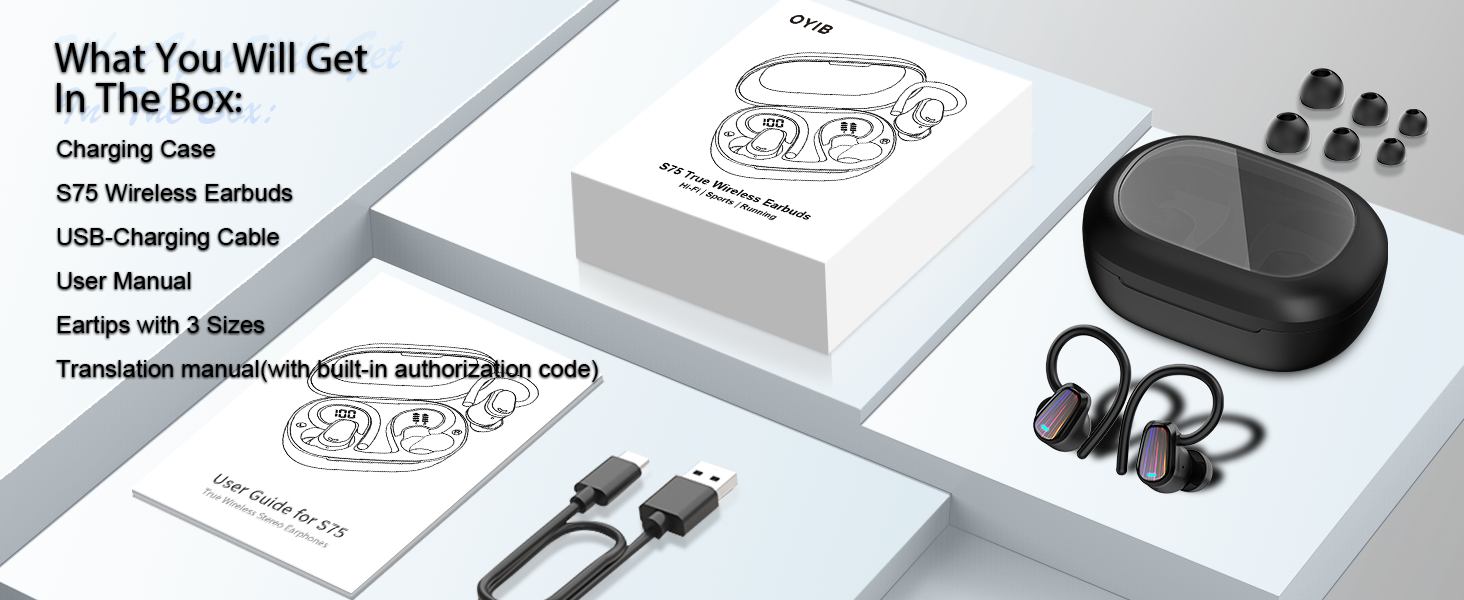
Image 2.1: Diagram illustrating the items included in the product packaging.
3. Product Overview
The OYIB S75 earbuds are engineered for both audio performance and translation capabilities. They feature 13mm speakers for clear sound and an ergonomic design for comfortable wear.

Image 3.1: Exploded view of an OYIB S75 earbud, highlighting the 13mm speaker and internal components.
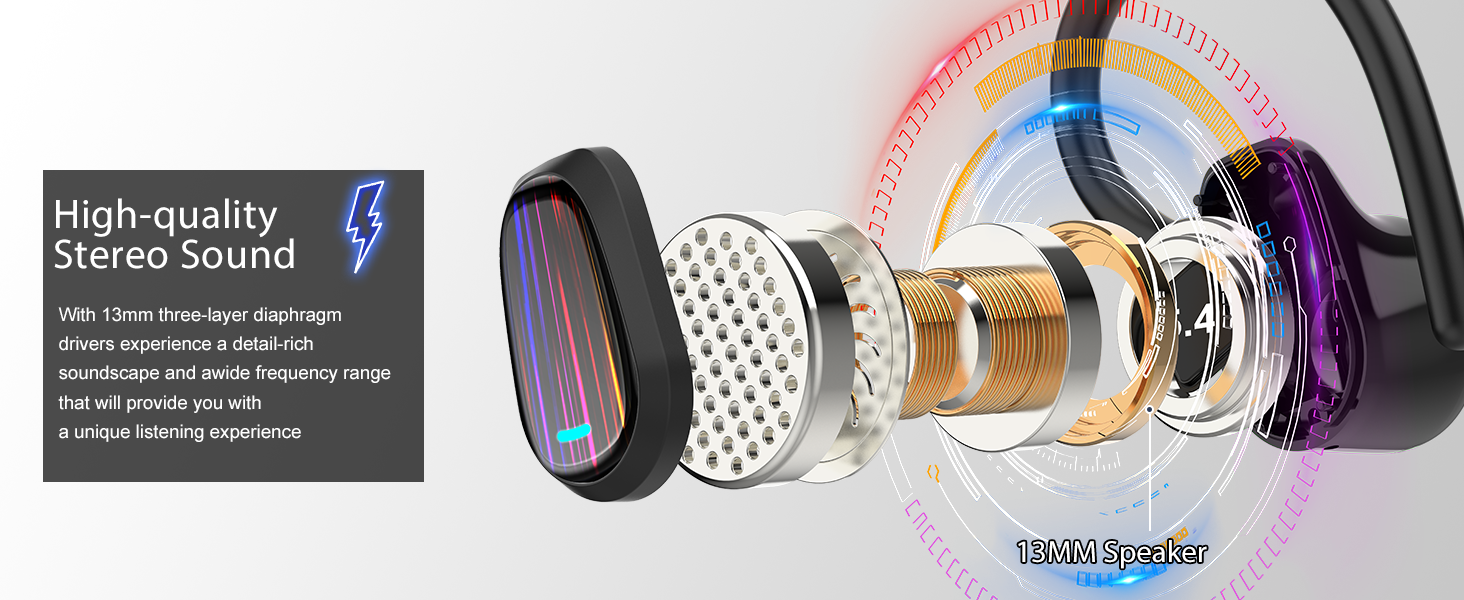
Image 3.2: Illustration of the earbud's internal structure, emphasizing high-quality stereo sound with 13mm three-layer diaphragm drivers.
4. Setup
4.1 Initial Charging
Before first use, fully charge the earbuds and the charging case. Connect the USB-C cable to the charging case and a power source. The LED digital display on the case will indicate the charging status.
4.2 Bluetooth Pairing
- Open the charging case. The earbuds will automatically power on and enter pairing mode.
- On your mobile device, navigate to the Bluetooth settings.
- Search for nearby Bluetooth devices and select "S75" from the list to complete the connection.
- Once connected, the earbuds will automatically connect to your device when the case is opened in the future. Closing the case will power them off.
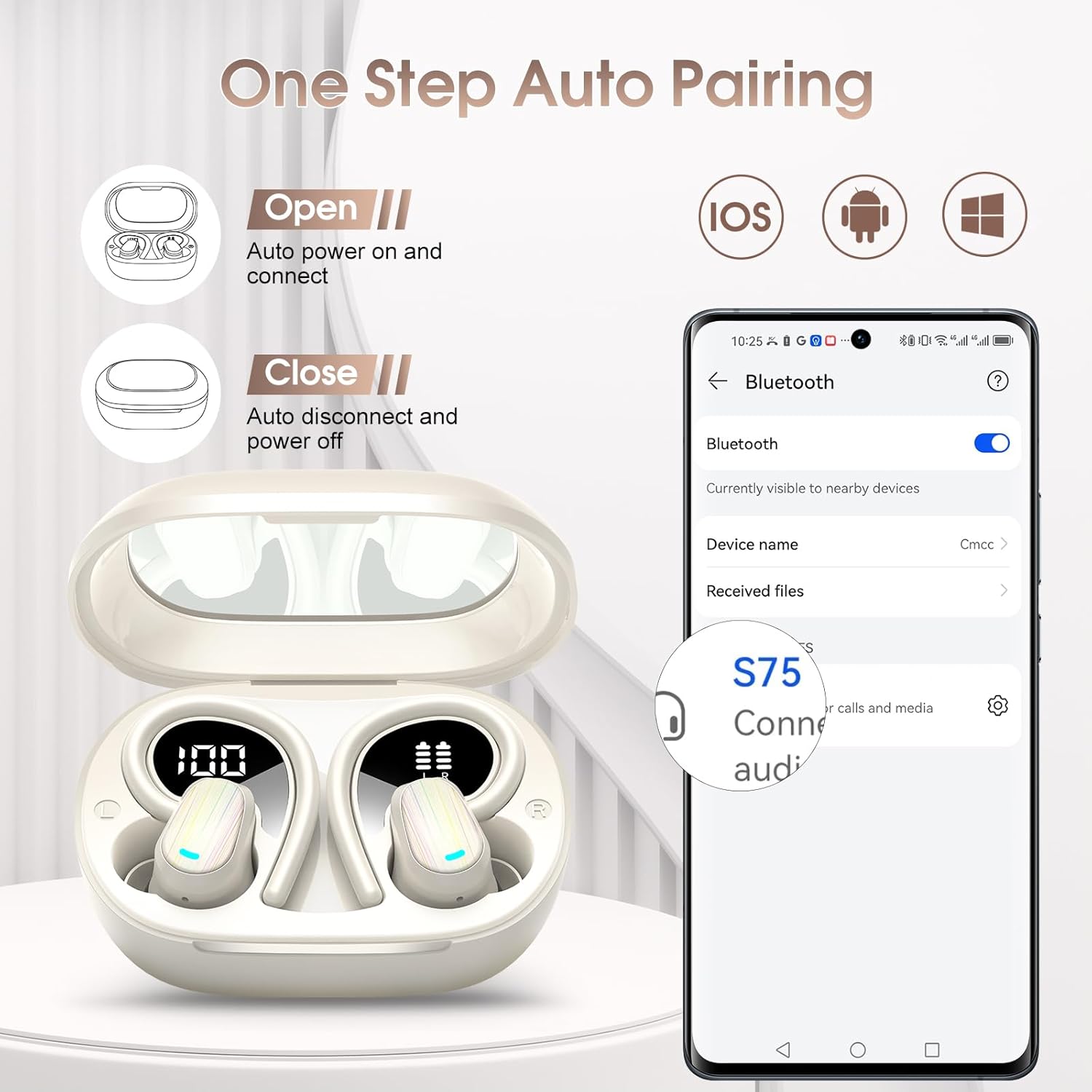
Image 4.1: Visual guide for the one-step auto-pairing process with a smartphone.
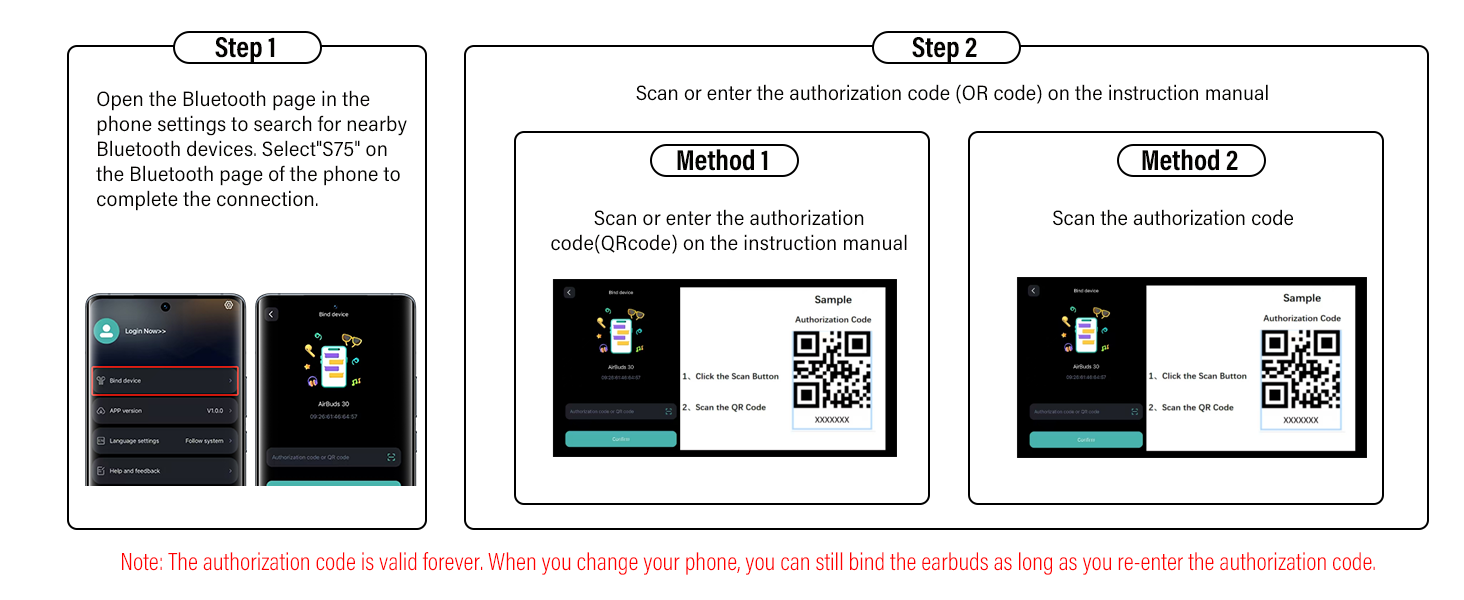
Image 4.2: Detailed instructions for connecting the earbuds via Bluetooth on a phone.
5. App Installation: "Ear Dance"
To unlock the full translation capabilities of your OYIB S75 earbuds, you need to install the "Ear Dance" application on your smartphone.
5.1 Installation Methods
- Method 1 (QR Code): Scan the QR code provided in the instruction manual or on the product packaging to download and install the "Ear Dance" app.
- Method 2 (App Store): Search for "Ear Dance" in your device's app store (Google Play Store for Android or Apple App Store for iOS) and install the application.
Image 5.1: Various methods for installing and connecting to the "Ear Dance" application.
5.2 Connecting to the App
- Ensure your earbuds are paired with your phone via Bluetooth (refer to Section 4.2).
- Launch the "Ear Dance" app. The app should automatically detect and connect to your S75 earbuds.
- If prompted, enter the authorization code found in your instruction manual. This code is valid permanently.
6. Operating Modes
The OYIB S75 earbuds offer 6 distinct translation modes to suit various communication scenarios, supporting over 164 languages.

Image 6.1: Overview of the six available translation modes.
6.1 Headphone Mobile Phone Mode (Simultaneous Interpretation)
One person wears the earbuds, while the other uses the mobile phone. Pressing the button on the headphones or the translation button on the phone automatically detects when speech ends, enabling direct bilingual conversation.
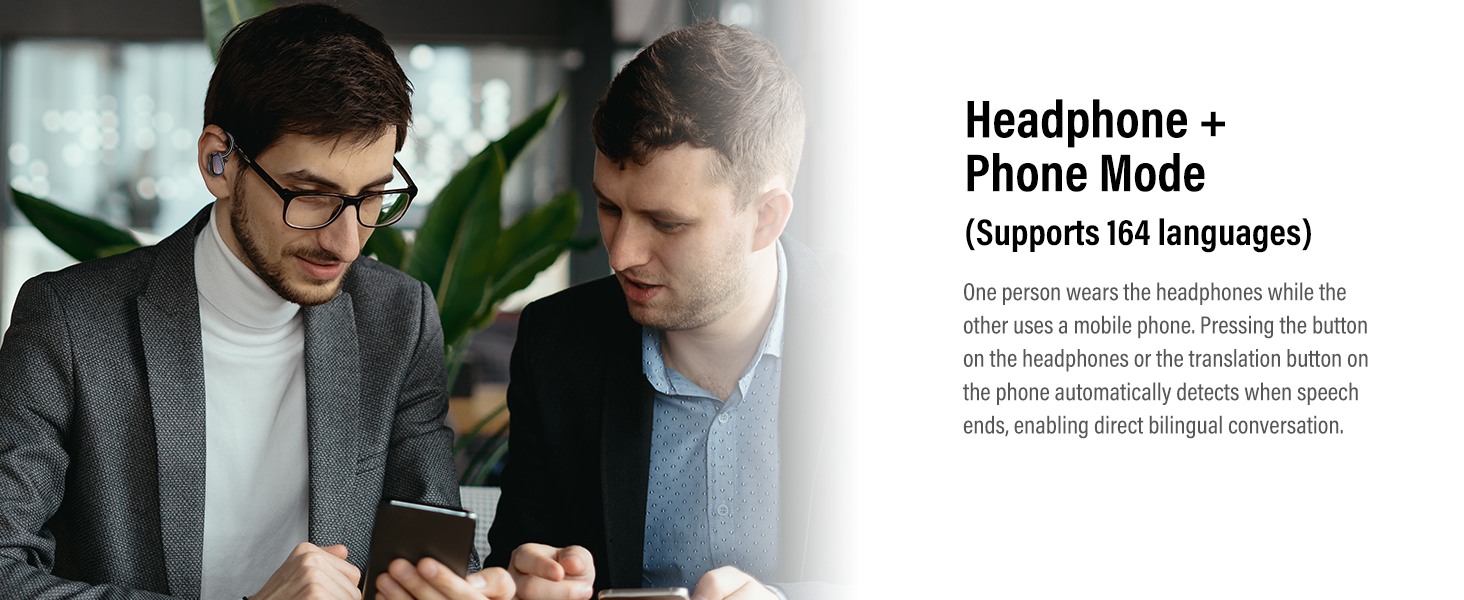
Image 6.2: Two individuals using the Headphone + Phone Mode for bilingual conversation.
6.2 Free-Speech Mode
In this mode, there is no need to tap your phone or headphones. The AI automatically detects spoken languages and translates them in real-time, enabling seamless, hands-free conversations between speakers of different languages.
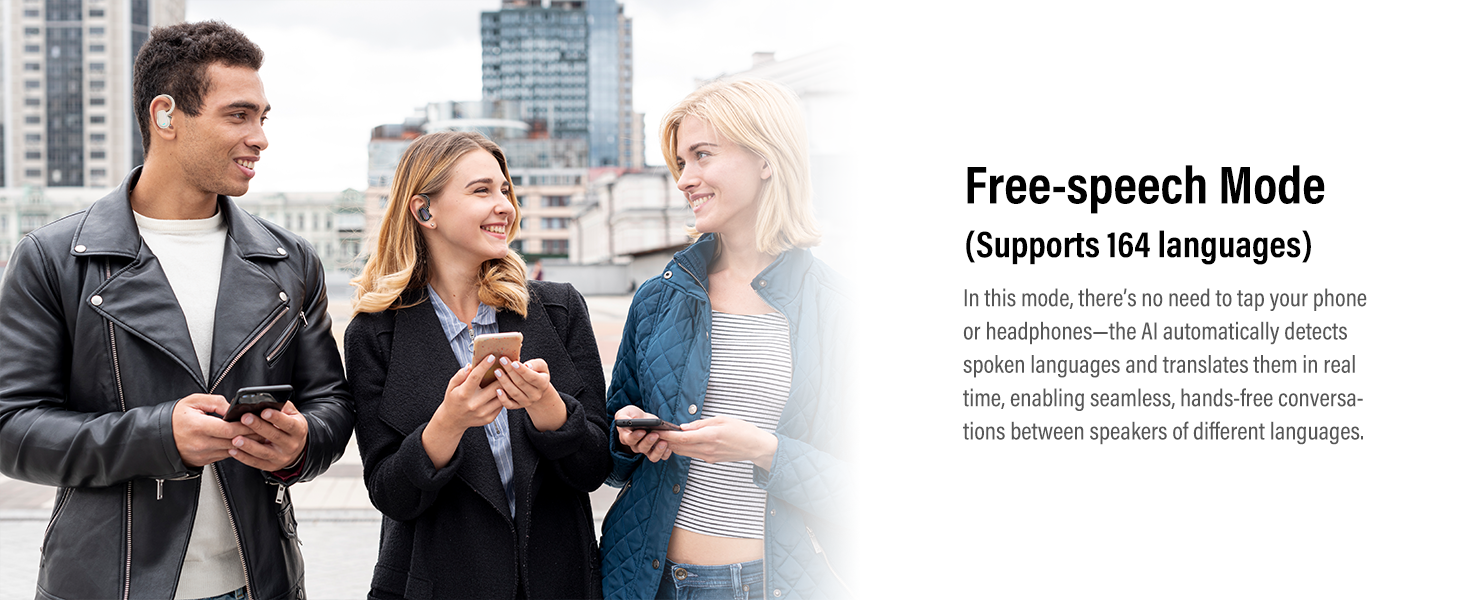
Image 6.3: Group of people using Free-speech Mode for natural, real-time translation.
6.3 Translation Machine Mode
This mode operates like a standard translator, integrating with both Microsoft and Google Translate to deliver 98% accuracy. Simply press the language button for instant translation, and the translated audio will play through your phone's speaker.
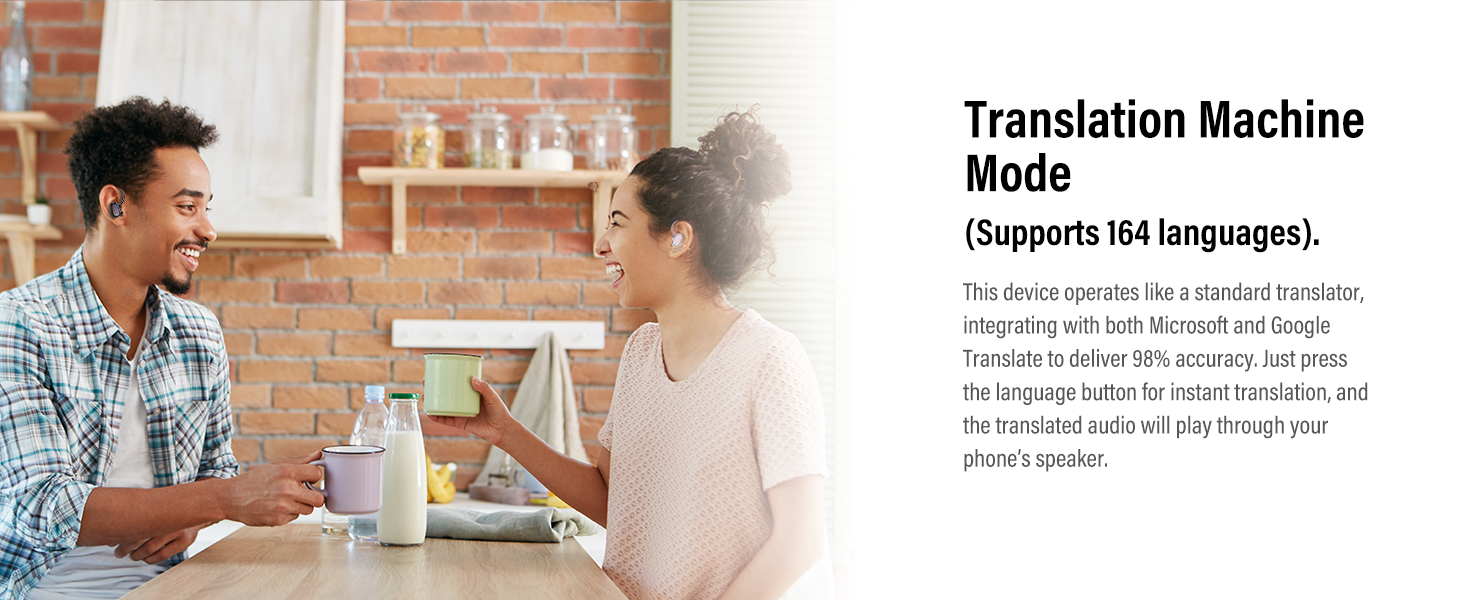
Image 6.4: Two individuals engaging in conversation using Translation Machine Mode.
6.4 Audio and Video Call Mode
Supports real-time translation for voice/video calls across 164 languages. This feature is ideal for business talks with overseas clients or video chats with global families, ensuring barrier-free communication.
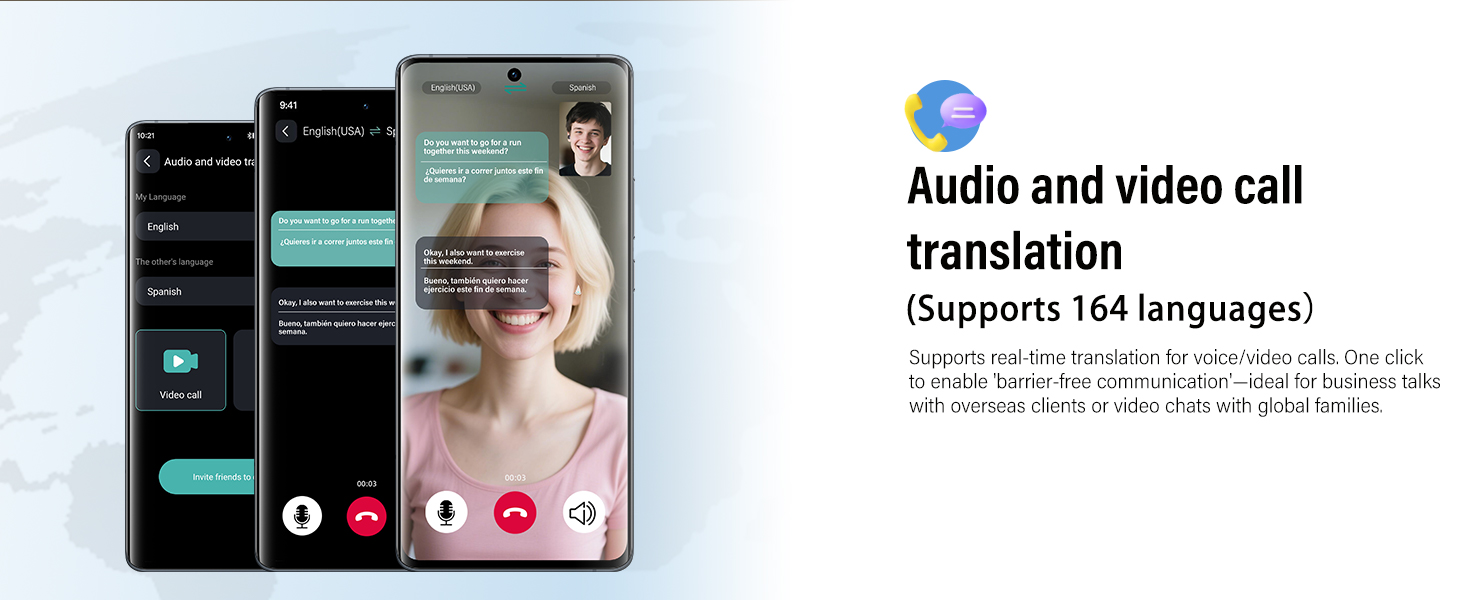
Image 6.5: Smartphone interface showing real-time translation during an audio/video call.
6.5 AI Chat Mode
Accessing OpenAI ChatGPT 4.0 Mini version, this mode is smarter, more efficient, and has a fast response time. When you encounter problems, it can provide accurate answers. This mode supports 8 languages.
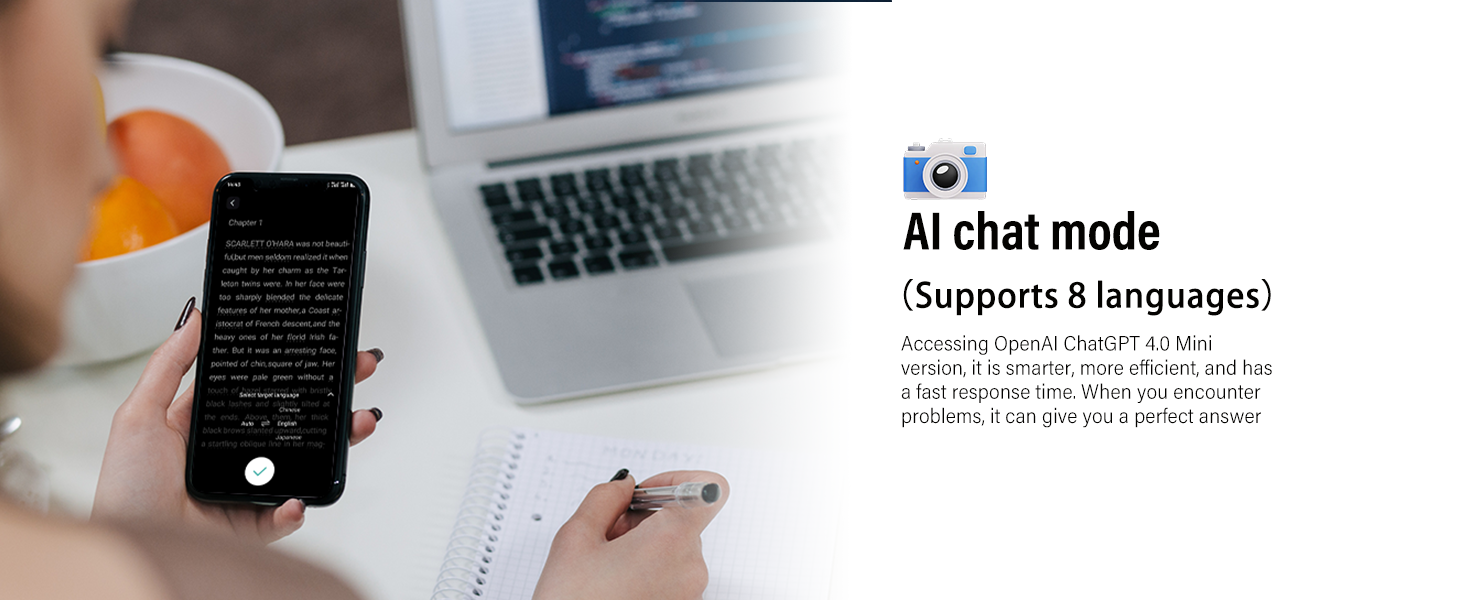
Image 6.6: User interacting with AI Chat Mode on a smartphone, receiving translated information.
6.6 Voice Notes Mode
This mode can convert classroom lectures, videos, and audio into text notes, ensuring you never miss important content. Continuous recording is limited to 30 minutes; simply review your notes and restart recording as needed.
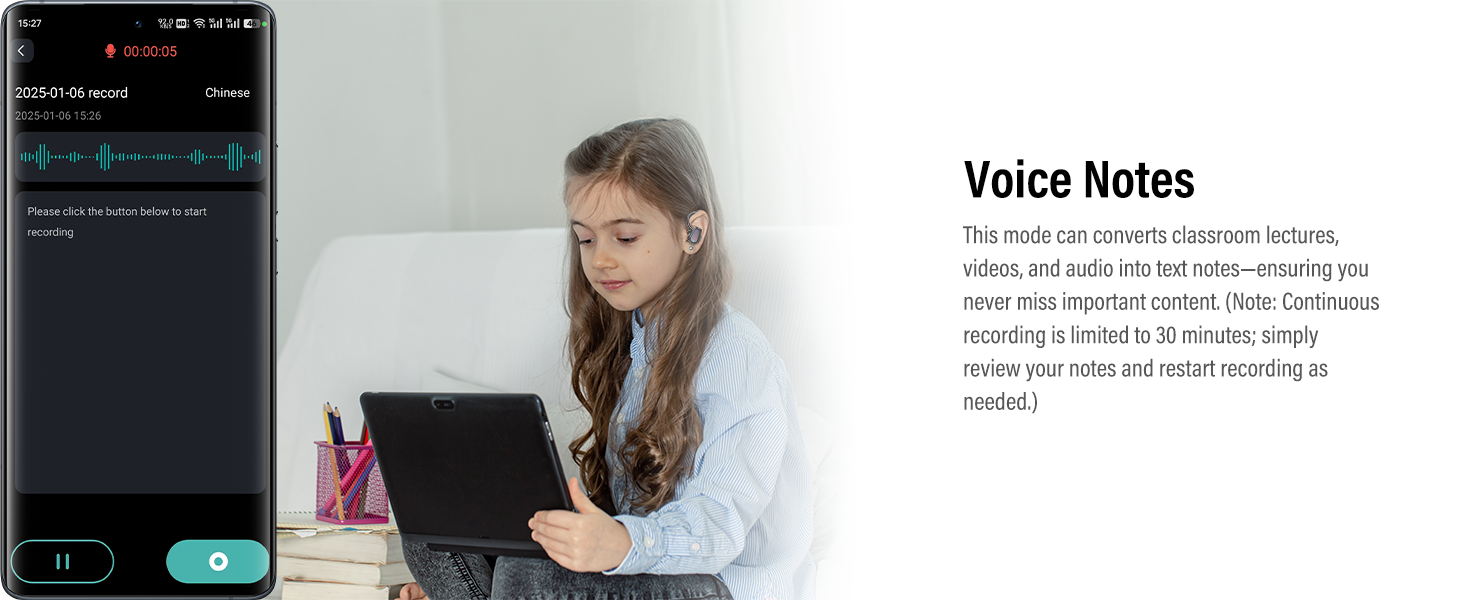
Image 6.7: Child using Voice Notes Mode on a tablet, converting audio to text.
7. Basic Operations (Touch Controls)
The earbuds feature integrated touch sensors for easy control of music, calls, and voice assistant functions.
| Action | Function |
|---|---|
| One Click (R/L) | Play/Pause Music |
| Triple Click (R/L) | Activate Voice Assistant |
| Long Tap 2s (L) | Previous Track |
| Long Tap 2s (R) | Next Track |
| Short Tap (R/L) | Answer/End Call |
| Long Tap (R/L) | Reject Call |
| One Click Tap (R) | Volume Up |
| One Click Tap (L) | Volume Down |

Image 7.1: Visual representation of the touch control functions on the earbuds.
8. Wearing Instructions
For optimal sound quality and comfort, follow these steps to wear your earbuds:
- Choose the best-fitting eartips from the three provided sizes (S, M, L) for a secure and comfortable fit.
- Plug the headphones along the ear canal into the ears.
- Revolve the ear hooks until they are inserted behind the ears.
- Adjust the headphones to your comfortable angle.
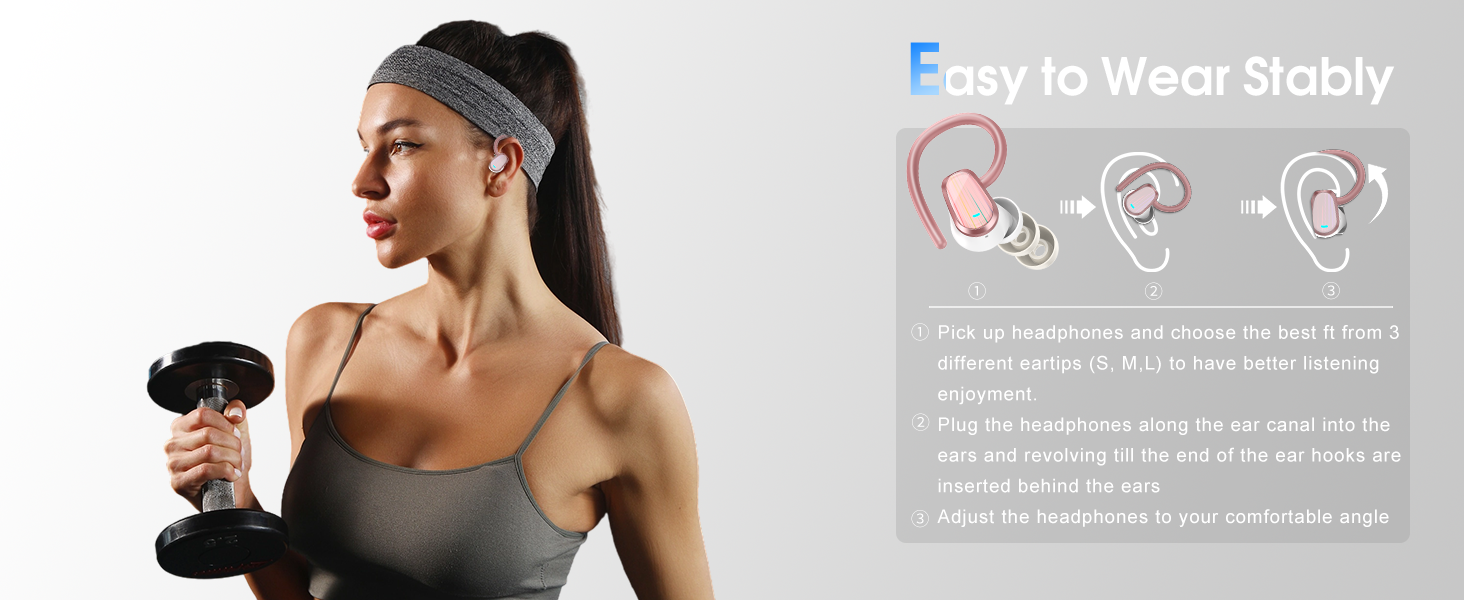
Image 8.1: Step-by-step guide on how to correctly wear the earbuds for stability and comfort.
9. Charging and Battery Life
The OYIB S75 earbuds offer extended battery life for prolonged use.
- Earbud Playtime: Up to 6-8 hours on a single charge (actual use may vary).
- Total Playtime with Charging Case: Up to 50 hours.
- Charging Time: Approximately 1.5 hours for a full charge using USB-C fast charging technology.
The charging case features a dual LED digital display to clearly show the power level of each earbud and the charging case itself.

Image 9.1: Diagram detailing earbud and charging case dimensions, battery life, and charging time.
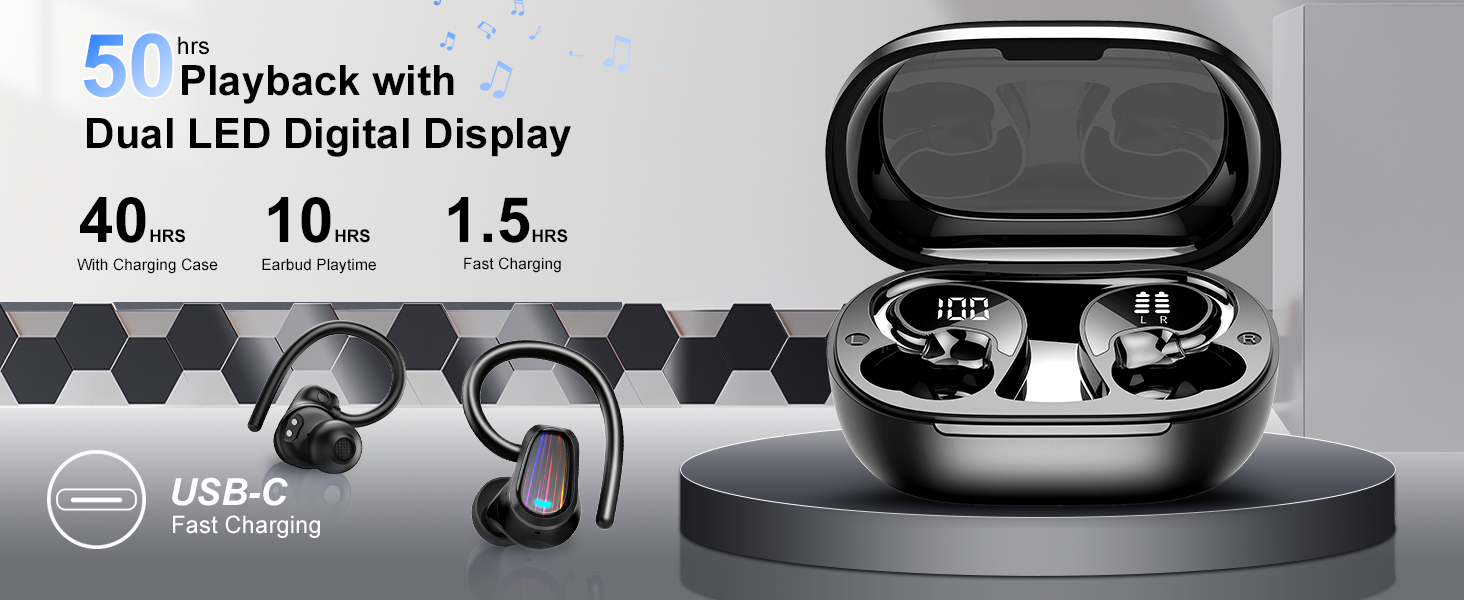
Image 9.2: Visual representation of 50 hours playback, 10 hours earbud playtime, and 1.5 hours fast charging with LED digital display.
10. Specifications
| Feature | Detail |
|---|---|
| Model Number | S75 |
| Bluetooth Version | 5.4 |
| Translation Languages | 164+ |
| Translation Modes | 6 |
| Earbud Playtime | 6-8 hours |
| Total Playtime (with case) | Up to 50 hours |
| Charging Port | USB-C |
| Noise Reduction | ENC (Environmental Noise Cancellation) |
| Waterproof Rating | IPX7 |
| Item Weight | 3.84 ounces |
| Battery Type | Lithium Polymer |
11. Troubleshooting
If you encounter issues with your OYIB S75 earbuds, please refer to the following common solutions:
- Earbuds not pairing: Ensure both earbuds are in the charging case, then open the lid to activate pairing mode. Check your device's Bluetooth settings to ensure Bluetooth is enabled and "S75" is selected. If issues persist, try forgetting the device on your phone and re-pairing.
- No sound from one earbud: Place both earbuds back into the charging case, close the lid, and then reopen it. This often resets the connection between the earbuds. Ensure both earbuds are charged.
- Translation not working: Verify that the "Ear Dance" app is installed, open, and connected to your earbuds. Check your internet connection, as translation features require online access. Ensure the correct source and target languages are selected within the app.
- Poor translation accuracy: Speak clearly and at a moderate pace. Minimize background noise. Ensure the earbuds are properly worn and the microphones are not obstructed.
- Charging issues: Ensure the USB-C cable is securely connected to both the charging case and the power source. Check if the charging pins on the earbuds and inside the case are clean and free of debris.
- Touch controls unresponsive: Ensure your fingers are clean and dry. A quick tap or press is usually sufficient. If unresponsive, try restarting the earbuds by placing them in the case and closing the lid.
12. Maintenance
Proper maintenance ensures the longevity and performance of your earbuds:
- Cleaning: Regularly clean the earbuds, eartips, and charging contacts with a soft, dry, lint-free cloth. Do not use abrasive materials or harsh chemicals.
- Eartips: Remove eartips periodically and clean them with mild soap and water. Ensure they are completely dry before reattaching.
- Storage: When not in use, store the earbuds in their charging case to protect them from dust and damage.
- Water Exposure: While the earbuds are IPX7 waterproof, avoid prolonged submersion in water. Dry them thoroughly if they get wet.
13. Safety Information
Please read and follow these safety guidelines:
- Do not disassemble, repair, or modify the product.
- Keep the earbuds and charging case away from extreme temperatures, direct sunlight, and open flames.
- Avoid listening at high volume levels for extended periods to prevent hearing damage.
- Keep out of reach of children and pets.
- Dispose of the product and batteries responsibly according to local regulations.
14. Warranty and Support
For warranty information or technical support, please refer to the contact details provided with your purchase or visit the official OYIB website. Keep your proof of purchase for warranty claims.
Related documentsS75


Ask a question about this manual
Ask about setup, troubleshooting, compatibility, parts, safety, or missing instructions. Manuals+ will review the question and use this page’s manual context to help answer it.