
1. Introduction
The XIEGU VK-5 Mini CW Straight Key is a precision-engineered device designed for sending Morse code (CW) signals. It features a durable CNC aluminum base, silver-plated copper contacts, and a 3.5mm jack for broad compatibility with various HF transceivers. This manual provides essential information for the proper setup, operation, and maintenance of your VK-5 straight key.
2. Safety Information
- Ensure the key is placed on a stable, flat surface during operation to prevent accidental movement.
- Keep the device away from moisture and extreme temperatures.
- Do not attempt to disassemble or modify the key beyond the adjustable components. Unauthorized modifications may void the warranty and could lead to malfunction.
- Handle the key and its cable with care to avoid damage.
3. Package Contents
Verify that all items are present in your package:
- XIEGU VK-5 Mini CW Straight Key
- 3.5mm Connection Cable
- Hex Wrenches (for adjustments)

4. Setup
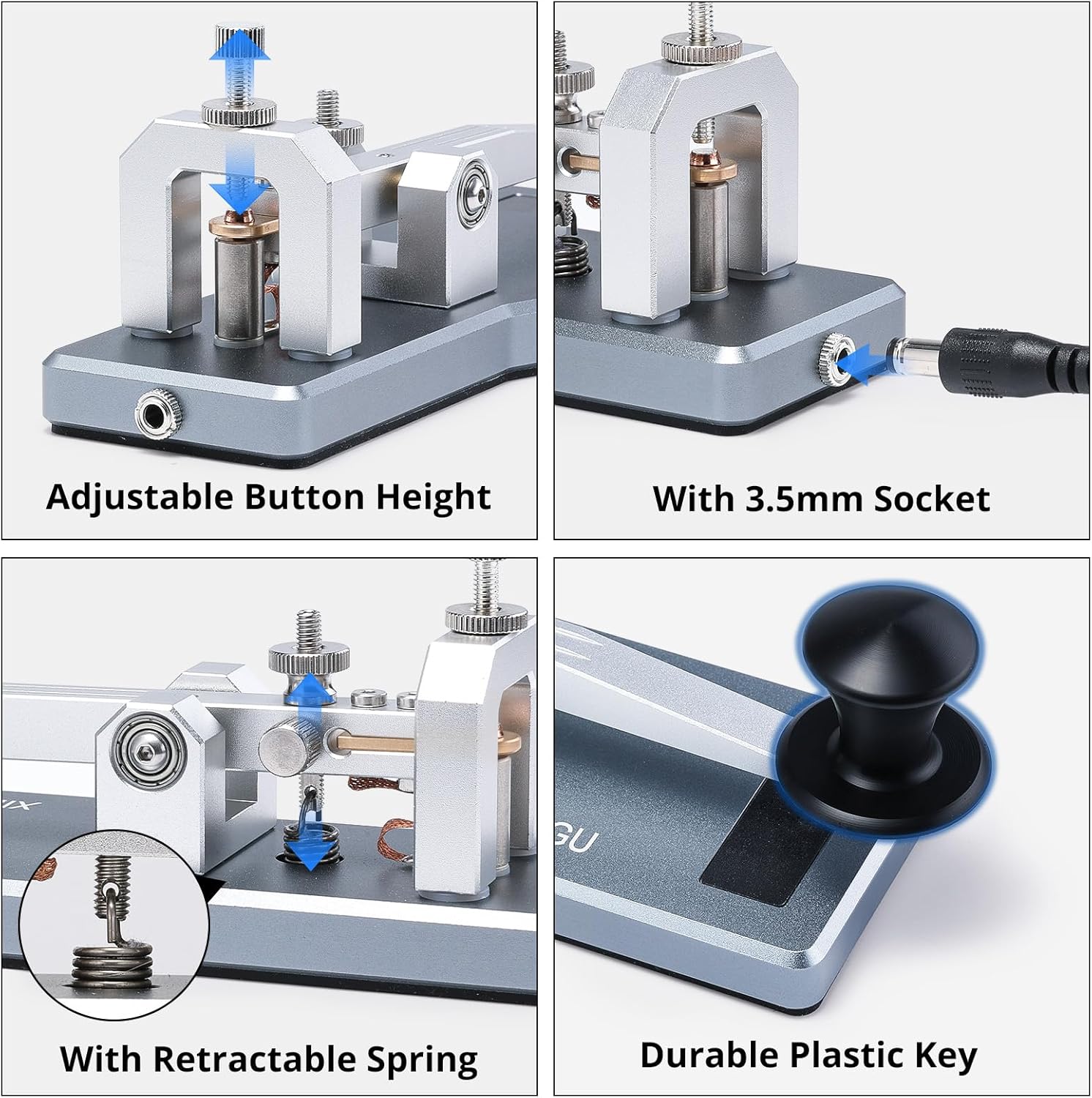
- Placement: Position the VK-5 straight key on a stable, flat surface. The non-slip rubber pads on the base ensure it remains firmly anchored during use.
- Connection: Connect one end of the supplied 3.5mm cable to the 3.5mm socket located at the rear of the VK-5 key. Connect the other end of the cable to the CW key input jack on your compatible HF transceiver (e.g., Xiegu G90, X6100, X6200, G106, X5105).
- Adjustments: The VK-5 key offers adjustable button height and paddle resistance to customize the keying feel. Use the provided hex wrenches to fine-tune these settings according to your preference for optimal speed and comfort.

5. Operating Instructions
The VK-5 is a straight key, meaning you manually control the duration of each contact to form dits (short presses) and dahs (long presses).
- Basic Keying: Press the key down to make contact and send a signal. Release the key to break contact.
- Forming Characters: Practice pressing and releasing the key to create the distinct patterns of Morse code characters. The VK-5's crisp return action and smooth operation facilitate accurate and responsive keying.
- Rhythm and Timing: Developing a consistent rhythm is crucial for clear CW communication. The straight key is an excellent tool for building fundamental keying skills and a strong 'fist'.
6. Maintenance
- Cleaning: Use a soft, dry cloth to wipe down the key's surface. Avoid abrasive cleaners or solvents that could damage the finish or internal components.
- Contact Care: The silver-plated copper contacts are designed for durability. If performance degrades over time, gently clean the contact points with a specialized contact cleaner, ensuring no residue remains.
- Storage: When not in use, store the VK-5 key in a clean, dry environment, preferably in its original packaging or a protective case, to prevent dust accumulation and physical damage.
7. Troubleshooting
- Key not responding: Ensure the 3.5mm cable is securely connected to both the VK-5 key and your transceiver's CW input jack. Verify your transceiver is configured for external keying.
- Inconsistent keying: Check the adjustment screws for button height and paddle resistance. Minor adjustments may be needed to achieve your desired feel and ensure consistent contact.
- Key feels wobbly or unstable: Confirm the key is placed on a flat, even surface. The non-slip rubber pads on the base are designed to prevent movement.
8. Specifications
| Feature | Detail |
|---|---|
| Model Number | VK-5 |
| Construction Material | CNC-machined Aluminum Alloy |
| Contacts | Silver-Plated Copper |
| Connection Interface | 3.5mm Jack |
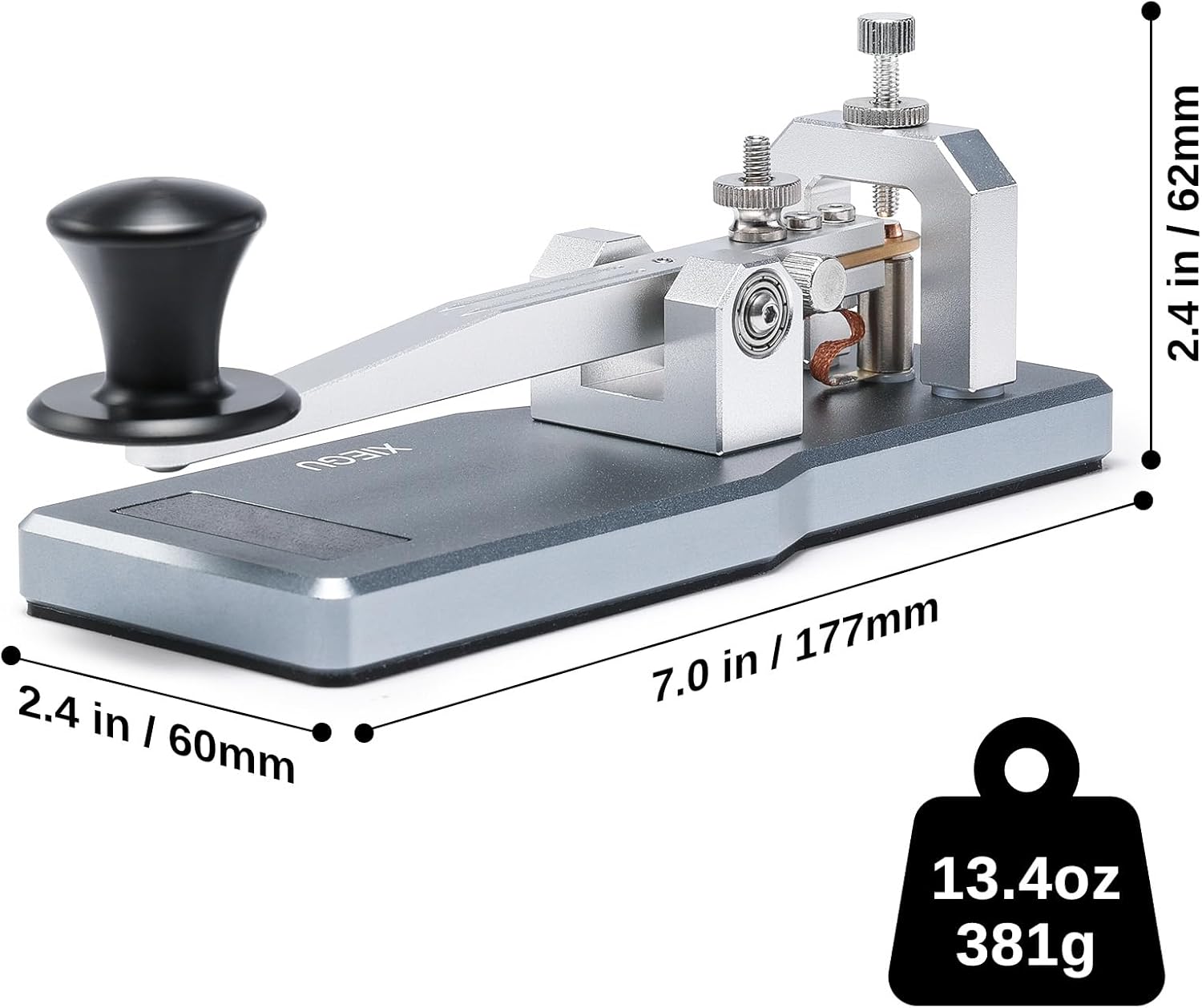
| Dimensions (L x W x H) | 10.4" x 9.1" x 4.3" (approximate, based on product dimensions) |
| Item Weight | 1.21 pounds (approx. 549 grams) |
| Base Features | Elongated base, well-balanced weight, anti-slip rubber pads |
| Compatibility | Most CW-capable radios including Xiegu G90, X6100, X6200, G106, X5105 |

9. Warranty and Support
For any product-related inquiries, technical support, or warranty information, please contact Xiegu customer service. Refer to the product packaging or the official Xiegu website for the most current contact details. It is recommended to register your product upon purchase to facilitate any future support needs.

