
1. Introduction
Thank you for choosing the NAFYRE N11 PRO GPS Drone. This manual provides essential information for the safe operation, setup, and maintenance of your drone. Please read it thoroughly before your first flight to ensure optimal performance and safety.
The NAFYRE N11 PRO is a lightweight, foldable GPS drone designed for ease of use and high-quality aerial photography. Weighing less than 250g, it offers advanced features such as a 4K UHD camera, brushless motors, and intelligent flight modes.
2. Product Overview
The NAFYRE N11 PRO drone combines portability with advanced flight capabilities. Its compact, foldable design makes it an ideal travel companion, easily fitting into the included carrying case.

Image: The NAFYRE N11 PRO drone in its folded state, highlighting its compact and portable design for easy transport.
Key Features:
- Lightweight Design: Weighs less than 250g (approximately 180 grams), often exempting it from certain registration requirements.
- 4K UHD Camera: Captures high-resolution photos (4096x3072 pixels) and videos (2048x1080 pixels) with a 100° wide-angle lens, adjustable up to 90° via remote control or app. Features Electronic Image Stabilization (EIS) for smooth footage.
- Brushless Motors: Provides increased durability, higher efficiency, quieter operation, and stronger wind resistance for stable flight.
- Extended Flight Time: Equipped with 3 batteries, offering up to 90 minutes of total flight time (30 minutes per battery).
- Long Control Range: Achieves a control distance of up to 1014 meters (3328 feet).
- Dual Positioning System: Utilizes GPS for stable outdoor flight and Optical Flow for precise indoor positioning.
- Intelligent Flight Functions: Includes GPS-supported features like Automatic Follow, Tap Fly, and Point of Interest.
- Automatic Return: Features one-key return, low battery return, and signal loss return to prevent drone loss.
- 5GHz FPV Transmission: Ensures stable and smooth real-time video transmission to your mobile device.

Image: An overview of the NAFYRE N11 PRO's key features, including GPS positioning, 5G transmission, 90-minute flight time, and its lightweight design under 249g.
3. Setup
3.1 Charging the Batteries
Before first use, fully charge all drone batteries and the remote control battery. Use the provided charging cables.
- Connect the charging cable to the battery and a suitable USB power adapter (not included).
- Charging indicators will show the charging status. Ensure all batteries are fully charged for maximum flight time.

Image: The drone's Li-ion battery, showing its design and charging interface.
3.2 Propeller Installation
Ensure propellers are correctly installed on the corresponding motor arms. Match the propeller type (A or B) to the markings on the motor arms. Secure them firmly.
3.3 Remote Control and App Connection
- Download the official NAFYRE drone app from your device's app store.
- Mount your smartphone securely onto the remote control holder.
- Power on the drone, then power on the remote control.
- Connect your smartphone to the drone's Wi-Fi network (usually named NAFYRE_XXXX).
- Open the app and follow the on-screen instructions to establish a connection.
3.4 Calibration
Before each flight, especially in a new location, perform compass and gyroscope calibration as instructed by the app or drone's indicator lights. This ensures accurate flight stability and GPS functionality.
4. Operating Instructions
4.1 Pre-Flight Checklist
- Ensure batteries are fully charged (drone and remote).
- Propellers are correctly installed and undamaged.
- Choose an open area free from obstacles, people, and electromagnetic interference.
- Check weather conditions (avoid strong winds, rain).
- Perform calibration.
4.2 Take-off and Landing
- One-Key Take-off: Press the designated one-key take-off button on the remote control or in the app. The drone will automatically ascend to a safe altitude.
- Manual Take-off: Push both control sticks diagonally outwards and downwards to start the motors. Then, gently push the left stick (throttle) upwards to ascend.
- One-Key Landing: Press the one-key landing button. The drone will descend and land automatically.
- Manual Landing: Gently pull the left stick (throttle) downwards to descend. Once landed, push both sticks diagonally outwards and downwards to stop the motors.
4.3 Flight Modes
- GPS Mode (Outdoor): Provides stable flight, precise hovering, and enables intelligent flight functions. Ensure a strong GPS signal before activating.
- Optical Flow Mode (Indoor): Uses downward-facing sensors for stable hovering in indoor environments without GPS.
4.4 Camera Operation

Image: A detailed view of the drone's 4K UHD camera, highlighting its adjustable angle and EIS capabilities.
- Photo/Video Capture: Use the dedicated buttons on the remote control or the app interface to take photos or start/stop video recording.
- Camera Angle Adjustment: Adjust the camera's tilt angle (up to 90°) using the remote control or the app for optimal framing.
- FPV View: The 5GHz FPV system transmits real-time video to your smartphone, allowing for an immersive flight experience and precise shot composition.
4.5 Intelligent Flight Modes

Image: The NAFYRE N11 PRO drone in action, demonstrating its ability to follow subjects or fly along predefined paths in scenic environments.
These modes require a strong GPS signal:
- Follow Me: The drone will automatically follow the remote controller or a designated subject, capturing dynamic footage.
- Tap Fly (Waypoint Flight): Draw a path on the app's map, and the drone will fly along the specified route.
- Point of Interest (Orbit Flight): Select a central point on the map, and the drone will orbit around it at a set radius and altitude, keeping the point in frame.
4.6 Return to Home (RTH)
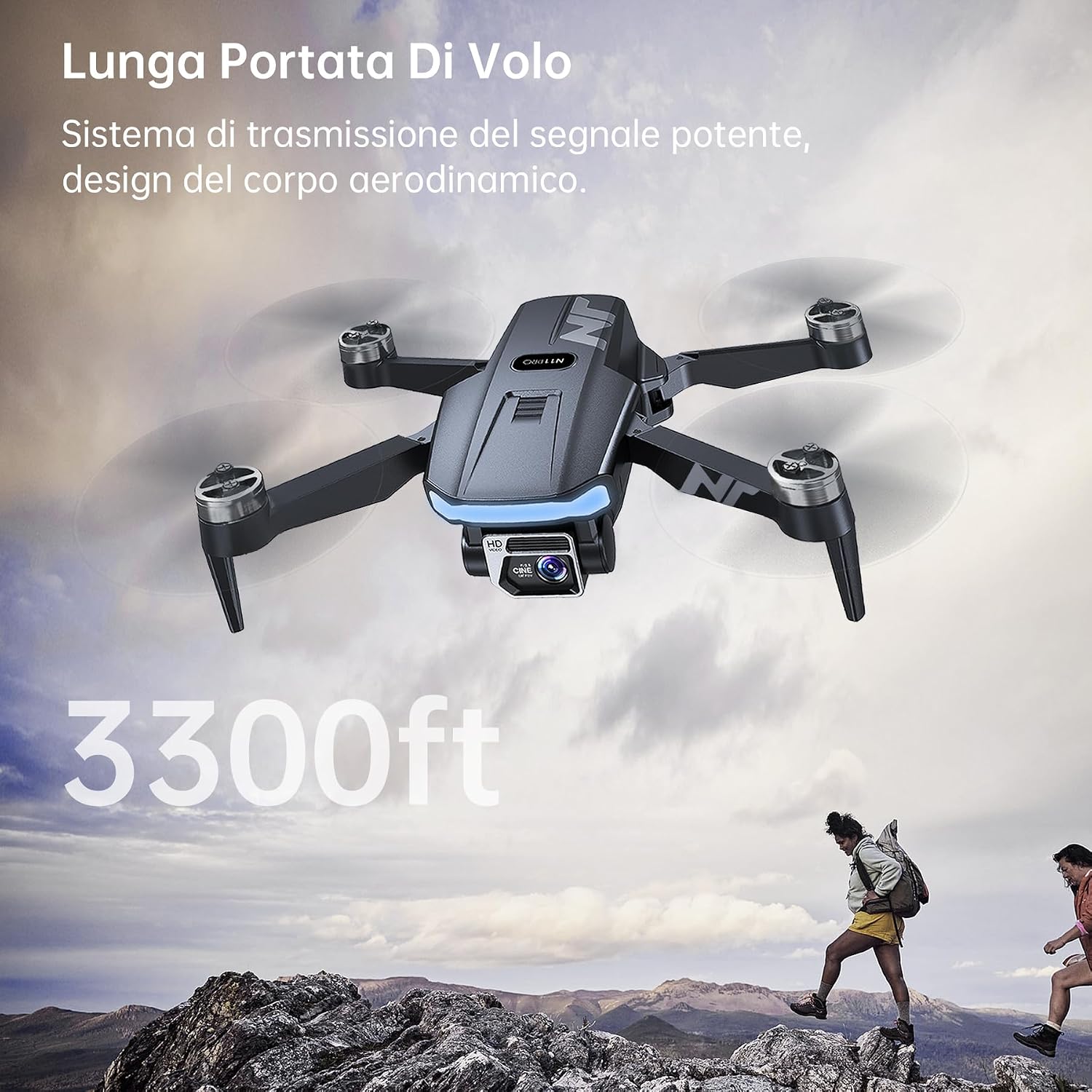
Image: A visual representation of the drone's intelligent return function, detailing how it automatically returns to its take-off point under various conditions.
The RTH function ensures the drone returns to its take-off point automatically under the following conditions:
- One-Key RTH: Activated by pressing the RTH button on the remote control or in the app.
- Low Battery RTH: The drone will automatically initiate RTH when the battery level is critically low.
- Signal Loss RTH: If the connection between the drone and remote control is lost, the drone will automatically return to its take-off point.
5. Maintenance
5.1 Battery Care
- Store batteries in a cool, dry place.
- Do not overcharge or over-discharge batteries.
- If not used for an extended period, charge batteries to approximately 50-60% capacity.
- Inspect batteries for any signs of damage or swelling before each use.
5.2 Propeller Inspection
- Regularly check propellers for cracks, bends, or other damage.
- Replace damaged propellers immediately using the spare parts provided.
5.3 Cleaning
- Wipe the drone body with a soft, dry cloth.
- Avoid using harsh chemicals or solvents.
- Keep the camera lens clean for clear image quality.
6. Troubleshooting
| Problem | Possible Cause | Solution |
|---|---|---|
| Drone does not power on | Low or uncharged battery; incorrect battery insertion. | Ensure battery is fully charged and correctly inserted. |
| Drone cannot connect to remote/app | Incorrect pairing sequence; Wi-Fi interference; app not updated. | Follow pairing instructions; try in a different location; update app. |
| Unstable flight/Drifting | Poor GPS signal; uncalibrated sensors; strong winds. | Fly in open areas with clear sky; perform calibration; avoid windy conditions. |
| Poor camera image/video quality | Dirty lens; insufficient lighting; unstable flight. | Clean the camera lens; fly in well-lit conditions; ensure stable flight. |
| Drone returns automatically unexpectedly | Low battery warning; signal loss. | Monitor battery level; ensure drone is within control range and line of sight. |
7. Specifications

Image: The NAFYRE N11 PRO drone package contents, including the drone, remote control, multiple batteries, spare propellers, and charging cables.
| Feature | Detail |
|---|---|
| Brand | NAFYRE |
| Model | N11 PRO |
| Weight | 180 Grams (less than 0.25 kg) |
| Dimensions (Folded) | 12L x 7.5W x 5H cm |
| Camera | 4K UHD (4096x3072 photos, 2048x1080 videos), 100° wide-angle, 90° adjustable, EIS |
| Connectivity | WLAN, 5GHz FPV |
| Flight Time | Up to 90 minutes (with 3 x 2000mAh batteries) |
| Control Range | 1014 meters (3328 feet) |
| Battery Type | Li-ion, 2000mAh, 3.7V |
| Motors | Brushless |
| Positioning System | GPS, Optical Flow |
| Frequency | 2440–2468 MHz |
| Output Power | 2 mW |
8. Warranty and Support
8.1 Warranty Information
The NAFYRE N11 PRO drone comes with a 1-year warranty for the replacement of damaged parts. Additionally, a 30-day money-back guarantee is offered for any reason.
8.2 Customer Support
For any questions, technical assistance, or warranty claims, please contact NAFYRE customer support. Refer to the product packaging or the official NAFYRE website for contact details.


