
EZVALO UCL05-C
EZVALO 10-inch Under Cabinet Lighting User Manual
Brand: EZVALO | Model: UCL05-C
Introduction
Thank you for choosing the EZVALO 10-inch Under Cabinet Lighting. This product is designed to provide convenient, energy-efficient, and versatile lighting for various indoor spaces. Featuring a motion sensor, dimmable brightness, and multiple color temperatures, it enhances visibility and ambiance in areas such as kitchens, closets, and stairs. Please read this manual carefully before use to ensure proper installation and operation.

Image: Two EZVALO 10-inch Under Cabinet Lights, highlighting their compact design and packaging. The image also displays three different light temperature options: warm (3000K), neutral (4500K), and cool white (6500K).
What's in the Box
Please check the package contents to ensure all items are present:
- 2 x Motion Sensor Cabinet Lights
- 2 x USB-C Charging Cords
- 4 x Adhesive Iron Plates
- 1 x Product User Manual
Key Features
- Smart Motion Sensor: Automatically turns on when motion is detected within 12ft/120° in dark or low-light conditions, and auto-off after approximately 20 seconds of no motion.
- 3 Lighting Modes:
- Always-on Mode: Provides continuous illumination for extended tasks.
- Day Mode (All-day Sensing): Activates the light when motion is detected, regardless of ambient light.
- Night Mode (Sensing Only in Darkness): Activates the light only when motion is detected in dark or low-light environments.
- Long-Lasting Rechargeable Battery: Built-in 2300mAh high-capacity battery provides extended illumination.
- Fast USB-C Charging: Fully charges in approximately 3.5 hours via USB-C.
- Dimmable Brightness: Stepless dimming from 10% to 100% by long-pressing the button.
- 3 Color Temperatures: Easily switch between 3000K (warm white), 4500K (neutral white), and 6500K (cool white) by short-pressing the button.
- Memory Function: Remembers your last brightness and color temperature settings.
- Easy Installation: Features built-in strong magnets for direct attachment to iron surfaces, or use included adhesive metal plates for other surfaces.
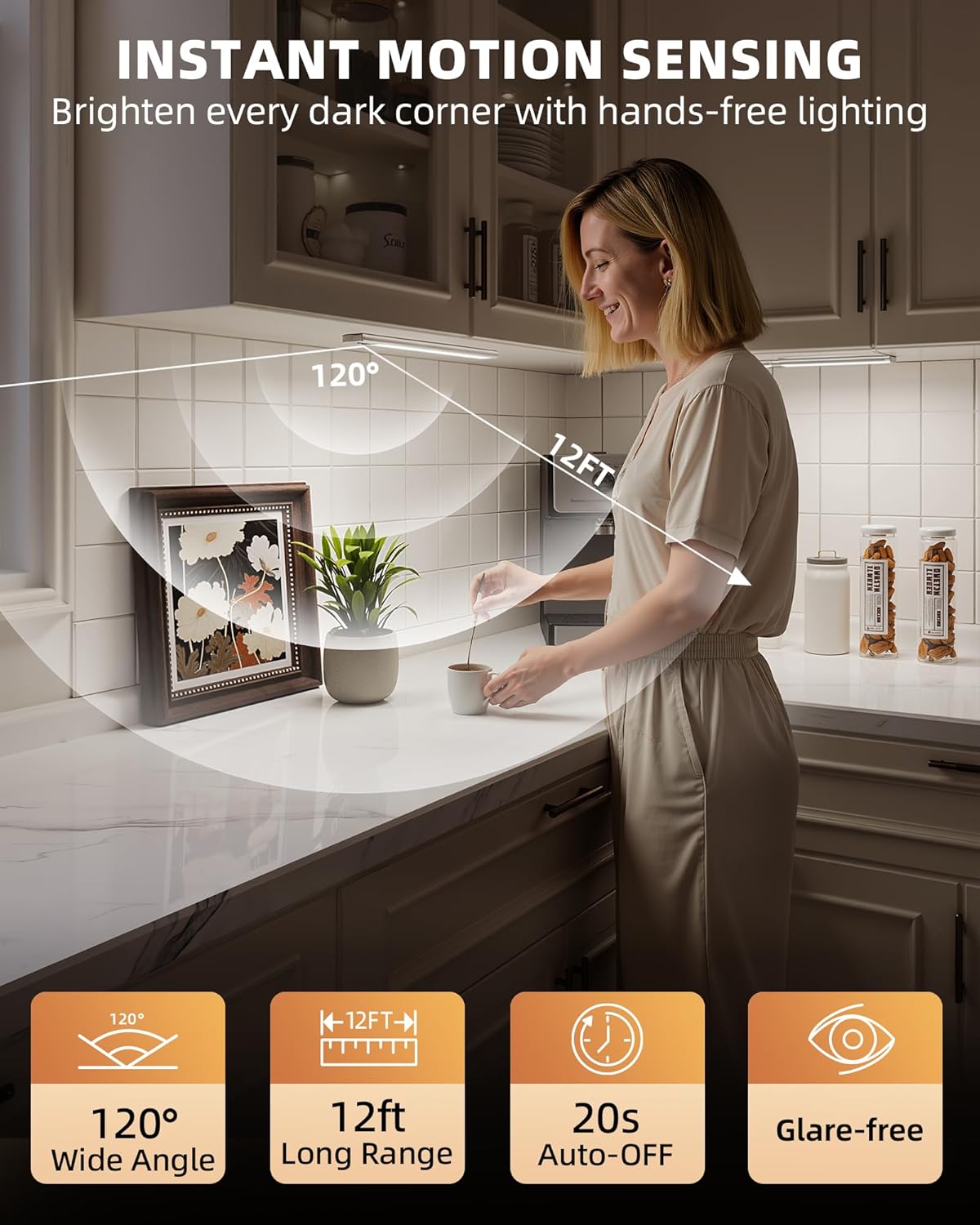
Image: A woman standing at a kitchen counter, demonstrating the motion sensing capabilities of the EZVALO light. The image highlights a 120-degree wide angle detection and a 12ft long range, with the light automatically turning off after 20 seconds of no motion, and providing glare-free illumination.

Image: A comparative graphic illustrating the advantages of EZVALO lights over other brands. It highlights EZVALO's instant response, 2300mAh battery, 3 modes, 3 colors with 120 lumens, and adjustable brightness, contrasting them with typical competitor specifications.
Setup & Installation
The EZVALO Under Cabinet Lights offer two primary installation methods:
Direct Magnetic Attachment (for Iron Surfaces)
If your desired installation surface is iron or magnetic, simply attach the light directly. The built-in powerful magnets will secure it in place.
Adhesive Metal Plate Attachment (for Non-Iron Surfaces)
For non-iron surfaces like wood, plastic, or painted walls, use the included adhesive metal plates:
- Clean the target surface thoroughly to ensure it is dry and free of dust or grease.
- Peel off the protective film from one side of an adhesive metal plate.
- Firmly press the adhesive side of the metal plate onto the desired installation spot. Hold for 30 seconds to ensure strong adhesion.
- Allow the adhesive to cure for at least 24 hours before attaching the light for optimal hold.
- Once the metal plate is securely attached, the light can be magnetically attached to it.
To remove the light for charging or relocation, simply pull it off the magnetic surface.
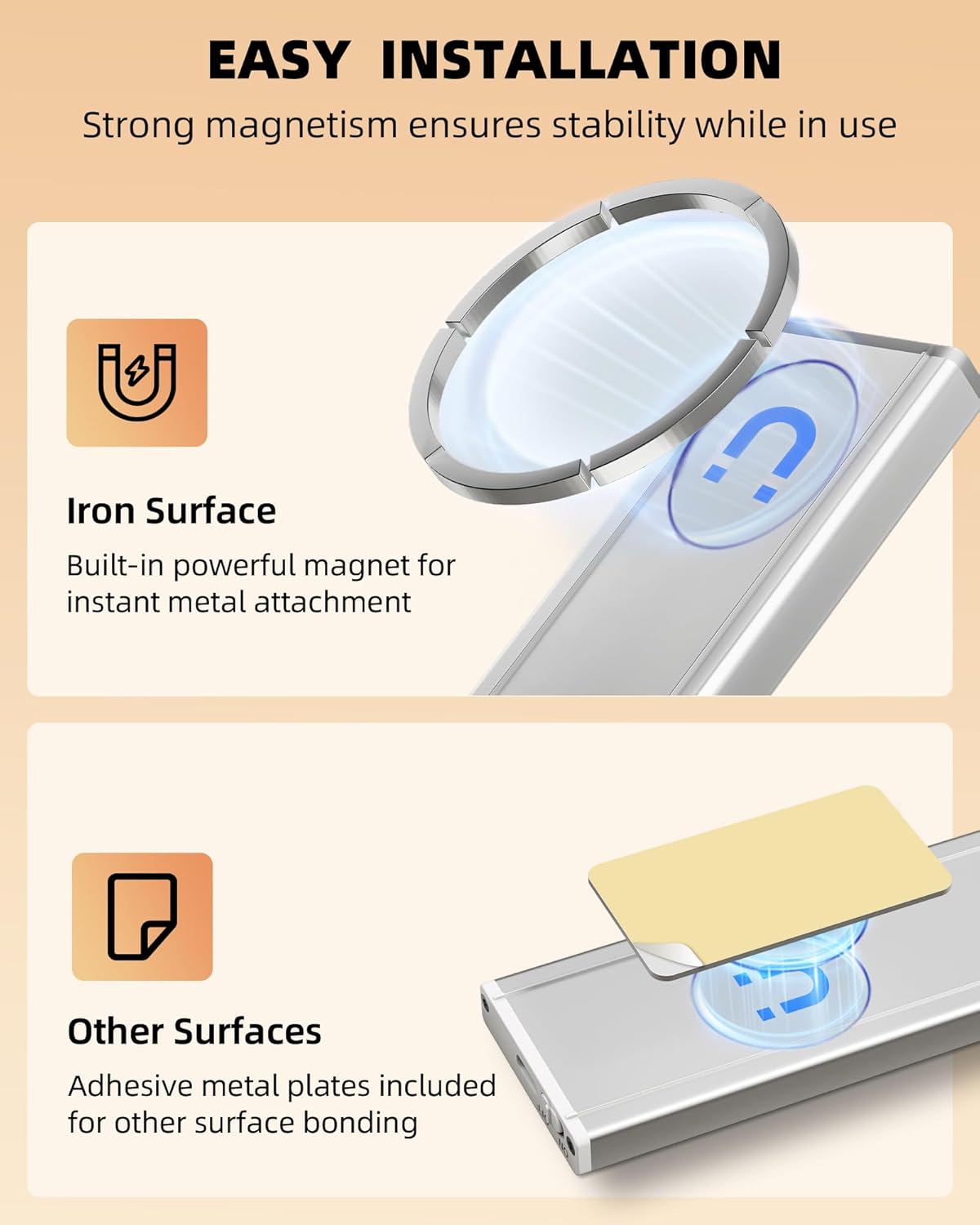
Image: A visual guide demonstrating the two easy installation methods: direct magnetic attachment for iron surfaces and using adhesive metal plates for other surfaces. The image emphasizes strong magnetism for stability.
Operating Instructions
The EZVALO light features a multi-function button and a power switch for easy control.

Image: A detailed view of the light's controls, illustrating the three work modes: Always On, Day Mode (all-day motion sensing), and Night Mode (night-only motion sensing). A mode indicator light confirms the selected setting.
Power ON/OFF
- Locate the ON/OFF switch on the side of the light.
- Slide the switch to 'ON' to activate the light.
- Slide the switch to 'OFF' to turn off the light completely.
Changing Lighting Modes
With the light powered ON, use the 'Change Mode' button (often marked with 'M' or a sun/moon icon) to cycle through the modes:
- Always-on Mode: The light remains continuously on. Ideal for constant illumination.
- Day Mode (All-day Sensing): The light will turn on when motion is detected, regardless of ambient light conditions.
- Night Mode (Sensing Only in Darkness): The light will only turn on when motion is detected in dark or low-light environments.
Adjusting Brightness (Stepless Dimming)
- While the light is on, long-press the 'Color Temperature/Brightness Button' (often marked with a light bulb icon).
- The brightness will gradually increase or decrease. Release the button when the desired brightness level (10%-100%) is reached.
Changing Color Temperature
- While the light is on, short-press the 'Color Temperature/Brightness Button'.
- The light will cycle through the three available color temperatures: 3000K (warm white), 4500K (neutral white), and 6500K (cool white).

Image: A visual representation of the light's adjustable features, including stepless dimming from 100% to 10% brightness and the three distinct color temperatures: 3000K (warm), 4500K (neutral), and 6500K (cool white).
Charging Instructions
When the battery is low, the light's performance may diminish. Recharge the unit using the provided USB-C charging cord.
- Carefully detach the light from its installed position (if using magnetic attachment).
- Insert the USB-C end of the charging cord into the charging port on the light.
- Connect the USB-A end of the charging cord to a compatible USB power source (e.g., computer USB port, USB wall adapter, power bank).
- A red indicator light will illuminate during charging.
- The indicator light will turn green when the battery is fully charged (approximately 3.5 hours).
- Once fully charged, disconnect the charging cord and reattach the light to its desired location.
A full charge can last up to 13-40 days in Motion Sensor Mode (depending on usage frequency) and 11 hours in Always-on Mode.
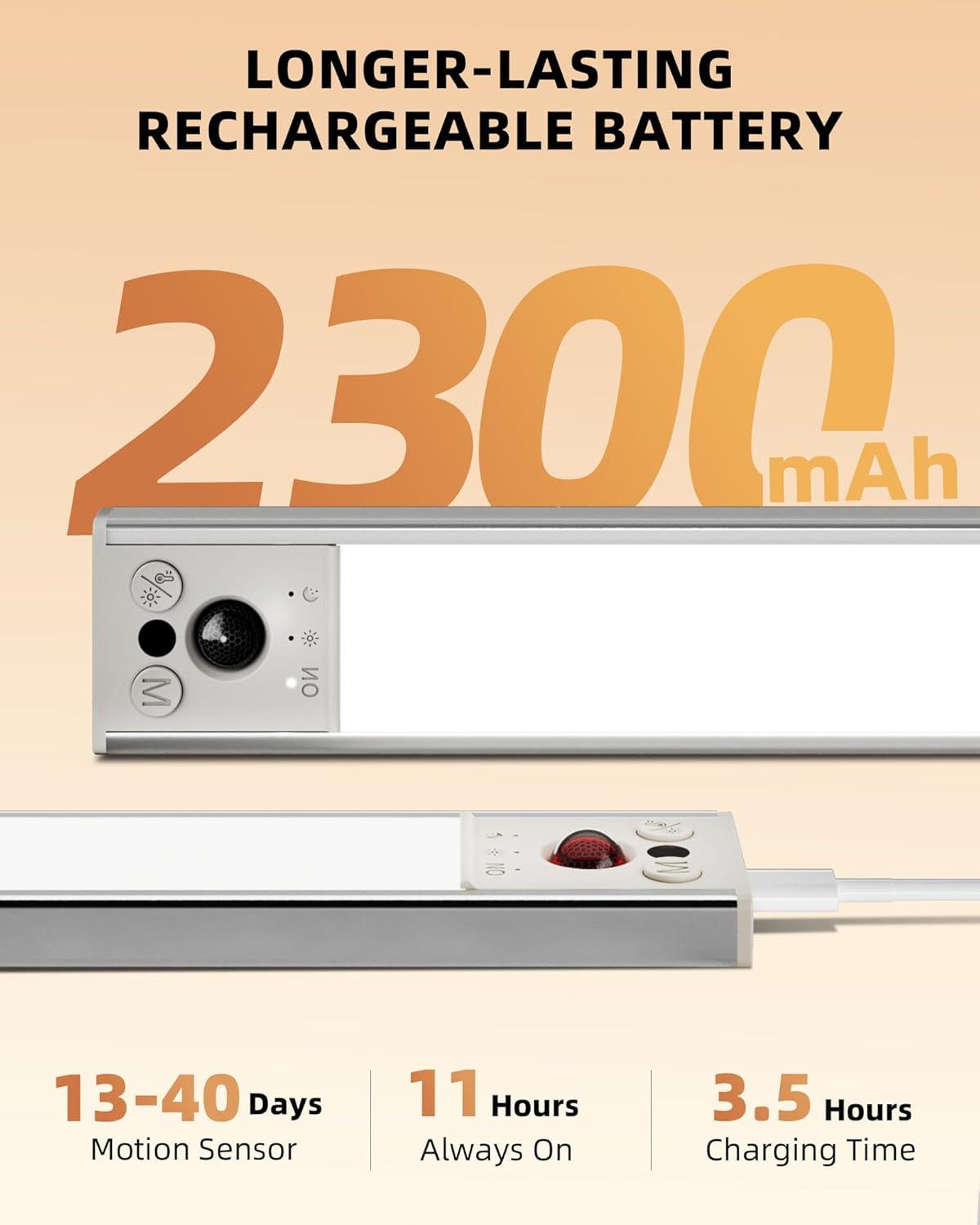
Image: A close-up view of the light's internal components, highlighting the 2300mAh rechargeable battery. The image also shows the USB-C charging port and indicates battery life durations for motion sensor and always-on modes, along with charging time.
Maintenance
- Clean the light regularly with a soft, dry cloth. Do not use abrasive cleaners or solvents.
- Avoid exposing the light to excessive moisture or direct water, as it is not water resistant.
- Store the light in a cool, dry place when not in use for extended periods.
- Ensure the charging port is free of dust and debris before charging.
Troubleshooting
| Problem | Possible Cause | Solution |
|---|---|---|
| Light does not turn on. | Battery is low or depleted. Power switch is OFF. Incorrect mode selected (e.g., Night Mode in a bright area). | Charge the light fully. Slide the power switch to 'ON'. Change to Day Mode or Always-on Mode. |
| Motion sensor not working effectively. | Obstruction blocking the sensor. Sensor range exceeded. Ambient light too high for Night Mode. | Ensure the sensor is clear of obstructions. Move closer to the light (within 12ft/120°). Switch to Day Mode or Always-on Mode if in a well-lit area. |
| Light flickers or is dim. | Low battery. Brightness set too low. | Recharge the light. Long-press the brightness button to increase brightness. |
| Light falls off after installation. | Adhesive not properly cured. Surface not clean or smooth. | Ensure 24-hour curing time for adhesive plates. Clean surface thoroughly before applying adhesive. Consider a different mounting location or method. |
Specifications
| Attribute | Detail |
|---|---|
| Brand | EZVALO |
| Model Number | UCL05-C |
| Size | 10 inch |
| Color | 3 Color Light |
| Material | Aluminum, Plastic |
| Light Source Type | LED |
| Number of Light Sources | 43 |
| Brightness | 120 Lumen |
| Power Source | Battery Powered (1 Lithium Metal battery included) |
| Voltage | 5 Volts (DC) |
| Wattage | 1.5 watts |
| Product Dimensions | 10 x 1.68 x 0.59 inches |
| Item Weight | 11.3 ounces |
| Special Features | 3 Color Temperatures, Cordless, Energy Efficient, Motion Sensor, Rechargeable |
| Water Resistance Level | Not Water Resistant |
| Installation Type | Under Cabinet Mount, Magnetic Mount |
| Recommended Uses | Closet lights, Motion sensor light indoor, Night light, Under cabinet lights |
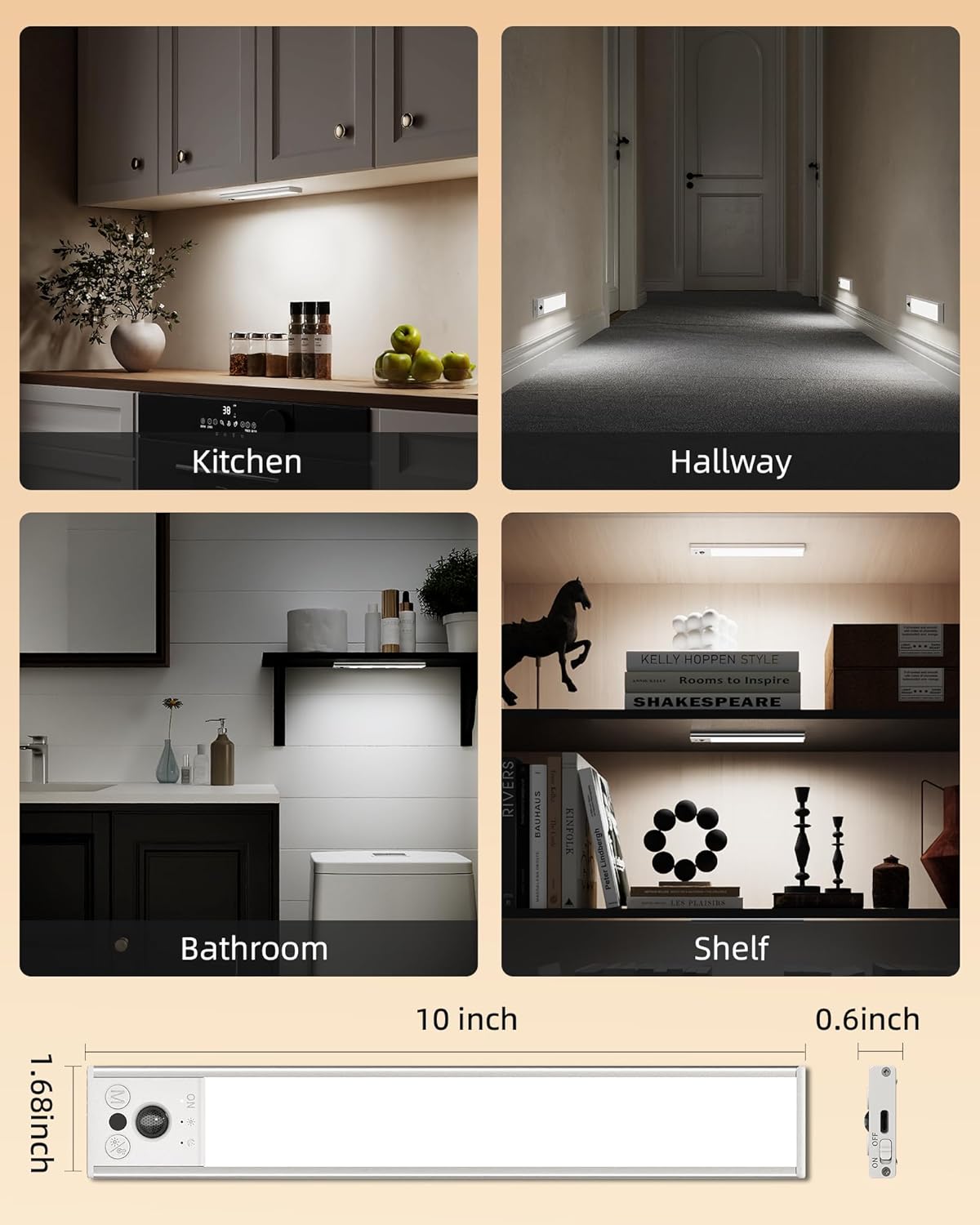
Image: A diagram illustrating the precise dimensions of the 10-inch light (10 x 1.68 x 0.59 inches) and various application examples, including kitchens, hallways, bathrooms, and shelves, demonstrating its versatility.
Warranty & Support
Specific warranty information and direct customer support contact details are not provided in this manual. For warranty claims, technical assistance, or further inquiries, please refer to the product packaging or contact EZVALO customer service through the retailer's platform where the product was purchased.
Ask a question about this manual
Ask about setup, troubleshooting, compatibility, parts, safety, or missing instructions. Manuals+ will review the question and use this page’s manual context to help answer it.