
Introduction
Welcome to your Fresh 'n Rebel Twins Breez True Wireless Earbuds. This manual provides essential information to help you set up, operate, and maintain your earbuds for optimal performance. Please read this guide carefully before using your device.
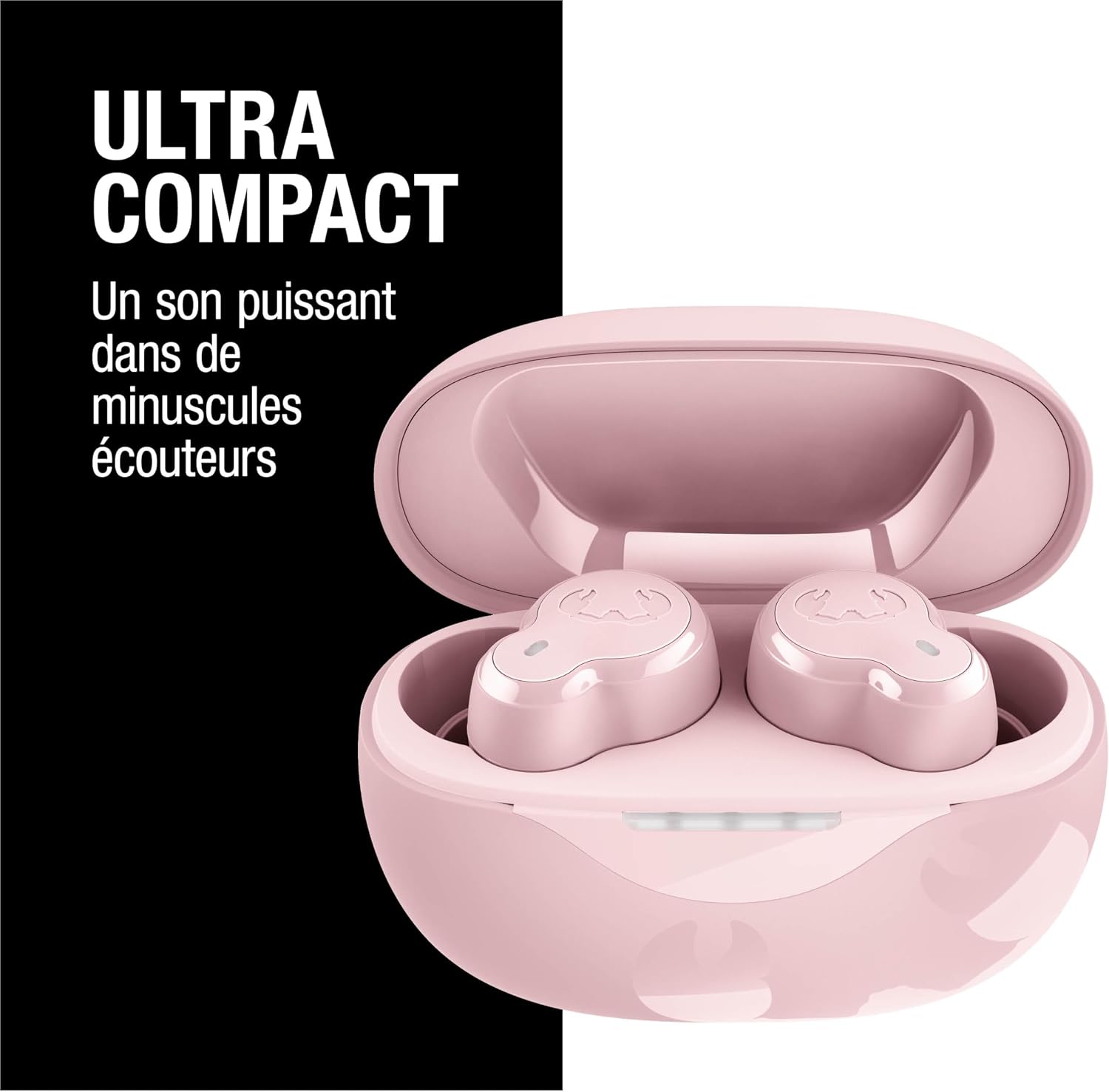
Image: A pink charging case open, revealing two pink Twins Breez earbuds inside, with text indicating "Ultra Compact" and "Powerful sound in tiny earbuds."
What's in the Box
Verify that all items are present in your package:
- Fresh 'n Rebel Twins Breez Earbuds
- Charging Case
- 4 Sizes of Soft Silicone Ear Tips
- USB to USB-C Charging Cable
- Quick Start Guide
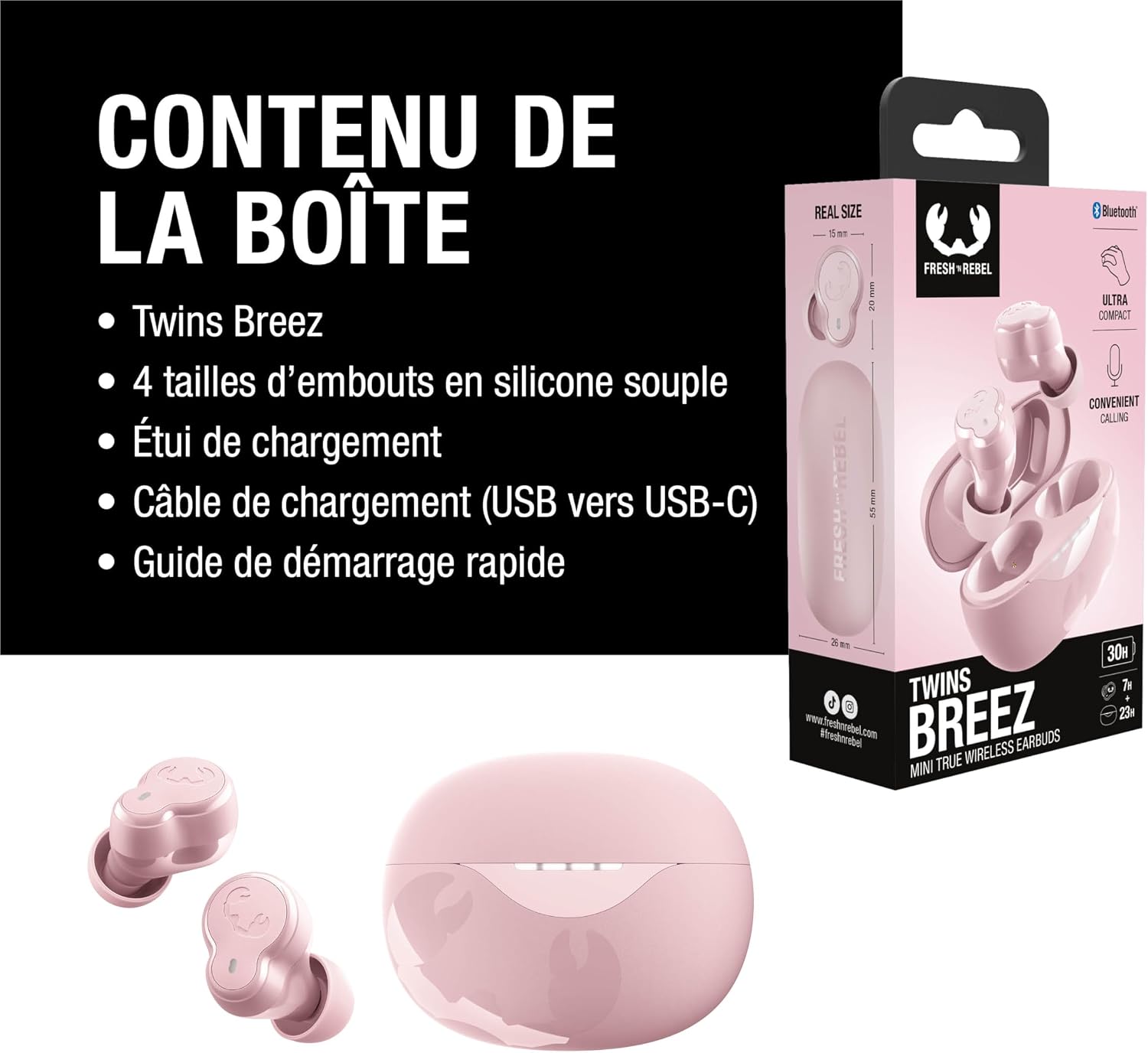
Image: The product packaging displaying the Twins Breez earbuds, charging case, different sized ear tips, and a USB-C charging cable.
Setup
1. Charging Your Earbuds
Before first use, fully charge your Twins Breez earbuds and charging case.
- Connect the provided USB-C charging cable to the charging port on the case.
- Plug the other end into a USB power adapter (not included) or a computer's USB port.
- The LED indicators on the charging case will show the charging status. Once fully charged, the indicators will remain solid or turn off.
- Place the earbuds into the charging case. They will automatically begin charging.

Image: A light grey charging case for the earbuds, shown from multiple angles, highlighting its compact design and charging port.
2. Bluetooth Pairing
Pair your Twins Breez earbuds with your device:
- Ensure the earbuds are charged and inside the charging case.
- Open the charging case. The earbuds will automatically enter pairing mode, indicated by flashing LED lights.
- On your device (smartphone, tablet, etc.), go to Bluetooth settings and turn Bluetooth on.
- Select "Fresh 'n Rebel Twins Breez" from the list of available devices.
- Once connected, you will hear a confirmation tone, and the LED lights on the earbuds will stop flashing.
Note: The earbuds will automatically reconnect to the last paired device when taken out of the case, if Bluetooth is enabled on the device.
3. Fitting the Earbuds
For optimal sound quality and comfort, choose the correct ear tip size and ensure a proper fit.
- Try different sizes of silicone ear tips provided (XS, S, M, L) to find the best fit for your ears.
- Gently insert each earbud into your ear canal and twist slightly to secure it.
- A good fit should feel snug and block out most ambient noise.
Operating Your Earbuds
The Twins Breez earbuds feature a clickable control button for easy management of audio and calls.

Image: Two pink Twins Breez earbuds with a hand icon indicating the clickable control area on the earbud.
1. Power On/Off
- Power On: Open the charging case, or press and hold the control button on each earbud for 3 seconds.
- Power Off: Place the earbuds back into the charging case and close the lid, or press and hold the control button on each earbud for 5 seconds.
2. Music Control
- Play/Pause: Single click the control button on either earbud.
- Next Track: Double click the right earbud's control button.
- Previous Track: Double click the left earbud's control button.
3. Call Control
The earbuds feature a noise-cancelling microphone for clear calls.

Image: A person wearing a dark blue earbud, smiling, with text indicating "Convenient Calling" and "Noise Cancelling Microphone for Clear Calls."
- Answer/End Call: Single click the control button on either earbud.
- Reject Call: Press and hold the control button on either earbud for 2 seconds.
4. Voice Assistant
Activate your device's voice assistant (Siri, Google Assistant) directly from your earbuds.

Image: A person wearing a light green earbud, with speech bubbles indicating "Hey Siri" and "Hi, how can I help?" representing voice assistant activation.
- Activate Voice Assistant: Triple click the control button on either earbud.
5. Battery Status
The Twins Breez offer up to 30 hours of total playtime with the charging case.

Image: Two individuals, one wearing a light green earbud and the other a dark blue earbud, with an overlay indicating "Autonomie 30 HRS" (30 hours battery life).
- Earbud Battery: Check the battery level on your connected device's Bluetooth settings.
- Case Battery: The LED indicators on the charging case show the remaining battery level. Refer to the Quick Start Guide for specific LED patterns.
Maintenance
1. Cleaning
- Regularly clean your earbuds and charging case with a soft, dry, lint-free cloth.
- Remove ear tips and clean them with mild soap and water if necessary. Ensure they are completely dry before reattaching.
- Avoid using abrasive materials, alcohol, or chemical cleaners.
2. Storage
- When not in use, store the earbuds in their charging case to protect them and keep them charged.
- Store the device in a cool, dry place, away from extreme temperatures and direct sunlight.
Troubleshooting
| Problem | Solution |
|---|---|
| Earbuds not pairing | Ensure earbuds are charged. Turn off and on Bluetooth on your device. Forget the device in Bluetooth settings and re-pair. |
| Only one earbud working | Place both earbuds back in the case, close the lid, wait a few seconds, then open again. Ensure both are charged. |
| Low volume or poor sound quality | Adjust volume on your device. Ensure ear tips are clean and properly fitted. Try different ear tip sizes. |
| Earbuds not charging | Ensure the charging cable is securely connected. Check if the charging case has power. Clean charging contacts on earbuds and case. |
| Intermittent connection | Move closer to your device. Avoid obstacles between earbuds and device. Reduce interference from other wireless devices. |
Specifications
| Feature | Detail |
|---|---|
| Model Name | Twins Breez |
| Connectivity Technology | Wireless (Bluetooth 5.4) |
| Form Factor | In-Ear |
| Playtime | Up to 30 hours (with charging case) |
| Control Method | Push Button |
| Water Resistance Level | Waterproof |
| Compatible Devices | Smartphones, Laptops, Desktop Computers, Tablets, Smart Speakers |
| Material | Plastic |
| Included Components | Charging Cable, User Manual |
Safety Information
- Do not expose the earbuds or charging case to extreme temperatures, direct sunlight, or high humidity.
- Avoid dropping, impacting, or disassembling the device.
- Keep out of reach of children and pets.
- Do not use the earbuds at excessively high volumes for prolonged periods to prevent hearing damage.
- Dispose of the product responsibly according to local regulations.
Warranty and Support
Fresh 'n Rebel products come with a standard manufacturer's warranty. For detailed warranty information, please refer to the warranty card included in your product packaging or visit the official Fresh 'n Rebel website.
For technical support, troubleshooting assistance, or to inquire about replacement parts, please contact Fresh 'n Rebel customer service through their official website or the contact information provided in your Quick Start Guide.
Product Overview Video
Video: A short promotional video showcasing the Fresh 'n Rebel Twins Breez earbuds, highlighting features like 30 hours playtime, ultra-compact design, and convenient calling with a noise-cancelling microphone.


