
1. Introduction and Overview
This manual provides essential information for the safe and effective use of your Echelon Stride Series Treadmill Stride 4s+22 Black. The Echelon Stride 4s+22 is a smart, foldable treadmill designed to enhance your workout experience with its combination of functionality and technology.
Key features include:
- Premium 22-inch HD touchscreen that tilts, swivels, and rotates 180° for versatile cross-training and virtual journeys.
- Space-saving design, folding to a compact 10 inches with built-in transport wheels.
- Powerful and quiet 3.0 CHP brushless motor, supporting speeds up to 12 MPH and a 10% incline.
- Intuitive handlebar controls for speed, incline, and volume adjustments, including an LED track wheel.
- Integrated handlebar sensors for heart rate monitoring.
- 1.6mm diamond-finish running belt for durability and comfort.
- Removable bottle holder and device tray.
- Bluetooth connectivity and a USB charging port.
- Safety stop lanyard.

Image: The Echelon Stride 4s+22 Treadmill in operation, showcasing its design and integrated screen.
2. Safety Information
Before operating the Echelon Stride 4s+22 Treadmill, please read and understand all safety instructions. Failure to do so may result in injury or damage to the equipment.
- Placement: Position the treadmill on a flat, stable surface with adequate clearance around it (at least 6 feet behind and 2 feet on each side).
- Power: Connect the treadmill to a properly grounded outlet. Do not use extension cords or adapters.
- Children and Pets: Keep children and pets away from the treadmill during operation. Always remove the safety key when the treadmill is not in use.
- Medical Conditions: Consult a physician before starting any new exercise program, especially if you have pre-existing medical conditions.
- Emergency Stop: Familiarize yourself with the safety stop lanyard. Attach it to your clothing before each workout. In case of an emergency, the lanyard will disengage, stopping the treadmill.
- Footwear: Always wear appropriate athletic footwear while using the treadmill.
- Weight Limit: Do not exceed the maximum user weight recommendation of 300 pounds.
- Maintenance: Perform regular maintenance as described in this manual to ensure safe operation.
3. Setup
The Echelon Stride 4s+22 Treadmill features a smart auto-fold design for convenient setup and storage. Minimal assembly is required to prepare the unit for use.
- Unpacking: Carefully remove the treadmill from its packaging. Retain all packaging materials for future transport or returns.
- Positioning: Place the treadmill in your desired workout location, ensuring it is on a level surface and has sufficient clearance.
- Unfolding: The treadmill arrives in a folded position. Gently lift the running deck until it locks into the operational position. Refer to the included quick-start guide or online resources for detailed visual instructions on unfolding.
- Power Connection: Plug the power cord into a grounded electrical outlet.
- Safety Key: Locate the safety key and ensure it is properly inserted into the console.
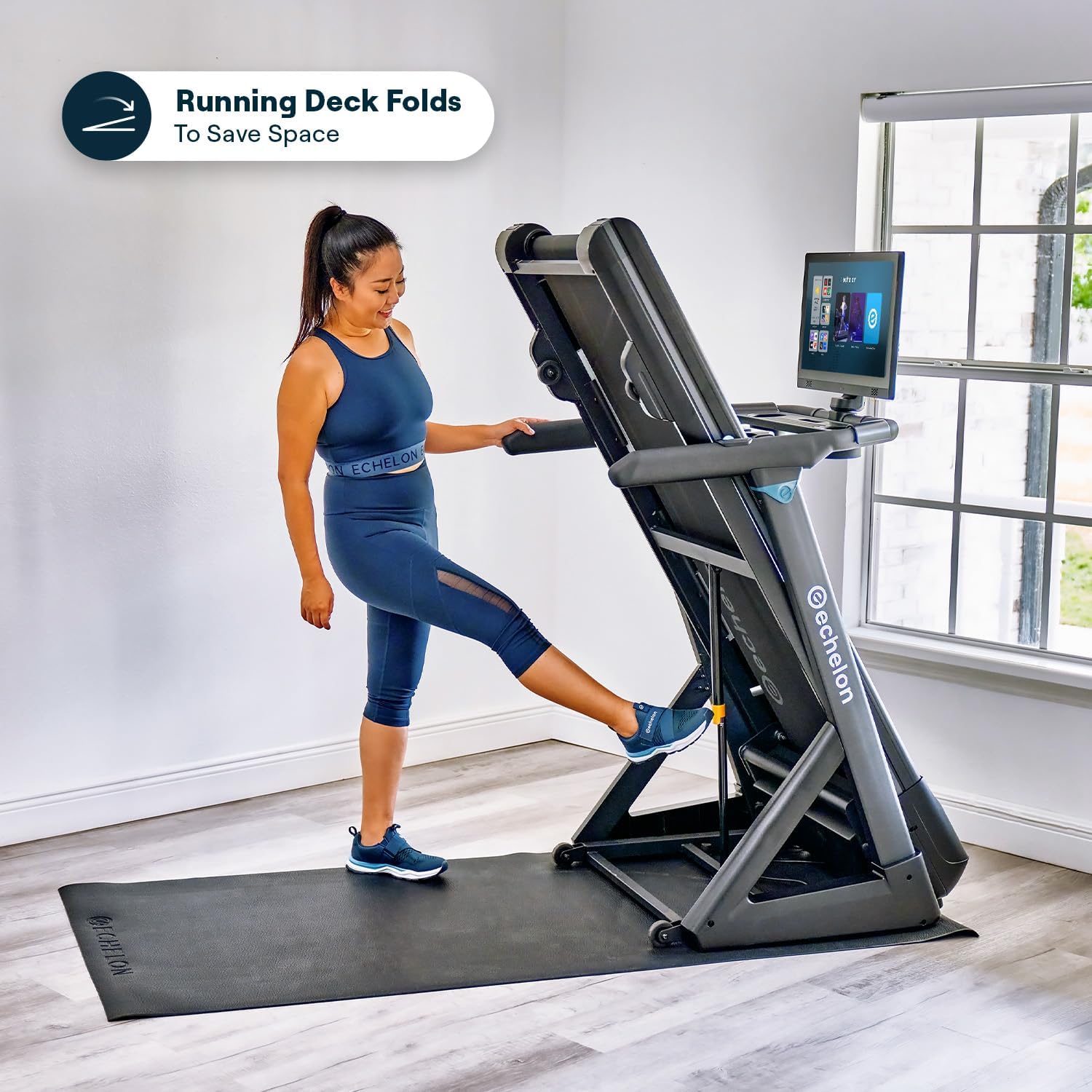
Image: A user demonstrating the unfolding process of the Echelon Stride 4s+22 Treadmill.

Image: The Echelon Stride 4s+22 Treadmill shown in its compact, folded state for storage.
4. Operating Instructions
The Echelon Stride 4s+22 Treadmill offers a user-friendly interface for controlling your workout.
4.1. Console and Touchscreen
The treadmill features a 22-inch HD touchscreen that serves as your primary interface. It can tilt and swivel 180 degrees, allowing for off-treadmill workouts or better viewing angles.

Image: The 22-inch HD touchscreen of the Echelon Stride 4s+22 demonstrating its tilt and swivel capabilities.
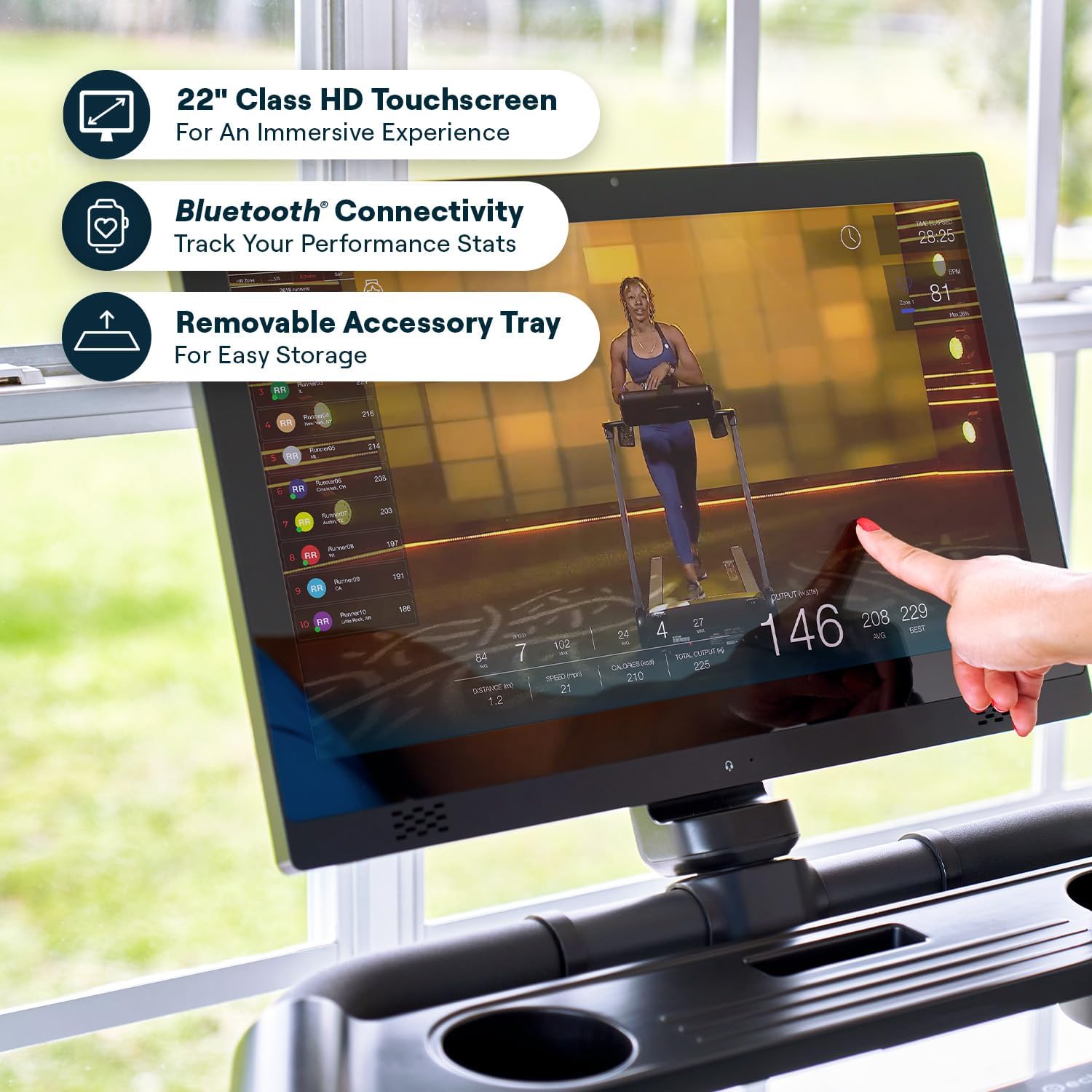
Image: A detailed view of the Echelon Stride 4s+22 touchscreen, highlighting its interactive display and features.
4.2. Starting a Workout
- Ensure the safety key is attached to your clothing and inserted into the console.
- Step onto the treadmill side rails.
- Select a workout program from the console or manually adjust settings. The console offers 8 pre-programmed workouts.
- Press the START button to begin. The belt will start moving at a low speed.
- Carefully step onto the running belt.
4.3. Adjusting Speed and Incline
Use the handlebar controls and the LED intuitive track wheel to adjust your workout intensity:
- Speed: Increase or decrease the running belt speed up to 12 MPH.
- Incline: Adjust the incline level up to 10% for varied terrain simulation. The treadmill offers 12 adjustable incline levels.
- Volume: Control the audio volume from the touchscreen.
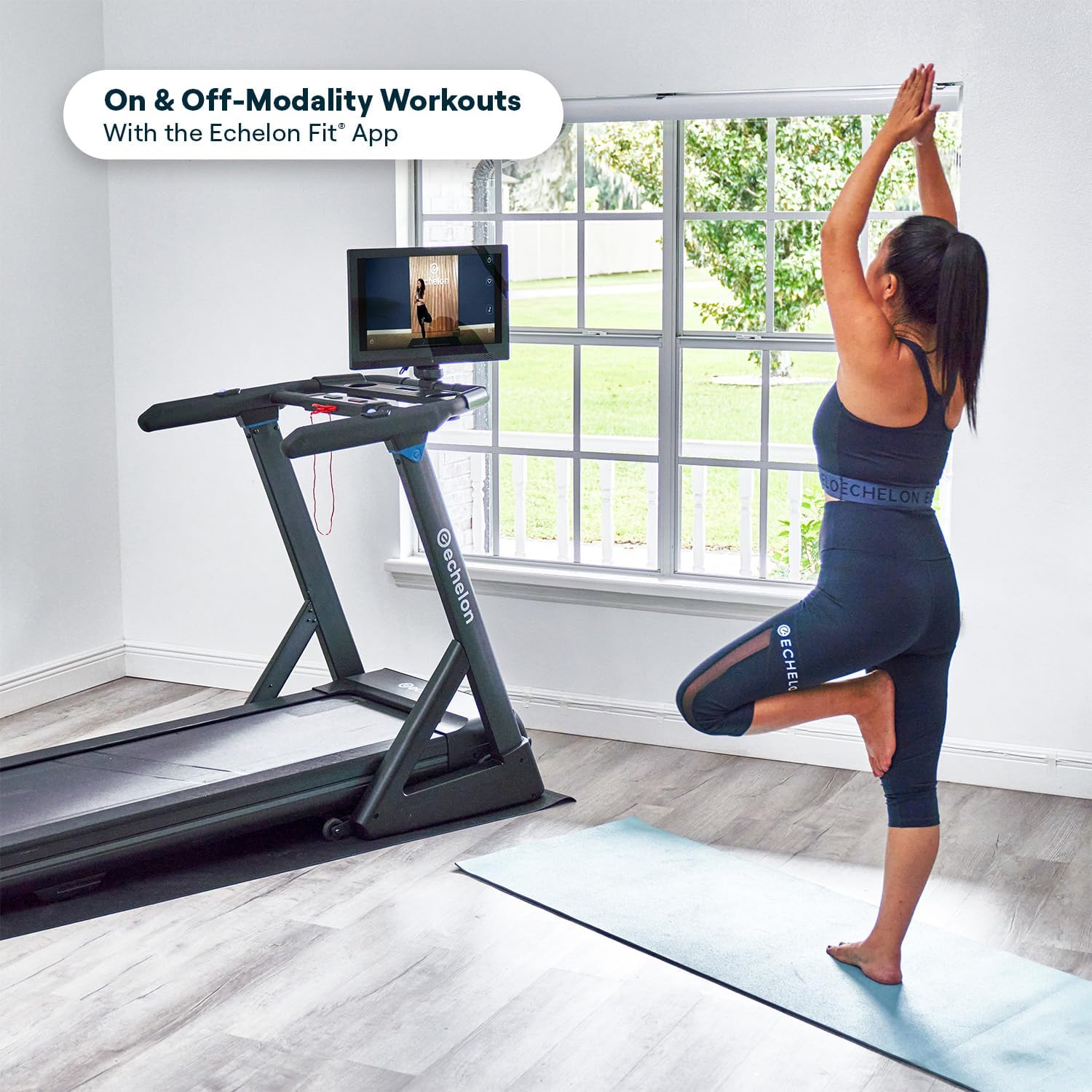
Image: A close-up view of the intuitive track wheel on the Echelon Stride 4s+22 Treadmill for easy control adjustments.
4.4. Heart Rate Monitoring
Integrated handlebar sensors allow you to monitor your heart rate during your workout. Grip the sensors firmly with both hands for an accurate reading.
4.5. Ending a Workout
To stop the treadmill, press the STOP button on the console. The belt will gradually slow down and come to a complete stop. Alternatively, pull the safety key to immediately stop the treadmill in an emergency.
5. Maintenance
Regular maintenance ensures the longevity and optimal performance of your Echelon Stride 4s+22 Treadmill.
- Cleaning: Wipe down the treadmill surfaces, including the console and handlebars, with a damp cloth after each use. Avoid using abrasive cleaners or solvents.
- Running Belt: Periodically check the running belt for wear and tear. Ensure the belt is centered and properly tensioned. A tool for belt tightening is provided. Refer to the online assembly video or contact support for detailed instructions on belt adjustment.
- Lubrication: The running deck may require lubrication over time. Consult the official Echelon support resources for specific lubrication instructions and recommended lubricants for the 1.6mm diamond-finish running belt.
- Power Cord: Inspect the power cord regularly for any damage. If damaged, discontinue use and contact customer support.
- Storage: When not in use, fold the treadmill to its compact position and store it in a dry, clean area. Use the built-in transport wheels for easy relocation.
6. Troubleshooting
This section addresses common issues you might encounter with your Echelon Stride 4s+22 Treadmill.
- Treadmill Not Powering On:
- Ensure the power cord is securely plugged into a grounded outlet and the treadmill.
- Check the circuit breaker in your home.
- Verify the safety key is correctly inserted into the console.
- Running Belt Slipping or Sticking:
- The running belt may need tensioning or lubrication. Refer to the maintenance section or Echelon support for instructions.
- Ensure the treadmill is on a level surface.
- Inaccurate Heart Rate Readings:
- Ensure your hands are clean and firmly gripping the handlebar sensors.
- Moisture or lotions on hands can affect sensor accuracy.
- Console Not Responding:
- Try restarting the treadmill by unplugging it for 30 seconds and then plugging it back in.
- Ensure all connections are secure.
If you encounter issues not listed here or if troubleshooting steps do not resolve the problem, please contact Echelon customer support.
7. Specifications
Detailed specifications for the Echelon Stride Series Treadmill Stride 4s+22 Black:
| Feature | Specification |
|---|---|
| Model | Stride 4s+22 |
| Brand | Echelon |
| Color | Black |
| Product Dimensions (Operational) | 74"D x 31"W x 53"H |
| Folded Size | 74"L x 31"W x 10"H |
| Material | Alloy Steel |
| Maximum Speed | 12 Miles per Hour |
| Maximum Incline Percentage | 10% (12 adjustable levels) |
| Motor | 3.0 CHP Brushless Motor |
| Running Deck Length | 55 inches |
| Running Deck Width | 20 inches |
| Maximum Weight Recommendation | 300 Pounds |
| Screen Size | 22 Inches HD Touchscreen |
| Connectivity | Bluetooth, USB for charging |
| Metrics Measured | Incline, Speed, Heart Rate |
| Included Components | Safety Key |
| UPC | 810091985281 |

Image: Diagram illustrating the dimensions and weight limits of the Echelon Stride 4s+22 Treadmill.

Image: View of the Echelon Stride 4s+22 running deck, highlighting the DuraSoft Cushions for impact absorption.
8. Warranty and Support
8.1. Warranty Information
The Echelon Stride Series Treadmill Stride 4s+22 Black comes with a 1-year manufacturer's warranty. This warranty covers defects in materials and workmanship under normal use. Please retain your proof of purchase for warranty claims.
For specific details regarding warranty coverage, limitations, and how to file a claim, please refer to the warranty documentation included with your product or visit the official Echelon Fitness website.
8.2. Customer Support
For technical assistance, troubleshooting, parts replacement, or any other inquiries, please contact Echelon Customer Support:
- Online Support: Visit the official Echelon Fitness support page for FAQs, guides, and contact options.
- Phone Support: Refer to your product packaging or the Echelon Fitness website for the most current customer service phone numbers.
When contacting support, please have your product model (Stride 4s+22) and serial number ready to expedite assistance.
