
1. Introduction
The AstroAI P8 4000A Jump Starter is a versatile and powerful device designed to provide reliable jump-starting for vehicles, act as a portable power bank, and offer emergency lighting. This manual provides essential information for safe and effective use of your device.
2. Safety Information
WARNING: Read all safety warnings and instructions before using this product. Failure to follow the warnings and instructions may result in electric shock, fire, and/or serious injury.
- This car starter includes 10 built-in comprehensive protections for enhanced safety. These safety features include reverse polarity, overcurrent, overcharge, overdischarge, high & low temperature protection, reverse connection, over voltage, overload, short circuit, and spark-proof clamps.
- Do not attempt to jump start any engine that exceeds the maximum displacement supported by the jump starter (10L Gas or 8L Diesel).
- Do not crank the engine for more than 3 seconds at a time. Allow the jump starter to cool down for at least 1 minute between each start attempt.
- Ensure the device has at least 50% charge before use.
- Keep out of reach of children.
- Do not expose the product to rain or wet conditions.
- Do not disassemble the product.

Image: AstroAI P8 Jump Starter highlighting its 10 safety protections including reverse polarity, overcurrent, overcharge, overdischarge, high & low temperature protection, reverse connection, over voltage, overload, short circuit, and spark-proof clamps.
3. Package Contents
- AstroAI P8 Jump Starter Unit
- Smart Jumper Cables
- USB-C Charging Cable
- User Manual
- Storage Bag

Image: The AstroAI P8 Jump Starter, smart jumper cables, USB-C charging cable, user manual, and a storage bag, laid out on a dark background.
4. Product Features
- Powerful Jump Starting: 4000A peak current for 10L gas and 8L diesel engines. Compatible with motorbikes, cars, SUVs, lawnmowers, tractors, and motorboats.
- Multifunctional Power Bank: USB-A output Port works with 5V⎓3A, 9V⎓2A, 12V⎓1.5A (QC 3.0). Serves as a reliable backup power source for electronic devices.
- Compact & Portable: Size 7.20in*3.45in*1.53in (183mm*88mm*39mm) for easy carrying and storage in glove boxes and door pockets.
- Multi-Mode LED Flashlight: Provides 3 modes: illumination, SOS, and strobe for convenient lighting in various scenarios.
- Comprehensive Safety: 10 built-in protections for enhanced safety, including reverse polarity, overcurrent, overcharge, overdischarge, high & low temperature protection, reverse connection, over voltage, overload, short circuit, and spark-proof clamps.

Image: The AstroAI P8 Jump Starter demonstrating its three main functions: jump starter, power bank, and LED flashlight.
5. Product Overview (Components)
The AstroAI P8 features a robust design with clearly marked ports and indicators for ease of use.
- Power Button: Activates the device and checks battery level.
- Battery Level Indicator: Displays the remaining charge.
- Jumper Cable Port: For connecting the smart jumper cables.
- USB-A Output Ports (QC 3.0): For charging external devices.
- USB-C Input/Output Port: For charging the jump starter and external devices.
- LED Flashlight: Multi-mode light for illumination, SOS, and strobe.
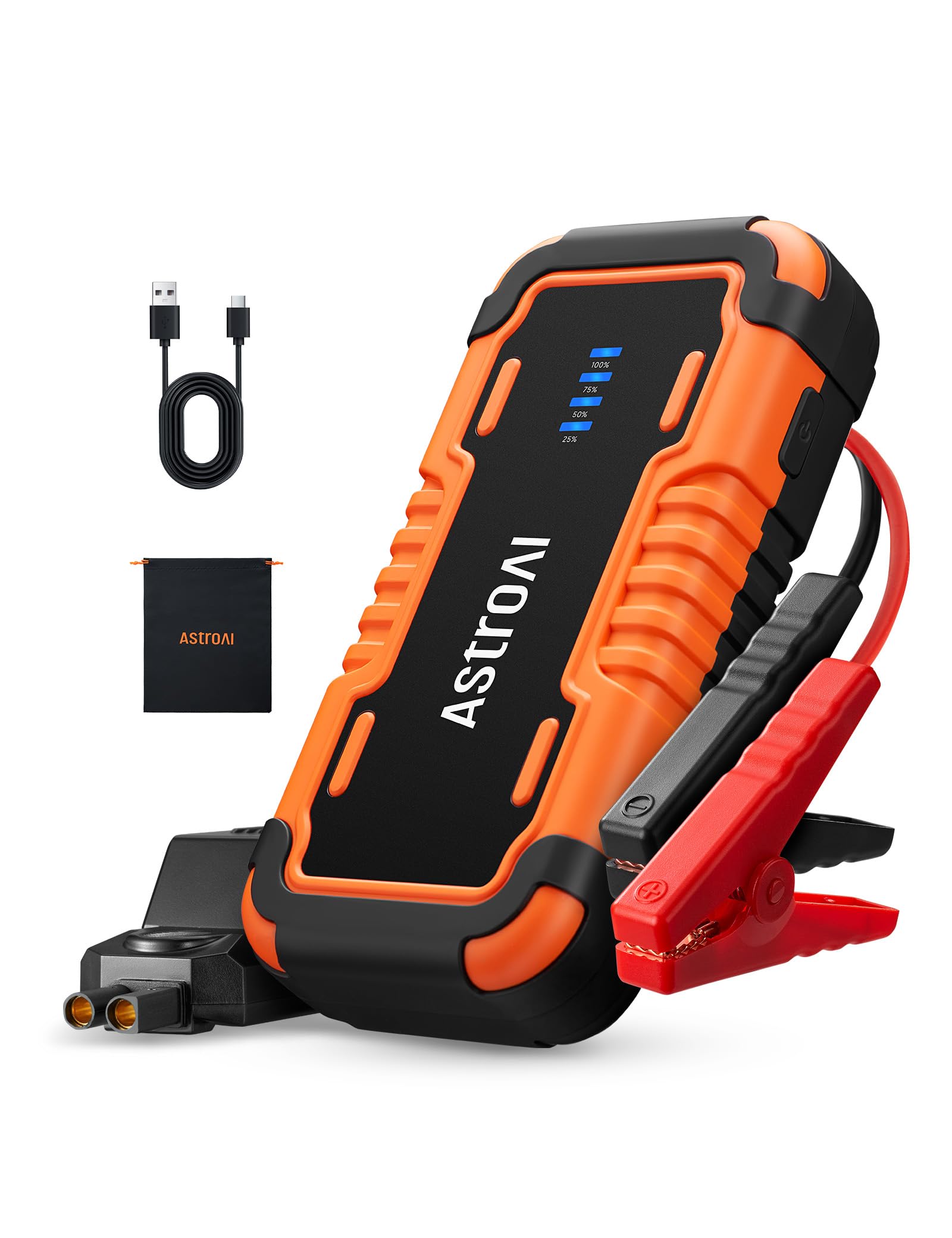
Image: The AstroAI P8 Jump Starter with its smart jumper cables connected, ready for use.
6. Charging the Jump Starter
Before first use, fully charge the AstroAI P8. It is recommended to recharge the unit after each use to maintain battery health.
- Connect the provided USB-C charging cable to the USB-C input/output port on the jump starter.
- Plug the other end of the USB-C cable into a compatible USB wall adapter (not included) or car charger.
- The battery level indicator lights will illuminate and flash, indicating the charging progress. All lights will be solid when fully charged.

Image: The AstroAI P8 Jump Starter connected via USB-C to charge a smartphone and a tablet, demonstrating its power bank functionality.
7. Operating Instructions
7.1. Jump Starting a Vehicle
- Ensure the jump starter is sufficiently charged (at least 50%).
- Connect the smart jumper cables to the jump starter's port. Ensure a secure connection.
- Attach the red clamp to the positive (+) terminal of the vehicle's battery.
- Attach the black clamp to the negative (-) terminal of the vehicle's battery.
- Check the indicator light on the smart jumper cable. A solid green light indicates a correct connection and readiness to jump start. If it's flashing or red, check connections or refer to troubleshooting.
- Start the vehicle's engine. If it doesn't start immediately, wait at least 1 minute before trying again. Do not crank for more than 3 seconds per attempt.
- Once the vehicle starts, immediately remove the black clamp from the negative terminal, then the red clamp from the positive terminal.
- Disconnect the smart jumper cables from the jump starter.

Image: A person connecting the AstroAI P8 Jump Starter to a car battery, illustrating the process of jump starting a vehicle.
7.2. Using as a Power Bank
The AstroAI P8 can charge various electronic devices.
- Connect your device's USB charging cable to one of the USB-A output ports or the USB-C port on the jump starter.
- The jump starter will automatically begin charging your device.
7.3. Using the LED Flashlight
The built-in LED flashlight offers multiple modes for different situations.
- Press and hold the power button for 3 seconds to turn on the flashlight (illumination mode).
- Press the power button once to switch to SOS mode.
- Press the power button again to switch to strobe mode.
- Press the power button once more to turn off the flashlight.

Image: A person using the AstroAI P8 Jump Starter's multi-mode LED flashlight under the hood of a car at night.
8. Maintenance
- Store the jump starter in a cool, dry place away from direct sunlight and extreme temperatures.
- Recharge the unit every 3-6 months, even if not used, to maintain battery health.
- Clean the exterior with a soft, damp cloth. Do not use harsh chemicals or abrasive cleaners.
- Inspect cables and clamps for any damage before each use.
9. Troubleshooting
| Problem | Possible Cause | Solution |
|---|---|---|
| Vehicle does not start. | Low charge on jump starter, incorrect connection, or vehicle battery completely dead. | Ensure jump starter is at least 50% charged. Recheck clamp connections. If battery is extremely dead, allow jump starter to connect for a few minutes before attempting to start. |
| Smart jumper cable indicator is red or flashing. | Reverse polarity, short circuit, or other safety protection activated. | Disconnect clamps and re-attach them correctly (red to positive, black to negative). If issue persists, check for short circuits or other battery issues. |
| Jump starter not charging. | Faulty charging cable or adapter. | Try a different USB-C cable and wall adapter. Ensure connections are secure. |
10. Specifications
- Model: P8
- Peak Current: 4000 Amps
- Engine Compatibility: Up to 10L Gas or 8L Diesel
- Voltage: 12 Volts
- Battery Type: Lithium Polymer (included)
- USB-A Output (QC 3.0): 5V⎓3A, 9V⎓2A, 12V⎓1.5A
- USB-C Input/Output: 5V⎓3A, 9V⎓2A
- Dimensions: 183mm x 88mm x 39mm (7.20in x 3.45in x 1.53in)
- Item Weight: 710 g
- Country of Origin: China
11. Warranty and Support
AstroAI products come with a manufacturer's warranty. For detailed warranty information, product support, or to register your product, please visit the official AstroAI website or contact their customer service directly. Keep your purchase receipt for warranty claims.
Manufacturer: AstroAI
Contact: Support@astroai.com


