
Swann SWNVK-MRMINISD4-US
Swann MaxRanger Mini Kit 4K Wireless NVR Security System (4-Camera Kit) User Manual
Model: SWNVK-MRMINISD4-US
1. Introduction
This manual provides comprehensive instructions for the installation, operation, and maintenance of your Swann MaxRanger Mini Kit 4K Wireless NVR Security System. This system is designed to provide reliable surveillance for your property with advanced features such as 4K video resolution, extended Wi-Fi range, and intelligent detection capabilities. Please read this manual thoroughly before using the product to ensure proper setup and functionality.
2. Product Overview
The Swann MaxRanger Mini Kit offers a robust security solution with several key features:
- Extended Wi-Fi HaLow™ Range: Provides wireless coverage up to 1000ft (300m) in line of sight and 330ft (100m) through obstacles, surpassing traditional Wi-Fi limitations.
- 4K Ultra HD Video: Captures clear, detailed footage, allowing for precise identification of faces, license plates, and other critical details.
- Color Night Vision: Delivers full-color video at night up to 50ft (15m) with spotlights activated, and black and white vision up to 65ft (20m) in complete darkness.
- True Detect+™: Advanced detection senses heat, motion, people, and vehicles, triggering alerts, recording, spotlights, and sirens to deter unwanted activity.
- Two-Way Audio: Built-in microphones and speakers enable communication with individuals near the cameras via the Swann Security app.
- Local Storage: Recordings are stored securely on the included 32GB MicroSD card, eliminating monthly subscription fees.

Image: Front view of the Swann MaxRanger Mini 4K Wireless Camera, showing the lens, spotlights, and antenna.
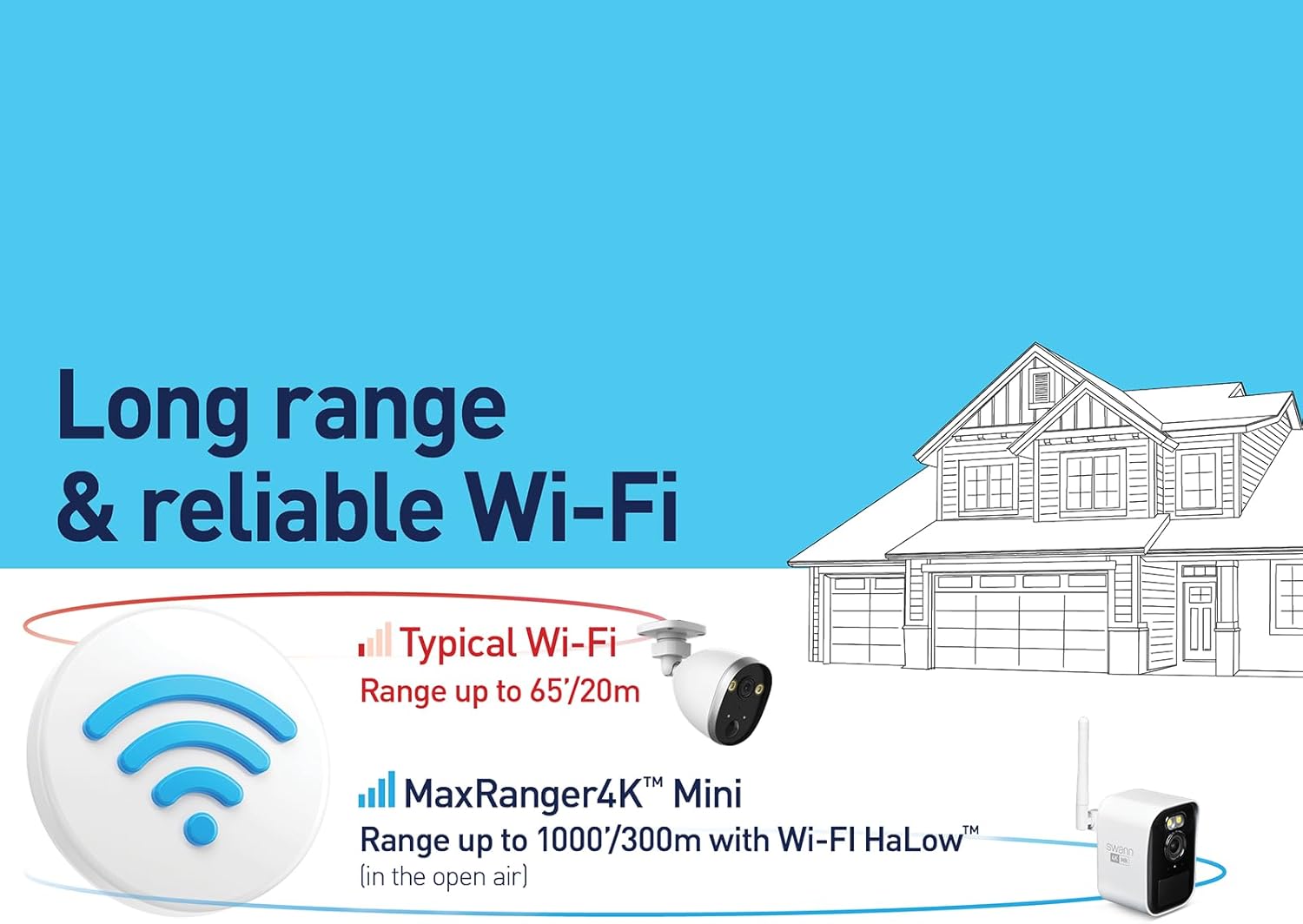
Image: Diagram illustrating the extended range of MaxRanger4K Mini's Wi-Fi HaLow technology compared to typical Wi-Fi.
3. Package Contents
Ensure all items listed below are present in your package:
- MaxRanger4K NVR Hub with 32GB SD Card Storage
- MaxRanger4K MRMINICAM Wireless Cameras (4 units)
- Outdoor Mounting Stands (4 units)
- USB Charging Cables (4 units)
- Mounting Screws and Wall Plugs
- Quick Start Guide

Image: All components included in the Swann MaxRanger Mini Kit: camera, mounting stand, USB cable, and screws.
4. Setup
The MaxRanger Mini Kit is designed for easy setup. The cameras and base station are pre-paired for wireless connection.
4.1 Initial Power-Up
- Connect the NVR Hub to a power source using the provided adapter.
- Ensure the 32GB MicroSD card is inserted into the NVR Hub.
- Power on each MaxRanger Mini camera.
4.2 App Installation and Pairing
- Download the Swann Security app from your device's app store.
- Open the app and follow the on-screen instructions to create an account or log in.
- Scan the QR codes located on the NVR Hub and each camera to add them to your account. The system should automatically connect.
4.3 Camera Mounting
Select optimal locations for your cameras, considering coverage area and Wi-Fi signal strength. The cameras are designed for outdoor use and can be wall-mounted.
- Use the provided mounting stands, screws, and wall plugs to securely attach the cameras to a desired surface.
- Adjust the camera angle to cover the desired surveillance area.

Image: A Swann MaxRanger Mini camera mounted on an exterior wall of a house, demonstrating typical outdoor installation.
5. Operating Instructions
Control and monitor your security system using the Swann Security app.
5.1 Live View and Recording
- Access live camera feeds through the Swann Security app.
- Recordings are automatically triggered by True Detect+ events and stored on the NVR Hub's MicroSD card.
- Review recorded footage directly from the app.

Image: Side-by-side comparison demonstrating the superior detail of 4K Ultra HD video compared to 1080p Full HD.
5.2 Two-Way Audio
- Utilize the microphone and speaker functions within the app to communicate with visitors or deter intruders.
- Ensure your mobile device's microphone is enabled for the app.

Image: Illustration of the 2-way audio feature, showing a person speaking through their phone to someone at the door.
5.3 Night Vision and Spotlights
- The cameras automatically switch to night vision in low-light conditions.
- Enable spotlights via the app for color night vision and enhanced deterrence.

Image: A Swann MaxRanger Mini camera with its integrated spotlights illuminated, providing light for color night vision.
6. Maintenance
6.1 Camera Cleaning
- Periodically clean the camera lens and housing with a soft, damp cloth to remove dirt and debris.
- Do not use harsh chemicals or abrasive cleaners.
6.2 Battery Charging
- The cameras are battery-powered. Monitor battery levels via the Swann Security app.
- Recharge cameras using the provided USB charging cables.
- Consider compatible solar panels (sold separately) for continuous charging.
6.3 Storage Management
- The NVR Hub includes a 32GB MicroSD card, capable of storing up to 6 months of video footage before overwriting older recordings.
- Regularly back up important footage if needed.

Image: Close-up of the Swann NVR Hub, highlighting the slot for the included 32GB MicroSD card for local storage.
7. Troubleshooting
7.1 No Video/Connectivity Issues
- Ensure the NVR Hub and cameras are powered on and within range.
- Verify your home Wi-Fi network is active and stable.
- Check the Swann Security app for device status and error messages.
- Restart the NVR Hub and cameras.
7.2 Poor Night Vision Performance
- Ensure the camera lens is clean and free from obstructions.
- For color night vision, ensure spotlights are enabled in the app.
- External lighting conditions significantly impact night vision quality. Consider adding supplementary lighting if needed.
7.3 Recording Delays or Gaps
- Check the MicroSD card status in the NVR Hub. Ensure it is properly inserted and not full.
- Verify motion detection settings in the Swann Security app.
- Ensure a strong Wi-Fi connection between cameras and the NVR Hub.
7.4 USB-C Port Compatibility
- The camera's USB-C charging port is designed for the supplied cable. Some aftermarket cables, including those on certain solar panels, may not fit due to specific port dimensions.
- Use the original charging cable or ensure any third-party cable has a compatible connector size.
8. Specifications
| Feature | Specification |
|---|---|
| Model Number | SWNVK-MRMINISD4-US |
| Video Capture Resolution | 4K (Ultra HD) |
| Connectivity Technology | Wireless (Wi-Fi HaLow™) |
| Wi-Fi Range (Line of Sight) | Up to 1000ft (300m) |
| Wi-Fi Range (Through Obstacles) | Up to 330ft (100m) |
| Indoor/Outdoor Usage | Outdoor |
| Power Source | Battery Powered |
| Battery Capacity | 6400 mAh |
| Local Storage | 32GB MicroSD Card (included) |
| Night Vision Range (Color) | Up to 50ft (15m) with spotlights |
| Night Vision Range (B&W) | Up to 65ft (20m) in complete darkness |
| Viewing Angle | 110 Degrees |
| Dimensions (Camera) | 2.36 x 2.36 x 3.5 inches |
| Item Weight | 7.15 pounds (total package) |
| Water Resistance Level | Waterproof |
| Control Method | App (Swann Security) |
| UPC | 840236142866 |
9. Warranty and Support
For warranty information, technical support, or further assistance, please visit the official Swann website or contact Swann customer service. Product registration may be required to activate your warranty.
- Swann Official Website: www.swann.com
- Refer to the Quick Start Guide included in your package for specific contact details for your region.
Ask a question about this manual
Ask about setup, troubleshooting, compatibility, parts, safety, or missing instructions. Manuals+ will review the question and use this page’s manual context to help answer it.