
1. Introduction
The MINISO MS162 AI Language Translation Earbuds are designed to facilitate real-time communication across language barriers. These earbuds support translation in 135 languages and accents, integrate music playback, and call handling. They feature an open-ear design for comfort and are compatible with both iOS and Android devices via Bluetooth 5.4.

Image 1.1: The MINISO MS162 AI Language Translation Earbuds and their charging case.
2. Package Contents
Ensure all items are present in the package:
- 1 x MS162 Translator Earbuds
- 1 x Charging Cable (Type-C)
- 2 x User Manual
- 1 x Smart Charging Case

Image 2.1: Overview of the MINISO MS162 Earbuds package contents, including earbuds, charging case, and cables.
3. Setup Guide
3.1 Initial Charging
Before first use, fully charge the earbuds and the charging case. Connect the provided Type-C charging cable to the charging port on the case and a power source. The LED display on the case will indicate the charging status.

Video 3.1: This video demonstrates the charging process for the MINISO MS162 earbuds and case, showing the Type-C port and LED power display.
3.2 Bluetooth Pairing
- Take the earbuds out of the charging case. They will automatically enter pairing mode.
- On your smartphone or device, navigate to the Bluetooth settings.
- Search for 'MINISO-MS162' in the list of available devices.
- Select 'MINISO-MS162' to connect. A voice prompt will confirm successful pairing.

Image 3.2: A smartphone displaying its Bluetooth settings, showing 'MINISO-MS162' as a connectable device, with the earbuds in their open charging case.
3.3 App Installation
For full translation functionality, download the 'Earjoy Intelligence' app:
- Scan the QR code provided in the user manual or on the product packaging using your smartphone's camera.
- The QR code will direct you to the app download page.
- Select the appropriate version (iOS or Android) and install the 'Earjoy Intelligence' app.

Image 3.3: A smartphone scanning a QR code from the instruction manual, leading to the Earjoy app download page.

Video 3.2: This video demonstrates the process of pairing the earbuds via Bluetooth and downloading the companion Earjoy app by scanning a QR code.
4. Operating Instructions
4.1 Wearing the Earbuds
The MS162 earbuds feature an open-ear design for comfort and stability. Gently place the ear hook over your ear, ensuring the speaker rests comfortably near your ear canal without entering it. The flexible titanium wire allows for adjustment to fit various ear shapes.

Image 4.1: A person wearing the MINISO MS162 earbuds, showcasing the open-ear design that provides comfort and breathability.
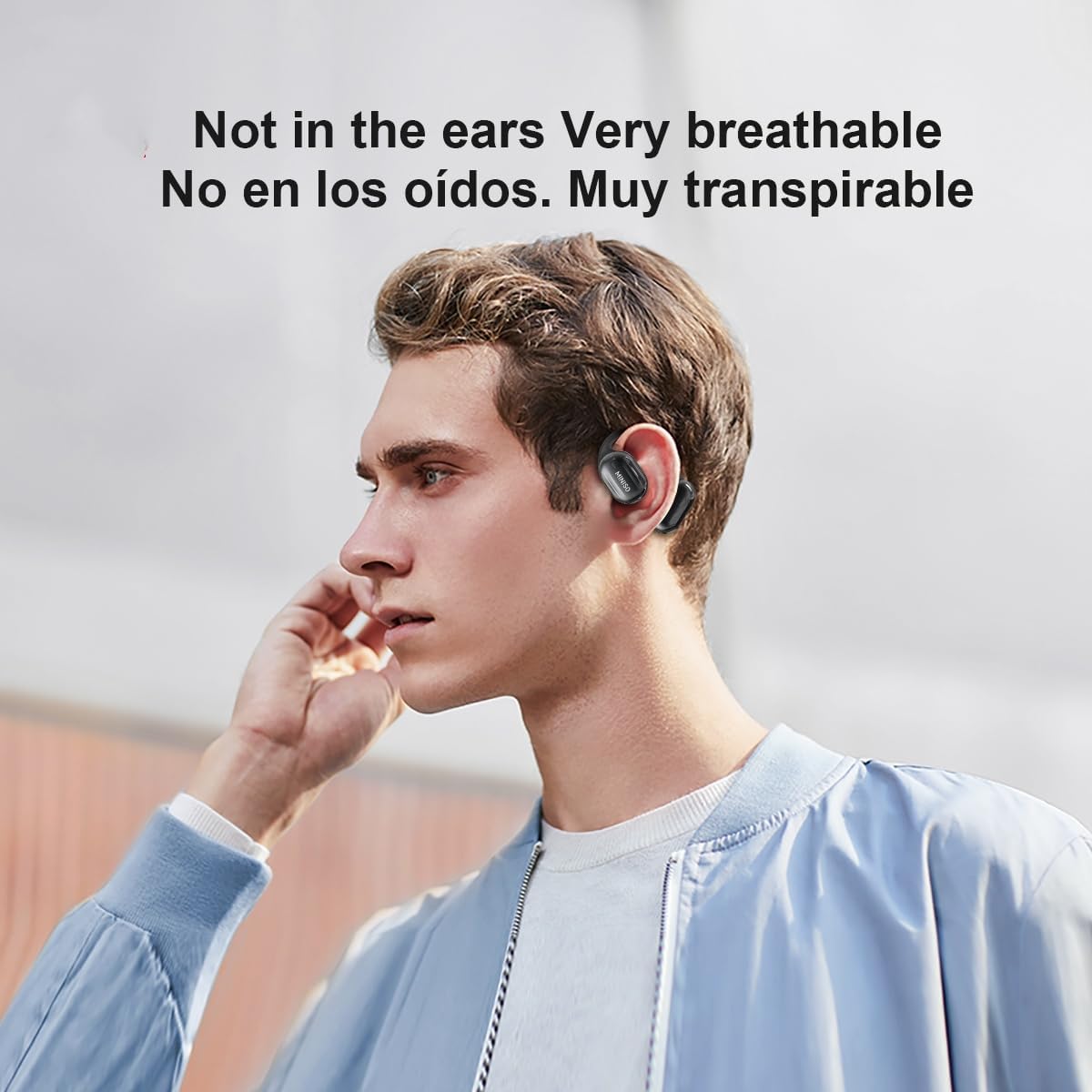
Image 4.2: A close-up view of a person wearing the MINISO MS162 earbuds, illustrating how the ear hook secures the device.
4.2 Touch Controls
The earbuds feature sensitive touch controls for various functions:
- Click once (L/R): Play/Pause music.
- Double click (L/R): Next song / Answer or hang up a call.
- Triple click (L/R): Previous song.
- Long press for 2 seconds (L/R): Wake up voice assistant.
- Long press for 3 seconds (L/R): Reject incoming calls.
4.3 Translation Modes (via Earjoy App)
The Earjoy app offers multiple translation modes:
- Free Talk Mode: For natural, uninterrupted conversations.
- Speaker Mode: Use your phone as a microphone and the earbuds for listening, ideal for quick interactions like asking for directions.
- Touch Mode: Tap an earbud to speak, and the translation is heard by the other person through their earbud or your phone.
- AI Dialogue Mode: Facilitates real-time translation in various scenarios, such as business meetings or academic exchanges.

Image 4.3: Two individuals engaged in a conversation, utilizing the MINISO MS162 earbuds for face-to-face real-time translation.

Image 4.4: A business meeting scenario where participants are using MINISO MS162 earbuds for on-site meeting recording and translation.
5. Maintenance
5.1 Cleaning and Care
The MS162 earbuds are IPX5 waterproof, meaning they are resistant to sweat and light splashes. However, they are not suitable for submersion in water. To clean, gently wipe the earbuds and charging case with a soft, dry cloth. Avoid using harsh chemicals or abrasive materials.

Image 5.1: The MINISO MS162 earbuds covered in water droplets, demonstrating their IPX5 water resistance.
5.2 Storage
When not in use, store the earbuds in their charging case to protect them and ensure they remain charged. Keep the device in a cool, dry place away from direct sunlight and extreme temperatures.
6. Troubleshooting
- Earbuds not connecting: Ensure Bluetooth is enabled on your device and the earbuds are charged. Try unpairing and re-pairing the earbuds.
- No sound or low volume: Check the volume levels on both your connected device and the earbuds. Ensure the earbuds are properly seated in your ears.
- Translation issues: Verify that the Earjoy app is correctly installed and configured. Ensure a stable internet connection for optimal translation performance.
- Charging problems: Check the charging cable and adapter. Ensure the charging contacts on the earbuds and case are clean and free of debris.
7. Specifications
| Feature | Detail |
|---|---|
| Product Model | MS162 |
| Pairing Name | MS162 |
| Wireless Version | V5.4 |
| Charging Time | Approx. 1.5 hours |
| Music Time | ≥48 hours (with charging case) |
| Call Time | ≥48 hours (with charging case) |
| Charging Bay Battery | 300mAh |
| Headphone Battery | 70mAh |
| Charging Voltage/Current | 5V===300mAh |
| Transmission Distance | Approx. 10m |
| Headphone Speaker | 16mm |
| Item Weight | 5.9 ounces |
| Waterproof Rating | IPX5 |
Note: Product parameters are for reference only. Due to slight differences in electronic components, actual product parameters may vary.

Image 7.1: Visual representation of the MINISO MS162 earbuds' battery life, showing 8 hours for single use and 58 hours with the charging case.
8. Warranty and Support
For warranty information and customer support, please refer to the documentation included in your product packaging or visit the official MINISO website. Specific warranty terms may vary by region and retailer.