
AKALULI L816-0507
AKALULI AI Voice Recorder User Manual
Model: L816-0507
1. Introduction
The AKALULI AI Voice Recorder is a cutting-edge device designed to enhance your productivity by transforming spoken words into actionable insights. Powered by advanced AI models like OpenAI's Whisper STT and ChatGPT-4o, it offers real-time transcription, intelligent summarization, and seamless app control. This compact and portable recorder is ideal for capturing important information during meetings, lectures, interviews, and personal notes.
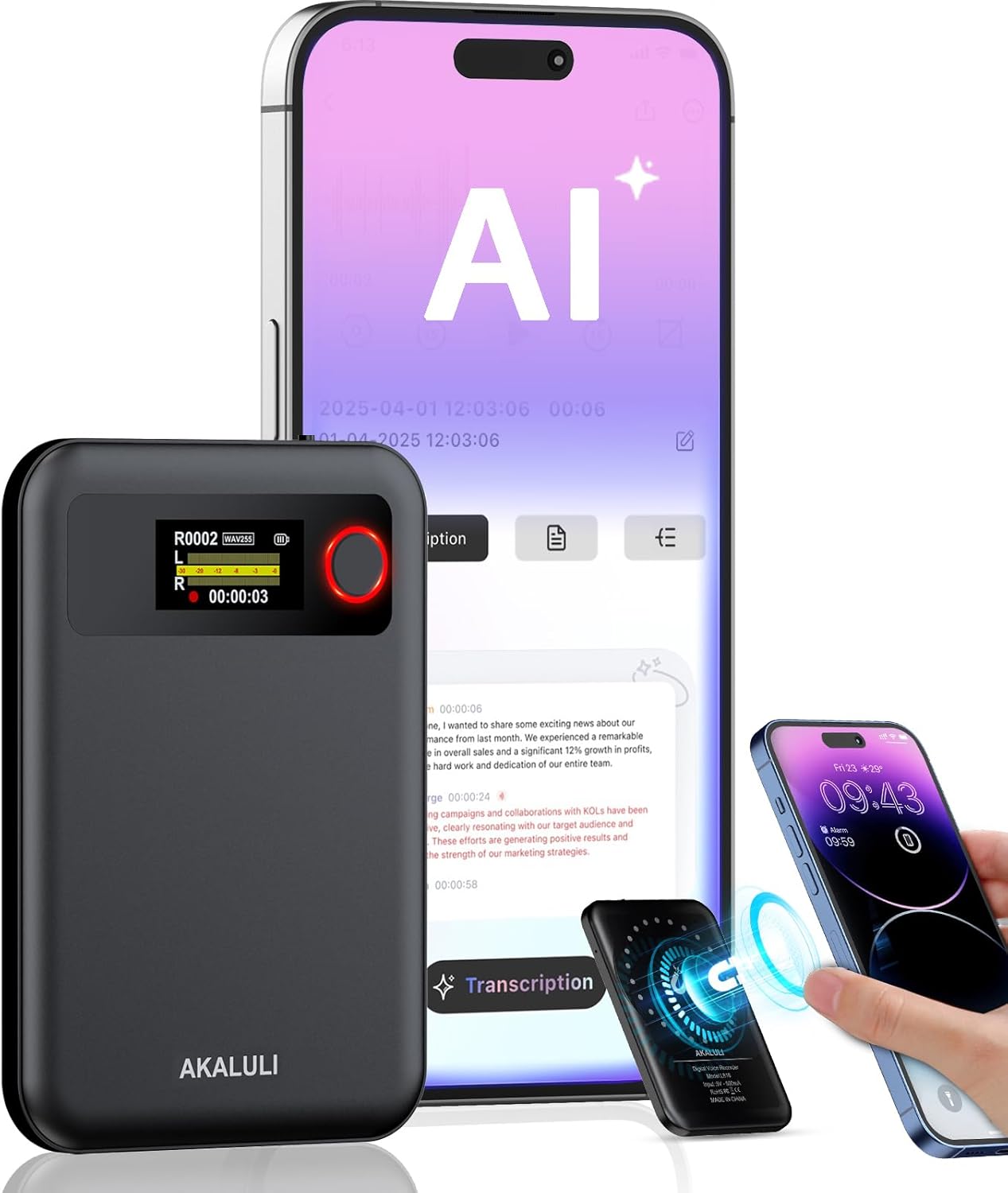
Image: The AKALULI AI Voice Recorder shown alongside a smartphone, illustrating its app-controlled features and AI capabilities.
2. Key Features
- AI-Powered Transcription & Summarization: Utilizes OpenAI's Whisper STT model and ChatGPT-4o for real-time transcription and one-click text summaries, supporting over 100 languages with 98% accuracy.
- High-Quality Audio: Advanced dual microphones and voice enhancement technology eliminate over 90% background noise, ensuring crystal-clear recordings.
- Phone Call Recording: Innovative vibration conduction sensors (VCS) enable clear recording of phone calls.
- Privacy-First Storage: All recordings and transcribed data are securely stored locally and encrypted, processed only with user authorization.
- Portable & Lightweight: At just 0.29 inches thick and weighing 0.12 pounds, with a magnetic feature for easy attachment to mobile devices.
- Long Battery Life & Ample Storage: Up to 30 hours of continuous recording on a single charge, with 64GB of internal storage holding up to 480 hours of audio.
- Flexible Plans: Includes a free starter plan for 400 minutes of transcription and summarization per month, with options to upgrade to a Pro plan or purchase additional time.

Image: An infographic highlighting the core functionalities of the AKALULI AI Voice Recorder, including real-time speech-to-text, AI summarization, online translation, mind map visualization, effortless call recording, dual file backup, DSP intelligent noise reduction, and one-touch recording.
3. Setup Guide
3.1 What's in the Box
- AKALULI AI Voice Recorder (Built-in Magnetic)
- Charging Cable (USB-C)
- User Manual
- Usage Guide Card
- Magnetic Ring (for non-MagSafe phones)

Image: A visual representation of the items included in the product packaging: the AI Voice Recorder, charging cable, user manual, usage guide card, and a magnetic ring.
3.2 Initial Charging
Before first use, fully charge your AKALULI AI Voice Recorder. Connect the provided USB-C charging cable to the device and a power source. A full charge typically takes 2 hours and provides up to 30 hours of continuous recording.
3.3 App Download & Connection
The AKALULI AI Voice Recorder is designed for seamless integration with your smartphone via a dedicated app. This app allows for control, file management, transcription, and summarization.
- Download the App: Search for "AI DVR Link" in your device's app store (App Store for iPhone, Google Play for Android).
- Install and Register: Follow the on-screen instructions to install the app and complete the registration process.
- Connect via Bluetooth: Turn on Bluetooth on your smartphone. Power on the AKALULI AI Voice Recorder. Open the "AI DVR Link" app and follow the prompts to connect to your device. The app will guide you through the pairing process.

Image: The AKALULI AI Voice Recorder displayed with icons for iPhone and Android, indicating its compatibility and instructing users to download the "AI DVR Link" app from their respective app stores.
3.4 Magnetic Attachment
The recorder features a built-in magnetic design, allowing it to easily attach to MagSafe-compatible iPhones or other devices using the included magnetic ring. This ensures convenient and secure placement during use, especially for phone call recording.

Image: A hand holding the compact AKALULI AI Voice Recorder, highlighting its slim profile and the magnetic feature that allows it to attach to a smartphone.
4. Operating Instructions
4.1 One-Press Recording
The AKALULI AI Voice Recorder simplifies recording with its intuitive one-press operation. Simply press the dedicated record button on the device to start and stop recording. The device's screen will indicate recording status.
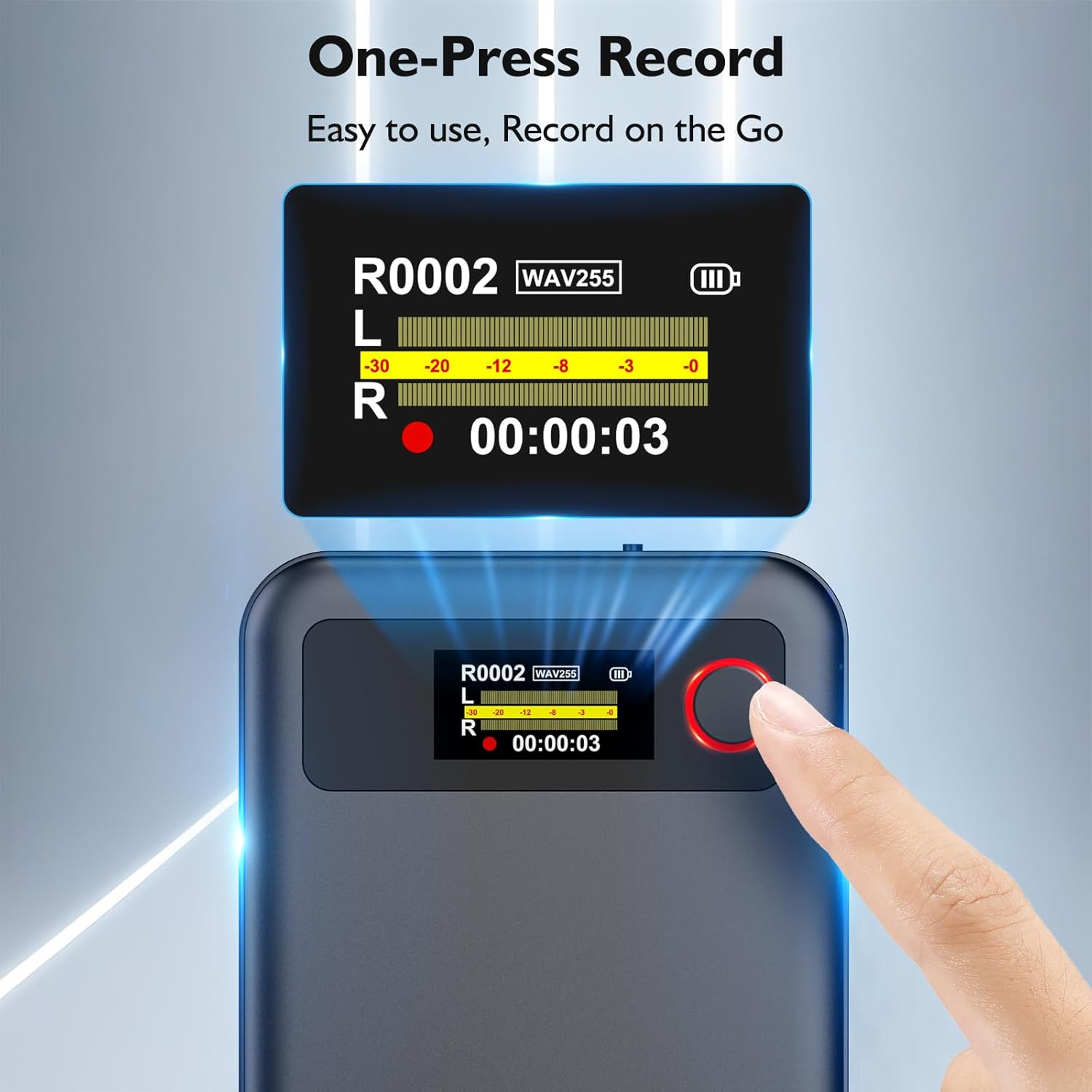
Image: A close-up of a finger pressing the red record button on the AKALULI AI Voice Recorder, demonstrating its one-press recording functionality.
4.2 Dual Mode Recording (Normal & Phone Call)
The recorder supports two primary recording modes to capture every detail with ease:
- Normal Recording: For capturing ambient sound in meetings, lectures, interviews, or personal notes.
- Phone Call Recording: Utilize the magnetic attachment and innovative vibration conduction sensors (VCS) to clearly record phone conversations.
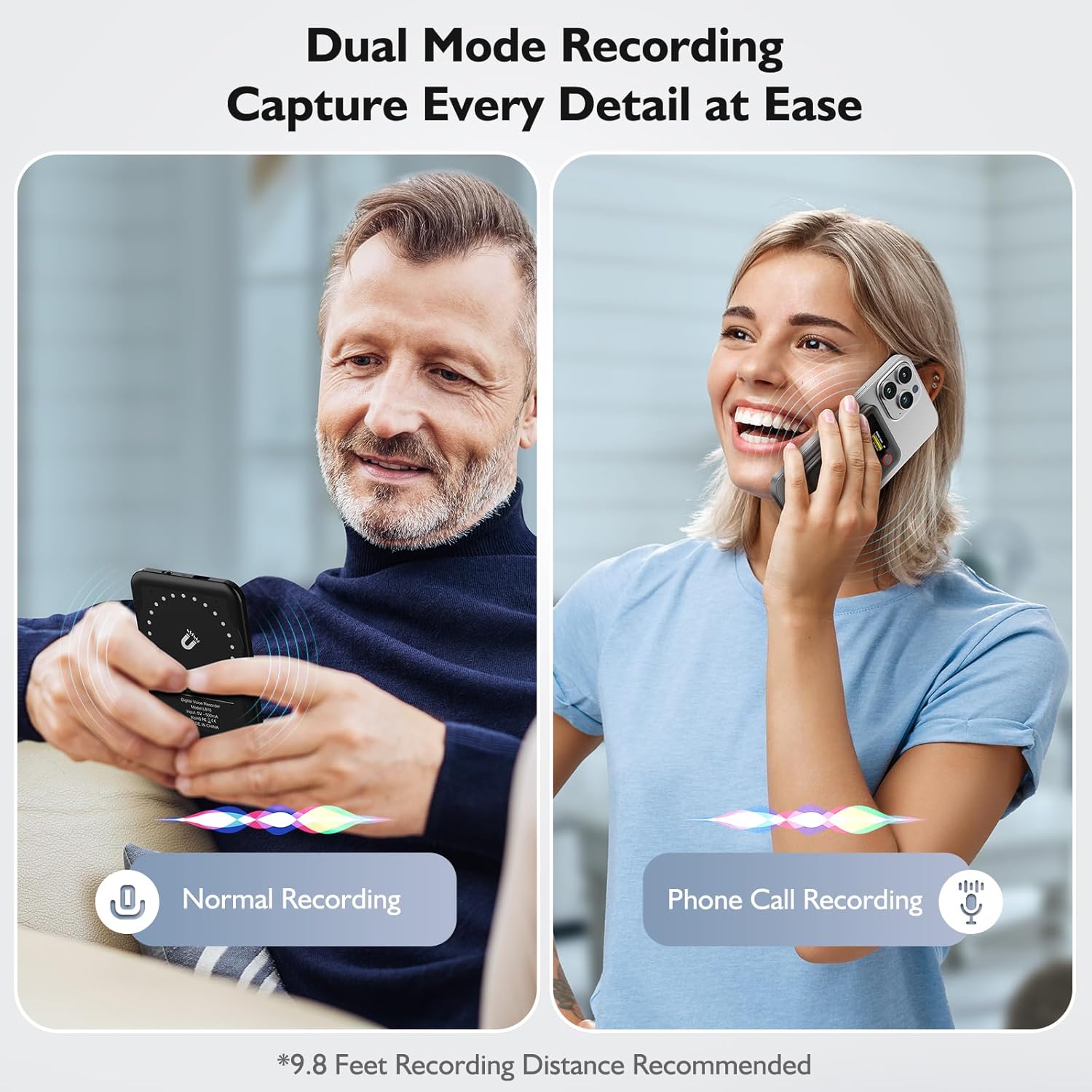
Image: Two panels illustrating the dual recording modes: one showing a person using the recorder for normal ambient recording, and the other showing a person using it attached to a phone for call recording.
4.3 Transcription
Leverage the power of AI to convert your audio recordings into text with high accuracy.
- Access Recordings: Once recorded, connect your device to the app. Your recordings will appear in the app's file list.
- Initiate Transcription: Select a recording and choose the transcription option within the app. The AI will process the audio.
- Review & Edit: The transcribed text will be displayed, allowing you to review for 98% accuracy and make any necessary edits. The system supports over 100 languages.

Image: A man holding the AKALULI AI Voice Recorder, with an overlay of a smartphone screen demonstrating the quick and accurate transcription feature, highlighting support for over 100 languages and 98% accuracy.
4.4 Summarization & Mind-Map Generation
Beyond transcription, the AKALULI AI Voice Recorder can intelligently summarize your content and even generate mind maps.
- Generate Summary: After transcription, select the 'Summary' option. Choose from various summary templates (e.g., meeting minutes, key information, next steps) to suit your needs.
- Mind-Map Visualization: The app can also create a visual mind map of your summarized content, providing a clear overview of key points and relationships.
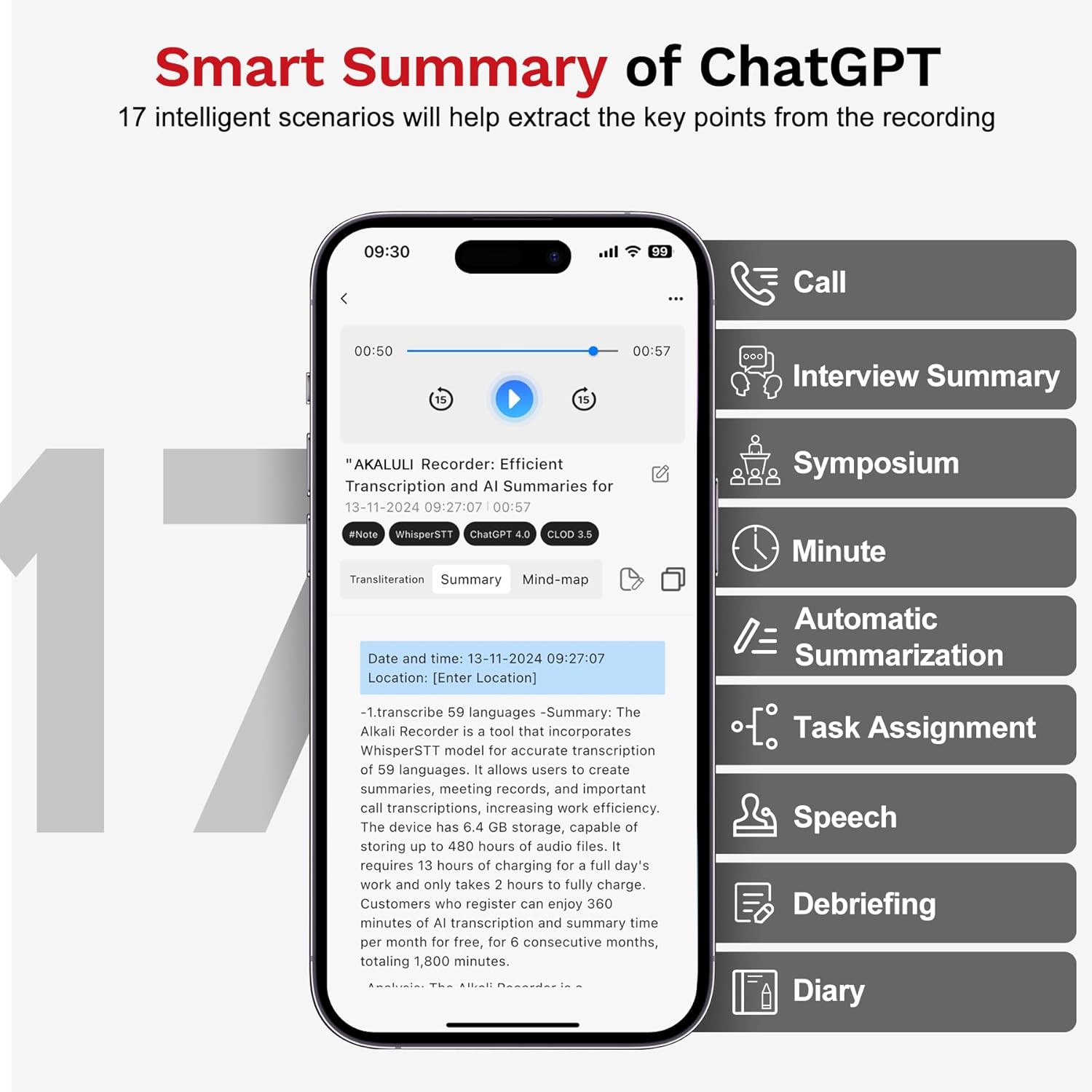
Image: A smartphone screen displaying various smart summary options, such as Call, Interview Summary, Symposium, Minute, Automatic Summarization, Task Assignment, Speech, and Debriefing, powered by ChatGPT.
4.5 Download & Share
Easily export and share your transcribed and summarized content.
- Export Formats: Export your text as PDF or Word documents for easy sharing and archiving.
- Direct Sharing: Share directly from the app to various platforms or email.
5. Maintenance
To ensure the longevity and optimal performance of your AKALULI AI Voice Recorder, follow these maintenance guidelines:
- Cleaning: Use a soft, dry cloth to clean the device. Avoid using liquid cleaners or aerosols.
- Storage: Store the device in a cool, dry place away from direct sunlight and extreme temperatures.
- Battery Care: For long-term storage, charge the battery to about 50% every three months to prevent deep discharge.
- Software Updates: Regularly check the "AI DVR Link" app for firmware updates to ensure you have the latest features and performance improvements.
6. Troubleshooting
If you encounter any issues with your AKALULI AI Voice Recorder, please refer to the following common solutions:
| Problem | Possible Cause | Solution |
|---|---|---|
| Device not turning on | Low battery | Charge the device fully. |
| Cannot connect to app via Bluetooth | Bluetooth off, device out of range, app issue | Ensure Bluetooth is on, device is close to phone, restart app/device. |
| Transcription accuracy is low | High background noise, unclear speech | Record in a quieter environment, speak clearly and closer to the device. |
| Recordings not saving | Full storage, device error | Check available storage (64GB capacity), restart device. |
If the issue persists, please contact AKALULI customer support for further assistance.
7. Specifications
| Feature | Detail |
|---|---|
| Model Number | L816-0507 |
| Product Dimensions | 0.12 x 2.36 x 3.34 inches |
| Item Weight | 5.3 ounces |
| Memory Storage Capacity | 64 GB |
| Battery Life | Up to 30 Hours (continuous recording) |
| Charging Time | Approx. 2 Hours for full charge |
| Hardware Interface | USB 3.0 Type C |
| Microphone Form Factor | Built-In |
| Audio Format | WAV |
| Compatible Devices | iPhone, Smartphone |
8. Warranty and Support
AKALULI provides comprehensive support for its products. For warranty information, please refer to the warranty card included in your product packaging or visit the official AKALULI website.
8.1 Subscription Plans
The AKALULI AI Voice Recorder comes with flexible subscription plans for transcription and summarization services:
- Free Starter Plan: Includes 400 minutes of transcription and summarization per month. Unused minutes reset each month.
- Pro Plan: Offers 800 minutes of AI transcription and summary generation per month, along with more professional summary templates, for an annual fee of $29.99.
You can upgrade to the Pro Plan or purchase additional transcription time directly through the "AI DVR Link" app.

Image: A comparison table outlining the features and minutes included in the Free Starter Plan and the paid Pro Plan for AKALULI AI services.
8.2 Official Product Videos
For visual guidance and demonstrations, please refer to the official product videos:
Video: An overview of the AKALULI AI Voice Recorder, demonstrating its core features including Bluetooth connection, app control for recording, multi-language support, transcription, summarization, and easy sharing. This video highlights the seamless integration and advanced AI capabilities of the device.
Video: A detailed look at the AKALULI AI Note Recorder, showcasing its ultra-slim design, lightweight nature, strong magnetic attachment, AI intelligent noise reduction, and the process of recording, transcribing, and summarizing. It also illustrates its use in various scenarios like phone calls, business meetings, and academic studies.
Related documentsL816-0507

Ask a question about this manual
Ask about setup, troubleshooting, compatibility, parts, safety, or missing instructions. Manuals+ will review the question and use this page’s manual context to help answer it.