Introduction
Thank you for choosing the ZINGBIRD X15 Wireless Earbuds. These earbuds are designed to provide a superior audio experience with deep bass stereo sound, IPX7 waterproof rating, and comfortable fit for various activities. This manual will guide you through the setup, operation, and maintenance of your new earbuds.
What's in the Box
Please check the package contents to ensure all items are present:
- ZINGBIRD X15 Wireless Earbuds (Left and Right)
- Charging Case
- USB-C Charging Cable
- Eartips (Multiple Sizes: S, M, L)
- User Manual (This document)

Image: The ZINGBIRD X15 wireless earbuds in their charging case, displaying the battery percentage on the case's LED screen.
Setup
1. Initial Charging
Before first use, fully charge the earbuds and the charging case. The charging case supports both USB-C cable charging and wireless charging.
- Connect the provided USB-C cable to the charging port on the case and a power source.
- Alternatively, place the charging case on a compatible wireless charging pad.
- The LED display on the charging case will indicate the charging status and battery level.

Image: The ZINGBIRD X15 charging case being charged via a USB-C cable and also shown on a wireless charging pad, illustrating dual charging capabilities.
2. Pairing with Your Device
The ZINGBIRD X15 earbuds feature one-step pairing for convenience.
- Ensure Bluetooth is enabled on your device (smartphone, tablet, PC, etc.).
- Open the lid of the charging case. The earbuds will automatically enter pairing mode.
- On your device, search for Bluetooth devices and select "ZINGBIRD X15" from the list.
- Once connected, the earbuds will automatically reconnect to your device when you open the case in the future.
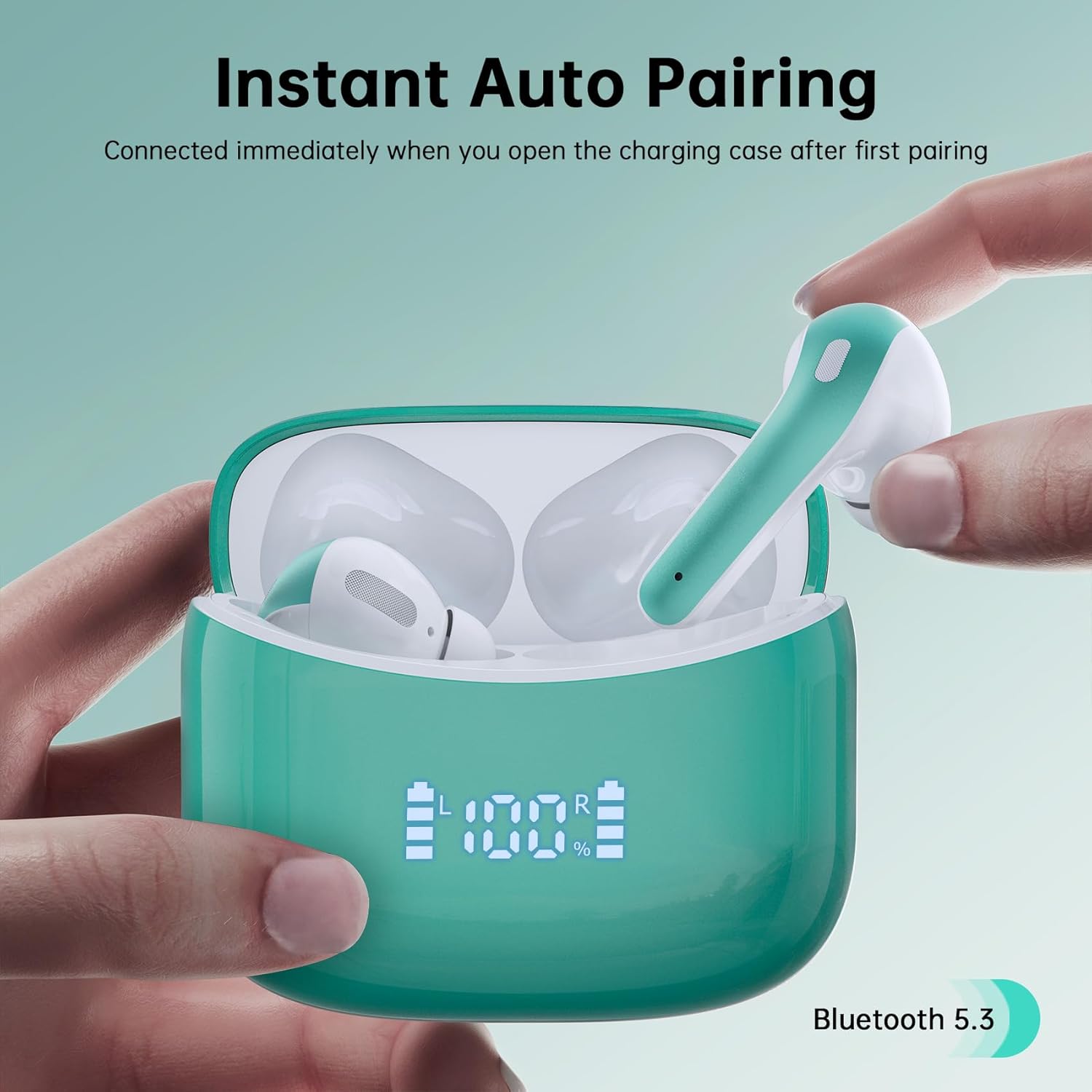
Image: A hand opening the ZINGBIRD X15 charging case, with the earbuds inside, demonstrating the instant auto-pairing feature with Bluetooth 5.3.
Operating Instructions
Touch Controls
The ZINGBIRD X15 earbuds are equipped with smart touch controls for easy management of music and calls.
| Action | Function |
|---|---|
| Single Tap (Left/Right Earbud) | Play/Pause Music, Answer/End Call |
| Double Tap (Right Earbud) | Next Track |
| Double Tap (Left Earbud) | Previous Track |
| Triple Tap (Right Earbud) | Volume Up |
| Triple Tap (Left Earbud) | Volume Down |
| Long Press (2 seconds) | Reject Call, Activate Voice Assistant |

Image: A close-up of an earbud highlighting the touch control area with icons for play/pause, answer/hang up, previous/next track, and volume control.
Wearing the Earbuds
For optimal sound quality and comfort, choose the correct size of ear tips. The earbuds come with S, M, and L sizes.
- Select the ear tips that provide a snug and comfortable fit in your ear canal.
- Gently insert each earbud into your ear, rotating slightly until it feels secure.
- A proper seal is crucial for deep bass and noise isolation.
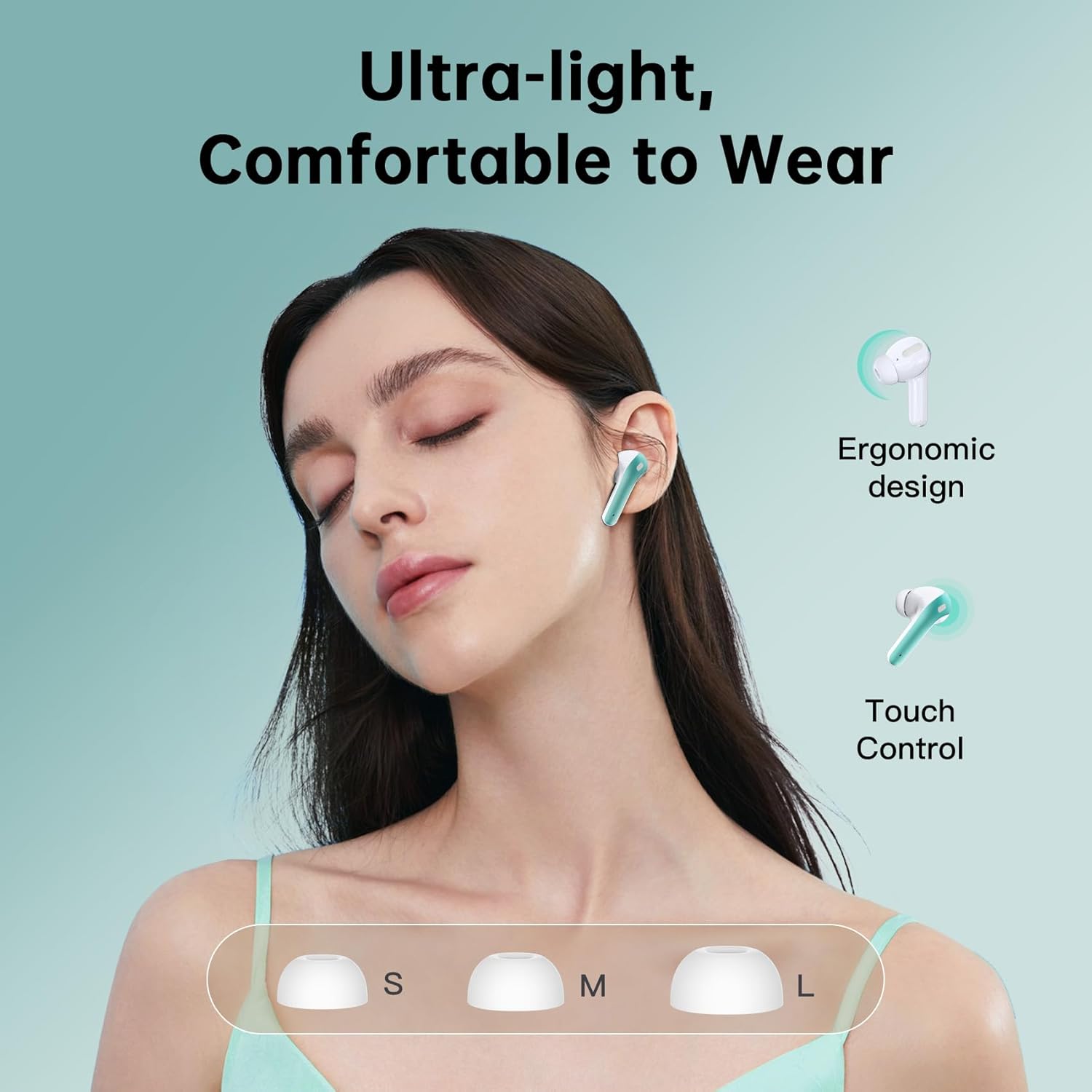
Image: A person wearing the ZINGBIRD X15 earbuds, demonstrating their comfortable and ultra-light design, alongside an illustration of the different ear tip sizes (S, M, L).
Maintenance
Cleaning Your Earbuds
Regular cleaning helps maintain sound quality and hygiene.
- Use a soft, dry, lint-free cloth to wipe the earbuds and charging case.
- For earwax buildup on the ear tips or speaker mesh, use a small, soft brush or cotton swab.
- Do not use abrasive cleaners, alcohol, or chemical sprays.
Water Resistance (IPX7)
The ZINGBIRD X15 earbuds are IPX7 waterproof, meaning they can withstand submersion in up to 1 meter of water for 30 minutes. This makes them suitable for workouts and outdoor activities where they might be exposed to sweat or rain.
- Do not intentionally submerge the charging case, as it is not waterproof.
- Ensure earbuds are dry before placing them back into the charging case to prevent damage.
- IPX7 rating does not mean they are suitable for swimming or showering.
Troubleshooting
If you encounter issues with your ZINGBIRD X15 earbuds, try the following solutions:
| Problem | Possible Solution |
|---|---|
| Earbuds not pairing |
|
| No sound from one earbud |
|
| Poor sound quality |
|
| Charging case not charging |
|
Specifications
| Feature | Detail |
|---|---|
| Model Name | X15-green |
| Connectivity Technology | Wireless (Bluetooth 5.3) |
| Water Resistance Level | IPX7 Waterproof |
| Battery Life (Earbuds) | Up to 6 hours on a single charge |
| Total Playback Time (with Charging Case) | Up to 60 hours |
| Charging Type | USB-C, Wireless Charging |
| Control Method | Touch Control |
| Speaker Size | 13mm (for Immersive Stereo Sound) |
| Frequency Response | 20Hz - 20000Hz |
| Impedance | 32 Ohm |
| Material | Plastic, Acrylonitrile Butadiene Styrene (ABS) |
| Item Weight | 0.95 Ounces |
| Product Dimensions | 2.4 x 1 x 1.8 inches |
| Compatible Devices | iOS, Android, Smartphones, PC, Computer, Watch, Desktops, Laptops, Gaming consoles, music production equipment, tablets, Television, Motorcycles, Telephones. |
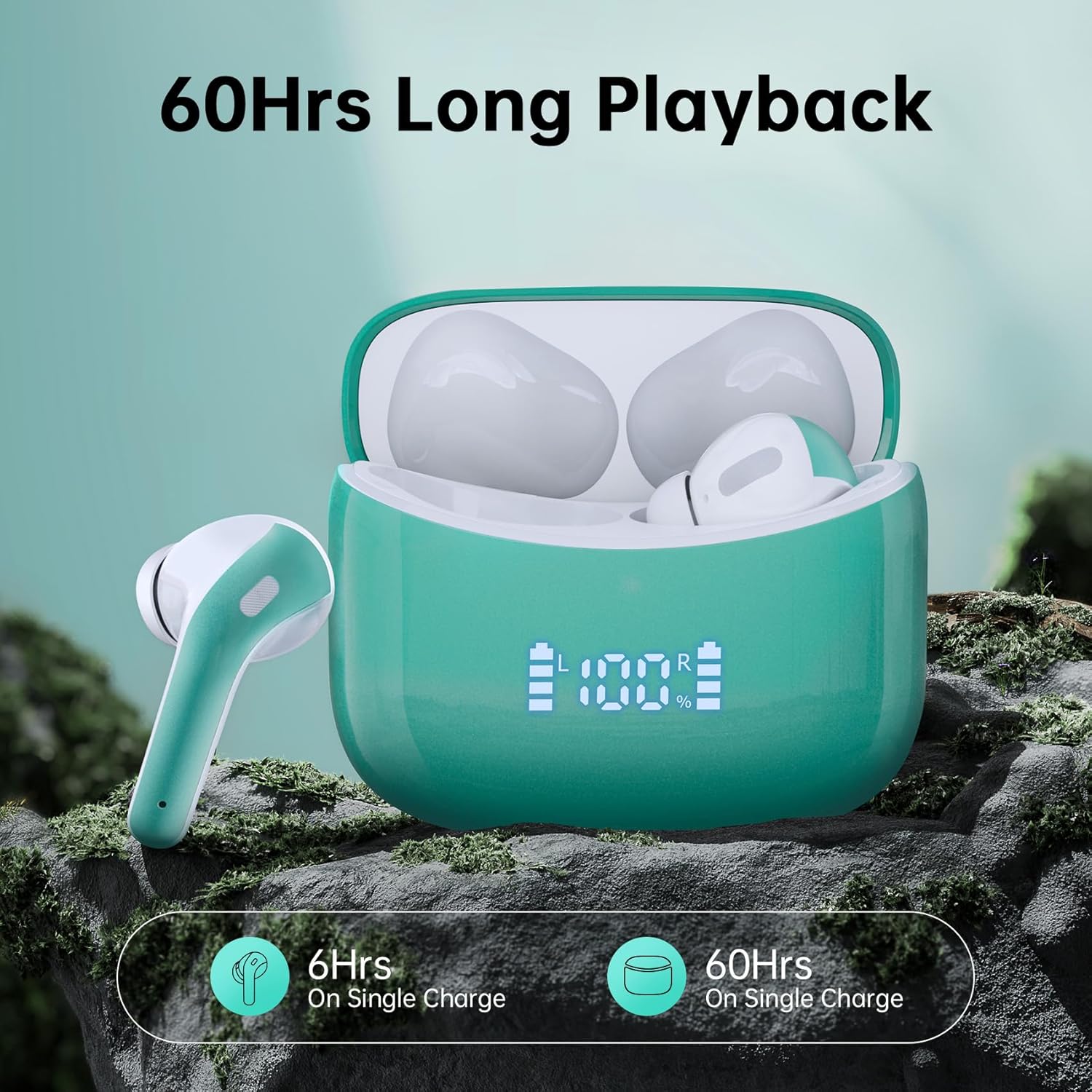
Image: The ZINGBIRD X15 earbuds and charging case on a rocky surface, illustrating the 60 hours of total playback time with the charging case and 6 hours on a single charge.

Image: A conceptual image showing the internal structure of an earbud with a "zingbird" logo and miniature musicians, emphasizing the 13mm speaker for immersive stereo sound.
Warranty and Support
The ZINGBIRD X15 Wireless Earbuds come with a 5-year warranty. This warranty covers manufacturing defects and ensures reliable performance.
For any questions, concerns, or warranty claims, please contact ZINGBIRD customer support. Our team is dedicated to providing prompt assistance to ensure a smooth experience.
Please refer to the contact information provided on the product packaging or the official ZINGBIRD website for the most up-to-date support channels.


