1. Introduction
This manual provides detailed instructions for the installation, operation, and maintenance of your ANNKE 2MP Security Camera System. This system features an 8-channel hybrid 5-in-1 DVR, 3K add-on bullet cameras with full-color night vision, and advanced AI human/vehicle detection capabilities. Please read this manual thoroughly before using the product to ensure proper setup and optimal performance.
2. Product Overview
The ANNKE 2MP Security Camera System is designed for comprehensive surveillance, offering versatile recording and monitoring options.
Key Features:
- 5-in-1 Hybrid DVR: Supports up to 8 TVI, AHD, CVI, CVBS cameras and 2 additional IP cameras, providing flexible compatibility.
- 3K ColorVu Full Color Night Vision: Captures 3K resolution at 20 frames per second with f/1.0 aperture for clear, full-color images in low-light conditions without supplementary lighting.
- 3K Built-in Microphone Cameras: Provides 2960x1665 resolution at 20fps with a 16:9 aspect ratio and integrated audio recording.
- Advanced H.265+ Video Format: Optimizes storage space by up to 80% compared to H.264, allowing for longer recording times and smooth streaming.
- Customized AI Human/Vehicle Detection: Configurable motion detection zones with instant app pushes and email alerts, specifically identifying human and vehicle events.
- IP67 Weatherproof Cameras: Designed to withstand extreme temperatures from -40°C to 40°C (-22°F to 140°F) and protected against dust and water ingress.
DVR Modes:
The DVR operates in two primary modes, offering flexibility for your surveillance needs:

Figure 2.1: The ANNKE DVR supports two operational modes: a hybrid mode for 8 BNC cameras plus 2 IP cameras, or a pure NVR mode for up to 10 IP cameras.
- Hybrid Mode (8+2): Supports up to 8 BNC (TVI, AHD, CVI, CVBS) cameras and 2 additional IP cameras.
- NVR Mode (10 IP Cameras): Functions as a Network Video Recorder, supporting up to 10 IP cameras.
3. Setup Guide
Follow these steps to set up your ANNKE Security Camera System.
3.1 DVR Connection
- Connect Power: Plug the DVR power adapter into the DVR and a power outlet.
- Connect Monitor: Use an HDMI or VGA cable to connect the DVR to a monitor.
- Connect Mouse: Plug the USB mouse into a USB port on the DVR.
- Connect Network (Optional): For remote access, connect an Ethernet cable from the DVR to your router.
- Install Hard Drive (if applicable): If your system did not come with a pre-installed hard drive, refer to the separate hard drive installation guide.
3.2 Camera Installation
The bullet cameras are designed for versatile placement and are built to withstand various weather conditions.
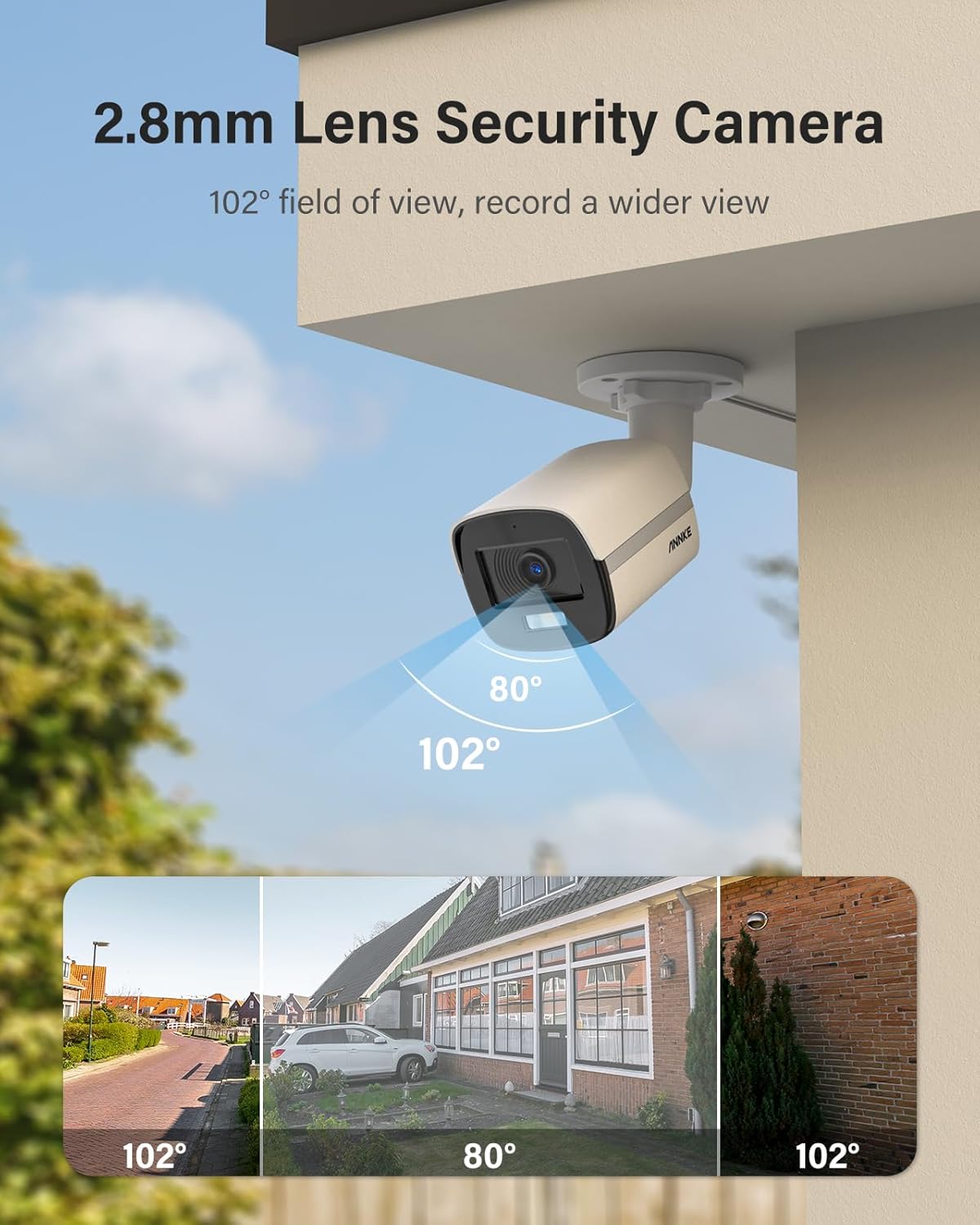
Figure 3.1: The camera features a 2.8mm lens, providing a wide 102-degree field of view for broader surveillance coverage.

Figure 3.2: The cameras are IP67 rated, ensuring protection against dust and water, and can operate in temperatures from -40°C to 40°C.
- Choose Location: Select a location that provides the desired field of view (102° wide angle) and is within reach of the camera cables. Consider areas prone to human or vehicle activity for optimal AI detection.
- Mount Camera: Securely mount the camera using the provided screws. Adjust the camera angle for optimal coverage.
- Connect Camera to DVR: Connect the camera's BNC cable to an available video input port on the DVR. Connect the camera's power cable to a power adapter and then to a power outlet.
- Power On: Once all connections are made, power on the DVR and cameras.
4. Operating Instructions
Learn how to operate your ANNKE Security Camera System for effective surveillance.
4.1 Initial Setup and DVR Interface
- First-Time Login: Upon first boot, follow the on-screen prompts to set up a strong password for your DVR.
- System Configuration: Navigate the DVR menu using the mouse to configure date/time, video settings, and network settings.
4.2 AI Human/Vehicle Detection
The system's advanced AI can differentiate between humans, vehicles, and other motion, reducing false alarms.

Figure 4.1: The AI detection system accurately identifies and distinguishes between human and vehicle presence within the surveillance area.

Figure 4.2: Configure specific detection zones to focus on critical areas, and leverage AI to filter alerts for human and vehicle activity.
- Access Detection Settings: From the DVR menu, navigate to Event > Motion Detection or AI Detection.
- Configure Detection Zones: Draw specific areas on the camera's live view where you want motion or AI detection to be active.
- Enable Human/Vehicle Detection: Activate the AI detection feature for selected channels.
- Set Up Alerts: Configure the system to send instant app pushes and email alerts with snapshots when human or vehicle events are detected.
4.3 Full Color Night Vision
The 3K ColorVu technology provides vivid, full-color surveillance even in extremely low light conditions.

Figure 4.3: Experience clear, full-color video footage at night, enhancing detail and identification.
This feature activates automatically in low-light environments. Ensure no obstructions block the camera's view to maximize its effectiveness.
4.4 Audio Recording
The built-in microphone in the 3K cameras allows for one-way audio recording, adding an extra layer of security.

Figure 4.4: The built-in microphone captures audio, providing context to video recordings.
- Enable Audio: In the DVR's channel settings, ensure audio recording is enabled for the cameras with built-in microphones.
- Playback Audio: During video playback, ensure your monitor or playback device has audio output enabled to hear recorded sound.
4.5 Remote Access
Access your security system from anywhere using the ANNKE mobile application.

Figure 4.5: Download the ANNKE app from Google Play or the App Store for remote viewing and control.
- Download App: Search for the official ANNKE app on Google Play Store (for Android) or Apple App Store (for iOS).
- Register Account: Create an account and log in.
- Add Device: Follow the in-app instructions to add your DVR by scanning its QR code or manually entering its details.
- Live View & Playback: Once added, you can view live footage, play back recordings, and receive alerts directly on your mobile device.
5. Maintenance
Regular maintenance ensures the longevity and optimal performance of your security system.
- Clean Cameras: Periodically clean camera lenses with a soft, damp cloth to remove dust and smudges that may affect image clarity.
- Check Cables: Inspect all cables for wear, damage, or loose connections. Secure any loose cables.
- Firmware Updates: Check the ANNKE official website for firmware updates for your DVR and cameras. Keeping firmware updated can improve performance and add new features.
- Hard Drive Health: If a hard drive is installed, monitor its health through the DVR's system settings. Back up important recordings regularly.
- Power Cycle: If experiencing minor issues, try power cycling the DVR (unplug and replug after 10 seconds).
6. Troubleshooting
This section addresses common issues you might encounter.
No Video Display on Monitor:
- Ensure the DVR is powered on and the power adapter is securely connected.
- Check the HDMI/VGA cable connection between the DVR and the monitor. Try a different cable or monitor.
- Verify the monitor input source is correctly selected (HDMI/VGA).
No Camera Image:
- Check if the camera is receiving power. The camera's IR lights (if applicable) should be visible in the dark.
- Ensure the BNC cable is securely connected to both the camera and the DVR.
- Try connecting the camera to a different DVR channel or a known working camera to the problematic channel to isolate the issue.
No Remote Access:
- Verify the DVR is connected to the internet via an Ethernet cable and has a valid IP address.
- Check your router's internet connection.
- Ensure the ANNKE app is updated to the latest version.
- Re-add the device to the app if necessary.
Motion Detection Not Working:
- Ensure motion detection is enabled for the specific camera channel in the DVR settings.
- Verify that detection zones are correctly configured and cover the desired areas.
- Adjust sensitivity settings if necessary.
7. Specifications
| Feature | Specification |
|---|---|
| DVR Type | 8-Channel Hybrid 5-in-1 (TVI/AHD/CVI/CVBS + IP) |
| IP Camera Support | Up to 2 additional IP cameras (Hybrid Mode) or 10 IP cameras (NVR Mode) |
| Camera Resolution | 3K (2960x1665 @ 20fps) |
| Night Vision | ColorVu Full Color Night Vision (0.01 lux illumination) |
| Lens | 2.8mm, 102° Field of View |
| Audio | Built-in Microphone (one-way audio) |
| Video Compression | H.265+ |
| AI Detection | Human/Vehicle Detection, Customizable Motion Zones |
| Weatherproof Rating | IP67 |
| Operating Temperature | -40°C to 40°C (-22°F to 140°F) |
| ASIN | B0F7QZBHFV |
| Date First Available | May 7, 2025 |
8. Warranty and Support
ANNKE products come with a standard warranty. For specific warranty terms and conditions, please refer to the warranty card included with your product or visit the official ANNKE website.
For technical support, product inquiries, or further assistance, please contact ANNKE customer service through their official channels. You can often find support resources, FAQs, and contact information on the ANNKE website or through the ANNKE mobile application.
ANNKE Official Store: Visit the ANNKE Store on Amazon


