Introduction
This manual provides comprehensive instructions for the Lexibook Frozen Electronic Secret Diary (Model SD50FZ). This interactive diary is designed to provide a secure and engaging platform for children to record their thoughts and experiences. It features password protection, voice recording capabilities, musical melodies, and a customizable photo frame.
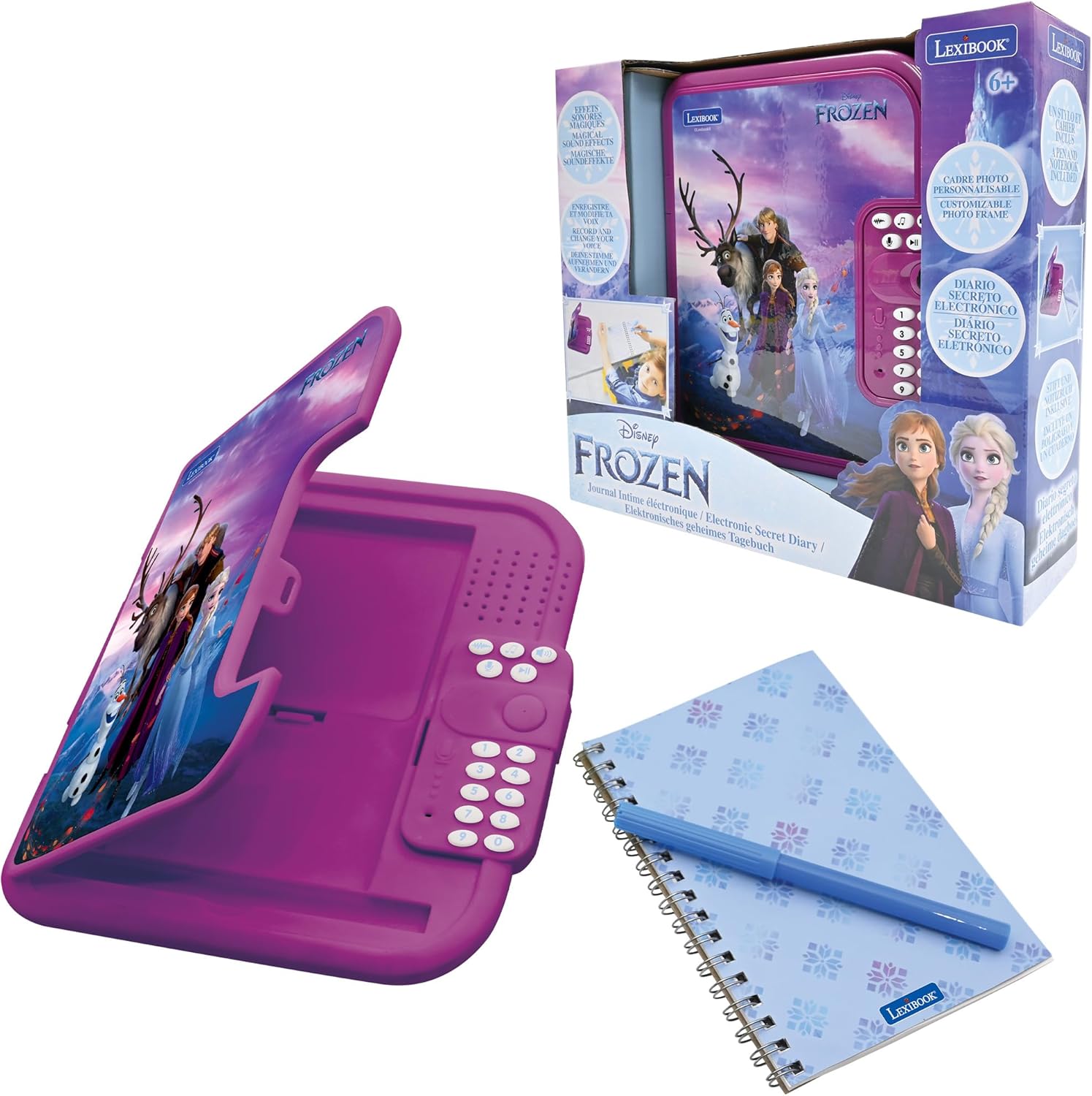
Figure 1: Lexibook Frozen Electronic Secret Diary (Model SD50FZ)
Safety Information
WARNING! Not suitable for children under 3 years. Choking hazard due to small parts.
What's in the Box
Please ensure all items are present upon unboxing:
- 1 Electronic Diary
- 1 Pen
- 1 Instruction manual
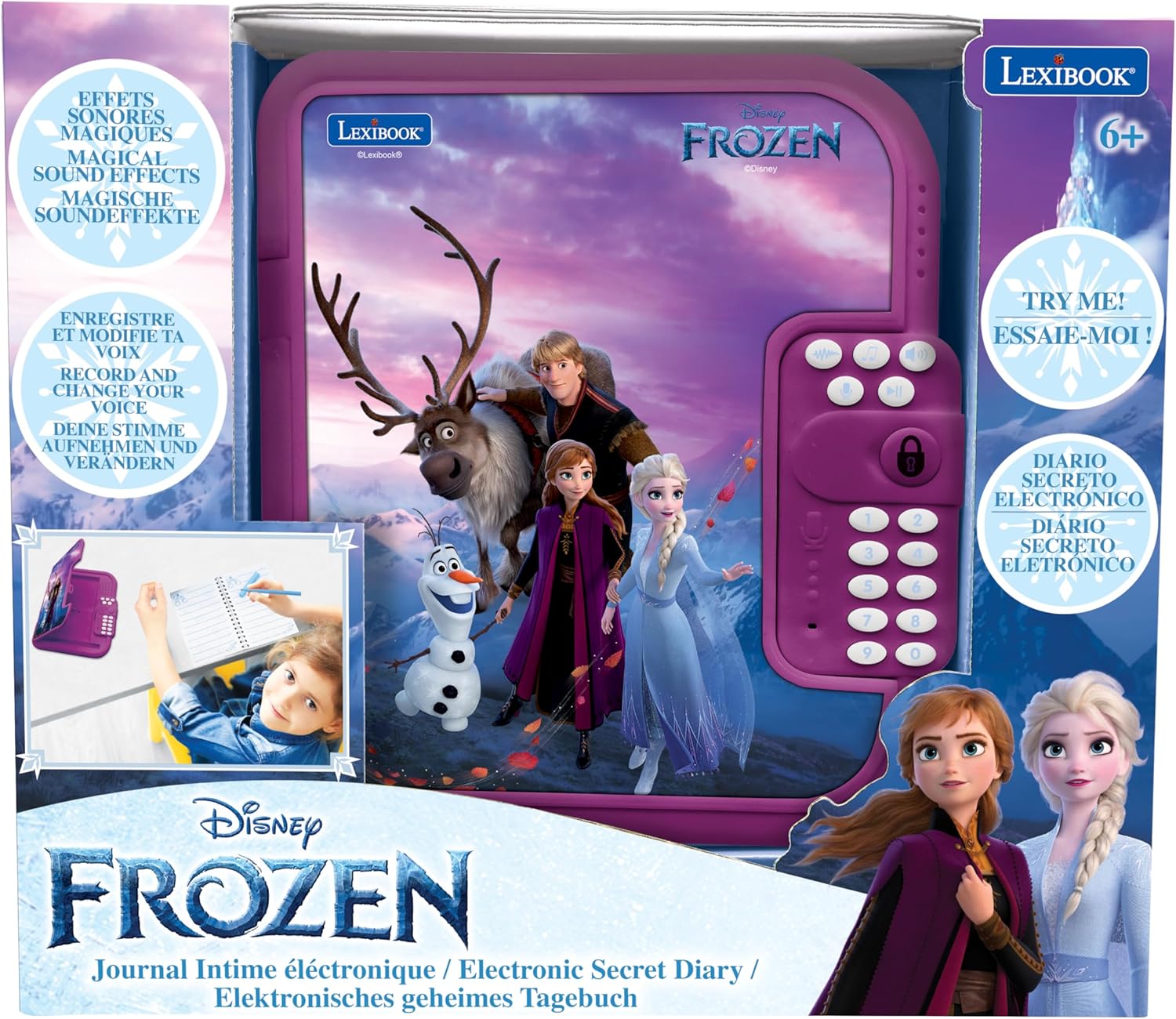
Figure 2: Product packaging and included items.
Setup
1. Battery Installation
- Locate the battery compartment on the underside of the diary.
- Using a small screwdriver, open the battery compartment cover.
- Insert the required batteries (not included) according to the polarity indicators (+/-).
- Securely close the battery compartment cover.
2. Setting Your Password
- Upon first use or after battery replacement, the diary will prompt you to set a 4-digit password.
- Follow the on-screen instructions or voice prompts to enter your desired 4-digit code.
- Confirm the password when prompted. Remember your password, as it is essential for accessing your diary.
Operating Instructions
1. Unlocking the Diary
- Enter your 4-digit password using the keypad.
- Press the 'Enter' or 'Lock' button to confirm.
- The diary will unlock, often accompanied by sound effects.
2. Voice Recording and Playback
- Locate the microphone button (often indicated by a microphone icon).
- Press and hold the microphone button to begin recording your voice.
- Release the button to stop recording.
- To play back recordings, press the 'Play' button (often indicated by a triangle icon).
3. Voice Modifier
- After recording a message, locate the 'Voice Modifier' button (refer to the diary's specific button layout).
- Press this button to cycle through different voice effects.
- Play back your recording to hear the modified voice.
4. Playing Melodies
- Press the 'Music' or 'Melody' button (often indicated by a musical note icon).
- The diary will play one of its 10 pre-programmed melodies.
- Press again to skip to the next melody.
5. Using the Notebook and Pen
- The diary includes a physical notebook and pen for traditional writing.
- When the notebook is full, it can be replaced with a standard-sized notebook that fits the compartment.

Figure 3: Child interacting with the diary's notebook and pen.
6. Customizing the Photo Frame
- The diary features an integrated photo frame.
- Carefully insert a small photo of your choice into the designated slot to personalize your diary.

Figure 4: Interior view of the diary, highlighting the notebook, pen, and photo frame.
Features Overview
- Password Protection: Secure your secrets with a customizable 4-digit code.
- Interactive Melodies: Enjoy 10 captivating tunes that enhance the diary experience.
- Voice Recorder & Modifier: Record your voice and apply fun effects.
- Replaceable Notebook: Includes a pen and a notebook that can be easily changed when full.
- Engaging Sound Effects: Experience magical sound effects upon unlocking and interaction.
- Personalized Photo Frame: Customize your diary by adding a cherished photo.

Figure 5: Key features of the electronic diary.
Maintenance
- Keep the diary clean by wiping it with a soft, dry cloth.
- Avoid exposing the diary to water or excessive moisture.
- Do not use abrasive cleaners or solvents.
- Store the diary in a cool, dry place when not in use.
- If the diary will not be used for an extended period, remove the batteries to prevent leakage.
Troubleshooting
| Problem | Possible Cause | Solution |
|---|---|---|
| Diary does not turn on. | Low or dead batteries. | Replace with fresh batteries. Ensure correct polarity. |
| Cannot unlock the diary. | Incorrect password entered. | Re-enter the correct 4-digit password. If forgotten, refer to the password reset procedure (if available in the full manual, otherwise contact support). |
| Voice recording is unclear or not working. | Microphone obstructed or too far away. | Ensure the microphone is clear and speak directly into it from a close distance. Check battery level. |
| No sound from melodies or playback. | Volume is too low or muted. | Adjust the volume using the dedicated volume controls. Check battery level. |
Specifications
| Feature | Detail |
|---|---|
| Model Number | SD50FZ |
| Product Dimensions | 4.63 x 7.93 x 1.46 inches |
| Item Weight | 13.1 ounces |
| Manufacturer Recommended Age | 6 years and up |
| Manufacturer | Lexibook |
Product Overview Video
This video provides a summary of the Lexibook Frozen Electronic Secret Diary's features and functionality.
Warranty and Support
For warranty information and customer support, please refer to the contact details provided on the product packaging or visit the official Lexibook website. Keep your purchase receipt as proof of purchase for any warranty claims.