
1. Introduction
Welcome to the user manual for your BAOFENG 5RH PRO GPS 10W Ham Radio Handheld. This guide provides essential information for the proper setup, operation, and maintenance of your device. Please read this manual thoroughly to ensure optimal performance and to familiarize yourself with all features. This radio is designed for experienced users and professionals, and manual programming or use of CPS (Computer Programming Software) is required.
2. Product Overview
The BAOFENG 5RH Pro is an advanced tri-band two-way radio, offering robust communication capabilities with a 10W maximum output. It features integrated GPS and APRS functions, a 1.77-inch color screen, and supports a wide range of frequencies including VHF, 1.25M, UHF, AM, FM, and NOAA weather bands. With 640 customizable channels across 10 zones, it provides extensive flexibility for various communication needs.

Figure 2.1: BAOFENG 5RH PRO GPS 10W Ham Radio Handheld and its comprehensive accessory kit.
Key Features:
- 10W Max Output: Provides powerful and long-range communication.
- GPS & APRS Functions: Enables location sharing, team member tracking, and distance calculation in real-time.
- 640 Customizable Channels: Organized into 10 zones with 64 channels each for versatile use.
- Multi-Band Support: Covers VHF, 1.25M, UHF, FM, AM, and NOAA weather bands.
- 1.77-inch Color Screen: Offers a clear and intuitive user interface.
- Type-C Charging: Convenient charging via USB-C port.
- Three Antenna Types: Includes original, 805s short, and 771 ham antennas for optimized reception in different scenarios.
3. Setup
3.1. Included Components
Your BAOFENG 5RH Pro package includes the following items:
- 2 x Radio with antenna
- 2 x 2500mAh Type-C battery
- 2 x Headset
- 2 x Handheld microphone
- 2 x 15.12" 771 antenna
- 2 x 805s short antenna
- 2 x Type-C Charger with cable
- 2 x Belt Clip
- 2 x Hand strap
- 1 x Programming cable
- 2 x User manual
- 1 x GPS Tracker
- 2 x SMA Antenna
- 1 x Vehicle Charger
- 1 x Car Charger
- 1 x USB Data Cable
3.2. Battery Installation and Charging
The radio uses a 2500mAh Lithium Ion battery. To install, align the battery with the compartment on the back of the radio and slide it into place until it clicks securely. To charge, connect the provided Type-C cable to the radio's USB-C port and to a compatible power source such as a power bank, PC, car charger, wall adapter, or laptop.

Figure 3.1: The 2500mAh Type-C rechargeable battery, compatible with various USB power sources.
3.3. Antenna Selection and Installation
The BAOFENG 5RH Pro comes with three types of antennas to suit different needs:
- Original Antenna: Provides clear reception for general use.
- 805s Short Antenna: More convenient for portability.
- 771 Ham Antenna: Recommended for better reception of aviation sounds.
To install an antenna, screw it clockwise onto the antenna connector at the top of the radio until it is finger-tight. Do not overtighten.
Figure 3.2: Various antenna types for different applications.
4. Operating Instructions
4.1. Power On/Off
To power on the radio, rotate the volume knob clockwise until you hear a click. To power off, rotate it counter-clockwise until it clicks.
4.2. Basic Operation
The radio features a 1.77-inch color screen and a user-friendly interface.
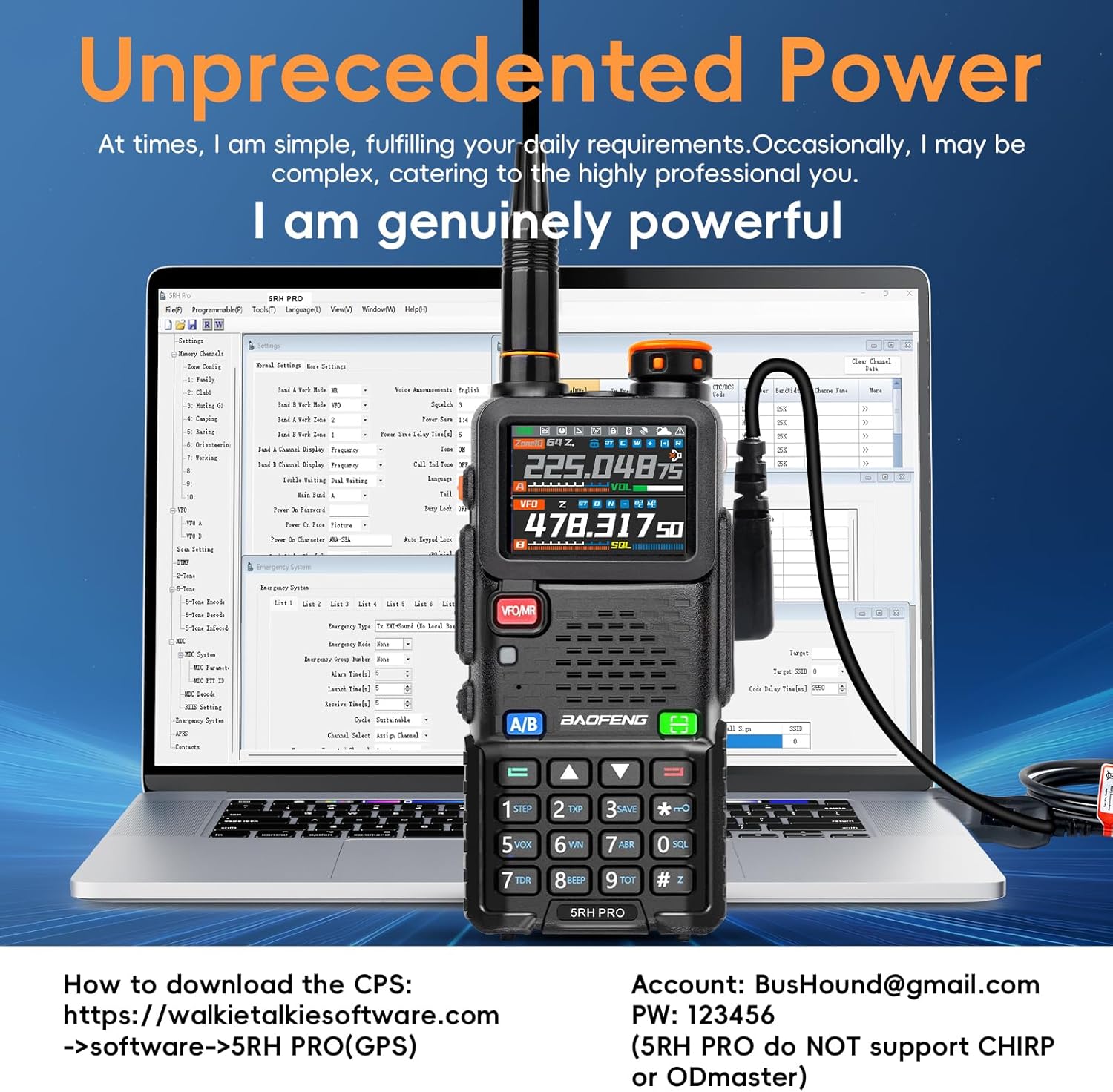
Figure 4.1: Detailed view of the 1.77-inch color screen and its indicators.
- VFO/MR Button: Short press to switch between Frequency (VFO) mode and Channel (MR) mode. Long press to switch channel display mode.
- A/B Button: Long press to switch between dual-band dual-watch and other modes.
4.3. Frequency Range and Scanning
The BAOFENG 5RH Pro supports a wide range of frequencies:
- Transmit (TX): 136-174MHz, 220-260MHz, 400-480MHz
- Receive (RX): FM 76-108MHz, AM 108-136MHz (Aviation Band), VHF 136-174MHz, 220-260MHz, UHF 350-390MHz (Police Band), 400-520MHz
For Air-band scanning (108-136MHz), you need to manually set the scan range (108-520MHz) in the radio's menu. CPS will not edit the 108-136MHz range; it must be entered manually in VFO mode. Navigate to Menu > Scan > Freq Ranger to adjust the scan limits.
Video 4.1: Demonstration on how to set Air band scanning on the BAOFENG 5RH Pro. This video illustrates the steps to manually configure the frequency range for air band reception, which is crucial as CPS software does not support editing this specific range.

Figure 4.2: Overview of the radio's transmit and receive frequency capabilities.
4.4. GPS Functionality
The built-in GPS allows for real-time location sharing, requesting team members' positions, and tracking distances. To toggle GPS on/off, long-press Side Key 1 (SK1). To view positioning information, long-press the red button (RETURN) and scroll down for more details. You can share your position by pressing PTT after confirming GPS information.

Figure 4.3: Instructions for using the GPS function, including toggling and viewing location data.

Figure 4.4: Visual representation of GPS and APRS functionalities.
4.5. Channel Management
The radio supports 640 channels, organized into 10 zones with 64 channels each. This allows for customization and separation of communication scenarios (e.g., work, personal, outdoor activities). When naming a zone, press '#' to switch the input method.
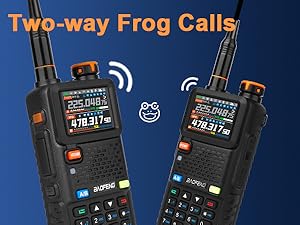
Figure 4.5: Illustration of the 10 groups with 64 channels each, totaling 640 channels.
4.6. Shortcuts and Special Functions
- Side Keys 1 & 2: Customizable via radio menu or CPS.
- Long press 8: Switch TX power (Low/Medium/High).
- Long press 0: Enter NOAA weather channel. Click RETURN to set Weather Alert Warning.
- Press #: When entering text, switch input method. Long press during scanning to start/stop scan.
- Long press Side Key 1: Toggle GPS on/off.
- EXIT (Return): Short press to go back. Long press to enter GPS info page.
- Long press Side Key 2: Turn on fall-down alarm. The alarm sounds if the radio is not lifted, and can be set to specific contacts.
- APRS: When enabled, the radio sends information at set intervals, accompanied by a "Bee" sound.
- Long press 8 + Power on: View version information.
- Press Side Key 2 + PTT + Power on: Enter PW059500 to confirm unlocking new frequency bands.
- In FM mode, press #: Search and auto-save FM stations.

Figure 4.6: The Weather Alert feature provides timely notifications for changing weather conditions.
Figure 4.7: The Fall-down Alarm provides an added safety feature, alerting if the radio is not upright.
4.7. Power Output
The radio supports Tri-Power output (Low, Medium, High) with a maximum of 10 Watts, allowing for flexible range depending on your needs. The effective range can extend up to 10 kilometers in optimal conditions.
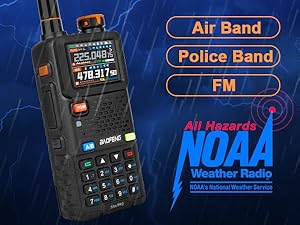
Figure 4.8: Visual representation of the Tri-Power output settings and their approximate range capabilities.
4.8. Programming
The BAOFENG 5RH Pro can be programmed manually or via CPS (Computer Programming Software) using a Windows operating system. CHIRP/Bluetooth programming is not supported. For CPS download, refer to the information provided with your programming cable or contact support.
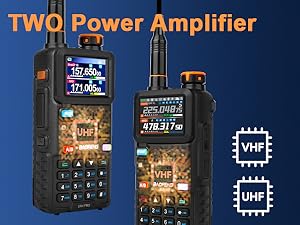
Figure 4.9: The radio connected to a computer, illustrating the CPS programming interface.
5. Maintenance
5.1. General Care
To ensure the longevity of your radio, keep it clean and dry. Avoid exposing it to extreme temperatures, direct sunlight for prolonged periods, or harsh chemicals. Use a soft, damp cloth for cleaning the exterior. Do not immerse the radio in water as it is not water resistant.
5.2. Battery Care
To maximize battery life, avoid fully discharging the battery frequently. Charge the battery regularly, especially if the radio will not be used for an extended period. Store the battery in a cool, dry place when not in use.
6. Troubleshooting
This section provides solutions to common issues you might encounter. As this radio is designed for professionals, a basic understanding of ham radio operation and programming is beneficial.
Common Issues and Solutions:
- Radio not powering on: Ensure the battery is properly installed and charged. Check the battery contacts for any obstruction or corrosion.
- No signal reception/transmission: Verify the antenna is securely attached. Check the selected frequency and ensure it is within the radio's supported range. Confirm that the correct power output (TX power) is selected.
- Difficulty with programming: Remember that CHIRP/Bluetooth programming is not supported. Use the official CPS software for Windows. Ensure the programming cable is correctly connected and drivers are installed.
- GPS not acquiring signal: Ensure you are in an open area with a clear view of the sky. Long-press Side Key 1 to confirm GPS is enabled.
If you encounter issues not covered here or require further assistance, please refer to the support information in Section 7.
7. Specifications
| Feature | Specification |
|---|---|
| Item Weight | 2.97 pounds |
| Package Dimensions | 8.82 x 7.95 x 4.13 inches |
| Item Model Number | 5RH Pro |
| Batteries | 2 Lithium Ion batteries required (included) |
| Manufacturer | BAOFENG |
| Number of Channels | 999 |
| Special Feature | Tri-band, GPS, APRS, Partitionable channel (10x64CH), Only Supports CPS |
| Frequency Range (TX) | 136-174MHz, 220-260MHz, 400-480MHz |
| Frequency Range (RX) | FM 76-108MHz; AM 108-136MHz; VHF 136-174MHz; 220-260MHz; UHF 350-390MHz, 400-520MHz |
| Talking Range Maximum | 10 Kilometers |
| Tuner Technology | UHF/1.25M/VHF |
| Voltage | 7.4V |
| Water Resistance Level | Not Water Resistant |
8. Warranty and Support
For any questions regarding your BAOFENG 5RH Pro walkie-talkies or for after-sales customer support, please follow these steps:
- Go to 'Orders' on your purchase platform.
- Select 'Get help'.
- Select the specific order for your BAOFENG 5RH Pro.
- Click 'Other'.
- Then, send a message to the 'seller'.
This process will connect you directly with TIDRADIO Direct, the seller, for assistance.