
Introduction
The WOWOBONTOY WL K170 RC Helicopter is a high-performance, remote-controlled aircraft designed for hobby enthusiasts. Featuring a realistic UH-60L Black Hawk design, this model offers a stable and user-friendly flying experience with advanced features like a 6-axis gyro, one-key takeoff/landing, and intuitive 4-channel controls. This manual provides essential information for the safe and effective operation, maintenance, and troubleshooting of your WL K170 RC Helicopter.
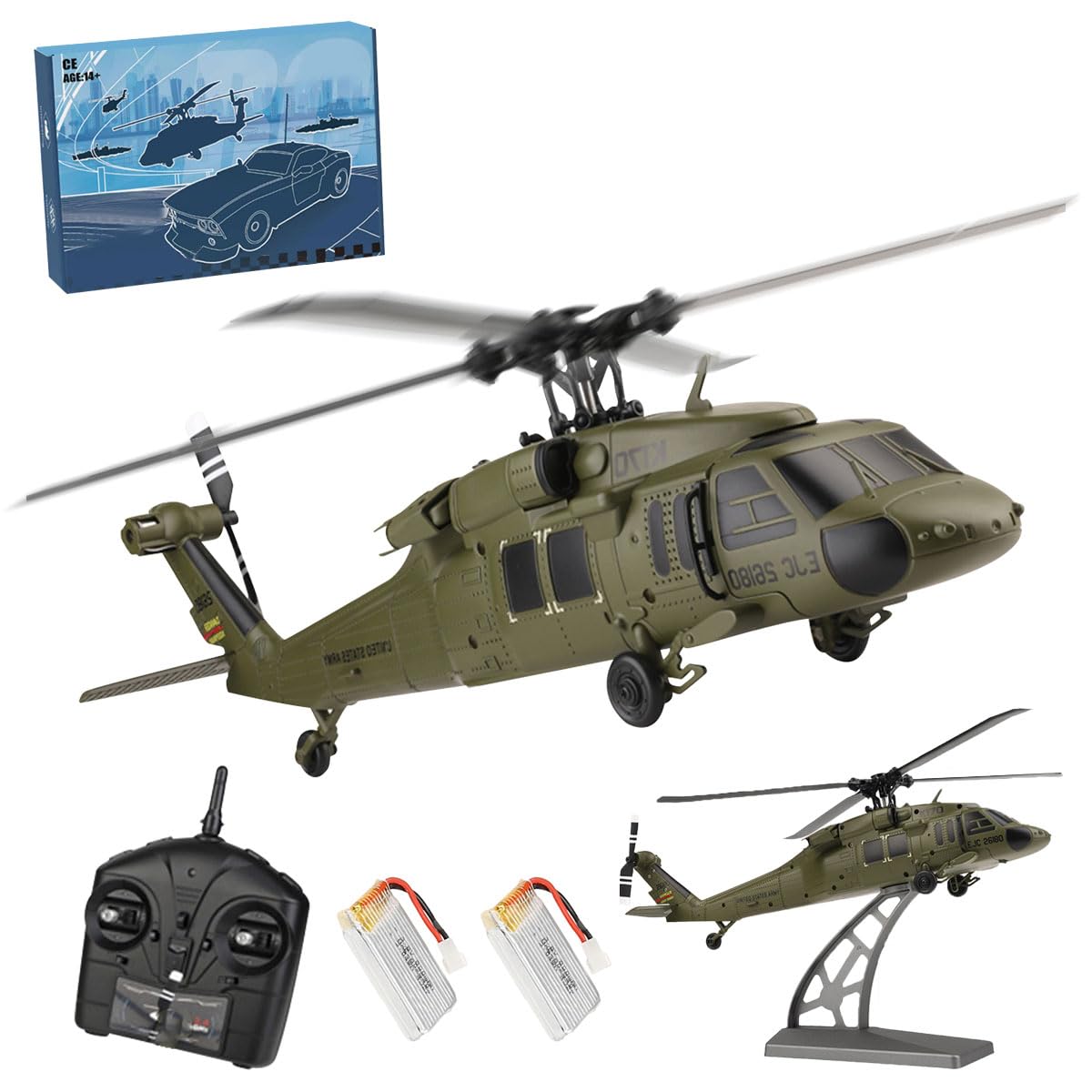
Image: The WOWOBONTOY WL K170 RC Helicopter, a detailed replica of the UH-60L Black Hawk, displayed on its stand.
Safety Guidelines
Always prioritize safety when operating the RC helicopter. Failure to follow these guidelines may result in injury or damage to the product.
- Age Recommendation: This product is recommended for users 12 years and up. Adult supervision is advised for younger users.
- Flight Environment: Fly in open, clear areas away from people, animals, buildings, power lines, and water. Avoid flying in strong winds or adverse weather conditions.
- Pre-Flight Check: Before each flight, ensure all components are securely attached, batteries are fully charged, and the remote control is properly linked to the helicopter.
- Propeller Safety: Keep hands, face, and loose clothing away from rotating propellers. The propellers can cause serious injury.
- Battery Handling: Use only the specified battery type. Do not overcharge or short-circuit batteries. Disconnect the battery after use and store it safely.
- Emergency Stop: Familiarize yourself with the emergency stop function on the remote control.
What's in the Box
Upon unboxing your WOWOBONTOY WL K170 RC Helicopter, verify that all components are present:
- RC Simulated Helicopter Model (UH-60L)
- 2.4G 4CH Remote Controller
- Rechargeable Flight Battery (Quantity may vary based on package)
- USB Charging Cable
- Display Stand
- Helipad (Landing Pad)
- Spare Rotor Blades
- Spare Tail Rotor
- Spare Gear
- Screwdriver
- User Manual

Image: Key internal components and accessories of the WL K170 helicopter, including motors, gears, and the flight battery.
Video: An unboxing and initial setup demonstration of the WL K170 RC Helicopter, showing the contents of the package and basic assembly.
Setup Instructions
1. Charging the Flight Battery
- Carefully remove the flight battery from the helicopter.
- Connect the flight battery to the USB charging cable.
- Plug the USB charging cable into a suitable USB power source (e.g., computer USB port, USB wall adapter).
- The indicator light on the USB charger will show the charging status (refer to charger instructions for specific light indications).
- Once fully charged, disconnect the battery from the charger.
2. Installing Batteries in the Remote Controller
- Open the battery compartment cover on the back of the remote controller.
- Insert the required number of AA batteries (not included) into the compartment, ensuring correct polarity (+/-).
- Close the battery compartment cover securely.
3. Installing the Flight Battery in the Helicopter
- Open the battery compartment on the helicopter.
- Carefully insert the charged flight battery into the compartment.
- Connect the battery connector to the helicopter's power port.
- Close the battery compartment.
4. Pairing the Helicopter and Remote Controller
- Place the helicopter on a flat, level surface.
- Turn on the helicopter's power switch. The indicator lights on the helicopter will flash.
- Turn on the remote controller's power switch.
- Move the left throttle stick (Mode 2) all the way up, then all the way down.
- The indicator lights on both the helicopter and remote controller will become solid, indicating successful pairing.
Operating Instructions
Remote Controller Overview

Image: The 2.4 GHz four-channel remote control unit.

Image: Detailed diagram of the remote control, labeling each button and joystick function.
- 1. Power Switch: Turns the remote controller on/off.
- 2. Power LED: Indicates power status and pairing.
- 3. Speed Conversion: Adjusts flight speed modes (e.g., beginner, intermediate, advanced).
- 4. One-Key Takeoff / One-Key Landing: Initiates automatic takeoff or landing.
- 3 + 4. Emergency Stop: Pressing both buttons simultaneously activates an emergency stop.
- 5. Antenna: Transmits control signals.
- 6. Throttle/Directional Rocker (Left Stick): Controls altitude (up/down) and yaw (left/right rotation).
- 7. Left / Right / Front / Rear Joystick (Right Stick): Controls pitch (forward/backward) and roll (left/right side flight).
- 8. Front and Rear Trim Key: Adjusts forward/backward drift.
- 9. Fine-tune Keys Around: Adjusts left/right drift.
- 10. Long Press to Boot / Right and Left Hand Switch: Used for initial power-on and switching between control modes (Mode 1/Mode 2).
Basic Flight Operations
- Takeoff: After pairing, press the One-Key Takeoff button (4) or slowly push the left throttle stick (6) upwards to lift off.
- Altitude Control: Use the left throttle stick (6) to increase (up) or decrease (down) altitude.
- Directional Control: Use the right joystick (7) to move the helicopter forward, backward, left, or right.
- Rotation (Yaw): Move the left throttle stick (6) left or right to rotate the helicopter clockwise or counter-clockwise.
- Landing: Press the One-Key Landing button (4) for an automatic descent, or slowly pull the left throttle stick (6) downwards until the helicopter lands.
- Trimming: If the helicopter drifts without input, use the trim keys (8, 9) to stabilize its hover.
Video: A demonstration of the WL K170 RC Helicopter in flight, showcasing its stability and maneuverability with the remote control.
Maintenance
Regular maintenance ensures the longevity and optimal performance of your WL K170 RC Helicopter.
- Cleaning: After each flight, gently wipe the helicopter with a soft, dry cloth to remove dust and debris. Avoid using water or chemical cleaners.
- Propeller Inspection: Regularly check the main and tail rotor blades for any signs of damage (cracks, bends). Damaged blades can affect flight stability and safety. Replace them with spare parts as needed using the provided screwdriver.
- Motor Care: The 1106 brushless main motor and 720 coreless tail motor are designed for durability. Keep them free from obstructions.
- Battery Storage: Store flight batteries in a cool, dry place, away from direct sunlight and extreme temperatures. Do not store fully charged or fully discharged for extended periods.
- Component Check: Periodically inspect all screws and connections to ensure they are secure.

Image: Close-up of the helicopter's aerodynamic design, highlighting the quadruple propeller blades, which should be regularly inspected for damage.
Troubleshooting
If you encounter issues with your WL K170 RC Helicopter, refer to the following common problems and solutions:
| Problem | Possible Cause | Solution |
|---|---|---|
| Helicopter does not respond to remote. | Not paired, low battery (helicopter or remote), remote out of range. | Re-pair the helicopter and remote. Charge helicopter battery. Replace remote batteries. Ensure within 100m control distance. |
| Helicopter cannot take off or lacks power. | Low flight battery, damaged propellers, motor issue. | Fully charge flight battery. Inspect and replace damaged propellers. Contact support if motor issue suspected. |
| Helicopter drifts during hover. | Needs trimming, uneven surface during takeoff, damaged propellers. | Use trim keys on the remote. Ensure takeoff from a flat surface. Check and replace damaged propellers. |
| Helicopter is unstable in flight. | Damaged propellers, incorrect flight mode, environmental factors (wind). | Inspect and replace damaged propellers. Ensure 6G mode is active for beginners. Fly in calm conditions. |
| Low-voltage alert. | Flight battery is low. | Land the helicopter immediately and charge the flight battery. |
Specifications
- Model: WL K170
- Product Dimensions: 10.45 x 10.24 x 2.83 inches
- Item Weight: 10.9 ounces
- Main Motor: 1106 Brushless Motor (11200Kv)
- Tail Motor: 720 Coreless Motor
- Control Channels: 4CH
- Frequency: 2.4Ghz
- Flight Modes: 6-axis gyro (6G mode for stability)
- Flight Battery: 3.8V 800mAh 20C High Voltage High Rate Battery
- Charging: USB Charging Plug
- Flight Time: Up to 8 minutes (approximate)
- Control Distance: Approximately 100m
- Recommended Age: 12 years and up

Image: Illustration highlighting the brushless main motor and coreless tail motor, key components for the helicopter's performance.
Warranty and Support
For warranty information, technical support, or replacement parts, please contact WOWOBONTOY customer service directly through the retailer where the product was purchased or visit the official WOWOBONTOY website. Please have your model number (WL K170) and purchase details ready when contacting support.