
1. Safety Information
WARNING! Not suitable for children under 3 years. Choking hazard due to small parts.
2. What's in the Box
- 1 Electronic Diary
- 1 Pen
- 1 Instruction manual
3. Setup
- Remove the diary from its packaging.
- Insert the included pen and notebook into the diary.
- Set a customizable 4-digit password to protect your secrets.
- Insert a photo into the built-in photo frame to personalize the diary.
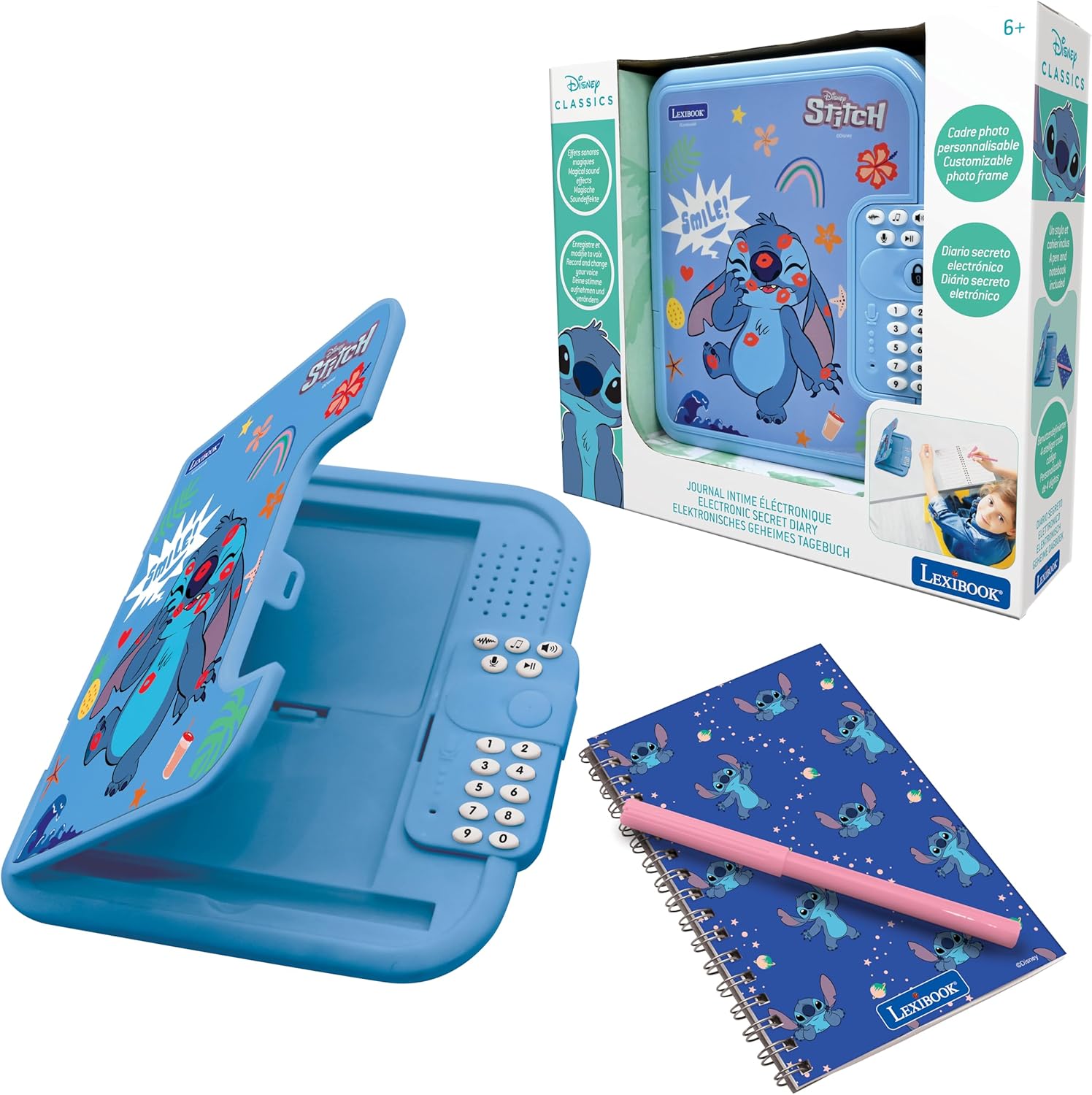
The diary comes with a pen and a notebook. Ensure these are properly placed within the diary's compartments. The photo frame allows for personalization by inserting a preferred image.
4. Operating Instructions
4.1. Setting and Using the Password
The diary is protected by a customizable 4-digit code. To set or change the password, refer to the specific instructions provided in the included manual. Once set, enter the 4-digit code to open the diary.

4.2. Writing in the Notebook
Use the provided pen to write in the included notebook. The notebook can be replaced when full, ensuring continuous use of the diary.

4.3. Interactive Features
- Melodies: The diary includes 10 pre-programmed melodies.
- Voice Recorder: Record and playback voice messages.
- Voice Modifier: Alter recorded voice messages for entertainment.
These features are accessed via the buttons located on the side panel of the diary.

5. Maintenance
- Keep the diary clean by wiping it with a soft, dry cloth.
- Avoid exposing the diary to extreme temperatures or direct sunlight.
- Ensure the battery compartment is securely closed to prevent dust or moisture ingress.
- Replace batteries when the device's performance diminishes.
6. Troubleshooting
6.1. Password Issues
If the password is forgotten or not working, locate the reset button (usually a small pinhole) on the back of the device. Use a paperclip or similar thin object to press and hold the reset button for a few seconds. This will typically reset the password to a default setting (e.g., "0000") or allow you to set a new one. Refer to the specific instructions for your model for exact reset procedures.
6.2. Device Not Responding
If the diary is unresponsive, check the batteries. Ensure they are correctly inserted and have sufficient charge. Replace with new batteries if necessary. If the issue persists, perform a reset as described in section 6.1.
6.3. Sound or Recording Problems
Check the volume settings. Ensure the microphone is not obstructed during recording. If issues persist, a device reset may resolve the problem.
7. Specifications
| Feature | Detail |
|---|---|
| Product Dimensions | 4.63 x 7.93 x 1.46 inches |
| Item Weight | 12.7 ounces |
| Model Number | SD50D |
| Manufacturer Recommended Age | 6 years and up |
| Release Date | May 14, 2025 |
| Manufacturer | Lexibook |
8. Warranty and Support
For warranty information and customer support, please refer to the manufacturer's official website or contact their customer service department. Details are typically provided in the product packaging or on the manufacturer's website.
9. Product Videos
Lexibook, Disney Stitch, Stitch Electronic Diary SD50D
This video provides an overview of the Lexibook Disney Stitch Electronic Diary, highlighting its key features and design, including the password protection and interactive elements.