1. Introduction
This manual provides detailed instructions for the safe and effective use of the HABOTEST HT662 Digital Brake Fluid Moisture Detector Tester Pen. This instrument is designed to accurately measure the water content in various types of brake fluid, including DOT3, DOT4, and DOT5.1, to help ensure vehicle safety and performance.
Please read this manual thoroughly before operating the device and retain it for future reference.
2. Safety Information
Always observe the following safety precautions to prevent injury or damage to the device:
- Keep the device away from children.
- Do not expose the device to extreme temperatures or direct sunlight.
- Avoid dropping the device or subjecting it to strong impacts.
- Ensure the battery compartment is securely closed during operation.
- Do not attempt to disassemble or modify the device.
- Dispose of batteries according to local regulations.
- Brake fluid is corrosive. Avoid contact with skin and eyes. Wear appropriate personal protective equipment (PPE) such as gloves and safety glasses when handling brake fluid.
- After each test, wipe the liquid from the probe with a dry cloth or paper towel to prevent contamination and ensure accurate future readings.
3. Product Overview
The HABOTEST HT662 is a compact, pen-style digital tester featuring a high-precision metal probe for accurate brake fluid moisture detection. It includes an LCD display with a three-color backlight, audible and visual alarms, and a function switch key for selecting brake fluid types.
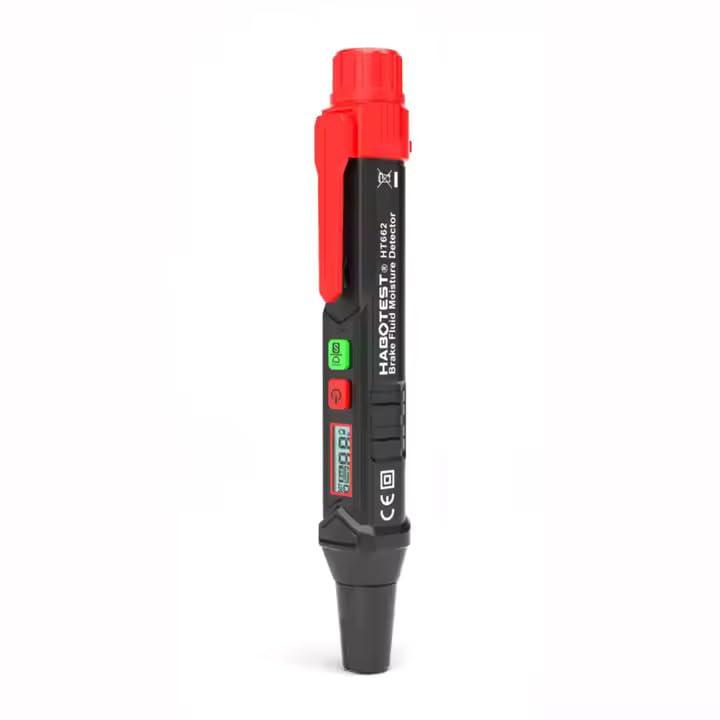
Image 1: The HABOTEST HT662 Digital Brake Fluid Moisture Detector Tester Pen, showing its compact, pen-like design with a red cap and black body, featuring an LCD screen and control buttons.
Key Features:
- Water Content Value Display: Provides a numerical percentage of water in the brake fluid.
- Multiple Oil Type Support: Compatible with DOT3, DOT4, and DOT5.1 brake fluid types.
- High Precision Metal Probe: Ensures accurate measurements and long service life.
- Function Switch Key (S button): Allows selection between DOT3, DOT4, and DOT5.1.
- Audible and Visual Dual Prompt: Alarms with display changes and a buzzer when excessive water content is detected.
- HD Three-Color Backlit Screen: Automatically adjusts backlight color (green, yellow, red) based on water content for easy interpretation.
- Automatic Power Off: Powers off after approximately 5 minutes of inactivity to conserve battery.
- Low Battery Indication: Alerts when batteries need replacement.
- Durable Construction: Made from ABS material, offering comfortable grip, strong impact resistance, fall prevention, dust prevention, and water resistance.
- Portable Pen Clip: For convenient carrying.
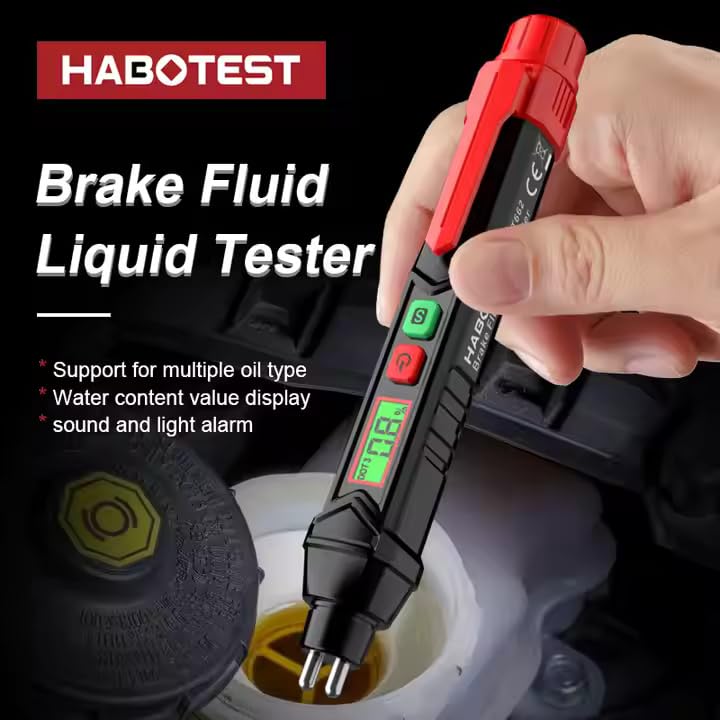
Image 2: The HABOTEST HT662 in operation, with its probe immersed in brake fluid, displaying a water content percentage on its screen. The image highlights its function as a brake fluid liquid tester.
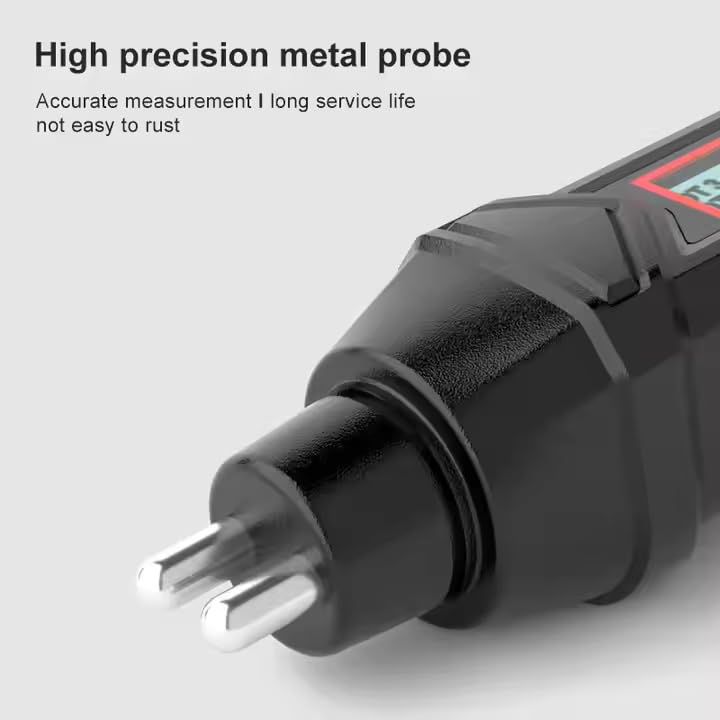
Image 3: A close-up view of the HABOTEST HT662's high-precision metal probe, emphasizing its robust construction for accurate and long-lasting measurement.
4. Setup
4.1 Battery Installation
The HABOTEST HT662 requires two 1.5V AAA batteries for operation. Follow these steps to install or replace batteries:
- Locate the knob-type battery cover at the top of the device (under the red cap).
- Rotate the battery cover counter-clockwise to open it.
- Insert two 1.5V AAA batteries, ensuring correct polarity (+/-).
- Replace the battery cover and rotate it clockwise to secure it.

Image 4: Illustration showing how to remove the knob-type battery cover by rotating it, and then inserting new 1.5V batteries into the HABOTEST HT662.
5. Operating Instructions
5.1 Powering On/Off
- To power on the device, press the red power button (G).
- The device will automatically power off after approximately 5 minutes of inactivity to conserve battery life.
5.2 Selecting Brake Fluid Type
After powering on, the device defaults to DOT3 brake fluid type. To switch between DOT3, DOT4, and DOT5.1:
- Press the green 'S' button (S) to cycle through the available brake fluid types (DOT3 → DOT4 → DOT5.1 → DOT3).
- Ensure the displayed brake fluid type matches the fluid you intend to test.
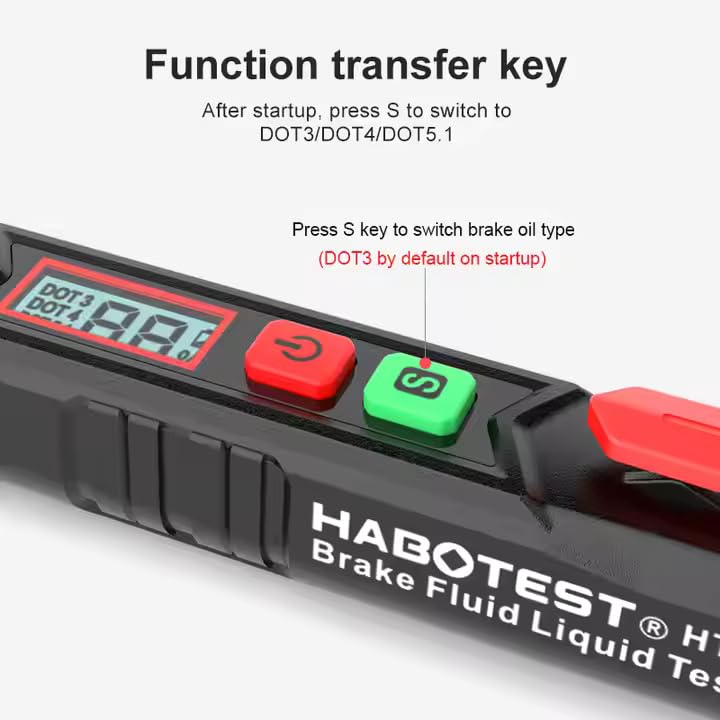
Image 5: A close-up of the HABOTEST HT662's control panel, highlighting the green 'S' button used to switch between DOT3, DOT4, and DOT5.1 brake fluid types after startup.
5.3 Performing a Test
- Ensure the device is powered on and the correct brake fluid type is selected.
- Carefully remove the cap from the brake fluid reservoir in your vehicle.
- Immerse the metal probe of the tester into the brake fluid. Ensure the probe tips are fully submerged.
- Wait for the reading to stabilize on the LCD screen. The device will display the water content percentage.
- Observe the screen's backlight color and listen for any audible alerts.
- Remove the probe from the brake fluid and wipe it clean with a dry cloth or paper towel immediately after testing.
- Replace the brake fluid reservoir cap securely.
5.4 Interpreting Results
The HABOTEST HT662 provides both a numerical display and a color-coded backlight for easy interpretation of brake fluid condition:

Image 6: The HABOTEST HT662 displaying a numerical water content percentage, accompanied by a table explaining the interpretation of water content levels and recommended actions.
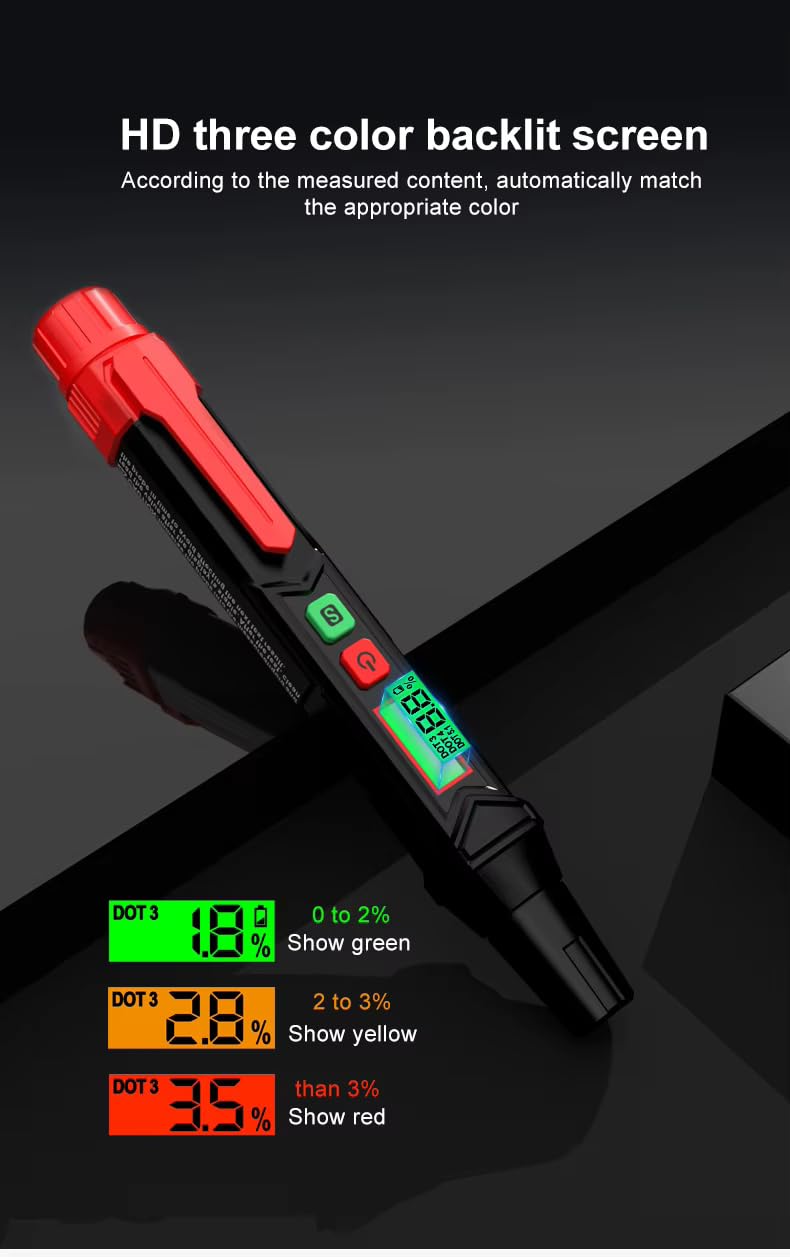
Image 7: The HABOTEST HT662's HD three-color backlit screen, illustrating how the screen color changes (green, yellow, red) to indicate different levels of water content in the brake fluid.
| Water Content | Backlight Color | Condition / Action |
|---|---|---|
| 0% - 2% | Green | Can be used normally. Brake fluid is in good condition. |
| 2% - 3% | Yellow | Still usable, but approaching critical level. Monitor closely. |
| More than 3% | Red | Need to replace brake fluid. Excessive moisture detected. |
When the water content is too high (more than 3%), the device will automatically trigger an audible buzzer alert in addition to the red backlight, indicating an urgent need for brake fluid replacement.
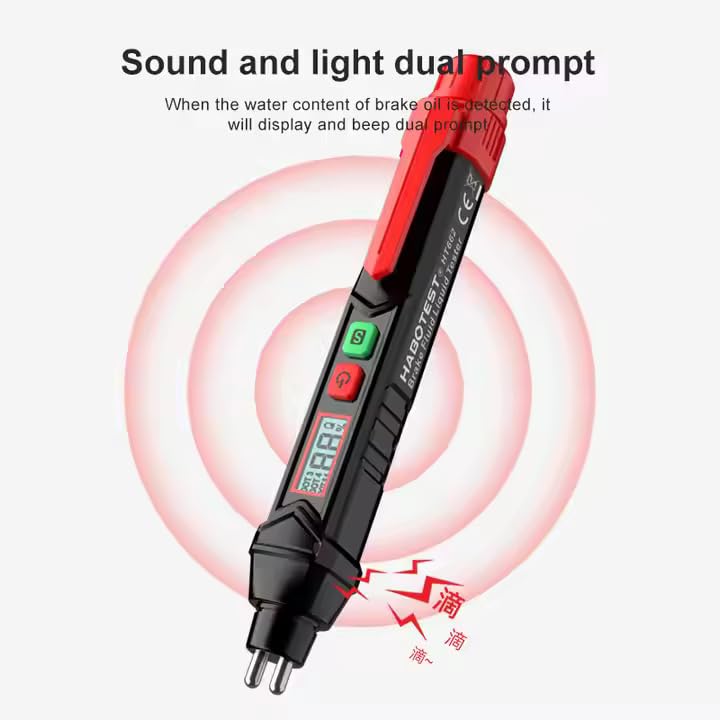
Image 8: An illustration of the HABOTEST HT662's dual prompt system, showing a red glow around the device and sound wave icons, indicating both visual and audible alerts when high water content is detected.
6. Maintenance
6.1 Cleaning
- Always clean the metal probe immediately after each use with a dry, clean cloth or paper towel. This prevents residue buildup and ensures accurate future readings.
- Do not use abrasive cleaners or solvents on the device.
- Wipe the body of the device with a soft, damp cloth if necessary.
6.2 Storage
- Store the device in a cool, dry place, away from direct sunlight and extreme temperatures.
- If the device will not be used for an extended period, remove the batteries to prevent leakage.

Image 9: An illustration emphasizing the HABOTEST HT662's robust ABS material construction, highlighting its fall-proof, dust-proof, and water-resistant properties for durability.
7. Troubleshooting
| Problem | Possible Cause | Solution |
|---|---|---|
| Device does not power on. | Dead or incorrectly installed batteries. | Check battery polarity. Replace with new 1.5V AAA batteries. |
| Inaccurate readings. | Probe not clean; incorrect fluid type selected; probe not fully submerged. | Clean the probe thoroughly. Ensure correct DOT type is selected. Submerge probe fully. |
| Display is dim or flickering. | Low battery power. | Replace batteries. |
| No audible alarm despite high water content. | Device malfunction. | Contact customer support if other troubleshooting steps fail. |
8. Specifications
| Feature | Specification |
|---|---|
| Model | HT662 |
| Brand | HABOTEST |
| Dimensions (L x W x H) | 18.2 x 4.2 x 2.8 Centimeters |
| Item Weight | 150 Grams |
| Material | ABS Plastic |
| Power Source | 2 x 1.5V AAA Batteries |
| Output Type | Digital |
| Specific Uses | Automotive brake fluid testing |
| Supported Brake Fluid Types | DOT3, DOT4, DOT5.1 |
| Detection Range | 0% - 4% water content |
| Measurement Error | ±0.3% |
| Operating Ambient Temperature | 0°C - 40°C |
| Features | LCD Display, Auto Power Off, Low battery indication, Trichromatic backlight, Flashlight, Buzzer alert |
| Included Components | Battery (typically included) |
9. Warranty and Support
The HABOTEST HT662 comes with a 1 Year Warranty from the date of purchase. Please retain your proof of purchase for warranty claims.
For technical support, warranty claims, or any inquiries regarding the product, please contact your retailer or the manufacturer directly. Contact information for the manufacturer and importer is typically found on the product packaging or the seller's official website.
Manufacturer: Shenzhen Habotest Instrument Technology Company Limited
Importer/Packer: MDS Automech Solutions, Q-106, Phase 3, Shivalik Nagar, BHEL, Haridwar, Uttarakhand-249403, India
Contact: +91-9870694636, mohit@mdsautomech.in


