
USX MOUNT XML930
USX MOUNT XML930 Full Motion Long Arm TV Wall Mount Instruction Manual
This manual provides detailed instructions for the safe and proper installation and operation of your USX MOUNT XML930 Full Motion Long Arm TV Wall Mount.
1. Important Safety Information
Please read all instructions carefully before installation. If you have any questions, contact customer support. Improper installation may result in property damage or personal injury.
- Do not install on drywall alone. Ensure the mounting surface can safely support the combined weight of the mount and the television.
- Always use a stud finder to locate wood studs. For concrete or brick walls, use appropriate anchors (concrete anchors available upon request).
- Do not exceed the maximum weight capacity of 100 lbs (45.3 kg).
- Do not exceed the maximum VESA pattern of 600x400mm.
- Ensure all screws are securely tightened but do not overtighten.
- Keep children and pets away during installation.
2. Package Contents
Verify all components are present before beginning installation. If any parts are missing or damaged, please contact USX MOUNT customer support.

Image: The main product image showing the full motion TV wall mount, a small bubble level, and three cable ties. This illustrates the primary components included in the package.
- TV Wall Mount Assembly
- TV Brackets (2)
- Wall Plate
- Hardware Kit (various screws, washers, spacers)
- Bubble Level
- Cable Ties (3)
- Instruction Manual
3. Product Features
- Full Motion Capability: Allows for extensive movement of your TV.
- Long Extension Arm: Extends from 2.52 inches (6.4 cm) to 32.05 inches (81.4 cm) from the wall.
- Swivel Function: Swivels up to ±90° (maximum swivel depends on TV size).
- Tilt Function: Tilts from +5° to -15° to reduce glare and optimize viewing angles.
- Post-Installation Leveling: Allows for ±4° rotation adjustment after installation to ensure a perfectly level screen.
- Heavy-Duty Construction: Built with robust metal for lasting quality and stability, supporting TVs up to 100 lbs.
- Integrated Cable Management: Helps organize and conceal cables for a neat appearance.

Image: A television mounted on the wall, extended outwards by the long arm, demonstrating the 32-inch extension capability for flexible viewing angles.

Image: A detailed diagram highlighting the mount's enhanced structural features, including adjustable leveling, tilt mechanism, reinforced arm support, and integrated cable management solutions.
4. Specifications
| Specification | Detail |
|---|---|
| Model Number | XML930 |
| TV Size Compatibility | 37 - 80 inches |
| Weight Capacity | Up to 100 lbs (45.3 kg) |
| VESA Compatibility (Max) | 600x400mm |
| VESA Compatibility (Min) | 200x100mm |
| Extension Range | 2.52 - 32.05 inches (6.4 - 81.4 cm) |
| Tilt Angle | +5° to -15° |
| Swivel Angle | ±90° |
| Level Adjustment | ±4° |
| Material | Metal |
| Product Dimensions | 44.4 x 28.6 x 6.8 cm (packaged) |
| UPC | 797505422191 |

Image: Technical drawings providing precise dimensions for the TV interface (max VESA 600x400mm, min 200x100mm), the fully assembled mount, the wall plate, and side views illustrating the extended (32.05 inches) and retracted (2.52 inches) positions.

Image: A visual guide to VESA mounting patterns, indicating the maximum compatible pattern of 600x400mm and the minimum of 200x100mm.
5. Setup and Installation
5.1 Pre-Installation Checklist
- Check TV Compatibility: Ensure your TV's size (37-80 inches), weight (under 100 lbs), and VESA mounting pattern (200x100mm to 600x400mm) are compatible with this mount.
- Identify Wall Type: Determine if your wall is wood stud, solid concrete, or brick. Do not mount on drywall alone.
- Check Cable Outlets: Before mounting, verify the location of your TV's cable outlets to avoid blockage or tangling once the mount is installed.

Image: A graphic prompting users to verify TV size, weight, VESA pattern, and wall type to ensure compatibility with the mount.

Image: An illustration depicting the three types of walls suitable for mounting: wood studs, solid concrete (requiring anchors), and brick (requiring anchors). A warning emphasizes not to mount on drywall alone.

Image: A view of the back of a television with cable outlets circled, advising users to check cable connections to prevent potential blockages or tangling after mounting.
5.2 Installation Steps
Follow the detailed instructions provided in the included manual for precise installation. A general overview of the steps is below:
- Attach TV Brackets: Secure the vertical TV brackets to the back of your television using the appropriate screws and spacers from the hardware kit.
- Mount Wall Plate: Mark and drill pilot holes on your wall according to your wall type and stud locations. Secure the wall plate firmly to the wall using the provided lag bolts and washers. Use the included bubble level to ensure accuracy.
- Hang TV to Wall Plate: Carefully lift the TV with the attached brackets and hook it onto the wall plate. Ensure the safety locks are engaged to prevent accidental dislodgement.

Image: A visual representation of the three main installation steps: attaching the TV brackets to the television, mounting the wall plate to the wall, and finally hanging the TV onto the wall plate.
6. Operating and Adjustments
Once installed, your USX MOUNT XML930 allows for various adjustments to achieve your ideal viewing experience.
- Extension: Gently pull or push the TV to extend or retract the arm. The arm can extend up to 32.05 inches (81.4 cm) and retract to 2.52 inches (6.4 cm).
- Swivel: Pivot the TV left or right up to ±90° to direct the screen towards your viewing area. The maximum swivel angle may vary based on your TV's width.
- Tilt: Adjust the vertical viewing angle by tilting the TV from +5° (upwards) to -15° (downwards). This helps reduce glare from lights or windows.
- Leveling: If your TV appears slightly unlevel after installation, use the post-installation leveling feature to rotate the screen ±4° for perfect alignment.

Image: A side view of the TV mount demonstrating its tilt range of +5° to -15° and its extension capability, retracting to 2.52 inches and extending up to 32.05 inches.

Image: An overhead view illustrating the mount's ±90° swivel function, allowing the TV to be positioned for optimal viewing from different locations in a room.
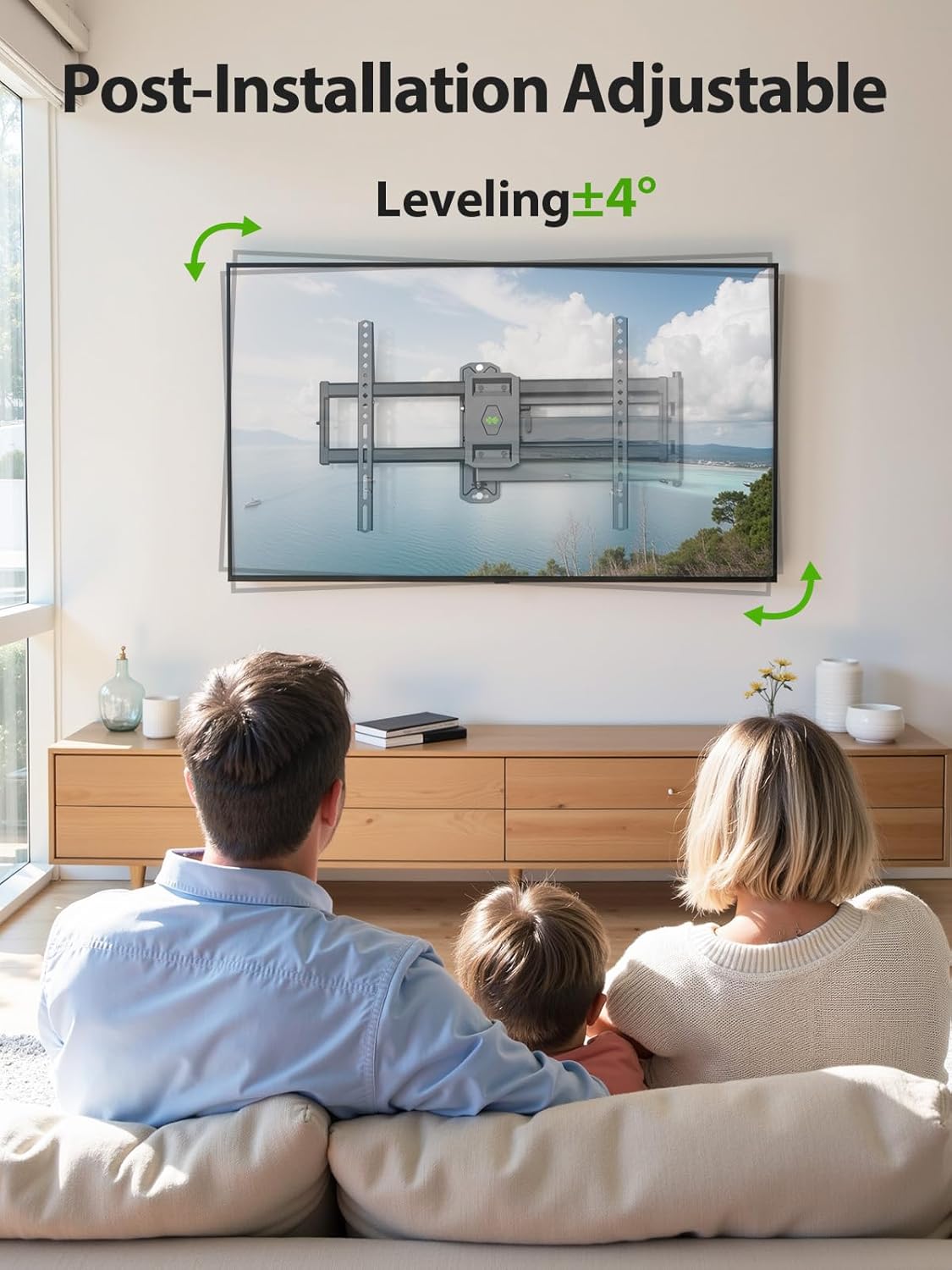
Image: A television mounted on the wall, demonstrating the post-installation leveling adjustment feature, which allows for a ±4° rotation to ensure the TV is perfectly horizontal.

Image: A diagram illustrating the full range of motion for the mount, including a tilt range of +5° to -15° and a swivel range of ±90°.
7. Maintenance
To ensure the longevity and proper function of your TV mount, follow these simple maintenance guidelines:
- Regular Cleaning: Dust the mount periodically with a soft, dry cloth. Avoid abrasive cleaners or solvents.
- Check Connections: Annually, inspect all mounting screws and bolts to ensure they remain tight. Do not overtighten.
- Lubrication: If movement becomes stiff over time, apply a small amount of silicone-based lubricant to the articulating joints.
- Weight Check: Do not add accessories or devices to the TV that would exceed the mount's maximum weight capacity.
8. Troubleshooting
If you encounter any issues with your USX MOUNT XML930, refer to the following common problems and solutions:
- TV is not level: Use the post-installation leveling feature to adjust the screen by rotating it ±4°. Ensure the wall plate was installed level initially.
- Mount feels loose: Recheck all wall mounting bolts and TV bracket screws. Ensure they are securely tightened. If mounted on wood studs, confirm the lag bolts are fully engaged in the center of the studs.
- Difficulty moving the TV (swivel/tilt/extension): Check for any obstructions. Ensure no cables are caught in the moving parts. Apply a small amount of silicone lubricant to the joints if movement is stiff.
- Missing parts: Refer to the 'Package Contents' section. If parts are missing, contact USX MOUNT customer support immediately.
9. Warranty and Support
USX MOUNT products are engineered for quality and durability. For warranty information or technical assistance, please contact our US-based professional customer support team. They are ready to assist you with any questions before or after your purchase.
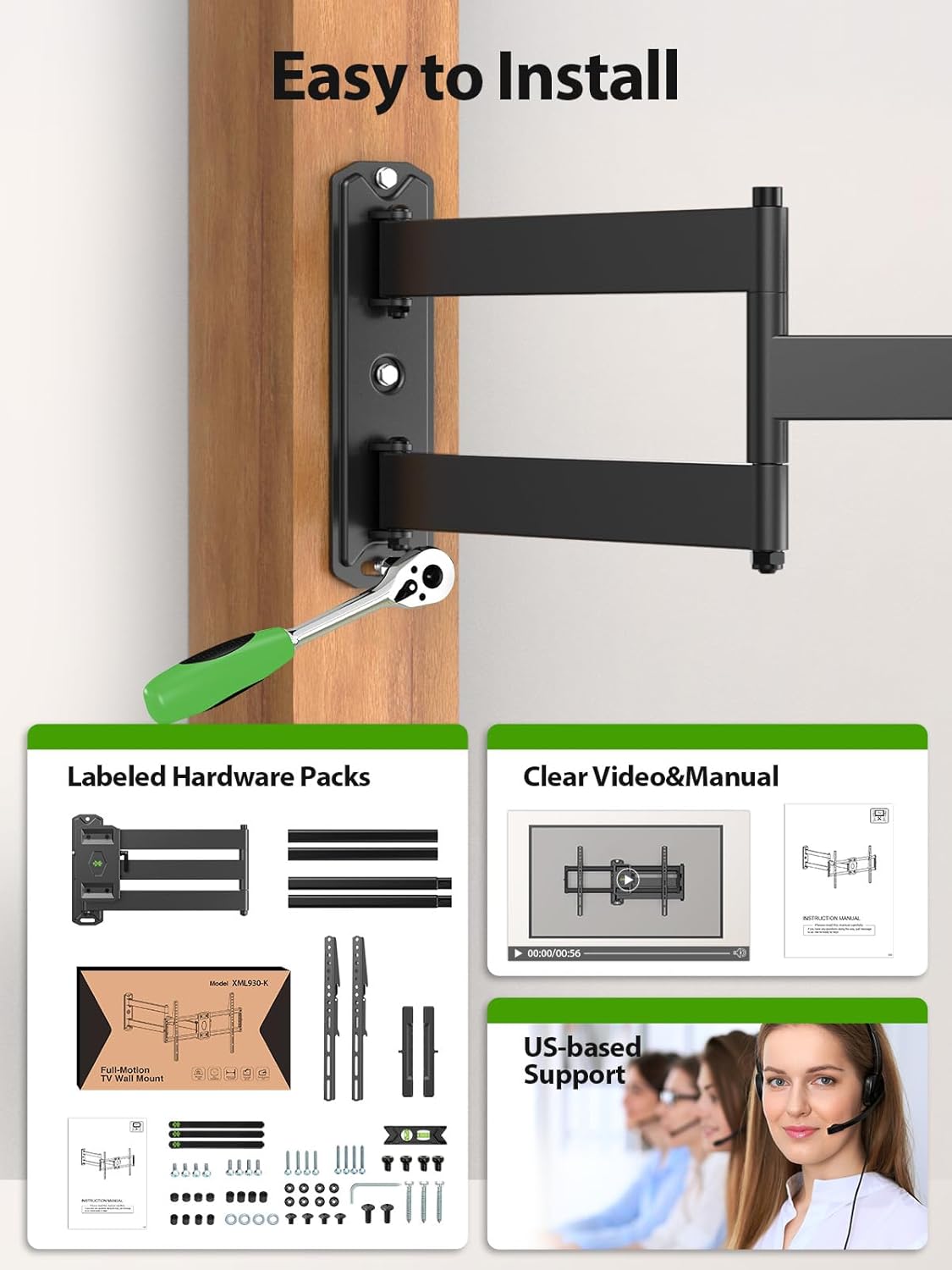
Image: A graphic indicating the availability of US-based customer support, featuring customer service representatives ready to assist with inquiries.
10. Product Overview Video
Video: A promotional video showcasing various USX MOUNT TV mounts installed in different home and office environments, highlighting their versatility and functionality across various room types and TV sizes.
Related documentsXML930


Ask a question about this manual
Ask about setup, troubleshooting, compatibility, parts, safety, or missing instructions. Manuals+ will review the question and use this page’s manual context to help answer it.