
1. Introduction
Thank you for choosing the Fitdays Smart Scale FG2015ULB. This advanced 8-electrode body composition analyzer is designed to provide detailed insights into your body's health metrics. By utilizing Bio-electrical Impedance Analysis (BIA) technology across five body segments, it offers a more comprehensive and accurate measurement compared to standard scales. This manual will guide you through the setup, operation, and maintenance of your new smart scale.
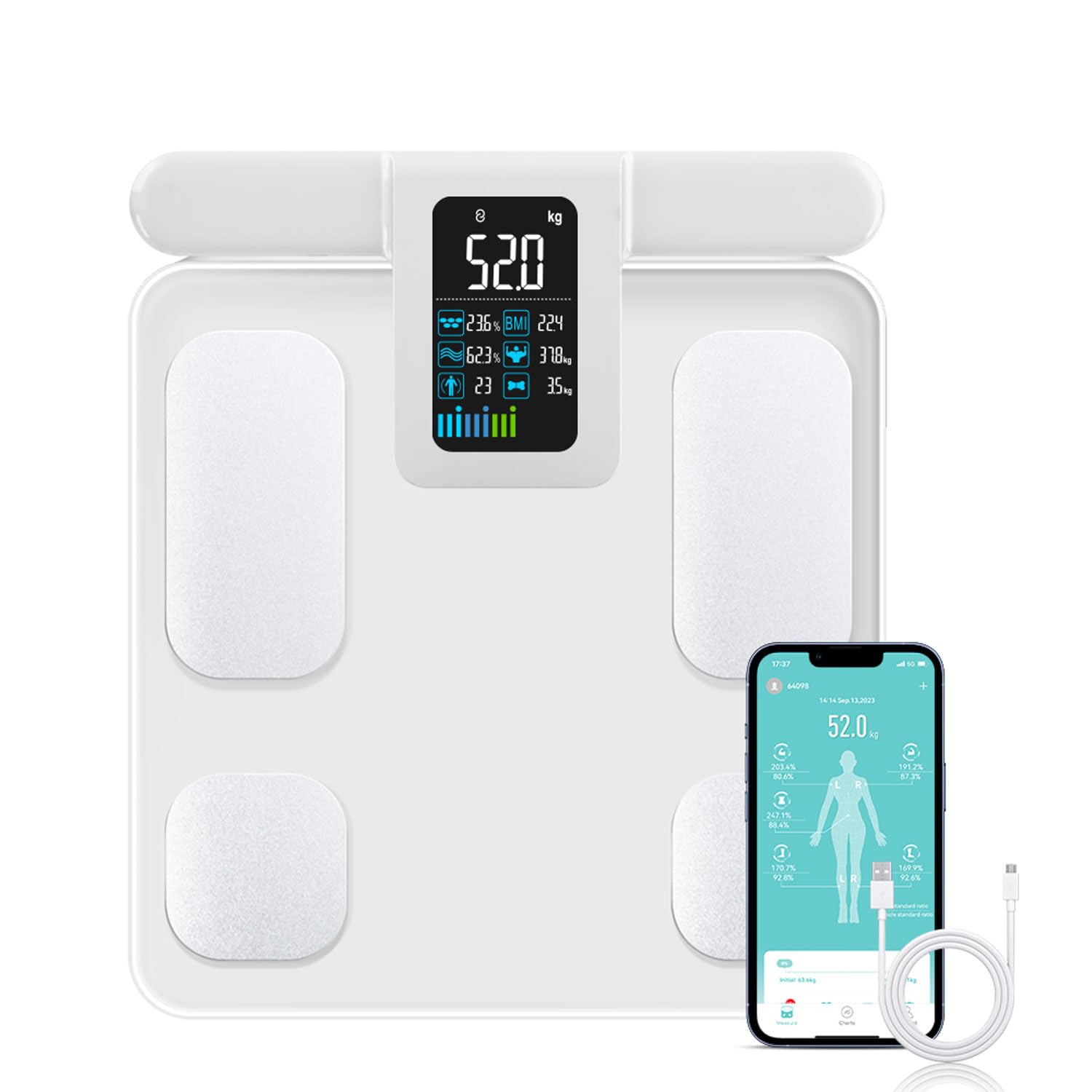
Image 1.1: The Fitdays Smart Scale FG2015ULB, showing the scale, retractable handle, and the Fitdays app interface on a smartphone.
2. Product Features
- 8-Electrode Segmented BIA Technology: Measures body composition across five sections (limbs and torso) for enhanced accuracy, unlike 4-electrode scales that only measure half the body.
- Large Color Display: Features a 10.4 x 6.2 cm clear color screen on the retractable handle, displaying weight and 6 essential body compositions simultaneously without needing the app.
- Fitdays Smart Application: Provides detailed measurements for 20 body components, generates professional printable reports, tracks data over time (daily, weekly, monthly, yearly), and syncs with Apple Health, Google Fit, and Fitbit.
- Multi-User Support: Accommodates up to 24 users, automatically recognizing individuals when they step on the scale, ideal for families and fitness groups.
- Eco-Friendly Power: Designed with a Type-C charging method, eliminating the need for disposable batteries. A 2-hour full charge provides approximately 3 months of use. (Note: Some models may use AAA batteries. Please check your product packaging for specific battery requirements.)
- Enlarged Electrodes: Wider electrode area ensures better contact for various foot sizes.

Image 2.1: Visual representation of the 29 body composition analysis data points measured by the scale and displayed in the Fitdays app.
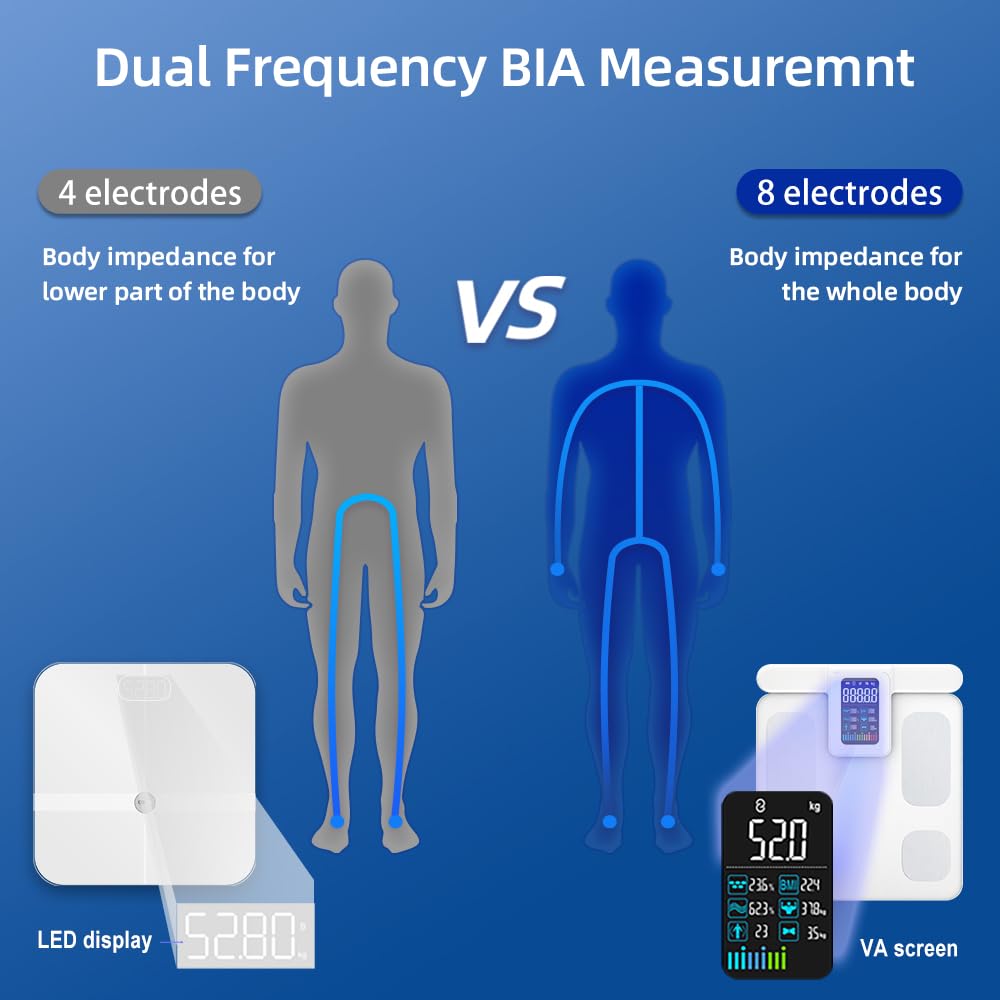
Image 2.2: Diagram illustrating the difference between 4-electrode and 8-electrode dual-frequency BIA measurement for whole-body analysis.
3. Package Contents
Upon unpacking, please ensure all items are present:
- 1 x Fitdays Smart Scale FG2015ULB (Body Weight and Body Fat Percentage Scale)
- 1 x USB Type-C Charging Cable (if applicable for your model)
- 4 x AAA Batteries (if applicable for your model)
- 1 x User Manual (this document)
4. Safety Information
- Do not use if you have a pacemaker or other implanted medical device.
- Pregnant women should consult a doctor before using.
- Place the scale on a hard, flat surface for accurate measurements. Avoid carpets or uneven floors.
- Do not use the scale on wet or slippery surfaces.
- Keep the scale dry and clean. Avoid direct contact with water.
- This scale is for household use only and not for medical diagnosis.
5. Setup
5.1 Initial Power-Up and Charging
Before first use, ensure the scale is adequately powered.
- For Type-C Rechargeable Models: Connect the provided USB Type-C cable to the scale's charging port and a suitable USB power adapter (not included). Charge for approximately 2 hours until fully charged. The display will indicate charging status.
- For AAA Battery Models: Open the battery compartment on the underside of the scale and insert 4 AAA batteries, ensuring correct polarity.

Image 5.1: The Fitdays Smart Scale showing its Type-C charging port and connection to a power source.
5.2 App Installation and Bluetooth Pairing
- Download the Fitdays App: Search for "Fitdays" in the Apple App Store or Google Play Store and install the application on your smartphone.
- Create an Account: Open the Fitdays app and follow the on-screen instructions to create a user profile. Enter accurate personal information (gender, age, height) for precise body composition analysis.
- Enable Bluetooth: Ensure Bluetooth is enabled on your smartphone.
- Pair the Scale: Step onto the scale barefoot. The scale will automatically turn on. Open the Fitdays app, navigate to the device pairing section (usually found in 'Device' or 'My' tab), and select your scale from the list of available devices. The app will confirm successful connection.
6. Operating Instructions
6.1 Taking a Measurement
For accurate body composition analysis, follow these steps:
- Place the scale on a hard, flat surface.
- Step onto the scale barefoot, ensuring your feet are centered on the electrode pads.
- Grasp the retractable handle firmly with both hands. Ensure your arms are straight and held at approximately a 45-degree angle, making sure your arms do not touch your body.
- Stand still and wait for the measurement process to complete. The display on the handle will show your weight and other key metrics.
- The data will automatically sync to the Fitdays app on your smartphone if it is open and Bluetooth is connected.

Image 6.1: Proper technique for using the 8-electrode smart scale, showing arm position and bare feet contact.
6.2 Understanding the Display
The large VA screen on the handle provides immediate feedback:
- Your current weight will be prominently displayed.
- Additional metrics such as Body Fat Percentage, BMI, Body Water, Muscle Mass, Bone Mass, and BMR may be shown.
- A progress bar or indicator may show the measurement status.
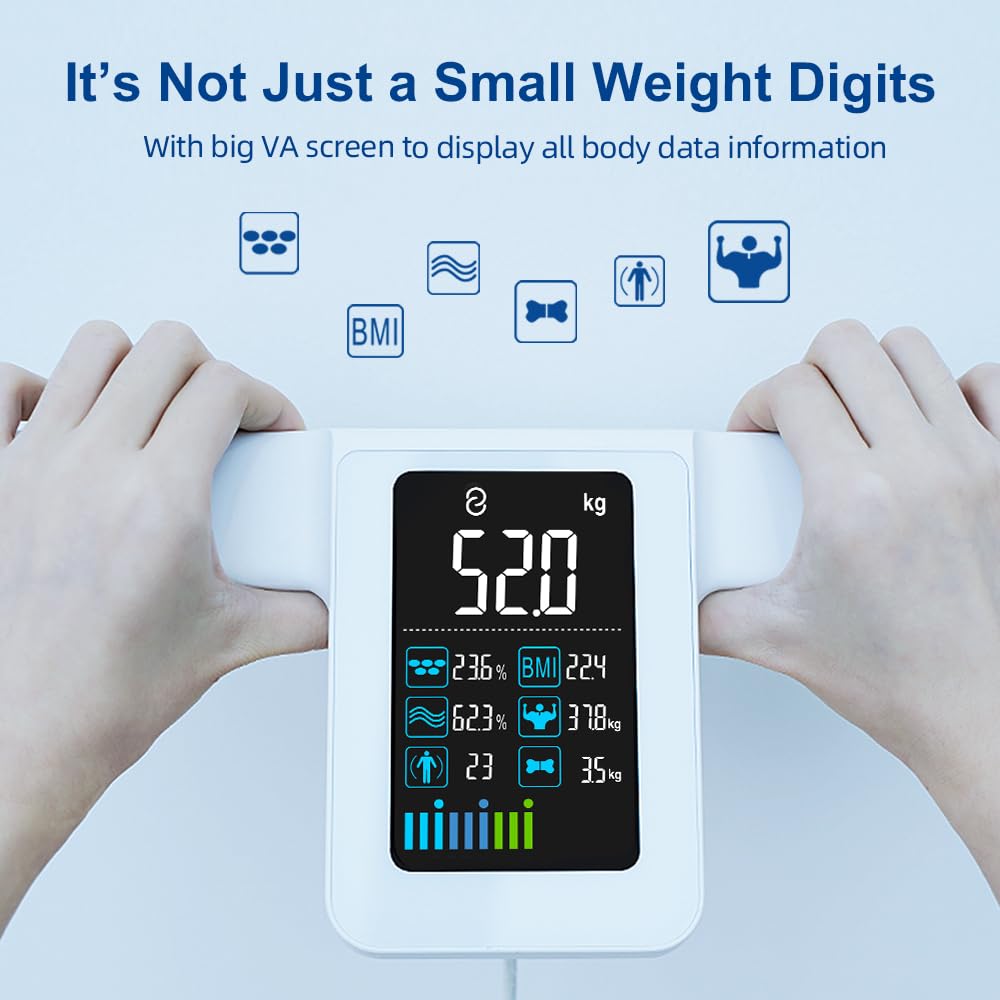
Image 6.2: Detailed view of the VA screen on the scale's handle, displaying weight, body fat, BMI, and other metrics.
6.3 Using the Fitdays App
The Fitdays app is your central hub for detailed analysis and tracking:
- Detailed Reports: View all 20 body composition metrics, including visceral fat, subcutaneous fat, skeletal muscle rate, protein, and body age.
- Progress Tracking: Monitor changes in your body data over time with intuitive graphs and charts.
- Goal Setting: Set personal health and fitness goals within the app.
- Data Sharing: Share your progress with friends, family, or fitness professionals.
- Synchronization: Connect the Fitdays app with Apple Health, Google Fit, and Fitbit for a unified health data experience.
6.4 Multi-User Functionality
The scale supports up to 24 user profiles. Each family member can create their own profile in the Fitdays app. The scale will intelligently recognize the user based on their weight and previous measurements, automatically assigning data to the correct profile. If multiple users have similar weights, the app may prompt you to select the correct user.
7. Maintenance
7.1 Cleaning
To maintain the accuracy and longevity of your scale:
- Wipe the scale surface with a soft, damp cloth.
- Do not use abrasive cleaners or immerse the scale in water.
- Ensure the electrode pads are clean and free of debris for optimal contact.
7.2 Storage
Store the scale in a cool, dry place away from direct sunlight and extreme temperatures.
7.3 Battery Care
- For Rechargeable Models: Recharge the scale when the battery indicator is low. Avoid fully depleting the battery frequently to prolong its lifespan.
- For AAA Battery Models: Replace all batteries simultaneously when the low battery indicator appears. Do not mix old and new batteries or different battery types. Remove batteries if the scale will not be used for an extended period.
8. Troubleshooting
- Inaccurate Readings: Ensure the scale is on a hard, flat surface. Make sure your feet are bare and making full contact with the electrodes. Ensure the handle is held correctly with straight arms not touching the body. Avoid taking measurements immediately after intense exercise, showering, or consuming large amounts of water.
- No Display/Scale Not Turning On: Check battery level. For rechargeable models, ensure it is charged. For AAA battery models, replace batteries.
- Bluetooth Connectivity Issues: Ensure Bluetooth is enabled on your phone and the Fitdays app is open. Try restarting both the scale (by stepping off and on) and your phone's Bluetooth. Ensure the scale is within range of your phone.
- App Not Syncing Data: Confirm the scale is paired with the app. Ensure the app has necessary permissions (e.g., Bluetooth, location). Check for app updates.
- Discrepancy in Battery Type: Some product descriptions or packaging may vary regarding battery type (Type-C rechargeable vs. AAA disposable). Please refer to the actual product you received for the correct battery type and charging/replacement method.
9. Specifications
| Model | FG2015ULB (FL2022) |
| Brand | Fitdays (Manufacturer: SUNHAIXIA) |
| Measurement Technology | 8-Electrode Segmented Bio-electrical Impedance Analysis (BIA) |
| Maximum Weight Capacity | 180 kg (400 lbs) |
| Weight Precision | 0.2 kg |
| Display Type | Digital, Color VA Screen |
| Power Source | Rechargeable Lithium Battery (Type-C) or 4 x AAA Batteries (model dependent) |
| Connectivity | Bluetooth |
| Included Components | 1 x Smart Scale, 1 x Charging Cable (or batteries), 1 x User Manual |
| Product Dimensions (approx.) | 43.5 x 38.6 x 7.6 cm (Package) |
| Product Weight (approx.) | 2.27 kg (5 lbs) |
10. Warranty and Support
This product comes with a standard manufacturer's warranty. For specific warranty details, please refer to the warranty card included in your package or contact the retailer where you purchased the product. For technical support, troubleshooting assistance, or inquiries about spare parts, please contact Fitdays customer service through the contact information provided on the product packaging or the official Fitdays website.


