
Intex 26645EG + 50lbPoolSand
Intex Krystal Clear 2100 GPH Sand Filter Pump User Manual
Model: 26645EG + 50lbPoolSand
Brand: Intex
1. Introduction
Welcome to the user manual for your Intex Krystal Clear 2100 GPH Sand Filter Pump, bundled with OptiFlow Premium Pure Silica Filter Sand. This advanced filtration system is designed to provide superior water clarity and cleanliness for your above-ground pool, ensuring a pristine swimming experience with minimal effort.

Figure 1: Intex Krystal Clear 2100 GPH Sand Filter Pump with OptiFlow Filter Sand.
This image displays the complete Intex Krystal Clear 2100 GPH Sand Filter Pump system, including the pump unit, sand tank, hoses, and a 50 lb bag of OptiFlow Premium Pure Silica Filter Sand, ready for assembly and use with an above-ground pool.
2. Important Safety Information
Before installing or operating this product, please read, understand, and follow all instructions carefully. Failure to do so may result in serious injury or property damage.
- Always disconnect the power cord from the electrical outlet before performing any maintenance or servicing.
- Ensure the pump is placed on a solid, level surface to prevent tipping.
- Do not operate the pump if the power cord or plug is damaged.
- Keep children away from the pump and pool area during operation.
- This product is intended for use with above-ground pools only.
- WARNING: This product can expose you to chemicals including Di(2-ethylhexyl)phthalate (DEHP), which is known to the State of California to cause cancer and birth defects or other reproductive harm. For more information go to www.P65Warnings.ca.gov.
3. Package Contents
Your Intex Krystal Clear Sand Filter Pump package includes the following components:
- Intex Krystal Clear 2100 GPH Sand Filter Pump Unit (Model: 26645EG)
- 50 lb Bag of OptiFlow Premium Pure Silica Filter Sand
- Connection Hoses (typically 1.5-inch diameter)
- Hose Clamps
- HydroAeration Technology Inlet Fitting
- Multi-port Valve (6-function)
- Pressure Gauge
- Built-in 24-hour Timer
4. Specifications
| Feature | Detail |
|---|---|
| Brand | Intex |
| Model Number | 26645EG + 50lbPoolSand |
| System Flow Rate | 1,600 gal./hr. (6.05 m³/hr) |
| Pump Flow Rate | 2,100 GPH |
| Sand Capacity | 50 lb (23 kg) #20 Silica Sand |
| Pool Size/Water Capacity | Min: 2,800 gal (10.6m³), Max: 12,800 gal (48.4m³) |
| Voltage | 110-120V (W/GFCI) |
| Power Source | AC/DC |
| UPC | 193802398021 |

Figure 2: Detailed specifications for the Intex Sand Filter Pump, including flow rates, sand capacity, and compatible pool sizes.
This image provides a visual summary of the pump's key specifications, such as System Flow Rate (1,600 gal./hr.), Sand Capacity (50 lb #20 Silica), Pool Size/Water Capacity (Min: 2,800 gal, Max: 12,800 gal), and Voltage (110-120V with GFCI).
5. Setup and Installation
Setting up your Intex Krystal Clear Sand Filter Pump is designed to be straightforward. Follow these steps for proper installation:
- Placement: Choose a firm, level surface near your above-ground pool for the pump unit. Ensure it is within reach of a grounded electrical outlet and away from direct water splashes.
- Fill with Sand: Carefully pour the 50 lb bag of OptiFlow Premium Pure Silica Filter Sand into the sand tank. Refer to the manual for exact sand level and type.
- Connect Hoses: Attach the provided hoses to the pump's inlet and outlet ports, and then connect them to your pool's intake and return fittings. Secure all connections with the included hose clamps to prevent leaks.
- HydroAeration Technology: Install the HydroAeration Technology inlet fitting into your pool's return jet. This feature enhances water circulation and clarity.
- Prime the Pump: Before starting, ensure the pump is primed by filling the pump's strainer basket housing with water.
- Plug In: Once all connections are secure and the pump is primed, plug the pump into a grounded electrical outlet.

Figure 3: A person demonstrating the setup of the Intex Krystal Clear Sand Filter Pump next to an above-ground pool.
This image shows an individual kneeling beside the Intex Sand Filter Pump, connecting hoses to an above-ground pool, illustrating the ease of installation.
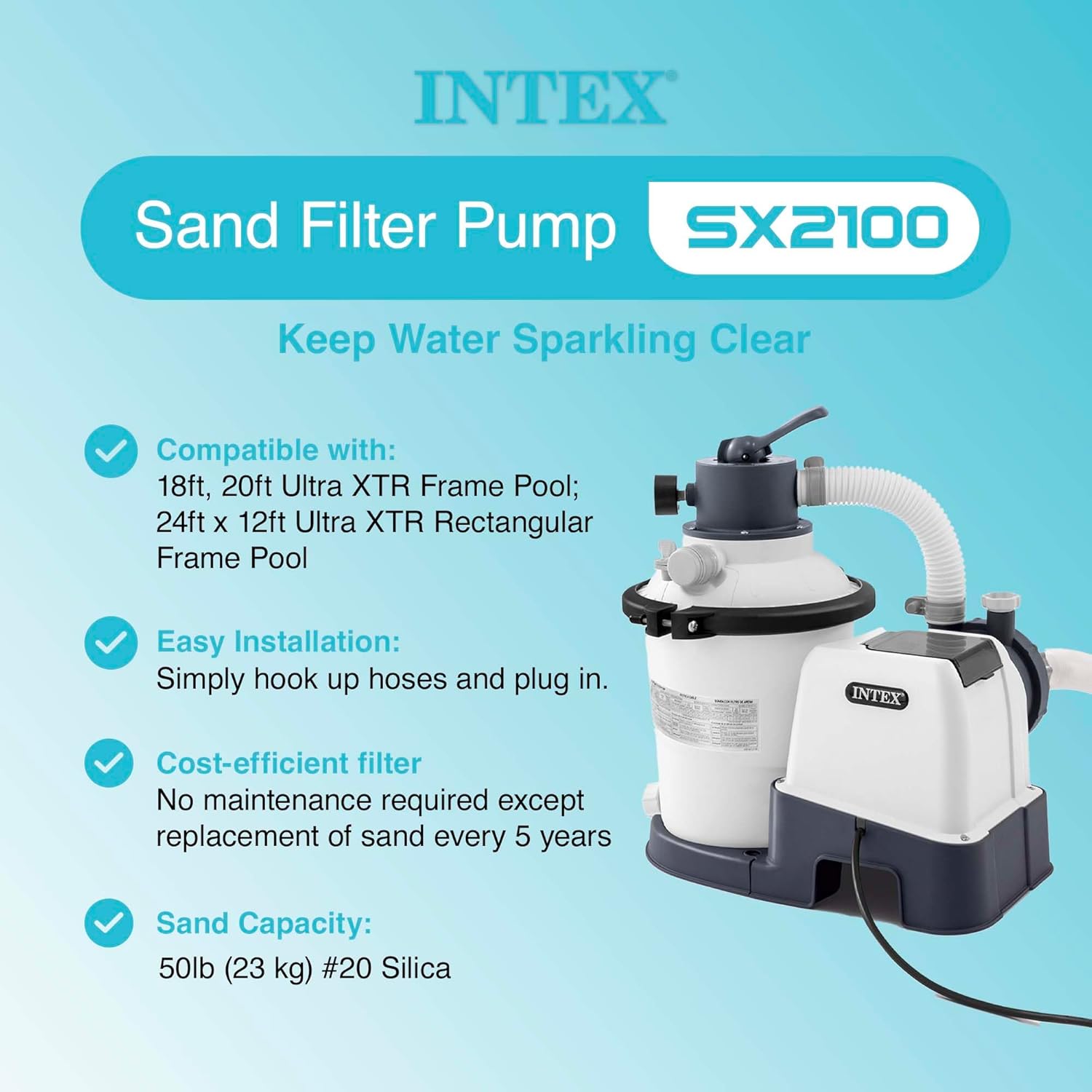
Figure 4: Key features of the Intex SX2100 Sand Filter Pump, highlighting compatibility and easy installation.
This image highlights that the SX2100 pump is compatible with various Intex XTR Frame Pools, features easy installation by simply hooking up hoses and plugging in, and is a cost-efficient filter requiring sand replacement only every 5 years, with a sand capacity of 50lb (#20 Silica).
Visual Setup Guide:
Video 1: Intex Krystal Clear Sand Filter Pump Setup and Operation Overview.
This video provides a comprehensive visual guide on how to set up and operate the Intex Krystal Clear Sand Filter Pump, demonstrating the connection of components and initial startup procedures.
6. Operating the Pump
Your sand filter pump is equipped with a multi-port valve and a built-in timer for convenient operation.
6.1 Multi-Port Valve Functions:
- FILTER: Normal filtering operation. Water flows through the sand bed, trapping debris, and returns to the pool.
- RINSE: Used after backwashing to flush out any remaining dirt from the sand bed before returning to FILTER mode.
- WASTE: Bypasses the filter and pumps water directly out of the waste port. Useful for vacuuming heavy debris or lowering pool water level.
- CLOSED: Shuts off all flow to the filter and pump. Use this setting when performing maintenance on the pump or filter.
- BACKWASH: Reverses the flow of water through the sand bed to clean out trapped debris. Water is discharged through the waste port.
- RECIRCULATE: Bypasses the filter and circulates water directly back to the pool. Useful for distributing chemicals without filtering.
6.2 24-Hour Timer:
The built-in 24-hour timer allows you to pre-set operating cycles from 2 to 12 hours, ensuring automatic and consistent filtration. This feature simplifies pool maintenance, allowing you to set it and forget it.
6.3 HydroAeration Technology:
Intex's patented HydroAeration Technology is engineered to improve filtration, clarity, and freshness in above-ground pools. It achieves this by:
- Advanced Circulation: Injecting air into the water accelerates circulation and joins fine particles into larger clusters that can be filtered more effectively.
- Improved Clarity: Aeration removes minerals through oxidation for ultimate water clarity.
- Increased Freshness: More negative ions are generated by activating air bubbles, which improves overall air quality around the pool.

Figure 5: Overview of the Intex Sand Filter Pump's features, including the control panel, pressure gauge, and multi-port valve functions.
This image details the pump's features: a built-in timer/control panel for easy operation, a pressure gauge to monitor filter status, a 6-function multi-port valve (Filtration, Circulation, Backwash, Drain, Rinse, Close), and a convenient strainer basket for pre-filtering large debris.
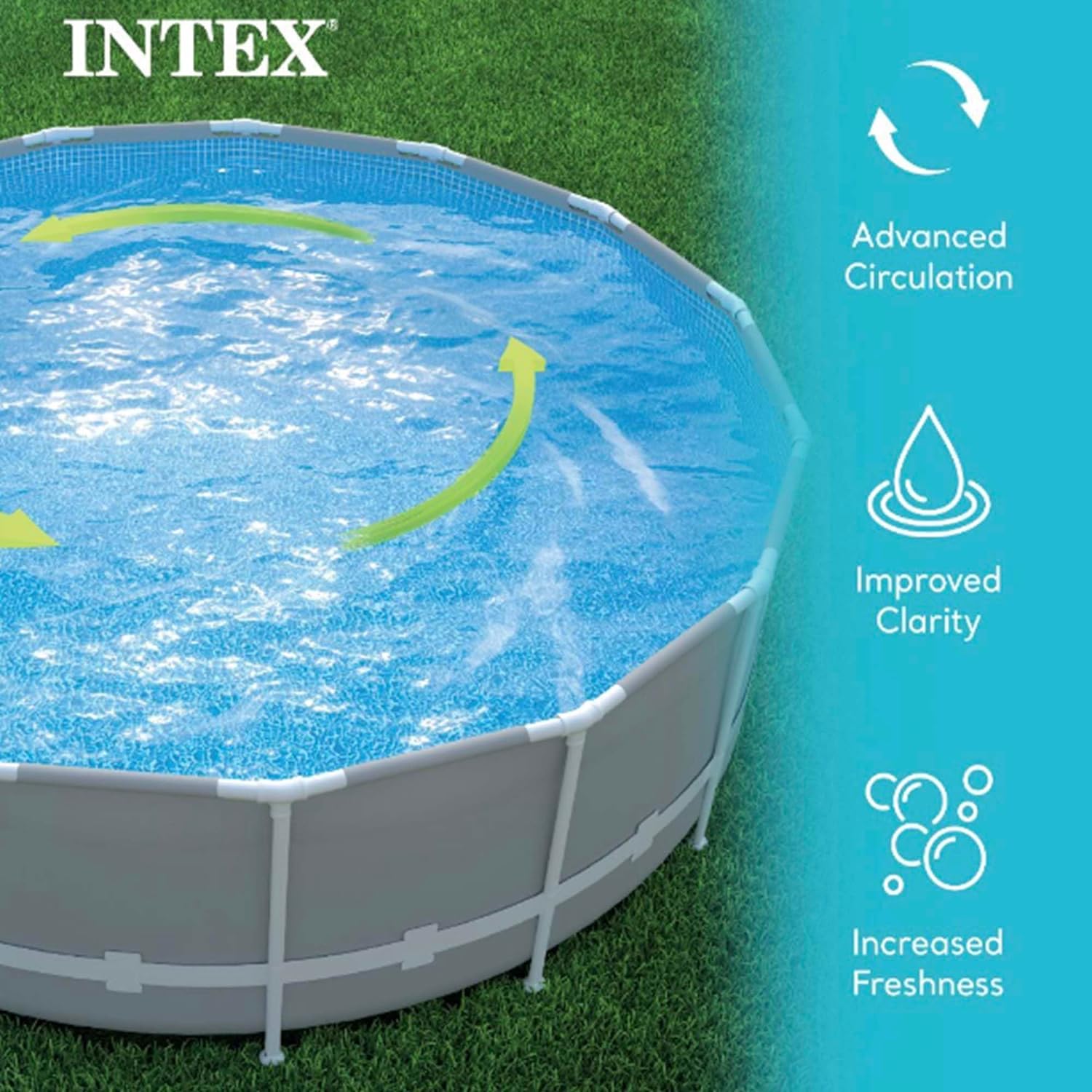
Figure 6: Visual representation of HydroAeration Technology benefits: Advanced Circulation, Improved Clarity, and Increased Freshness.
This image illustrates the three main benefits of Intex's HydroAeration Technology: Advanced Circulation (showing water movement), Improved Clarity (depicting clear water), and Increased Freshness (representing air bubbles and negative ions).
7. Maintenance
Regular maintenance ensures the longevity and optimal performance of your sand filter pump.
7.1 Backwashing and Rinsing:
The pressure gauge on your pump indicates when backwashing is necessary. When the pressure rises above the normal operating range (typically indicated by a red zone), it's time to clean the sand filter.
- Turn off the pump and disconnect power.
- Set the multi-port valve to the "BACKWASH" position.
- Turn on the pump and run until the water flowing out of the waste port is clear (usually 2-3 minutes).
- Turn off the pump.
- Set the multi-port valve to the "RINSE" position.
- Turn on the pump and run for about 30-60 seconds to settle the sand.
- Turn off the pump.
- Set the multi-port valve back to the "FILTER" position.
- Turn on the pump to resume normal filtration.
7.2 Sand Replacement:
The OptiFlow Premium Pure Silica Filter Sand typically only needs to be replaced once every five years, making this a highly cost-efficient and low-maintenance filtration solution.

Figure 7: Benefits of OptiFlow Premium Pool Filtration Sand, including superior filtration and enhanced water clarity.
This image highlights the premium quality of OptiFlow filter sand, emphasizing its superior filtration capabilities, clean and washed nature, angular grains for better trapping, and overall enhanced water clarity for a pristine swimming experience.
8. Troubleshooting
If you encounter issues with your sand filter pump, refer to the following common troubleshooting tips:
- Pump Not Starting:
- Check power connection and GFCI outlet.
- Ensure the timer is set correctly and the pump is not in a "OFF" cycle.
- Verify the multi-port valve is not in the "CLOSED" position.
- Low Water Flow:
- Check the strainer basket for debris and clean if necessary.
- Ensure all hoses are free of kinks and blockages.
- Verify the pool's skimmer and return lines are clear.
- Check the pressure gauge; if it's high, backwash the filter.
- Cloudy Pool Water:
- Ensure the pump is running for sufficient hours daily (8-12 hours recommended).
- Check pool chemical balance.
- Backwash and rinse the filter thoroughly.
- Verify the sand is not overdue for replacement (every 5 years).
- Water Leaks:
- Inspect all hose connections and ensure clamps are tightened.
- Check O-rings and gaskets for proper seating and damage.
For more detailed troubleshooting or persistent issues, please contact Intex customer support.
9. Warranty and Support
Intex designs, builds, and tests all its products to the highest standards with safety as the first priority. This product is built to last and provide reliable performance.
For warranty information, product registration, or technical support, please visit the official Intex website or contact their customer service department. Keep your purchase receipt as proof of purchase for any warranty claims.
You can find more information and support at the Intex Store on Amazon.
Related documents26645EG + 50lbPoolSand


Ask a question about this manual
Ask about setup, troubleshooting, compatibility, parts, safety, or missing instructions. Manuals+ will review the question and use this page’s manual context to help answer it.