
1. Introduction
Thank you for choosing the VOLISUN 19.7-inch Low Profile Ceiling Fan. This manual provides essential information for the safe installation, operation, and maintenance of your new ceiling fan. Please read it thoroughly before installation and keep it for future reference.

Image 1.1: The VOLISUN 19.7-inch Low Profile Ceiling Fan with its remote control and smartphone app interface.
2. Safety Information
- Electrical Safety: Always disconnect power at the circuit breaker before installation or servicing. Ensure all wiring connections are secure and comply with local electrical codes.
- Installation: This product must be installed by a qualified electrician or a person with experience in electrical wiring. Ensure the mounting structure can support the fan's weight.
- Blade Clearance: Maintain adequate clearance between the fan blades and any obstructions.
- Cleaning: Use a soft, damp cloth for cleaning. Do not use abrasive cleaners or solvents.
- Children and Pets: Keep children and pets away from the fan during operation and installation.
3. Package Contents
Verify that all components are present before beginning installation:
- Ceiling Fan Unit (with integrated light kit and fan blades)
- ABS Lampshade
- Remote Control (batteries not included)
- Mounting Hardware
- User Manual

Image 3.1: Close-up view of the fan's light frame, noiseless fan mechanism, and acrylic lamp material.
4. Product Features
- Smart & Dimmable LED Light: Adjust brightness and color temperature (3000K-6500K) via remote or mobile app.
- Memory Function: Recalls preferred light settings when turned on.
- 6 Wind Speed Options: Customize airflow intensity for optimal comfort.
- Quiet Operation: Engineered for minimal noise disturbance, ideal for bedrooms and quiet spaces.
- Remote & App Control: Convenient control from anywhere in the room or via your smartphone.
- Seasonal Reversal Function: Circulates air efficiently in both summer (downward airflow) and winter (upward airflow).
- Timer Setting: Program the fan to turn off automatically after a set period.

Image 4.1: Visual summary of key features including smart lighting, app and remote control, timer, and reverse function.

Image 4.2: Diagram illustrating the quiet operation of the ceiling fan, rated at approximately 30dB, suitable for peaceful environments.
5. Specifications
| Attribute | Specification |
|---|---|
| Brand | VOLISUN |
| Model Name | 21792ZM-W-500 |
| Color | White |
| Size | 19.7 inch |
| Product Dimensions | 19.7 x 19.7 x 5.3 inches |
| Item Weight | 5.72 pounds (2.6 Kilograms) |
| Material | Acrylic, Acrylonitrile Butadiene Styrene |
| Voltage | 110 Volts |
| Wattage | 32 watts |
| Control Method | App, Remote |
| Room Type Recommendation | Bathroom, Bedroom, Home Office, Kitchen, Living Room (15-20 m² / 140-200 sq ft) |
| Indoor/Outdoor Usage | Indoor |

Image 5.1: Product dimensions (19.6" width, 5.9" height) and recommended room size (Height: 9-12FT, Area: 140FT²-200FT²).
6. Installation
The VOLISUN ceiling fan is designed for simplified installation with most components pre-assembled. A comprehensive user manual is included in the product package for detailed instructions.
- Safety First: Ensure power is disconnected at the main circuit breaker before starting.
- Mounting Bracket: Securely attach the mounting bracket to a ceiling joist or a fan-rated electrical box.
- Wiring: Connect the fan's electrical wires to the household wiring according to the provided wiring diagram in the included manual. Ensure all connections are tight and properly insulated.
- Attach Fan Unit: Carefully lift and attach the fan unit to the mounting bracket.
- Secure Fan: Secure the fan unit to the mounting bracket using the provided screws.
- Restore Power: Once installation is complete and all connections are checked, restore power at the circuit breaker.
7. Operation
7.1 Remote Control
Insert batteries (not included) into the remote control. The remote is typically pre-paired. If not, refer to the specific pairing instructions in the included manual.
- ON/OFF: Power the fan and light on or off.
- Fan Speed: Select from 6 wind speeds (1-6) to adjust airflow.
- Light Control: Adjust brightness and switch between color temperatures (Warm Light, Warm White, White Light).
- Timer: Set the fan to turn off after 1, 3, or 5 hours.
- Reverse Function: Change the direction of fan rotation for summer (downward airflow) or winter (upward airflow).
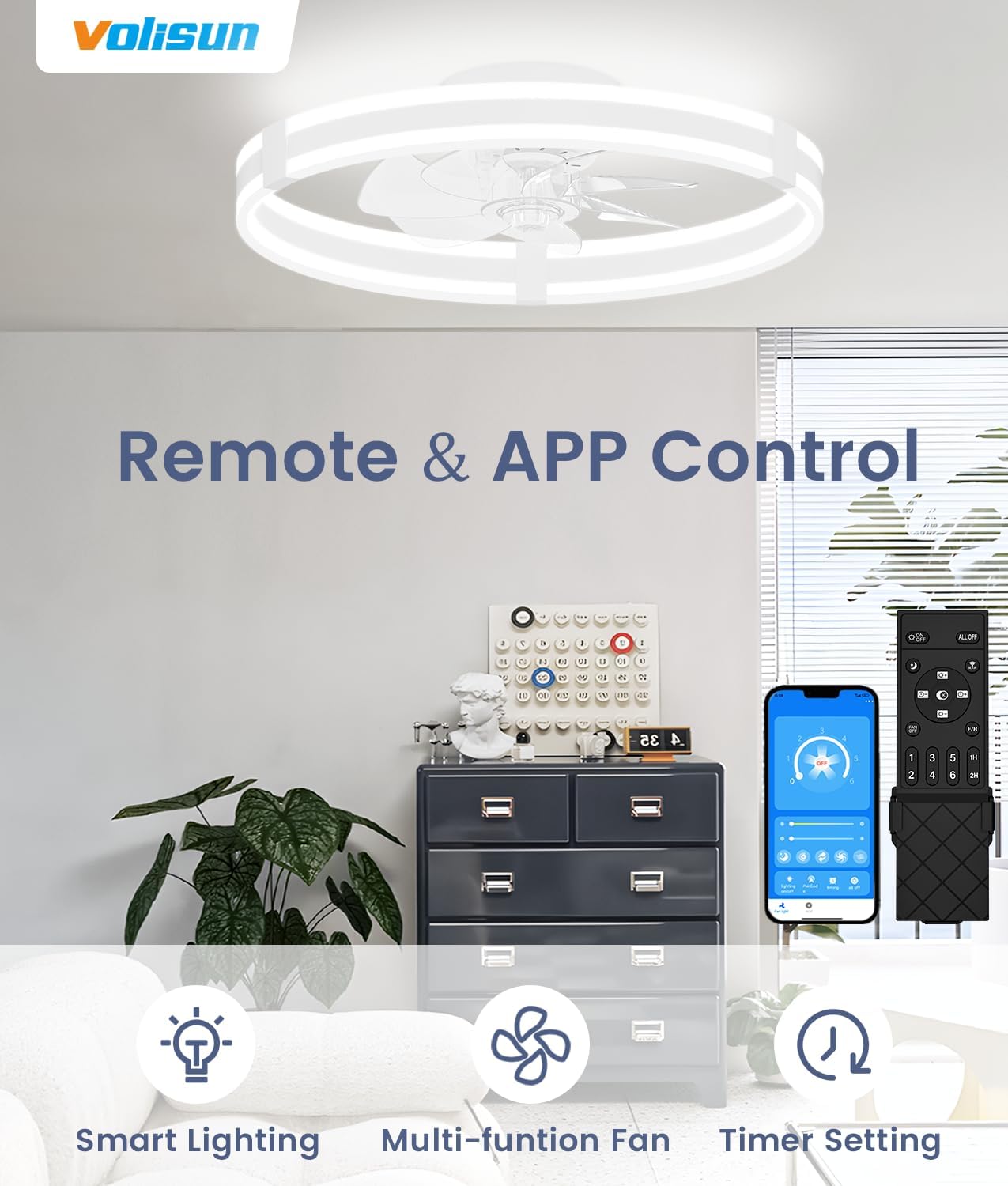
Image 7.1: The remote control and mobile app interface for controlling the fan's smart lighting, multi-function fan, and timer settings.

Image 7.2: Instructions for pairing the remote control: load batteries and use.
7.2 App Control
The fan can also be controlled via a mobile application. Scan the QR code provided in the product packaging or visit http://www.mihuansemi.com/zhikong/ to download the app. Follow the in-app instructions for pairing your fan.

Image 7.3: The mobile application interface for controlling the fan, with a QR code for easy download.
7.3 Light Customization & Memory Function
The integrated LED light offers adjustable color temperatures from 3000K (warm light) to 6500K (white light) and brightness adjustment from 5% to 100%. The memory function ensures that the fan recalls your last used light settings when powered on, whether via remote or wall switch.

Image 7.4: Demonstrates customizable lighting options: Warm Light (3000K), Warm White (4500K), and White Light (6000K), with brightness adjustment.

Image 7.5: The memory function automatically restores the previous light setting when the fan is turned on.
7.4 Seasonal Reversal Function
The fan features a reversible motor for year-round comfort. In summer, the fan rotates counter-clockwise to create a downward breeze. In winter, it rotates clockwise to draw warm air up and circulate it throughout the room.

Image 7.6: Illustrates the fan's ability to provide summer forward (cooling) and winter reversal (warming) airflow.
8. Maintenance
- Cleaning: Periodically clean the fan and light fixture with a soft, dry, or slightly damp cloth. Ensure power is off before cleaning.
- No Harsh Chemicals: Do not use abrasive cleaners, solvents, or polishes as they may damage the finish.
- Check Connections: Annually check all electrical connections and mounting hardware for tightness.
9. Troubleshooting
| Problem | Possible Cause | Solution |
|---|---|---|
| Fan does not operate | No power supply; Loose wiring; Remote control battery depleted. | Check circuit breaker; Verify wiring connections; Replace remote control batteries. |
| Light does not turn on | No power supply; Loose wiring; LED module failure. | Check circuit breaker; Verify wiring connections; Contact customer support if LED module is faulty. |
| Remote control not working | Batteries depleted; Remote not paired; Obstruction between remote and fan. | Replace batteries; Re-pair remote according to manual; Ensure clear line of sight. |
| Fan makes excessive noise | Loose mounting screws; Unbalanced fan blades. | Tighten all mounting screws; Ensure fan blades are securely attached and balanced. |
10. Warranty and Support
VOLISUN stands by its products. This ceiling fan comes with a comprehensive 3-year service warranty covering malfunctions or defects. For any inquiries, technical assistance, or warranty claims, please contact VOLISUN customer support through your purchase platform or visit the official VOLISUN website.
Please retain your proof of purchase for warranty validation.