
1. Introduction
Thank you for choosing Ceretone Hearing Aids. This manual provides essential information for the proper use, care, and maintenance of your new hearing aids. Designed for comfort and superior sound clarity, these rechargeable hearing aids feature advanced noise cancellation and multiple sound modes to adapt to various environments. Please read this manual thoroughly before first use to ensure optimal performance and longevity of your device.

Image: Ceretone Hearing Aids securely placed within their charging case, ready for use or recharge.
2. What's in the Box
Your Ceretone Hearing Aids package includes the following items:
- 2x Ceretone Hearing Aids
- 1x Charging Case
- 1x Cleaning Tool
- 1x Charging Cable (USB)
- 6x Ear Tips (2 Small, 2 Medium, 2 Large)
- 1x User Experience Guide
- 1x Quick-Start Guide
- 1x User Manual (this document)

Image: A visual representation of all items included in the Ceretone Hearing Aids product package.
3. Product Overview
3.1 Components

Image: Labeled diagram illustrating the key components of the Ceretone Hearing Aid, including the microphone, volume control, power button, charging contacts, thin ear tube, secure retention wire, and comfortable ear tip.
- High-Performance Microphone: Captures surrounding sounds.
- Easy Volume Control: A lever for adjusting sound levels.
- Convenient Power Button: Toggles the device on and off.
- Charging Contacts: For recharging the hearing aid in its case.
- Thin Ear Tube: Delivers sound to the ear tip.
- Secure Retention Wire: Helps keep the hearing aid comfortably in place.
- Comfortable Ear Tip: Sits inside the ear canal for sound delivery.
3.2 Key Features
- Advanced Digital Chip: Utilizes U.S. INTRICON-Made Chip for real-time sound wave analysis, enhancing high frequencies and optimizing low frequencies for natural clarity.
- KNOWLSE-Made Speaker: Ensures superior sound output.
- Ergonomic & Lightweight Design: Medical-grade hypoallergenic resin body for comfortable, pressure-free, and slip-resistant fit, weighing less than 0.01 lb.
- X-Large Charging Case: Designed for easy handling, providing ample space for inserting and removing hearing aids.
- 2-in-1 Charging Box: Charges hearing aids and includes a built-in storage space for a desiccant bag (not included) to dry the devices, preventing moisture buildup.
- Four Tailored Modes: Normal, Restaurant, Outdoor, and Music modes to optimize hearing in various environments.
- Six Volume Levels: Allows precise adjustment of sound amplification.
- Long Battery Life: Provides over 20 hours of use per charge.

Image: An overview highlighting key features such as the large charging case, comfortable wear, ease of operation, clear sound quality, automatic noise reduction, 6 volume levels, volume memory, battery level monitoring, and long standby time.
4. Setup
4.1 Choosing the Right Ear Tip
Selecting the correct ear tip size is crucial for comfort and sound quality. Your package includes small (S), medium (M), and large (L) ear tips. Experiment to find the size that provides a snug, comfortable fit without causing discomfort or whistling (feedback).
- A well-fitted ear tip prevents sound leakage and optimizes sound delivery.
- If you experience whistling, try a larger ear tip or ensure the current one is properly seated.

Image: A Ceretone Hearing Aid displayed alongside small, medium, and large ear tips, illustrating the options for a personalized fit.
4.2 First Use and Fitting
- Charge Fully: Before first use, place both hearing aids in the charging case and ensure they are fully charged. Refer to the 'Charging' section for details.
- Select Ear Tip: Choose the appropriate ear tip size.
- Positioning: Gently place the hearing aid behind your ear, with the ear tube extending into your ear canal. Insert the ear tip into your ear canal until it feels secure and comfortable. The retention wire should sit against the outer ear to help stabilize the device.
- Initial Adjustment: Start with a lower volume setting and gradually increase it to a comfortable level. It may take some time to adjust to new sounds.

Image: Comparison showing a correctly fitted hearing aid with protected sound quality versus an improperly fitted one with impaired sound quality, emphasizing the importance of proper ear curve fit.
5. Operating Instructions
5.1 Power On/Off
Locate the ON/OFF switch on the body of the hearing aid. Slide the switch to 'ON' to power on the device, and to 'OFF' to power it off. It is recommended to power off the hearing aids when not in use or when charging.
5.2 Volume Control
The hearing aid features an easy-to-use volume lever. Gently click the lever up (+) to increase the volume or down (-) to decrease it. There are six distinct volume levels. Adjust to a level that provides clear and comfortable hearing without distortion.
5.3 Sound Modes
Your Ceretone Hearing Aids offer four tailored sound modes to optimize your listening experience in different environments. To switch between modes, press the mode button (refer to the product diagram for location). Each press will cycle through the available modes:
- Normal Mode: General use, suitable for quiet environments.
- Restaurant Mode: Designed to reduce background noise and enhance speech in noisy settings.
- Outdoor Mode: Optimizes sound for open-air environments, reducing wind noise.
- Music Mode: Provides a richer, more balanced sound for enjoying music.

Image: Illustrates the versatility of Ceretone Hearing Aids across different environments, including interactions with children, entertainment, watching TV, and social gatherings, demonstrating the effectiveness of its tailored sound modes.
5.4 Noise Cancellation
The intelligent digital chip actively analyzes sound waves to precisely enhance desired frequencies while reducing environmental noise, wind, and feedback. This results in a clearer and more natural listening experience.

Image: A visual representation of the Ceretone Hearing Aid's internal components and a graph showing how it filters out environmental noise to focus purely on human voice, music, and natural sounds.
6. Charging
6.1 Charging the Hearing Aids
To charge your hearing aids, ensure they are powered off and place them into their respective slots in the charging case. The charging case will indicate the charging status (e.g., with LED lights). A full charge takes approximately 2.5 hours and provides over 20 hours of continuous use.
6.2 Charging the Case
Connect the provided USB charging cable to the charging case and a suitable power source (e.g., a USB wall adapter or computer USB port). The charging case itself does not contain an internal battery and must be plugged in to charge the hearing aids.
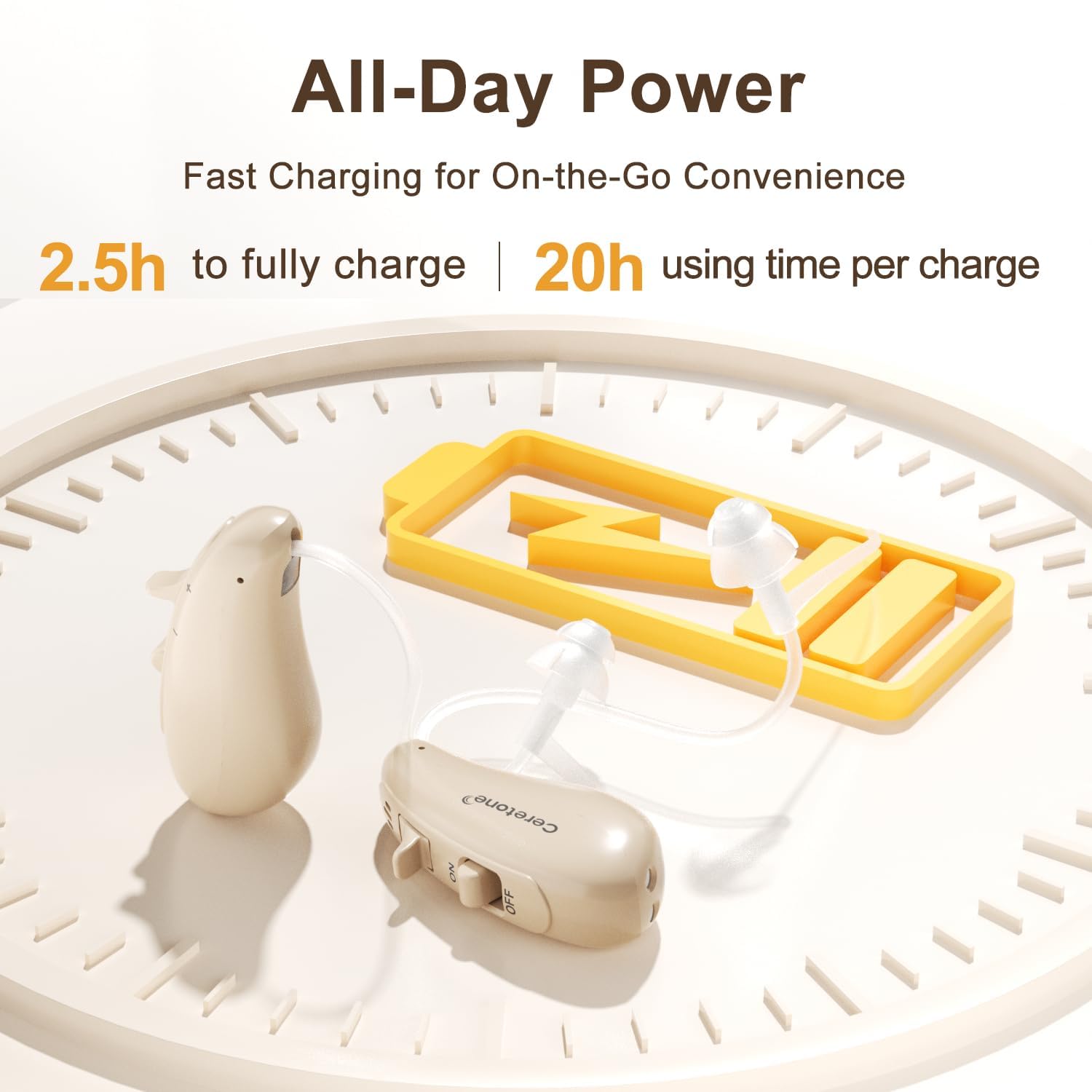
Image: An illustration depicting the Ceretone Hearing Aids charging, highlighting the 2.5-hour full charge time and 20-hour usage time per charge, with a battery icon in the background.
7. Maintenance
7.1 Cleaning
Regular cleaning is essential for optimal performance and hygiene.
- Use the provided cleaning tool to gently remove any earwax or debris from the ear tips and sound outlets.
- Wipe the body of the hearing aids with a soft, dry cloth. Do not use water or cleaning solutions directly on the hearing aids.
- Clean the charging contacts on both the hearing aids and the charging case periodically to ensure a reliable connection.
7.2 Drying
Moisture can damage electronic components. The charging case includes a built-in storage space for a desiccant bag (not included) to help dry your hearing aids while they charge.
- Place a desiccant bag (e.g., silica gel) into the designated compartment in the charging case.
- Ensure the desiccant bag is replaced regularly according to its instructions to maintain effectiveness.

Image: The Ceretone Charging Case open, revealing a dedicated storage space for a desiccant bag (not included) to facilitate drying of the hearing aids during charging.
8. Troubleshooting
If you encounter issues with your Ceretone Hearing Aids, please refer to the following common solutions:
| Problem | Possible Cause | Solution |
|---|---|---|
| No sound or weak sound | Low battery, power off, ear tip blocked, incorrect volume. | Charge hearing aids, power on, clean ear tip/sound outlet, increase volume. |
| Whistling or feedback | Improperly fitted ear tip, ear tip too small, earwax buildup. | Re-seat ear tip, try a larger ear tip, clean ear canal/ear tip. |
| Sound is distorted or unclear | Ear tip blocked, low battery, moisture inside device. | Clean ear tip, charge hearing aids, use drying function in case. |
| Hearing aid not charging | Poor contact, charging cable issue, case not powered. | Ensure hearing aids are correctly seated, clean charging contacts, check cable connection, ensure case is plugged into power. |
If the problem persists after trying these solutions, please contact Ceretone customer support.
9. Specifications
| Feature | Detail |
|---|---|
| Model Number | SOLID |
| Package Dimensions | 6.69 x 4.53 x 2.72 inches |
| Item Weight | 13.76 ounces (total package) |
| Batteries | 1 Lithium Ion battery required (included per hearing aid) |
| Manufacturer | AUDICON CORPORATION |
| Gain | +37 dB (typical) |
| Charging Time | Approx. 2.5 hours for full charge |
| Usage Time | 20+ hours per charge |
10. Warranty and Support
Ceretone offers lifetime after-sale service and dedicated customer support. Our U.S.-based team is available 7 days a week to assist you with any questions or concerns.
- Online Contact: Support-@-Ceretone.com
- Local After-Sales Team Phone: (909) 850-4788 or (866) 283-4262
- Contact our team for a free battery pack if needed.
Adjusting to new hearing aids can take anywhere from one to three months. We provide comprehensive user manuals, quick start guides, and video tutorials to support your journey.

Image: Displays the Instruction Manual, Quick Start Guide, and contact information (email and phone numbers) for Ceretone customer support, emphasizing comprehensive hearing support.


