
isinwheel U5 Pro
isinwheel U5 Pro Folding Electric Bike User Manual
Model: U5 Pro | Brand: isinwheel
1. Introduction and Overview
Thank you for choosing the isinwheel U5 Pro Folding Electric Bike. This manual provides essential information for the safe and efficient operation, maintenance, and troubleshooting of your new electric bicycle. The U5 Pro is designed for both leisure riding and commuting, featuring a powerful 500W (Peak 800W) brushless motor, 20-inch fat tires, and a 48V 7.8Ah battery, offering a range of up to 50 miles in pedal-assist mode and a top speed of 20 MPH. Its foldable design ensures portability and convenient storage.

Figure 1: isinwheel U5 Pro Folding Electric Bike (Black Standard)
2. Safety Information
Your safety is paramount. Please read and understand all safety warnings and instructions before operating the electric bike. Failure to do so may result in serious injury or damage to the product.
- Always wear a helmet that meets local safety standards.
- Familiarize yourself with local laws and regulations regarding electric bicycles.
- Perform a pre-ride inspection before each use, checking brakes, tires, battery, and all connections.
- Do not ride under the influence of alcohol or drugs.
- Be aware of your surroundings and ride defensively, especially in traffic.
- Avoid riding in adverse weather conditions (heavy rain, snow, ice) or on extremely rough terrain.
- The isinwheel U5 Pro is SGS-certified and UL 2849 compliant, ensuring high safety standards for the full e-bike.
3. Package Contents
Upon unpacking, please verify that all components are present and in good condition:
- isinwheel U5 Pro Folding Electric Bike (main unit)
- Battery (pre-installed or separate)
- Battery Charger
- User Manual
- Assembly Tools (if applicable)
- Keys for battery lock
4. Setup and Assembly
The isinwheel U5 Pro comes mostly pre-assembled. Follow these steps to complete the setup:
- Unfolding the Bike: Carefully unfold the frame, ensuring the locking mechanisms are securely engaged.
- Handlebar Adjustment: Adjust the handlebar height to a comfortable riding position and secure it. The handlebar height is adjustable from 40.9" to 46.5".
- Seat Adjustment: Adjust the seat post height for proper leg extension and comfort. The seat height is adjustable from 27.2" to 36.6".
- Pedal Installation: Attach the pedals (if not pre-installed), ensuring they are tightened securely.
- Tire Inflation: Inflate tires to the recommended pressure indicated on the tire sidewall.
- Initial Battery Charge: Fully charge the battery before first use. Charging typically takes 2-3 hours.

Figure 2: Adjustable Seat and Handlebars for personalized comfort.

Figure 3: The foldable design allows for easy storage and transport in car trunks or public transport.
5. Operating Instructions
5.1 Powering On/Off and Display
To power on the bike, press and hold the power button on the smart LCD display. The display will show speed, riding time, mileage, and remaining battery power. To power off, press and hold the power button again.

Figure 4: Smart LCD Display and Shimano 7-Speed Derailleur controls.
5.2 Pedal Assist System (PAS) and Throttle
The U5 Pro features 5 levels of pedal assist (PAS). Use the '+' and '-' buttons on the display to adjust the assist level. Higher levels provide more motor assistance. For full electric mode, engage the throttle located on the handlebar. The powerful 500W (Peak 800W) brushless motor provides smooth acceleration.

Figure 5: The 500W brushless motor provides efficient and quiet power.
5.3 Gear Shifting
The bike is equipped with a 7-speed Shimano gear system. Use the gear shifter on the handlebar to change gears according to terrain and desired pedaling effort. Shift to lower gears for climbing hills and higher gears for flat terrain or downhill riding.

Figure 6: The 7-speed gear system offers versatility for various riding conditions.
5.4 Braking
The U5 Pro features dual disc brakes (front and rear) for reliable stopping power. Apply both brake levers simultaneously for effective and controlled braking. The bike also includes an integrated LED headlight and rear reflector for enhanced visibility, especially during night rides.

Figure 7: Integrated lighting system for improved safety and visibility.
6. Maintenance
Regular maintenance ensures the longevity and optimal performance of your electric bike.
- Tires: Check tire pressure regularly and inflate to the recommended PSI. Inspect tires for wear and damage.
- Brakes: Periodically check brake pads for wear and ensure brake levers provide firm and responsive braking. Adjust as needed.
- Chain: Keep the chain clean and lubricated to prevent rust and ensure smooth shifting.
- Battery Care:
- Charge the battery fully after each ride, especially if it will be stored for an extended period.
- Store the battery in a cool, dry place, away from direct sunlight and extreme temperatures.
- If storing for long periods, charge the battery to 50-70% every 2-3 months.
- General Cleaning: Clean the bike regularly with a damp cloth. Avoid using high-pressure water jets directly on electrical components.
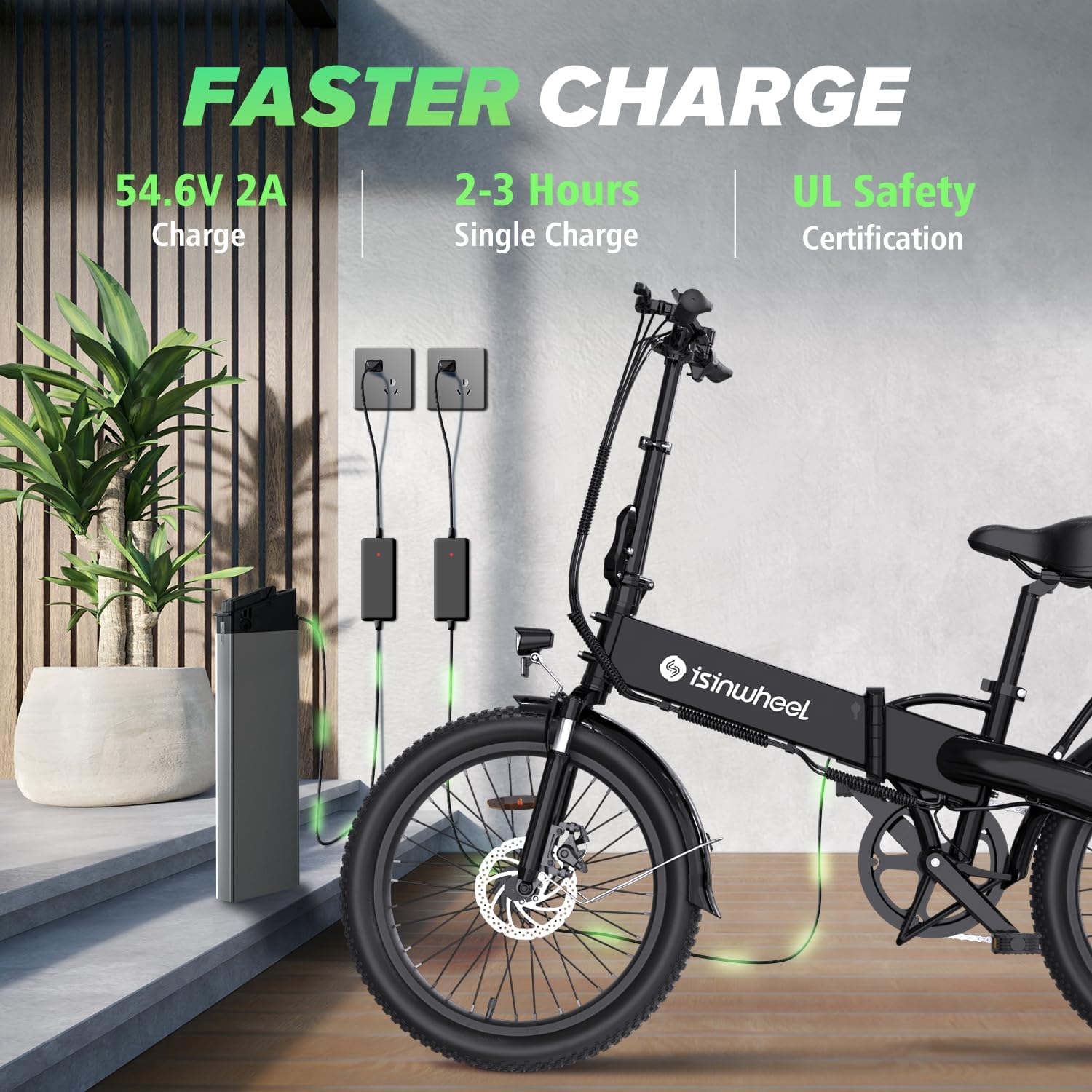
Figure 8: The 48V 7.8Ah battery offers 2-3 hour fast charging.
7. Troubleshooting
This section addresses common issues you might encounter with your isinwheel U5 Pro electric bike.
| Problem | Possible Cause | Solution |
|---|---|---|
| Bike does not power on. | Battery low or not connected; power button not pressed correctly. | Charge battery fully; ensure battery is securely seated; press and hold power button. |
| Motor not assisting. | PAS level too low; throttle not engaged; brake levers engaged; motor connection issue. | Increase PAS level; engage throttle; release brake levers; check motor cable connection. |
| Brakes feel weak. | Worn brake pads; loose brake cable; air in hydraulic system (if applicable). | Inspect and replace brake pads; adjust brake cable tension; consult a professional for hydraulic brake issues. |
| Display not working correctly. | Loose connection; display damage. | Check display cable connections; contact support if damaged. |
If you encounter issues not listed here or if solutions do not resolve the problem, please contact isinwheel customer support.
8. Specifications
| Feature | Detail |
|---|---|
| Bike Type | Electric Bike |
| Motor | 500W (Peak 800W) Brushless Motor |
| Max Speed | 20 MPH |
| Battery | 48V 7.8Ah Lithium Battery |
| Max Range | Up to 50 Miles (Pedal Assist Mode) |
| Charge Time | 2-3 Hours |
| Wheel Size | 20 Inches (Fat Tire) |
| Gears | 7 Speed Shimano Gear System |
| Suspension | Front Fork Suspension (Dual Suspension Type) |
| Brake Style | Dual Disc Brakes |
| Frame Material | Aluminum |
| Folded Size | 37.4 x 17.7 x 27.5 inches |
| Certifications | SGS-certified, UL 2849 compliant |

Figure 9: Aluminum alloy suspension fork for improved comfort on varied terrain.

Figure 10: The large battery provides extended range for longer journeys.
9. Warranty and Support
isinwheel is committed to providing excellent customer service. For any questions, concerns, or warranty claims, please contact our support team:
- Call Center: 1(888) 293-5788
- Live Chat/Email Support: support@isinwheel.com
- We offer 24-hour after-sale support to ensure your satisfaction.

Figure 11: isinwheel customer support is available to assist you.
Ask a question about this manual
Ask about setup, troubleshooting, compatibility, parts, safety, or missing instructions. Manuals+ will review the question and use this page’s manual context to help answer it.