Introduction
The TESSAN Remote Control Outlet Plug provides a convenient and efficient way to control your indoor lights, lamps, fans, and other small home appliances wirelessly. With its plug-and-play design and 100 ft range, it simplifies the management of hard-to-reach devices, offering both convenience and energy-saving benefits.
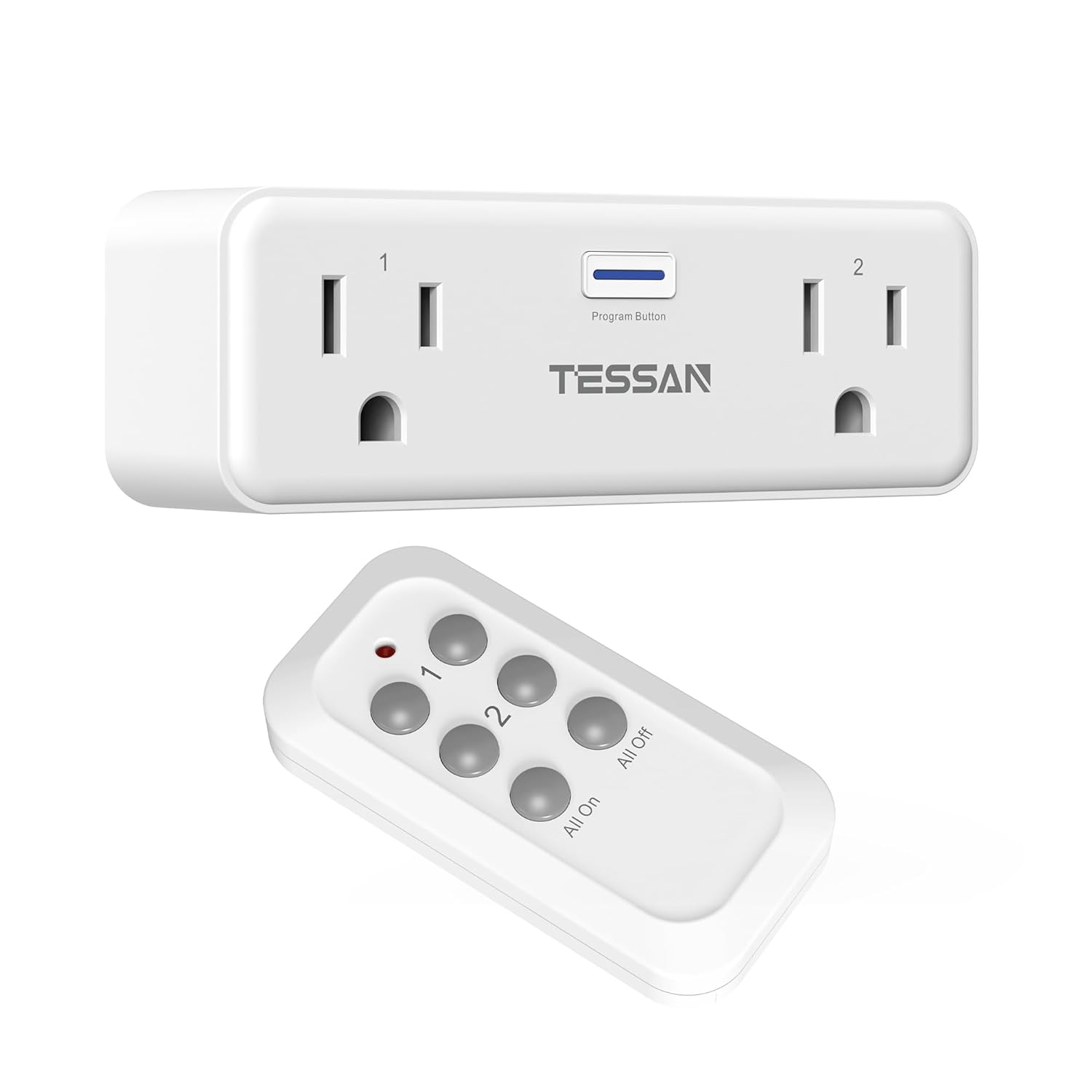
Image: The TESSAN Remote Control Outlet Plug and its accompanying remote control.
Setup Guide
- Unpack the Device: Carefully remove the remote control outlet and the remote from its packaging.
- Plug into Wall Outlet: Insert the TESSAN remote control outlet plug into a standard 125V wall outlet. Ensure it is securely plugged in.
- Connect Appliance: Plug the appliance you wish to control into one of the two independent sockets on the TESSAN outlet.
- Initial Use (Plug and Play): The wireless switch is designed for immediate use without additional pairing. It should work directly after power on.

Image: The TESSAN Remote Control Outlet Plug inserted into a wall outlet with an appliance connected.
Operating Instructions
The remote control features dedicated buttons for each outlet and a master control for both. The 100 ft range allows control through doors and walls, making it ideal for various indoor settings.
- Controlling Outlet 1: Use the buttons labeled "1" on the remote to turn the appliance plugged into socket 1 ON or OFF.
- Controlling Outlet 2: Use the buttons labeled "2" on the remote to turn the appliance plugged into socket 2 ON or OFF.
- Controlling Both Outlets: Use the "All On" button to turn both connected appliances ON simultaneously. Use the "All Off" button to turn both connected appliances OFF simultaneously.

Image: Visual guide demonstrating the function of each button on the remote control for individual and combined outlet control.
The compact design ensures that the remote outlet does not obstruct adjacent wall sockets, allowing for efficient use of your power outlets.

Image: Illustration of the compact size of the TESSAN remote control outlet, showing it does not block the lower socket.
Maintenance
To ensure optimal performance and longevity of your TESSAN Remote Control Outlet Plug, follow these simple maintenance guidelines:
- Cleaning: Disconnect the device from the power outlet before cleaning. Use a dry, soft cloth to wipe the surface. Do not use liquid cleaners or abrasive materials.
- Storage: When not in use for extended periods, store the device in a cool, dry place away from direct sunlight and extreme temperatures.
- Battery Replacement (Remote): The remote control uses a 12V battery. If the remote's indicator light does not illuminate or its range decreases significantly, replace the battery. Refer to the remote's back for battery compartment access.
Troubleshooting
- Device Not Responding to Remote:
- Ensure the remote control outlet is securely plugged into a live wall outlet.
- Check the battery in the remote control. Replace if necessary.
- Ensure you are within the 100 ft operating range.
- Minimize obstructions between the remote and the outlet, although the signal is designed to pass through walls and doors.
- Appliance Not Turning On/Off:
- Verify the appliance itself is functioning correctly when plugged directly into a standard outlet.
- Ensure the appliance's power switch is in the ON position if it has one.
- Check if the appliance's wattage exceeds the maximum rated power of 1875W for the TESSAN outlet.
- Interference:
- While designed for strong signal, extreme electromagnetic interference might affect performance. Try relocating the outlet or remote if issues persist.
Specifications
| Feature | Detail |
|---|---|
| Model Number | BHC1802-2RF/BH-R |
| Operation Mode | ON-OFF |
| Current Rating | 15 Amps |
| Operating Voltage | 125 Volts |
| Contact Type | Normally Closed |
| Connector Type | Plug In |
| Brand | TESSAN |
| Control Method | Remote |
| Color | White |
| Wattage | 1875 watts |
| Remote Battery | 1 x 12V battery (included) |
| Range | Up to 100 ft (line of sight, may vary with obstructions) |
Warranty and Support
TESSAN products are designed for reliability and performance. For warranty information or technical support, please refer to the contact details provided on the product packaging or visit the official TESSAN website. Keep your purchase receipt for warranty claims.
For further assistance, please contact TESSAN Customer Service.